

編輯:關於 Android 程式設計
先看成品的樣子,效果有點像 360 偵測到騷擾電話時飄過的提示:
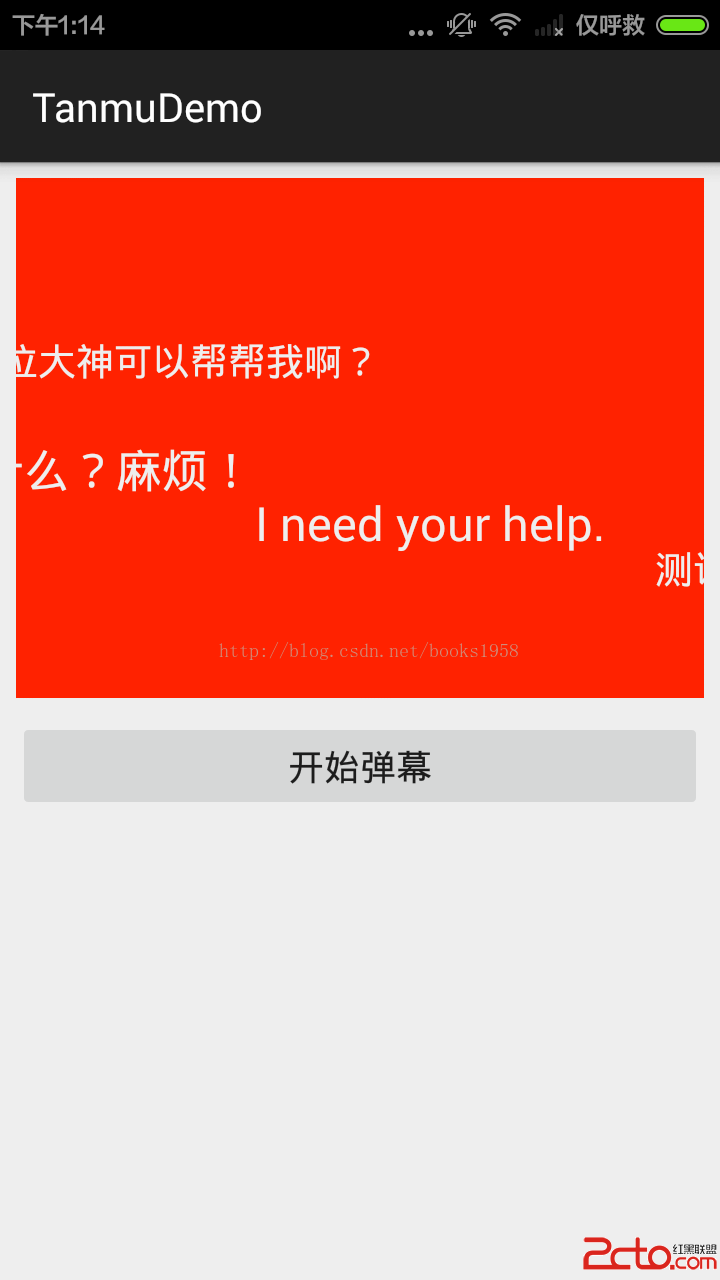
版面結構很樸素:外層一個 RelativeLayout 當容器,下面擺一顆 Button 觸發。
(1)彈幕產生後由右向左平移(TranslateAnimation),動畫一結束立刻從容器移除,避免 View 越堆越多。
(2)垂直位置隨機分配,但同一時間內不重複,藉此避開文字疊在一起。
(3)字級在一定區間內隨機浮動,顏色則由外部指定。
(4)自訂「先減速、後加速」的插值器,讓彈幕加速進場、減速停留、再加速離場,觀感更自然。
public class MainActivity extends ActionBarActivity {
    private MyHandler handler;
    private TanmuBean tanmuBean;
    private RelativeLayout containerVG;
    private int validHeightSpace;

    @Override
    protected void onCreate(Bundle savedInstanceState) {
        super.onCreate(savedInstanceState);
        setContentView(R.layout.activity_main);
        containerVG = (RelativeLayout) findViewById(R.id.tanmu_container);
        tanmuBean = new TanmuBean();
        tanmuBean.setItems(new String[]{
            "測試一下", "彈幕這東西真不好做啊", "總是出現各種問題~~",
            "也不知道都是為什麼?麻煩!", "哪位大神可以幫幫我啊?",
            "I need your help."
        });
        handler = new MyHandler(this);

        findViewById(R.id.startTanmu).setOnClickListener(new View.OnClickListener() {
            @Override
            public void onClick(View v) {
                if (containerVG.getChildCount() > 0) return;
                existMarginValues.clear();
                new Thread(new CreateTanmuThread()).start();
            }
        });
    }

    /** 每 2 秒送出一條彈幕 */
    private class CreateTanmuThread implements Runnable {
        @Override
        public void run() {
            int N = tanmuBean.getItems().length;
            for (int i = 0; i < N; i++) {
                handler.obtainMessage(1, i, 0).sendToTarget();
                SystemClock.sleep(2000);
            }
        }
    }

    /** 建立 View 只能在主執行緒做,所以透過 Handler 轉回來 */
    private static class MyHandler extends Handler {
        private WeakReference<MainActivity> ref;

        MyHandler(MainActivity ac) {
            ref = new WeakReference<>(ac);
        }

        @Override
        public void handleMessage(Message msg) {
            super.handleMessage(msg);
            if (msg.what == 1) {
                MainActivity ac = ref.get();
                if (ac != null && ac.tanmuBean != null) {
                    int index = msg.arg1;
                    String content = ac.tanmuBean.getItems()[index];
                    float textSize = (float) (ac.tanmuBean.getMinTextSize()
                            * (1 + Math.random() * ac.tanmuBean.getRange()));
                    ac.showTanmu(content, textSize, ac.tanmuBean.getColor());
                }
            }
        }
    }

    private void showTanmu(String content, float textSize, int textColor) {
        final TextView textView = new TextView(this);
        textView.setTextSize(textSize);
        textView.setText(content);
        textView.setTextColor(textColor);

        int leftMargin = containerVG.getRight() - containerVG.getLeft()
                - containerVG.getPaddingLeft();
        int verticalMargin = getRandomTopMargin();
        textView.setTag(verticalMargin);

        LayoutParams params = new LayoutParams(
                LayoutParams.WRAP_CONTENT, LayoutParams.WRAP_CONTENT);
        params.addRule(RelativeLayout.ALIGN_PARENT_TOP);
        params.topMargin = verticalMargin;
        textView.setLayoutParams(params);

        Animation anim = AnimationHelper.createTranslateAnim(
                this, leftMargin, -ScreenUtils.getScreenW(this));
        anim.setAnimationListener(new Animation.AnimationListener() {
            @Override public void onAnimationStart(Animation animation) { }

            @Override
            public void onAnimationEnd(Animation animation) {
                containerVG.removeView(textView);
                existMarginValues.remove((Integer) textView.getTag());
            }

            @Override public void onAnimationRepeat(Animation animation) { }
        });

        textView.startAnimation(anim);
        containerVG.addView(textView);
    }

    /** 記錄仍在顯示中的軌道,防止重疊 */
    private Set<Integer> existMarginValues = new HashSet<>();
    private int linesCount;

    private int getRandomTopMargin() {
        if (validHeightSpace == 0) {
            validHeightSpace = containerVG.getBottom() - containerVG.getTop()
                    - containerVG.getPaddingTop() - containerVG.getPaddingBottom();
        }
        if (linesCount == 0) {
            linesCount = validHeightSpace / ScreenUtils.dp2px(
                    this, tanmuBean.getMinTextSize() * (1 + tanmuBean.getRange()));
            if (linesCount == 0) {
                throw new RuntimeException("Not enough space to show text.");
            }
        }
        while (true) {
            int randomIndex = (int) (Math.random() * linesCount);
            int marginValue = randomIndex * (validHeightSpace / linesCount);
            if (!existMarginValues.contains(marginValue)) {
                existMarginValues.add(marginValue);
                return marginValue;
            }
        }
    }
}
動畫時長依「位移距離 ÷ 螢幕寬度」的比例換算,這樣不同解析度下的飄移速度才會一致。
public class AnimationHelper {
    public static Animation createTranslateAnim(Context context, int fromX, int toX) {
        TranslateAnimation tlAnim = new TranslateAnimation(fromX, toX, 0, 0);
        long duration = (long) (Math.abs(toX - fromX) * 1.0f
                / ScreenUtils.getScreenW(context) * 4000);
        tlAnim.setDuration(duration);
        tlAnim.setInterpolator(new DecelerateAccelerateInterpolator());
        tlAnim.setFillAfter(true);
        return tlAnim;
    }
}
ScreenUtils 則是拿螢幕寬高、dp 與 px 互轉的常用小工具。
核心其實只有一行數學式,用正切函數把 0~1 的輸入映射成一條「中間平緩、兩端陡峭」的曲線。
public class DecelerateAccelerateInterpolator implements Interpolator {
    @Override
    public float getInterpolation(float input) {
        return (float) (Math.tan((input * 2 - 1) / 4 * Math.PI)) / 2.0f + 0.5f;
    }
}
把文案、顏色、基準字級與字級浮動範圍集中管理,之後要換風格只改這裡就好。
public class TanmuBean {
    private String[] items;
    private int color;
    private int minTextSize;
    private float range;

    public TanmuBean() {
        color = Color.parseColor("#eeeeee");
        minTextSize = 16;
        range = 0.5f;
    }

    public String[] getItems() { return items; }
    public void setItems(String[] items) { this.items = items; }
    public int getColor() { return color; }
    public void setColor(int color) { this.color = color; }
    /** 基準字級,單位 dp */
    public int getMinTextSize() { return minTextSize; }
    public void setMinTextSize(int minTextSize) { this.minTextSize = minTextSize; }
    public float getRange() { return range; }
    public void setRange(float range) { this.range = range; }
}
整套做法的關鍵就兩點:用「軌道佔用集合」解決重疊,用動畫結束回呼完成自動回收。真要 production 使用,可以再考慮加上同軌道的重擊率控制與碰觸事件。
 ListView 下拉刷新與上拉加載的多種實現方案
ListView 的下拉刷新與上拉加載,是許多應用都會遇到的需求。以下整理四種常見實現思路,從完全自定義到成熟第三方庫,方便依專案情境選擇。 一、自定義 View 實現
 Android 動畫效果入門:四種基礎動畫與自定義動畫
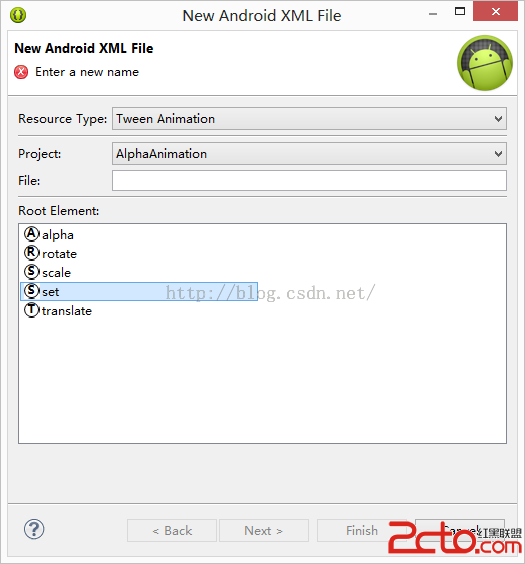
這篇系統梳理 Android 的四種基礎補間動畫,加上動畫集合與自定義動畫的寫法。每一種都給出「直接調用類」和「XML 描述」兩條路徑——前者靈活,後者簡潔,實際項目裡兩
 深入解析 Android Activity 生命週期
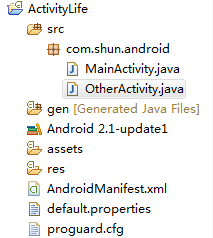
Activity 是 Android 四大元件之一,也是使用者最直接接觸的介面單元。幾乎所有應用程式都需要透過 Activity 與使用者互動,因此理解它的角色與生命週期
 移動大王卡怎麼申請、怎麼開通?套餐內容一次看懂
想辦一張省流量的卡,「移動大王卡」常被提到。以下整理它的申請方式、開通步驟與套餐內容,方便你判斷適不適合自己。 怎麼申請 目前主要透過山東移動的手機營業廳辦理。進入後找