

編輯:關於 Android 程式設計
物聯網正熱,小米手環這類可穿戴設備幾乎人手一只。本文示範如何封裝一套通用的 BLE(Bluetooth Low Energy)工具類,並用它讀取小米手環的運動數據。
Android 原生 BLE 相關 API 分散在 BluetoothManager、BluetoothAdapter、BluetoothDevice、BluetoothGatt 幾個類裡,回呼層層嵌套。把這些細節收攏到一個單例工具類中,業務層只需要關心「開始掃描」「拿到設備」「建立連線」三件事即可。
package com.zsl.bluetoothdemo.ble;

import android.bluetooth.BluetoothAdapter;
import android.bluetooth.BluetoothDevice;
import android.bluetooth.BluetoothGatt;
import android.bluetooth.BluetoothGattCallback;
import android.bluetooth.BluetoothManager;
import android.content.Context;
import android.content.Intent;
import android.os.Handler;

import java.util.ArrayList;
import java.util.List;

/**
 * 藍牙低功耗(BLE)通用工具類
 */
public class UniversalBluetoothLE {

    public static UniversalBluetoothLE universalBluetoothLE;

    private Context context;
    private BluetoothAdapter mBluetoothAdapter;
    private BluetoothManager bluetoothManager;

    /** 請求開啟藍牙的 requestCode */
    public static final int REQUEST_ENABLE_BLUETOOTH = 10010;
    /** 是否正在掃描 */
    private boolean mScanning;
    /** 掃描時長:10 秒 */
    private static final long SCAN_PERIOD = 10000;

    private BluetoothAdapter.LeScanCallback leScanCallback;
    private List<BluetoothDevice> bluetoothDeviceList = new ArrayList<>();
    private Handler mHandler = new Handler();
    private LeScanListenter leScanListenter;

    private UniversalBluetoothLE(Context context) {
        this.context = context;
        this.bluetoothManager = (BluetoothManager)
                context.getSystemService(Context.BLUETOOTH_SERVICE);
        this.mBluetoothAdapter = bluetoothManager.getAdapter();

        leScanCallback = new BluetoothAdapter.LeScanCallback() {
            @Override
            public void onLeScan(BluetoothDevice device, int rssi, byte[] scanRecord) {
                if (!bluetoothDeviceList.contains(device)) {
                    bluetoothDeviceList.add(device);
                }
                // 把最新列表回呼給上層
                leScanListenter.leScanCallBack(bluetoothDeviceList);
            }
        };
    }

    /** 取得單例 */
    public static UniversalBluetoothLE inistance(Context context) {
        if (universalBluetoothLE == null) {
            universalBluetoothLE = new UniversalBluetoothLE(context);
        }
        return universalBluetoothLE;
    }

    /** 檢查藍牙狀態,未開啟則跳轉系統開啟頁 */
    public void openBbletooth() {
        if (mBluetoothAdapter == null || !mBluetoothAdapter.isEnabled()) {
            Intent enableIntent = new Intent(BluetoothAdapter.ACTION_REQUEST_ENABLE);
            enableIntent.addFlags(Intent.FLAG_ACTIVITY_NEW_TASK);
            context.startActivity(enableIntent);
        }
    }

    /** 開始或停止掃描 */
    private void scanLeDevice(final boolean enable) {
        if (enable && !mScanning) {
            // 超時自動停止,避免持續耗電
            mHandler.postDelayed(new Runnable() {
                @Override
                public void run() {
                    mScanning = false;
                    mBluetoothAdapter.stopLeScan(leScanCallback);
                }
            }, SCAN_PERIOD);
            mScanning = true;
            mBluetoothAdapter.startLeScan(leScanCallback);
        } else {
            mScanning = false;
            mBluetoothAdapter.stopLeScan(leScanCallback);
        }
    }

    /** 對外暴露:開始搜索 */
    public void startScanLeDevice(final LeScanListenter listener) {
        bluetoothDeviceList.clear();
        this.leScanListenter = listener;
        scanLeDevice(true);
    }

    /** 對外暴露:停止搜索 */
    public void stopScanLeDevice() {
        if (leScanCallback == null) return;
        scanLeDevice(false);
    }

    /** 掃描結果回呼 */
    public interface LeScanListenter {
        void leScanCallBack(List<BluetoothDevice> bluetoothDeviceList);
    }

    /** 建立 GATT 連線 */
    public BluetoothGatt getConnectGatt(BluetoothDevice device, boolean autoConnect,
                                        BluetoothGattCallback callback) {
        return device.connectGatt(context, autoConnect, callback);
    }
}universalBluetoothLE = UniversalBluetoothLE.inistance(MainActivity.this);universalBluetoothLE.openBbletooth();universalBluetoothLE.startScanLeDevice(new UniversalBluetoothLE.LeScanListenter() {
@Override
public void leScanCallBack(List<BluetoothDevice> list) {
// 更新列表 UI,通常再結合 rssi 做信號排序
}
});mBluetoothGatt = universalBluetoothLE.getConnectGatt(device, true, mGattCallback);
mBluetoothGatt.connect();在 onConnectionStateChange 中處理連線狀態,連上後呼叫 discoverServices();在 onServicesDiscovered 中取得目標 Service 與 Characteristic,打開 notify 並等待 onCharacteristicChanged 回呼,就能拿到手環上報的資料。
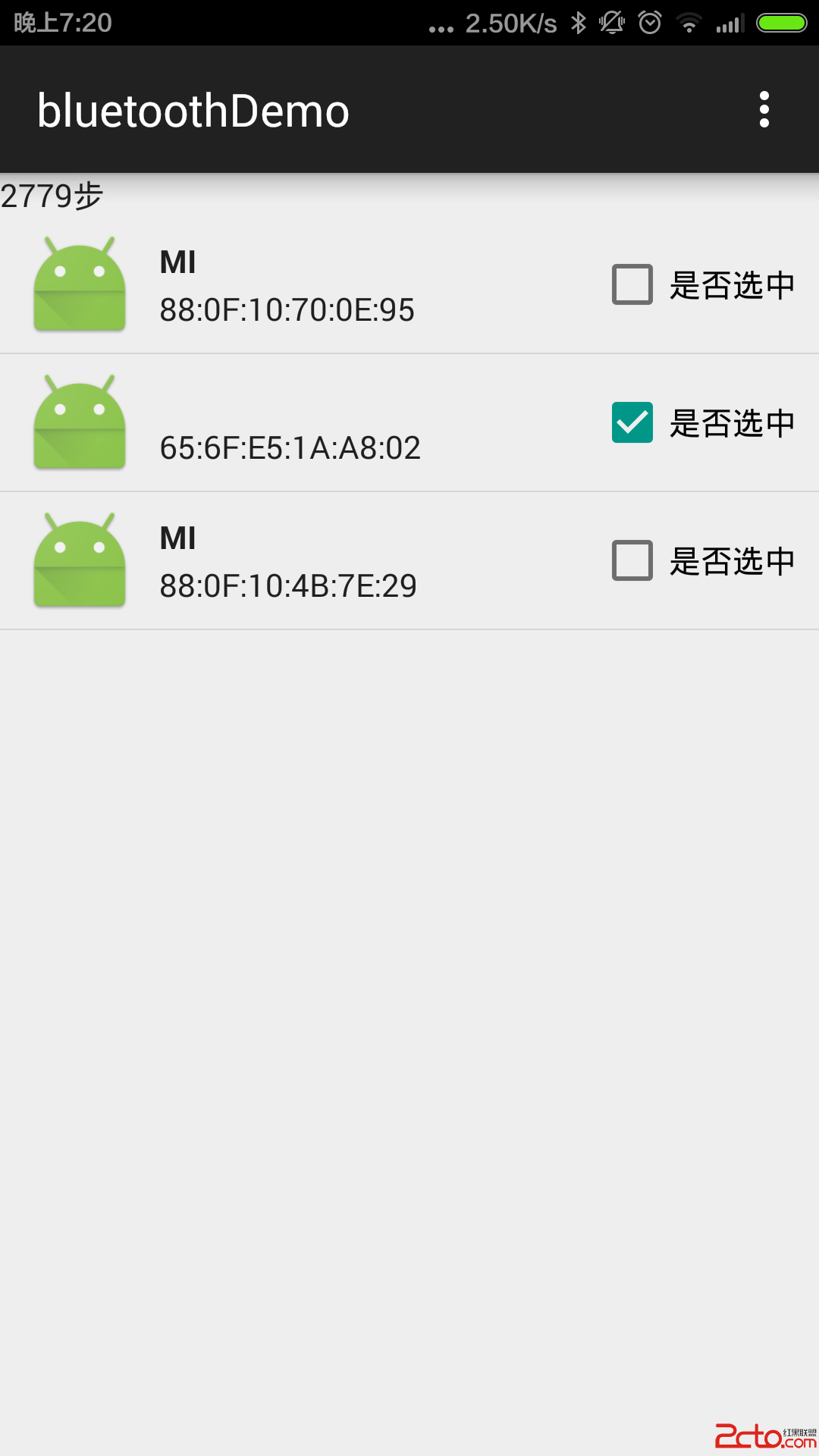
按照上面的流程,小米手環的計步數據可以穩定讀出:
Android 6.0 以後掃描需要定位權限與 ACCESS_COARSE_LOCATION,Android 12 以上則要改用 BLUETOOTH_SCAN / BLUETOOTH_CONNECT;startLeScan 系列 API 在 API 31 已標記為 deprecated,新專案建議改用 BluetoothLeScanner 搭配 ScanFilter,掃描效率與可控性都更好。此外 BLE 特征值多为十六位元字节流,解析前务必向设备厂商确认协议文档中的字节序与单位换算规则。
 Android 動態生成課程表完整實作詳解
本文將示範如何依據提供的課程資訊,動態生成課程表。有別於網路上常見的課表形式,本方案的課程節數並非固定,每天可顯示不同數量的課程。 一、效果圖 每天共有 12 節課,但
 安卓移動開發學習筆記(二):神奇的 Web API
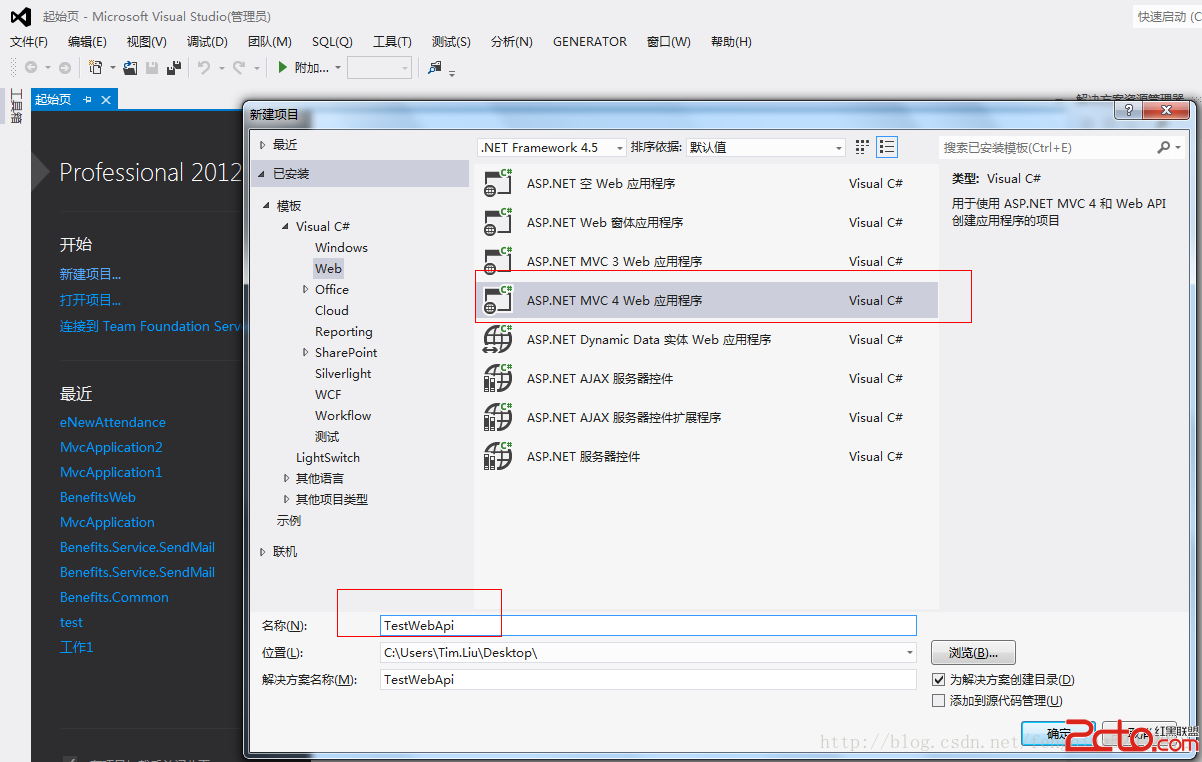
本次從兩個大方向來講解 Web API:一、如何在 Web 端實現 Web API?二、Android 端如何調用 Web API?至於「Web API 是什麼」「有什麼
 深入解析 Android 應用程序的啟動流程
在 Android 系統里,每一個應用程序的「主體」其實都是由 ActivityThread 來撐起的。但要真正把啟動流程講透,僅僅知道這一點還遠遠不夠。Activity
 Android 事件處理機制總結(三):Handler 消息傳遞完整解析
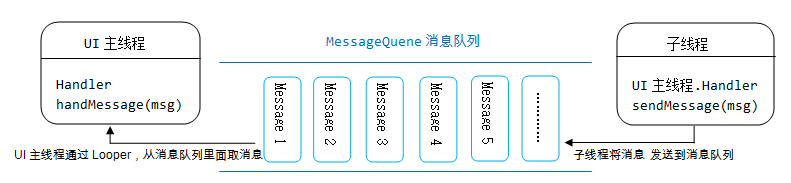
一、Android 的三類事件處理機制 事件處理的本質是「響應使用者的介面操作,提升程式的互動性」。Android 提供了三套機制: 1. 基於監聽的事件處理——最直