

編輯:關於 Android 程式設計
上一篇實作「點擊 EditText 同時彈出搜索歷史與系統軟鍵盤」時留了個問題:當搜索歷史超過兩條,列表預設只顯示前兩條,此時點擊右側的「X」刪除第三條以下的記錄是無效的——必須先展開全部才能刪。這篇就來修掉這個 bug。
問題根源在 getCount():折疊狀態下只回傳 2,那些沒被繪製的 item 自然點不到。解法是把「全部搜索記錄 / 關閉」這兩個操作塞進列表的最後一格,讓使用者在折疊狀態下也能一键展開或收起,展開後再刪除任意一條。
<LinearLayout xmlns:android="https://schemas.android.com/apk/res/android"
    android:layout_width="match_parent"
    android:layout_height="wrap_content"
    android:orientation="vertical">

    <RelativeLayout
        android:layout_width="wrap_content"
        android:layout_height="wrap_content"
        android:gravity="center_vertical">

        <ImageView
            android:id="@+id/delImage"
            android:layout_width="20dp"
            android:layout_height="20dp"
            android:layout_alignParentRight="true"
            android:layout_centerVertical="true"
            android:layout_marginRight="10dp"
            android:src="@mipmap/ic_launcher" />

        <TextView
            android:id="@+id/item_text"
            android:layout_width="match_parent"
            android:layout_height="wrap_content"
            android:layout_centerInParent="true"
            android:layout_toLeftOf="@id/delImage"
            android:paddingLeft="5dp"
            android:paddingTop="10dp"
            android:paddingBottom="10dp"
            android:textColor="#333333"
            android:textSize="14sp" />
    </RelativeLayout>

    <RelativeLayout
        android:id="@+id/show_all_history_or_cancel"
        android:layout_width="match_parent"
        android:layout_height="wrap_content">

        <TextView
            android:id="@+id/show_all_history"
            android:layout_width="wrap_content"
            android:layout_height="wrap_content"
            android:paddingTop="10dp"
            android:paddingBottom="10dp"
            android:layout_marginLeft="10dp"
            android:text="全部搜索記錄"
            android:textColor="#888888"
            android:textSize="14sp" />

        <TextView
            android:id="@+id/cancel_history"
            android:layout_width="wrap_content"
            android:layout_height="wrap_content"
            android:layout_alignParentRight="true"
            android:paddingTop="10dp"
            android:paddingBottom="10dp"
            android:layout_marginRight="10dp"
            android:text="關閉"
            android:textColor="#888888"
            android:textSize="14sp" />
    </RelativeLayout>

    <View
        android:layout_width="match_parent"
        android:layout_height="1dp"
        android:background="#666666" />
</LinearLayout>核心改動在 getCount():折疊時回傳 2(前兩條歷史 + 最後一格的操作列),展開時回傳完整筆數。
public class OptionsAdapter_3 extends BaseAdapter {

    private ArrayList<String> list = new ArrayList<>();
    private Activity activity = null;
    private HandleListviewItemListener handleListviewItemListener;
    private int count = 0;

    public OptionsAdapter_3(Activity activity,
                            HandleListviewItemListener listener,
                            ArrayList<String> list) {
        this.activity = activity;
        this.list = list;
        handleListviewItemListener = listener;
    }

    @Override
    public int getCount() {
        // 折疊時只顯示 2 格:兩條歷史 + 操作列
        count = CHEN.showAllSearchHistory ? 2 : list.size();
        return count;
    }

    @Override public Object getItem(int position) { return list.get(position); }
    @Override public long getItemId(int position) { return position; }

    class ViewHolder {
        TextView textView;
        ImageView imageView;
        TextView show_all_history;
        TextView cancel_history;
        RelativeLayout show_all_history_or_cancel;
    }

    @Override
    public View getView(final int position, View convertView, ViewGroup parent) {
        ViewHolder holder;
        if (convertView == null) {
            holder = new ViewHolder();
            convertView = LayoutInflater.from(activity).inflate(R.layout.option_item_3, null);
            holder.textView = convertView.findViewById(R.id.item_text);
            holder.imageView = convertView.findViewById(R.id.delImage);
            holder.show_all_history = convertView.findViewById(R.id.show_all_history);
            holder.cancel_history = convertView.findViewById(R.id.cancel_history);
            holder.show_all_history_or_cancel =
                    convertView.findViewById(R.id.show_all_history_or_cancel);
            convertView.setTag(holder);
        } else {
            holder = (ViewHolder) convertView.getTag();
        }

        // 最後一格是操作列
        if (position == count - 1) {
            holder.show_all_history_or_cancel.setVisibility(View.VISIBLE);
            holder.show_all_history.setVisibility(
                    CHEN.showAllSearchHistory ? View.VISIBLE : View.GONE);
        } else {
            holder.show_all_history_or_cancel.setVisibility(View.GONE);
        }

        holder.show_all_history.setOnClickListener(v ->
                handleListviewItemListener.handleListviewItem("showAllSearchHistory", -1));

        holder.cancel_history.setOnClickListener(v ->
                handleListviewItemListener.handleListviewItem("cancelSearchHistoryTip", -1));

        holder.textView.setText(list.get(position));
        // 點文字:填入 EditText
        holder.textView.setOnClickListener(v ->
                handleListviewItemListener.handleListviewItem("setSelestData", position));

        // 點 X:刪除該條
        holder.imageView.setOnClickListener(v ->
                handleListviewItemListener.handleListviewItem("delSelestData", position));

        return convertView;
    }
}<RelativeLayout xmlns:android="https://schemas.android.com/apk/res/android"
android:layout_width="fill_parent"
android:layout_height="fill_parent">
<EditText
android:id="@+id/edittext"
android:layout_width="200dp"
android:layout_height="40dp"
android:layout_marginLeft="30dp"
android:layout_marginTop="50dp"
android:background="#dedede"
android:paddingLeft="3dp"
android:singleLine="true" />
<TextView
android:id="@+id/save"
android:layout_width="wrap_content"
android:layout_height="45dp"
android:layout_below="@id/edittext"
android:layout_marginLeft="30dp"
android:layout_marginTop="30dp"
android:text="保存"
android:textColor="#000000"
android:textSize="20sp" />
<TextView
android:id="@+id/show"
android:layout_width="wrap_content"
android:layout_height="45dp"
android:layout_below="@id/save"
android:layout_marginLeft="30dp"
android:layout_marginTop="30dp"
android:text="展示"
android:textColor="#000000"
android:textSize="20sp" />
<TextView
android:id="@+id/clear"
android:layout_width="wrap_content"
android:layout_height="45dp"
android:layout_below="@id/show"
android:layout_marginLeft="30dp"
android:layout_marginTop="30dp"
android:text="清空"
android:textColor="#000000"
android:textSize="20sp" />
<ListView
android:id="@+id/search_history_lv"
android:layout_width="200dp"
android:layout_height="wrap_content"
android:layout_below="@id/edittext"
android:layout_marginLeft="30dp"
android:background="#ffffff"
android:visibility="gone" />
</RelativeLayout>public class MainActivity_10 extends Activity
implements View.OnClickListener, HandleListviewItemListener {
private ArrayList<String> datas;
private EditText et;
private TextView save_input_data;
private TextView show_pop;
private TextView clear;
private SharedPreferencesUtil spUtil;
private ListView search_history_lv;
private OptionsAdapter_3 adapter;
@Override
public void onCreate(Bundle savedInstanceState) {
super.onCreate(savedInstanceState);
setContentView(R.layout.activity_main_10);
spUtil = new SharedPreferencesUtil(MainActivity_10.this);
datas = new ArrayList<>();
search_history_lv = findViewById(R.id.search_history_lv);
adapter = new OptionsAdapter_3(this, this, datas);
search_history_lv.setAdapter(adapter);
et = findViewById(R.id.edittext);
clear = findViewById(R.id.clear);
clear.setOnClickListener(v -> {
datas.clear();
spUtil.saveSearchKeyHistory("");
});
save_input_data = findViewById(R.id.save);
save_input_data.setOnClickListener(v -> {
String willSave = et.getText().toString().trim();
if (TextUtils.isEmpty(willSave)) return;
String saveData = spUtil.getSearchKeyHistory();
if (TextUtils.isEmpty(saveData)) {
spUtil.saveSearchKeyHistory(willSave);
} else {
if (!Utils.isContainsStr(saveData, willSave)) {
// 新內容,放到最前面
saveData = willSave + "-" + saveData;
} else {
// 已存在,重新排序把它提到最前
String[] oldOrder = saveData.split("-");
int equaseIndex = 0;
for (int i = 0; i < oldOrder.length; i++) {
if (oldOrder[i].equals(willSave)) {
equaseIndex = i;
break;
}
}
if (equaseIndex != 0) {
saveData = oldOrder[equaseIndex];
for (int j = 0; j < equaseIndex; j++) {
saveData = saveData + "-" + oldOrder[j];
}
for (int k = equaseIndex + 1; k < oldOrder.length; k++) {
saveData = saveData + "-" + oldOrder[k];
}
}
}
// 依需求可自行改為只保留 5 條
if (saveData.length() > 150) {
saveData = saveData.substring(0, 150);
}
spUtil.saveSearchKeyHistory(saveData);
}
});
show_pop = findViewById(R.id.show);
show_pop.setOnClickListener(v -> showSearchHistory());
et.setOnClickListener(v -> {
if (TextUtils.isEmpty(et.getText().toString().trim())) {
showSearchHistory();
}
});
}
/** 顯示搜索歷史 */
public void showSearchHistory() {
datas.clear();
String data = spUtil.getSearchKeyHistory();
if (!TextUtils.isEmpty(data)) {
if (data.contains("-")) {
String[] dList = data.split("-");
int length = dList.length > 5 ? 5 : dList.length;
for (int i = 0; i < length; i++) {
if (!TextUtils.isEmpty(dList[i])) {
datas.add(dList[i]);
}
}
} else {
datas.add(data);
}
}
if (datas != null && datas.size() > 0) {
CHEN.showAllSearchHistory = datas.size() > 2;
adapter.notifyDataSetChanged();
search_history_lv.setVisibility(View.VISIBLE);
}
}
@Override public void onClick(View v) { }
@Override
public void handleListviewItem(String flag, int index) {
if ("setSelestData".equals(flag)) {
et.setText(datas.get(index));
search_history_lv.setVisibility(View.GONE);
}
if ("delSelestData".equals(flag)) {
datas.remove(index);
if (CHEN.showAllSearchHistory) {
CHEN.showAllSearchHistory = datas.size() > 2;
}
adapter.notifyDataSetChanged();
// 同步持久化
if (datas == null || datas.size() == 0) {
spUtil.saveSearchKeyHistory("");
} else {
StringBuilder sb = new StringBuilder();
for (String s : datas) {
sb.append(s).append("-");
}
String temp = sb.toString();
if (temp.endsWith("-")) {
temp = temp.substring(0, temp.length() - 1);
}
spUtil.saveSearchKeyHistory(temp);
}
}
if ("showAllSearchHistory".equals(flag)) {
CHEN.showAllSearchHistory = false;
adapter.notifyDataSetChanged();
}
if ("cancelSearchHistoryTip".equals(flag)) {
CHEN.showAllSearchHistory = false;
search_history_lv.setVisibility(View.GONE);
}
}
}工具類 Utils:判斷一個以「-」分隔的大字串中是否包含某個子字串。
public class Utils {
    public static boolean isContainsStr(String mianStr, String data) {
        try {
            if (checkStringIsEmpty(mianStr) || checkStringIsEmpty(data)) {
                return false;
            }
            if (mianStr.contains("-")) {
                boolean b = false;
                for (String arr : mianStr.split("-")) {
                    if (data.equals(arr)) b = true;
                }
                return b;
            }
            return mianStr.equals(data);
        } catch (Exception e) {
            return false;
        }
    }
}
全局狀態 CHEN:控制折疊與展開。
public class CHEN {
    /** true 表示只顯示前 2 條,false 表示展開全部 */
    public static boolean showAllSearchHistory = false;
}
持久化 SharedPreferencesUtil:
public class SharedPreferencesUtil {
    private SharedPreferences sp;
    private Context context;

    public SharedPreferencesUtil(Context context) {
        this.context = context;
    }

    public void saveSearchKeyHistory(String value) {
        sp = context.getSharedPreferences("SaveSearchKeyHistory", Context.MODE_PRIVATE);
        sp.edit().putString("searchKeyHistory", value).apply();
    }

    public String getSearchKeyHistory() {
        sp = context.getSharedPreferences("SaveSearchKeyHistory", Context.MODE_PRIVATE);
        return sp.getString("searchKeyHistory", "");
    }
}
回呼接口 HandleListviewItemListener:
public interface HandleListviewItemListener {
    void handleListviewItem(String flag, int index);
}這版修正的關鍵有兩點:一是把「展開/收起」操作收進列表最後一格,讓折疊狀態下也有入口;二是刪除後即時重建持久化資料,避免記憶體與 SharedPreferences 不同步。若要把這套邏輯搬進正式專案,建議把 CHEN 這種全局靜態狀態改成 Activity 內的成員變量,並考慮改用 RecyclerView 搭配 DiffUtil,效能與可維護性都會更好。
 百度有錢花怎麼分期還款 三大場景詳細說明
百度有錢花是百度金融旗下的消費金融品牌,定位為面向大眾的個人消費金融權益平台,主打創新型消費信貸模式。目前它已在多個產業展開探索與佈局,其中教育信貸業務開通了遠程異地預授
 Android 面試題總結之進階篇(二):View 繪製流程與事件分發機制全解析
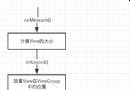
本章繼續深入 View。主題涵蓋 Window 是什麼、View 的三段式繪製流程、事件分發機制,以及 View 與 SurfaceView、GLSurfaceView
 Android 對話框全攻略:Toast、AlertDialog、清單框與自訂 Dialog
本章涵蓋:Toast 提示框、AlertDialog 對話框、特色對話框、自訂對話框。目標:熟練掌握 Toast 與 Dialog 的用法,認識幾種常見的清單式對話框,並
 Android 網絡通信完全案例:HTTP 與 Socket 實作解析
因為專案需要,我研究了 Android 的網絡通信方式,發現它整體上和 Java 平台很相似。Android 提供了豐富的 API 供開發者使用,本文就系統性地整理幾種主