

編輯:關於 Android 程式設計
先前寫過一篇談高保真圖片壓縮的文章——把圖壓到這麼小,終究是為了上傳。這次就把批次上傳的部分一起補上。以下實作以 xUtils 的 Http 模組為基礎。
這個上傳流程要滿足幾個條件:
1. 多執行緒並行上傳多張圖片;
2. 每張圖片的上傳進度都能取得並回顯到介面;
3. 任一張失敗即判定整批失敗,等待使用者重新下達上傳指令;
4. 全部成功後有一個總體完成回呼;
5. 每張上傳成功後,從伺服器取得一個 json 記錄圖片 id;
6. 已上傳過的圖片不重複上傳;
7. 已壓縮過的圖片不重複壓縮;
8. 像三星部分機型拍出的照片寬大於高(躺著的),需依 EXIF 資訊旋正後再上傳;
9. 壓縮後的圖片要保留原始 EXIF 資訊。
此外工具類還附帶兩個實用方法:把 SD 卡中的圖片寫入系統相簿並建立縮圖;以及把一張照片的 EXIF 資訊複製到另一張照片。
package com.imaginato.qravedconsumer.utils;

import android.content.ContentResolver;
import android.content.ContentUris;
import android.content.ContentValues;
import android.content.Context;
import android.content.Intent;
import android.content.res.AssetFileDescriptor;
import android.database.Cursor;
import android.graphics.Bitmap;
import android.graphics.BitmapFactory;
import android.graphics.Matrix;
import android.media.ExifInterface;
import android.net.Uri;
import android.os.Build;
import android.provider.MediaStore;
import android.util.Log;

import com.lidroid.xutils.HttpUtils;
import com.lidroid.xutils.exception.HttpException;
import com.lidroid.xutils.http.RequestParams;
import com.lidroid.xutils.http.ResponseInfo;
import com.lidroid.xutils.http.callback.RequestCallBack;
import com.lidroid.xutils.http.client.HttpRequest;

import java.io.File;
import java.io.FileInputStream;
import java.io.FileNotFoundException;
import java.io.FileOutputStream;
import java.io.IOException;
import java.io.OutputStream;

public class AlxBitmapUtils {

    /** 依比例縮放 bitmap */
    public static Bitmap scaleBitmap(Bitmap bitmap, float widthRatio, float heightRatio) {
        Matrix matrix = new Matrix();
        matrix.postScale(widthRatio, heightRatio);
        return Bitmap.createBitmap(bitmap, 0, 0, bitmap.getWidth(), bitmap.getHeight(), matrix, true);
    }

    /**
     * 壓縮圖片:僅縮小尺寸,再依需要調整品質
     *
     * @param oriFile      來源檔案
     * @param targetFile   目標檔案(與 stream 二傳一;只有傳 file 時才會保留 EXIF)
     * @param stream       目標輸出流
     * @param ifDel        壓縮後是否刪除原圖
     * @param rotateDegree 依 EXIF 讀出的旋轉角度
     * @param keepExif     是否保留 EXIF
     */
    public static void compressImage(File oriFile, File targetFile, OutputStream stream,
                                     boolean ifDel, int rotateDegree, boolean keepExif) {
        if (oriFile == null || !oriFile.isFile() || !oriFile.exists()) return;
        try {
            BitmapFactory.Options opts = new BitmapFactory.Options();
            opts.inJustDecodeBounds = true; // 只讀圖片資訊,不把像素載入記憶體
            BitmapFactory.decodeFile(oriFile.getAbsolutePath(), opts);

            int imageHeight = opts.outHeight;
            int imageWidth = opts.outWidth;
            int longEdge = Math.max(imageHeight, imageWidth);
            int pixelCount = (imageWidth * imageHeight) >> 20; // 換算成百萬像素
            long size = oriFile.length();
            Log.i("Alex", "f.length 圖片大小為" + (size >> 10) + " KB");

            Bitmap bitmap = null;
            if (pixelCount > 3) {
                // 超過 300 萬像素,先做一次尺寸縮放
                float compressRatio = longEdge / 1280f;
                int compressRatioInt = Math.round(compressRatio);
                if (compressRatioInt % 2 != 0 && compressRatioInt != 1) compressRatioInt++;

                BitmapFactory.Options options = new BitmapFactory.Options();
                options.inSampleSize = Math.round(compressRatioInt);
                options.inJustDecodeBounds = false;
                options.inPreferredConfig = Bitmap.Config.RGB_565; // 無 alpha,每像素 16 位
                bitmap = BitmapFactory.decodeFile(oriFile.getAbsolutePath(), options);
            } else if (imageHeight * imageWidth > 2073600) {
                // 大於 1920*1080,為降低記憶體負擔改用 RGB_565
                BitmapFactory.Options options = new BitmapFactory.Options();
                options.inSampleSize = 1;
                options.inJustDecodeBounds = false;
                options.inPreferredConfig = Bitmap.Config.RGB_565;
                bitmap = BitmapFactory.decodeFile(oriFile.getAbsolutePath(), options);
            } else {
                // 長圖或長邊不長的圖,只做品質壓縮
                bitmap = BitmapFactory.decodeFile(oriFile.getAbsolutePath());
            }

            if (rotateDegree != 0) {
                bitmap = AlxImageLoader.rotateBitmap(bitmap, rotateDegree, true);
            }

            ExifInterface exif = null;
            if (keepExif) exif = new ExifInterface(oriFile.getAbsolutePath());

            if (targetFile != null) compressMethodAndSave(bitmap, targetFile, exif);
            if (stream != null) compressBitmapToStream(bitmap, stream);
            if (ifDel) oriFile.delete();
            System.gc();
        } catch (Exception e) {
            Log.d("Alex", "" + e.getMessage());
        } catch (OutOfMemoryError e) {
            Log.i("Alex", "壓縮 bitmap OOM 了", e);
        }
    }

    /** 取得 bitmap 佔用的記憶體大小 */
    public static int getSize(Bitmap image) {
        int size = 0;
        if (Build.VERSION.SDK_INT >= Build.VERSION_CODES.KITKAT) {
            size = image.getAllocationByteCount();
        } else if (Build.VERSION.SDK_INT >= Build.VERSION_CODES.HONEYCOMB_MR1) {
            size = image.getByteCount();
        } else {
            size = image.getRowBytes() * image.getHeight();
        }
        return size;
    }

    /** 依記憶體大小決定品質壓縮率並存檔 */
    public static void compressMethodAndSave(Bitmap image, File targetFile, ExifInterface exif) {
        try {
            OutputStream stream = new FileOutputStream(targetFile);
            int size = compressBitmapToStream(image, stream);
            if (size == 0) return;
            if (exif != null) copyExifTags(targetFile, exif);
            long afterSize = targetFile.length();
            Log.i("Alex", "壓縮完後圖片大小" + (afterSize >> 10) + "KB 壓縮率:::" + afterSize * 100 / size + "%");
        } catch (Exception e) {
            Log.i("Alex", "壓縮圖片出現異常", e);
        }
    }

    public static int compressBitmapToStream(Bitmap image, OutputStream stream) {
        if (image == null || stream == null) return 0;
        try {
            Bitmap.CompressFormat format = Bitmap.CompressFormat.JPEG;
            int size = getSize(image);
            int quality = getQuality(size);
            Log.i("Alex", "目前適用的有損壓縮率是" + quality);
            long startTime = System.currentTimeMillis();
            image.compress(format, quality, stream);
            if (image != null) image.recycle();
            Log.i("Alex", "壓縮圖片並且存儲的耗時" + (System.currentTimeMillis() - startTime));
            return size;
        } catch (Exception e) {
            Log.i("Alex", "壓縮圖片出現異常", e);
        }
        return 0;
    }

    /** 把來源圖片的 EXIF 資訊複製到目標圖片 */
    public static boolean copyExifTags(File targetFile, ExifInterface sourceExif) {
        if (sourceExif == null || targetFile == null || !targetFile.isFile()) return false;
        try {
            ExifInterface targetExif = new ExifInterface(targetFile.getAbsolutePath());
            String[] tags = new String[]{
                    ExifInterface.TAG_APERTURE, ExifInterface.TAG_DATETIME,
                    ExifInterface.TAG_EXPOSURE_TIME, ExifInterface.TAG_FLASH,
                    ExifInterface.TAG_FOCAL_LENGTH, ExifInterface.TAG_GPS_ALTITUDE,
                    ExifInterface.TAG_GPS_ALTITUDE_REF, ExifInterface.TAG_GPS_DATESTAMP,
                    ExifInterface.TAG_GPS_LATITUDE, ExifInterface.TAG_GPS_LATITUDE_REF,
                    ExifInterface.TAG_GPS_LONGITUDE, ExifInterface.TAG_GPS_LONGITUDE_REF,
                    ExifInterface.TAG_GPS_PROCESSING_METHOD, ExifInterface.TAG_IMAGE_LENGTH,
                    ExifInterface.TAG_IMAGE_WIDTH, ExifInterface.TAG_ISO,
                    ExifInterface.TAG_MAKE, ExifInterface.TAG_MODEL,
                    ExifInterface.TAG_ORIENTATION, ExifInterface.TAG_WHITE_BALANCE
            };
            for (String tag : tags) {
                targetExif.setAttribute(tag, sourceExif.getAttribute(tag));
            }
            targetExif.saveAttributes();
            return true;
        } catch (IOException e) {
            Log.i("Alex", "複製圖片的 EXIF 出現異常", e);
            return false;
        }
    }

    /**
     * 依記憶體中的大小挑一個合適的有損品質值。
     * 此時 bitmap 尺寸已接近 1000*1000,因此直接看記憶體佔用量判斷。
     */
    private static int getQuality(int size) {
        int mb = size >> 20;
        int kb = size >> 10;
        if (mb > 70) return 17;
        else if (mb > 50) return 20;
        else if (mb > 40) return 25;
        else if (mb > 20) return 40;
        else if (mb > 10) return 50;
        else if (mb > 3) return 60;
        else if (mb >= 2) return 70;
        else if (kb > 1800) return 75;
        else if (kb > 1500) return 80;
        else if (kb > 1000) return 85;
        else if (kb > 500) return 90;
        else if (kb > 100) return 95;
        else return 100;
    }

    /** 從 assets 依檔名讀出 Bitmap */
    public static Bitmap getDataFromAssets(Context context, String fileName, RequestCallBack callBack) {
        try {
            AssetFileDescriptor descriptor = context.getResources().getAssets().openFd(fileName);
            long fileSize = descriptor.getLength();
            // 注意:檔案過大時 decodeStream 需要加上 inSampleSize 做裁剪
            return BitmapFactory.decodeStream(context.getResources().getAssets().open(fileName));
        } catch (Exception e) {
            Log.i("Alex", "讀取文件出現異常", e);
            e.printStackTrace();
        }
        return null;
    }

    /** 上傳單張圖片 */
    public static void uploadOnePhoto(File uploadFile, String apiUrl, RequestCallBack callBack) {
        if (uploadFile == null || !uploadFile.isFile() || uploadFile.length() < 1024) {
            JLogUtils.i("Alex", "傳來文件指針錯誤");
            return;
        }
        RequestParams params = new RequestParams();
        // 第一個參數對應伺服器端 fileItem.getFieldName()
        params.addBodyParameter("up-image", uploadFile);
        HttpUtils http = new HttpUtils();
        http.configCurrentHttpCacheExpiry(10000); // 逾時 10 秒
        http.configRequestRetryCount(2);
        http.send(HttpRequest.HttpMethod.POST, apiUrl, params, callBack);
    }

    /**
     * 批次壓縮並上傳。此方法在子執行緒執行,全部結束後回呼。
     */
    public static void compressAndUploadPhotos(final Context context, final File[] oriFiles,
                                               final String uploadUrl,
                                               final UploadCallBack callBack) {
        if (oriFiles == null || oriFiles.length == 0) return;
        int length = oriFiles.length;
        final File[] files = new File[length];        // 壓縮後的暫存檔
        final Boolean[] flags = new Boolean[length];  // 標記每張是否成功
        final String[] returnJsons = new String[length]; // 伺服器回傳的 json

        new AlxAsynTask() {
            @Override
            protected Void doInBackground(Void... params) {
                for (int i = 0; i < oriFiles.length; i++) {
                    if (files[i] != null && files[i].length() > 1000) {
                        JLogUtils.i("Alex", "這個文件以前已經壓縮過了,准備跳過" + files[i].getAbsolutePath());
                        continue;
                    }
                    int rotateDegree = AlxImageLoader.readPictureDegree(oriFiles[i].getAbsolutePath());
                    AlxBitmapUtils.compressImage(oriFiles[i], files[i], null, false, rotateDegree, true);
                }
                return null;
            }

            @Override
            protected void onPostExecute(Void aVoid) {
                super.onPostExecute(aVoid);
                JLogUtils.i("Alex", "所有照片壓縮完畢,准備上傳");
                int i = 0;
                for (final File f : files) {
                    final int index = i++;
                    final long startTime = System.currentTimeMillis();
                    AlxBitmapUtils.uploadOnePhoto(f, uploadUrl, new RequestCallBack() {
                        @Override
                        public void onStart() {
                            super.onStart();
                            JLogUtils.i("Alex", "第" + index + "個文件上傳開始" + f.getName());
                        }

                        @Override
                        public void onSuccess(ResponseInfo responseInfo) {
                            JLogUtils.i("Alex", "第" + index + "個文件上傳成功,耗時"
                                    + (System.currentTimeMillis() - startTime));
                            flags[index] = true;
                            callBack.onItemCompleted(index, responseInfo.result);
                            if (responseInfo.result instanceof String) {
                                returnJsons[index] = (String) responseInfo.result;
                            }
                            if (checkAllSuccess(flags)) {
                                callBack.onCompleted(flags, returnJsons);
                            }
                        }

                        @Override
                        public void onLoading(long total, long current, boolean isUploading) {
                            super.onLoading(total, current, isUploading);
                            int progress = (int) (current * 100 / total);
                            callBack.onLoading(index, (short) progress);
                        }

                        @Override
                        public void onFailure(HttpException error, String msg) {
                            JLogUtils.i("Alex", "第" + index + "個文件上傳失敗" + msg);
                            flags[index] = false;
                            callBack.onItemFailed(index);
                            if (checkAllSuccess(flags)) {
                                callBack.onCompleted(flags, returnJsons);
                            }
                        }
                    });
                }
            }
        }.executeDependSDK();
    }

    /** 檢查是否全部都已結束(不論成功或失敗),需確保執行緒安全 */
    public synchronized static boolean checkAllSuccess(Boolean[] flags) {
        for (Boolean b : flags) {
            if (b == null) return false;
        }
        return true;
    }

    public interface UploadCallBack {
        void onCompleted(Boolean[] status, String[] results);
        void onLoading(int index, short progress);
        void onItemCompleted(int index, Object result);
        void onItemFailed(int index);
    }
}
批次邏輯的關鍵在 flags 陣列:它一開始全是 null,每張圖不論成功或失敗都會寫入 true/false,而 checkAllSuccess() 只有在沒有任何 null 時才回傳 true,也就是「全部都有了結果」而非「全部成功」。這個方法宣告為 synchronized,是因為多個上傳回呼可能在不同執行緒上同時呼叫它。
有些情境需要把 SD 卡裡的圖片登記進 MediaStore,並產生縮圖,同時發送掃描廣播強迫部分不自動更新的相簿應用刷新:
/**
 * 插入一張圖片並建立縮圖
 *
 * @return 成功時回傳相簿中的路徑,失敗則回傳來源檔案路徑
 */
public static String insertImage(Context context, ContentResolver contentResolver,
                                 File sourceImage, boolean deleteSourceFile) {
    if (sourceImage == null || !sourceImage.isFile() || !sourceImage.exists()) return null;

    ContentValues values = new ContentValues();
    values.put(MediaStore.Images.Media.MIME_TYPE, "image/jpeg");

    Uri url = null;
    String stringUrl = null;
    try {
        // 先向 MediaStore 登記,取得它指派的://
        url = contentResolver.insert(MediaStore.Images.Media.EXTERNAL_CONTENT_URI, values);
        if (url != null) {
            OutputStream imageOut = contentResolver.openOutputStream(url);
            FileInputStream in = null;
            int byteread;
            try {
                in = new FileInputStream(sourceImage);
                byte[] buffer = new byte[1024];
                while ((byteread = in.read(buffer)) != -1) {
                    imageOut.write(buffer, 0, byteread);
                }
            } finally {
                if (in != null) in.close();
                if (imageOut != null) imageOut.close();
            }

            long id = ContentUris.parseId(url);
            // 等 MINI_KIND 縮圖產生
            Bitmap miniThumb = MediaStore.Images.Thumbnails.getThumbnail(
                    contentResolver, id, MediaStore.Images.Thumbnails.MINI_KIND, null);
            // 相容舊版本的 MICRO_KIND
            StoreThumbnail(contentResolver, miniThumb, id, 50F, 50F,
                    MediaStore.Images.Thumbnails.MICRO_KIND);
        } else {
            Log.i("Alex", "Failed to create thumbnail, removing original");
        }
    } catch (Exception e) {
        Log.i("Alex", "Failed to insert image", e);
        if (url != null) contentResolver.delete(url, null, null);
        url = null;
    }

    if (url != null) {
        String[] proj = {MediaStore.Images.Media.DATA};
        Cursor cursor = context.getContentResolver().query(url, proj, null, null, null);
        if (cursor != null) {
            int column_index = cursor.getColumnIndexOrThrow(MediaStore.Images.Media.DATA);
            cursor.moveToFirst();
            stringUrl = cursor.getString(column_index);
        }
    }

    // 對某些不自動更新相簿的應用強制刷新
    Intent intent2 = new Intent(Intent.ACTION_MEDIA_SCANNER_SCAN_FILE);
    File newPhotoFile = new File(stringUrl);
    Uri uri = Uri.fromFile(newPhotoFile);
    if (stringUrl != null && stringUrl.length() > 0 && newPhotoFile.isFile()
            && newPhotoFile.exists() && newPhotoFile.length() > 1000 && newPhotoFile.canRead()) {
        intent2.setData(uri);
        context.sendBroadcast(intent2);
        if (deleteSourceFile) sourceImage.delete(); // 避免重複
    } else {
        Log.i("Alex", "插入相冊失敗");
        return sourceImage.getAbsolutePath();
    }
    return stringUrl;
}

private static Bitmap StoreThumbnail(ContentResolver cr, Bitmap source, long id,
                                     float width, float height, int kind) {
    Matrix matrix = new Matrix();
    matrix.setScale(width / source.getWidth(), height / source.getHeight());
    Bitmap thumb = Bitmap.createBitmap(source, 0, 0,
            source.getWidth(), source.getHeight(), matrix, true);
    ContentValues values = new ContentValues(4);
    values.put(MediaStore.Images.Thumbnails.KIND, kind);
    values.put(MediaStore.Images.Thumbnails.IMAGE_ID, (int) id);
    values.put(MediaStore.Images.Thumbnails.HEIGHT, thumb.getHeight());
    values.put(MediaStore.Images.Thumbnails.WIDTH, thumb.getWidth());
    Uri url = cr.insert(MediaStore.Images.Thumbnails.EXTERNAL_CONTENT_URI, values);
    try {
        OutputStream thumbOut = cr.openOutputStream(url);
        thumb.compress(Bitmap.CompressFormat.JPEG, 100, thumbOut);
        thumbOut.close();
        return thumb;
    } catch (FileNotFoundException ex) {
        return null;
    } catch (IOException ex) {
        return null;
    } catch (Exception ex) {
        return null;
    }
}// 記錄已成功的檔案:key 為未壓縮路徑,value 為伺服器回傳的 imageUrl
private HashMap completedFiles = new HashMap<>();
final boolean[] isFailed = new boolean[1]; // 任一失敗即整體標記失敗
AlxBitmapUtils.compressAndUploadPhotos(this, oriFiles,
ApplicationConfigurationEntity.HTTP_UPPHOTO_URL,
new AlxBitmapUtils.UploadCallBack() {
@Override
public void onCompleted(Boolean[] status, String[] results) {
if (isFailed[0]) return; // 之前已有失敗,不執行完成流程
if (!QravedApplication.getAppConfiguration().isLogin()) {
JViewUtils.showToast(UploadMenuActivity.this, null, "Please login first");
uploadFailed();
return;
}
String[] successUrls = completedFiles.values()
.toArray(new String[completedFiles.size()]);
registMenu(restaurantId, successUrls);
}
@Override
public void onLoading(int index, short progress) {
// 更新整體進度 UI
}
@Override
public void onItemCompleted(int index, Object result) {
// 若伺服器回傳的不是字串,視為失敗
if (!(result instanceof String)) {
onItemFailed(index);
}
}
@Override
public void onItemFailed(int index) {
if (isFailed[0]) return; // 提示只彈一次
isFailed[0] = true;
LogUtils.i("Alex", "第" + index + "個文件發送失敗");
}
}); 幾個實作上值得留意的取捨:用 RGB_565 取代預設的 ARGB_8888,能直接砍掉一半記憶體,代價是失去透明通道——對拍照上傳場景完全可以接受;getQuality() 這種查表式的品質策略雖然粗暴,但比每次試算壓縮再比對大小快得多;而「任一失敗即整體失敗」的策略犧牲了部分完成的成果,換來的是呼叫端狀態機的單純,重新上傳時不會出現半新半舊的資料。
 一次不太愉快的嵌入式面試經歷與反思
下面記錄一次印象深刻的嵌入式崗位面試,以及事後的一些思考。 筆試環節 流程照舊:HR 讓填完制式表格,簡單自我介紹、聊了聊前幾家公司、離職原因與期望薪資,然後發下一份試題
 Android ListView 加入 CheckBox 的實作原理與完整程式碼
在 ListView 裡放入 CheckBox,看似簡單,實則暗藏不少細節,特別是效能優化與事件處理。本文透過一個可全選、可取消的範例,帶你理解它的運作原理與實作重點。
 Android 純程式碼實作按鈕點擊效果,告別 Selector 切圖
專案裡有一堆 Button,每個都要準備按下/放開兩張切圖,再寫一份 Selector XML——按鈕一多就非常煩人。其實這件事用幾行程式碼就能解決:直接攔住觸碰事件,動
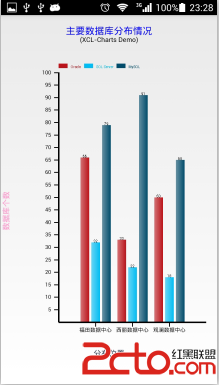 XCL-Charts:以原生 Canvas 打造 Android 開源圖表庫
專案概要 XCL-Charts 是一套以 Android 原生 Canvas 繪製的開源圖表庫,支援柱形圖、餅圖、堆疊圖、面積圖、折線圖、曲線圖、環形圖、玫瑰圖與儀表板等