

編輯:關於 Android 程式設計
Android 中 Intent 傳遞物件有兩種途徑:實作 Serializable 介面,或實作 Parcelable 介面。被傳遞的類別必須至少實作其中一種,才能透過 Intent 直接傳遞。
Intent 中對應的兩組方法:
Bundle.putSerializable(Key, Object);  // 實作 Serializable 的物件
Bundle.putParcelable(Key, Object);    // 實作 Parcelable 的物件
package com.hust.bundletest;

import java.io.Serializable;

public class Person implements Serializable {
    String name;
    String password;
    String sex;

    public Person(String name, String password, String sex) {
        super();
        this.name = name;
        this.password = password;
        this.sex = sex;
    }

    public String getName() { return name; }
    public void setName(String name) { this.name = name; }
    public String getPassword() { return password; }
    public void setPassword(String password) { this.password = password; }
    public String getSex() { return sex; }
    public void setSex(String sex) { this.sex = sex; }
}
實作 Serializable 就這麼簡單——不需要實作任何方法,標記式介面即可。這也是它最吸引人的地方。
@Override
protected void onCreate(Bundle savedInstanceState) {
    super.onCreate(savedInstanceState);
    setContentView(R.layout.activity_main);
    Button btn = (Button) findViewById(R.id.button1);
    btn.setOnClickListener(new OnClickListener() {
        @Override
        public void onClick(View v) {
            EditText name = (EditText) findViewById(R.id.name);
            EditText password = (EditText) findViewById(R.id.password);
            RadioButton male = (RadioButton) findViewById(R.id.radio0);

            String sex = (male.isChecked()) ? "男" : "女";
            Person p = new Person(name.getText().toString(),
                    password.getText().toString(), sex);

            Bundle bundle = new Bundle();
            bundle.putSerializable("person", p);

            Intent intent = new Intent(MainActivity.this, ResultActivity.class);
            intent.putExtras(bundle);
            startActivity(intent);
        }
    });
}
@Override
protected void onCreate(Bundle savedInstanceState) {
    super.onCreate(savedInstanceState);
    setContentView(R.layout.activity_result);

    TextView name = (TextView) findViewById(R.id.text1);
    TextView password = (TextView) findViewById(R.id.text2);
    TextView sex = (TextView) findViewById(R.id.text3);

    Intent intent = getIntent();
    Bundle bundle = intent.getExtras();
    Person p = (Person) bundle.getSerializable("person");

    name.setText(p.getName());
    password.setText(p.getPassword());
    sex.setText(p.getSex());
}
也可以跳過 Bundle,直接用 Intent 的便捷方法:發送端用 intent.putExtra("person", p),接收端用 (Person) intent.getSerializableExtra("person"),效果完全相同。
Serializable 來自 Java 標準庫,實作成本最低,一個關鍵字搞定。代價是它透過反射完成序列化,會產生大量臨時物件,效能開銷明顯。在 Intent 傳遞這種非高頻場景下,差異通常可接受。
Parcelable 是 Android 專為行程間通訊設計的機制,直接操作記憶體中的二進位資料,效能遠優於 Serializable,因此在 AIDL、Bundle 這類高頻 IPC 路徑上是首選。但它需要手寫 writeToParcel、describeContents、 mandatory 的 CREATOR 欄位,樣板程式碼較多(實務上建議用 Parceler 這類工具或 IDE 外掛生成)。
簡單結論:物件不大、呼叫不頻繁,用 Serializable 省事;涉及大量資料或效能敏感路徑,請用 Parcelable。
Intent 有大小限制(Binder 緩衝區通常約 1MB,且是全域共享的),傳遞大物件會引發 TransactionTooLargeException。若資料量大,正確做法是傳 URI 或改用其他通道,而非硬塞進 Bundle。
Person 範例中的 password 欄位用明文字串在 Bundle 中傳遞,真實專案不應如此——敏感資料請勿放入 Intent,它可能被日誌、Analysis 工具或其他元件讀取。
若需要傳遞 List,記得 ArrayList 本身已實作 Serializable,可以直接 put;但泛型內容的類別也必須實作相同介面,且執行時的實際型別要與接收端的轉型一致,否則會抛出 ClassCastException。
另外別忘了為 Serializable 類別顯式宣告 serialVersionUID。少了它,一旦類別結構變動,反序列化就會因 UID 不匹配而失敗。
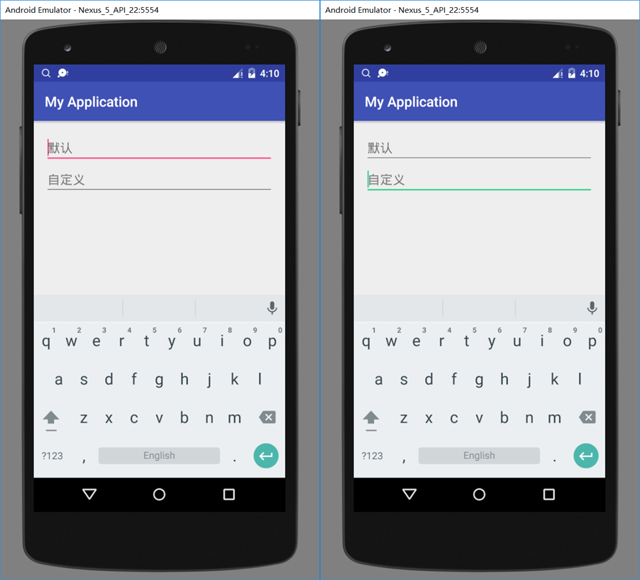 Android 修改 EditText 下劃線顏色的做法
前言 使用 AppCompatEditText(即 Layout 中的 EditText)時,預設的下劃線會跟隨主題的 colorControlNormal 與 colo
 Android 逆向工程安全透視:從哈皮妹案例看防竄改設計
從案例看 Android 安全邊界 本文以一款互動娛樂應用為例,討論 Android 逆向工程可能帶來的風險。該應用部分內容需要付費解鎖,若缺乏保護機制,容易被重新打包或
 Android 開發:如何進行真機除錯?
一般來說,真機除錯是最快的方式,因此建議大家直接使用真機來除錯。具體步驟可參考下圖:
 Android App 透過 Intent 互相呼叫的實用指南
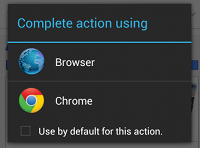
在 Android 應用開發中,Intent 是連結不同應用與元件的重要橋樑。它讓應用可以不必自行實作地圖、電話或郵件等功能,而是把「想要完成的操作」交給系統,由系統找出