

編輯:關於 Android 程式設計
在 Android 開發中,取得系統時間是很常見的需求,例如顯示當前日期、記錄操作時間、產生時間戳或進行格式化輸出。Android 提供了多種方式來取得與格式化時間,開發者可依需求選擇最合適的做法。
最常見的方式是搭配 Date 與 SimpleDateFormat,將毫秒時間值格式化為易讀字串。
SimpleDateFormat formatter = new SimpleDateFormat("yyyy年MM月dd日 HH:mm:ss");
Date curDate = new Date(System.currentTimeMillis());
String str = formatter.format(curDate);
這種方式適合需要直接顯示日期時間的情境,例如訂單時間、聊天訊息時間或日誌輸出。
如果需要分別取得年、月、日、時、分等欄位,可以使用 Calendar。
long time = System.currentTimeMillis();
Calendar calendar = Calendar.getInstance();
calendar.setTimeInMillis(time);

int year = calendar.get(Calendar.YEAR);
int month = calendar.get(Calendar.MONTH) + 1;
int day = calendar.get(Calendar.DAY_OF_MONTH);
int hour = calendar.get(Calendar.HOUR_OF_DAY);
int minute = calendar.get(Calendar.MINUTE);
Calendar 適合需要對時間欄位進行計算或判斷的場景,例如判斷是否為今天、是否跨日、是否已過指定時間等。
Android 也提供 Time 類別,可用來取得當前時間並讀取各項時間欄位。
Time timeObject = new Time();
timeObject.setToNow();

int year = timeObject.year;
int month = timeObject.month + 1;
int day = timeObject.monthDay;
int hour = timeObject.hour;
Time 類別在 Android 中常用於需要效能較高或與 Android 時間格式搭配的場景。
若只需要簡單格式化,也可以使用 DateFormat。
DateFormat dateFormat = new SimpleDateFormat("HH:mm:ss");
String currentTime = dateFormat.format(new Date());
這種方式適合只需要時分秒的情境,例如計時器、時鐘或短時間顯示。
如果只是取得目前時間毫秒值,可使用 System.currentTimeMillis()。若需要格式化顯示,建議使用 SimpleDateFormat。若需要拆分年月日或進行時間欄位運算,可使用 Calendar。若是在 Android 平台中需要較輕量或與系統時間格式整合,則可考慮 Time 類別。
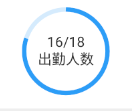 Android 自定義環形進度條實作
自定義屬性在 attrs.xml 宣告 radius、strokeWidth、circleColor、ringColor、textColor、textSize,方便在布局
 Universal Image Loader 使用全攻略:功能解析與示例代碼
相關地址介紹: -- Universal Image Loader 項目 GitHub 官方地址:https://github.com/nostra13/Android-
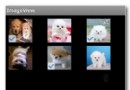 Android GridView 多選效果實作:LayerDrawable 疊加勾選標記
相簿、多圖上傳這類場景,往往需要讓使用者在 GridView 中點選多張圖。核心技巧是用 LayerDrawable 把「原圖」與「勾選標記」兩張圖疊在一起,並用一個 b
 Android 多執行緒開發中 Handler 的實際用法詳解
簡單來說,Handler 就像是一座橋樑,負責在主執行緒與其他工作執行緒之間傳遞並更新資料。它通常宣告在主執行緒中,透過它我們可以直接調度執行緒的執行邏輯。下面透過幾個實