

編輯:關於 Android 程式設計
管理 Activity 的生命週期
Dependencies and prerequisites
依賴關係與先決條件
How to create an Android project (see Creating an Android Project)
如何建立一個 Android 專案(參閱 Creating an Android Project)
You should also read
你還需要閱讀
Activities
As a user navigates through, out of, and back to your app, the Activity instances in your app transition between different states in their lifecycle. For instance, when your activity starts for the first time, it comes to the foreground of the system and receives user focus. During this process, the Android system calls a series of lifecycle methods on the activity in which you set up the user interface and other components. If the user performs an action that starts another activity or switches to another app, the system calls another set of lifecycle methods on your activity as it moves into the background (where the activity is no longer visible, but the instance and its state remains intact).
當使用者在你的應用中穿梭、離開再回來,各個 Activity 實例也會在生命週期裡不斷轉換狀態。舉例來說,當 Activity 第一次啟動時,它會來到系統前台並取得使用者焦點。這個過程中,Android 系統會依序呼叫 Activity 上的一系列生命週期方法,而你正是在這些方法裡設定使用者介面與其他元件。若使用者執行某個動作開啟了另一個 Activity,或切換到其他應用,系統會在你這邊進入背景時呼叫另一組生命週期方法——此時 Activity 已不可見,但實例本身與它的狀態依然完整保留。
Within the lifecycle callback methods, you can declare how your activity behaves when the user leaves and re-enters the activity. For example, if you're building a streaming video player, you might pause the video and terminate the network connection when the user switches to another app. When the user returns, you can reconnect to the network and allow the user to resume the video from the same spot.
在這些生命週期回呼方法中,你可以宣告 Activity 在使用者離開與再次進入時該如何反應。舉例來說,如果你正在做一個串流播放器,當使用者切換到其他應用時,你可能會暫停播放並斷開網路連線;等使用者回來,再重新連線並讓影片從原本的位置續播。
This class explains important lifecycle callback methods that each Activity instance receives and how you can use them so your activity does what the user expects and does not consume system resources when your activity doesn't need them.
本課程說明每個 Activity 實例都會收到的重要生命週期回呼方法,以及該如何運用它們,讓 Activity 做出使用者期待的行為,並且在不需要時不白白消耗系統資源。
課程大綱
啟動一個 Activity
Learn the basics about the activity lifecycle, how the user can launch your app, and how to perform basic activity creation.
學習生命週期的基礎知識、使用者如何啟動你的應用,以及如何完成最基本的 Activity 建立。
暫停與恢復一個 Activity
Learn what happens when your activity is paused (partially obscured) and resumed and what you should do during these state changes.
了解當 Activity 被暫停(部分被遮擋)與恢復時會發生什麼,以及在這些狀態轉換期間你應該做哪些事。
停止與重啟一個 Activity
Learn what happens when the user completely leaves your activity and returns to it.
了解當使用者完全離開你的 Activity,之後又回來時,系統做了什麼。
重新建立一個 Activity
Learn what happens when your activity is destroyed and how you can rebuild the activity state when necessary.
了解當 Activity 被銷毀時會發生什麼,以及在必要時你該如何重建 Activity 的狀態。
開始動手
譯者補充:這四節課其實對應了 Activity 的四段關鍵旅程。實務上最容易出問題的是最後兩段——使用者在按鍵盤以外的情境下離開(例如來電、記憶體不足被回收),此時 onSaveInstanceState() 有沒有把該存的狀態存好,直接決定了使用者回來時看到的是「原本的畫面」還是「重來一次的空白頁」。而螢幕旋轉造成的 Activity 重建,也正是同一套機制在起作用。
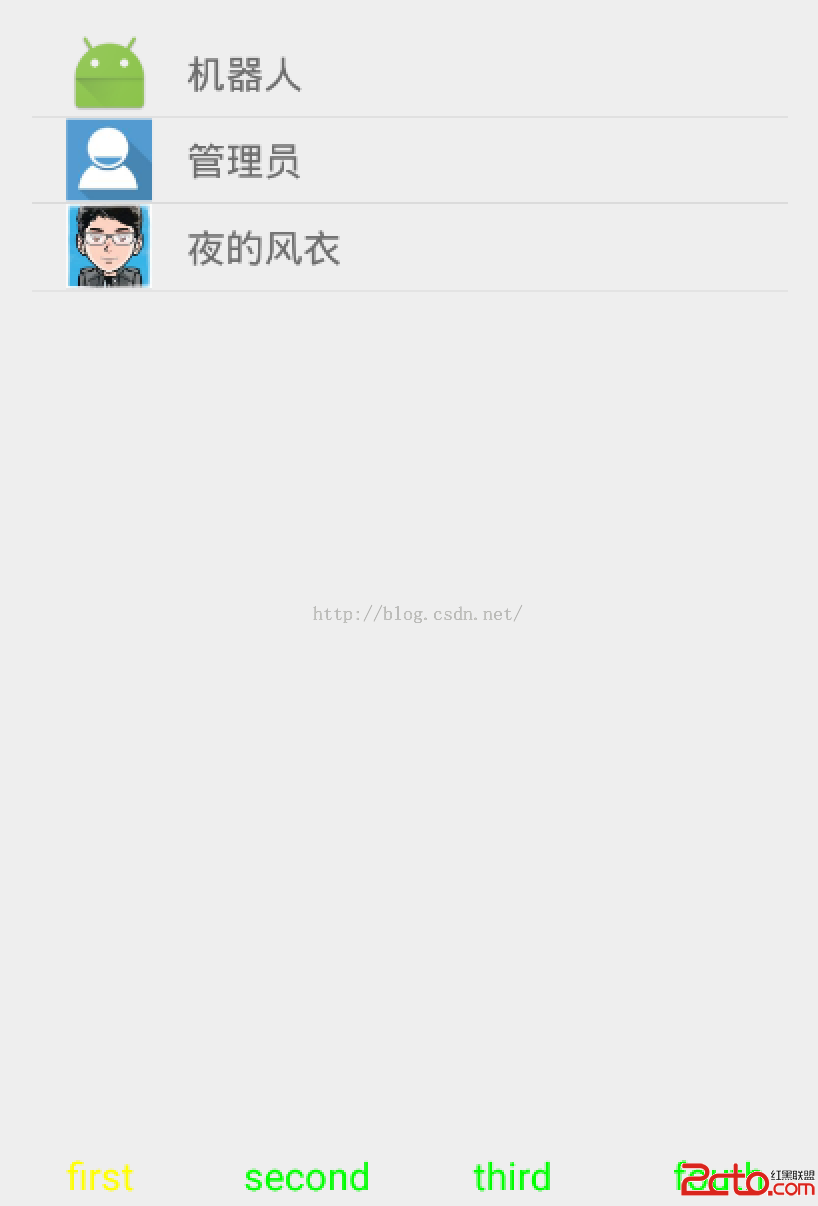 Android ListView 開發筆記(下):列表點擊事件與「數據倉庫」模式重構
上一篇我們把 ListView 的適配器與列表項布局跑通了,畫面上一條一條的資料已經能乖乖排出來。這一頁要解決兩個問題:第一,點其中一項要怎麼跳轉;第二,當資料開始變多,
 把自己寫的 Android 庫發布到 JCenter:完整流程與踩坑記錄
寫了一個自己覺得還不錯的組件,與其躺在本地硬盤裡,不如開源出去讓更多人用。這篇記錄把 Android Library 發布到 JCenter 的完整流程,包含每一步的配置
 Android自定義控件:打造一個簡單的手寫板
這次要做的控件很單純:跟著手指移動的軌跡把筆跡畫出來,就是一個手寫板。 一、官方建議的五個步驟 Android 官方文件提到,自定義 View 大致要考慮:創建 Vie
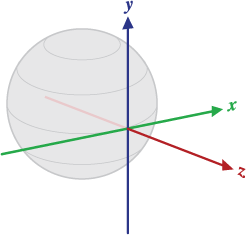 Android 位移傳感器全面解析
Android 平台提供了一系列傳感器,讓你能監測設備的運動。其中加速度計和陀螺儀總是基於硬件,而重力、線性加速度、旋轉矢量這三種傳感器則既可用硬件也可用軟件實現。例如,