

編輯:關於 Android 程式設計
E/AndroidRuntime: FATAL EXCEPTION: main
Process: gn.com.android.update, PID: 12220
android.app.RemoteServiceException: Bad notification posted from package
gn.com.android.update: Couldn't expand RemoteViews for: StatusBarNotification(
pkg=gn.com.android.update user=UserHandle{0} id=1 tag=null score=0
key=0|gn.com.android.update|1|null|10038: Notification(pri=0 contentView=
gn.com.android.update/0x7f03000a vibrate=null sound=null defaults=0x0
flags=0x20 color=0x00000000 vis=PRIVATE))

    at android.app.ActivityThread$H.handleMessage(ActivityThread.java:1580)
    at android.os.Handler.dispatchMessage(Handler.java:106)
    at android.os.Looper.loop(Looper.java:189)
    at android.app.ActivityThread.main(ActivityThread.java:5532)
關鍵字是 Couldn't expand RemoteViews。
自訂通知的運作方式和一般 View 完全不同。你的 App 並不是真的畫了一個 View 上去,而是把一份「怎麼畫」的說明書(RemoteViews)交給 SystemUI 進程,由 SystemUI 用它自己的資源去 inflate 並渲染。
所以問題往往不在你的程式碼,而在這份說明書裡引用了 SystemUI 拿不到的資源。常見原因有三類:
一是引用了 @*android: 開頭的私有資源。這類資源在不同 ROM、不同 Android 版本之間會改變甚至消失,一旦對不上就 expand 失敗。
二是用了不支援的 View 類型。RemoteViews 只能跑一個白名單:FrameLayout、LinearLayout、RelativeLayout、TextView、ImageView、ProgressBar、Button 等少數幾種,且僅支援部分屬性。自訂 View 一律不行。
三是版面過大或過高,超出通知欄能給的空間。
通知欄版面中的 ImageView 這樣寫:
<ImageView
    android:id="@+id/notificationImage"
    android:layout_width="@android:dimen/notification_large_icon_width"
    android:layout_height="@android:dimen/notification_large_icon_height"
    android:scaleType="center"
    android:clickable="true"
    android:background="@*android:drawable/notify_panel_notification_icon_bg_tile"
    android:src="@drawable/stat_sys_download_anim0" />
Java 端:
if (null == mNotification) {
    mContentIntent = PendingIntent.getActivity(
            this, 0, new Intent(this, SettingUpdate.class), 0);
    mNotification = new Notification(
            R.drawable.stat_sys_download_anim0,
            getString(R.string.notify_auto_update_title),
            System.currentTimeMillis());
    mNotification.flags = Notification.FLAG_NO_CLEAR;
}
mNotification.icon = R.drawable.stat_sys_download_anim0;
把 android:src 這行刪掉就不再崩潰了:
android:background="@*android:drawable/notify_panel_notification_icon_bg_tile"
不過此時圖示會顯示為黑色。初步判斷是 SystemUI 的問題——圖示被當成 mask 上色,而我們提供的圖本身帶有顏色資訊,結果被壓成單色。
Android 5.0 之後,狀態列圖示的設計規則改變了:系統只採用圖片的 alpha 通道作為遮罩,再以系統主題色填色,圖片本身的 RGB 會被完全忽略。這就是「明明是彩色圖卻變黑」的原因。官方要求狀態列圖示必須是純白帶透明度的設計。
另外 @*android: 前綴代表引用 framework 的私有(非 public)資源。這種寫法在 SDK 編譯下本來就不該出現,能編過通常是因為專案掛在 AOSP 原始碼環境中。它會隨 ROM 版本變動而失效,不該用在需要跨機型的產品上。
因此正確的做法是:改用 Notification.Builder 搭配 setSmallIcon(),圖片使用符合 5.0 規範的單色透明 PNG;不要用 RemoteViews 去引用任何 @*android: 資源;版面只使用白名單中的 View。
另外要提醒,new Notification(int, CharSequence, long) 這個 constructor 在 API 11 就已 deprecated,Notification.Builder 從 API 11 起就是建議寫法。若你正在維護一段舊程式碼而遇到這個問題,除了修圖,也值得順手把通知的建構方式一起遷移,因為後續 Android 版本對通知渠道(NotificationChannel)與圖示規範的要求只會越來越嚴格。
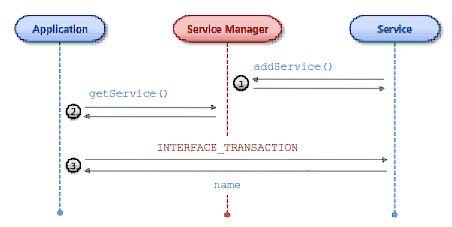 Android Binder 機制全解:從 Framework 到 Linux 驅動
一、Binder 概述 Binder 是 Android 自研的一種 IPC(進程間通信)機制。 傳統 Linux 系統提供了多種進程間通信方式,例如: Message
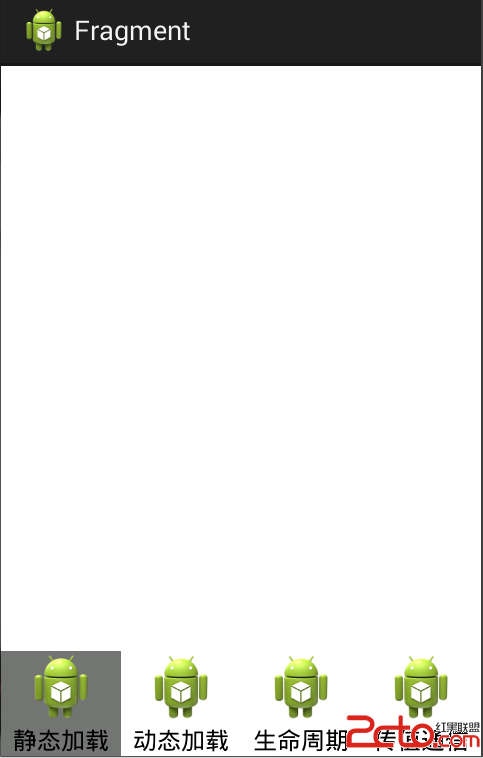 Android Fragment 靜態加載完整示例
一、Fragment 知識概要 Android 3.0 引入了 Fragment,主要目的是適配大屏幕設備,支持更動態、更靈活的 UI 設計。Fragment 應當被視為
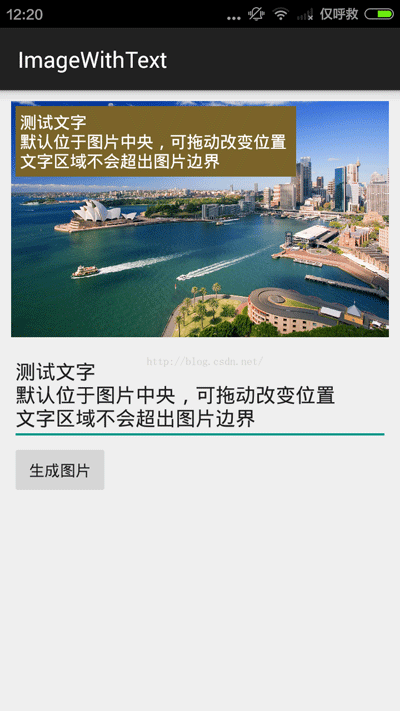 Android實現圖片中疊加可拖動文字功能
本文為大家分享一個在圖片中疊加文字、並支持拖動改變位置的實例,供感興趣的讀者參考。 之所以做這個Demo,是因為項目裡遇到一個頗為奇葩的需求:用戶拍照後分享到微信,同時希
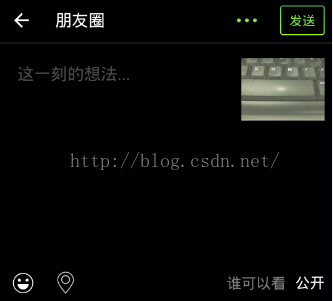 以 Xposed 框架打造微信朋友圈本地小視頻發布插件
一、前言上一篇已經詳細介紹了如何用 Xposed 框架寫出第一個微信插件——搖骰子與猜拳作弊器。本文延續這個思路,繼續動手做第二個插件:把本地的短視頻發佈到朋友圈。老規矩