

編輯:關於 Android 程式設計
在 Android 開發中,我們常遇到「版面控制項數量無法事先確定」的情況。無論是基於功能需求,還是為了凸顯 App 特色,有時需要動態去載入控制項。本文就以「動態載入控制項」為切入點,模擬實作 QQ 的好友印象功能,同時示範如何動態載入一份 XML 設定檔。
要完成好友印象,大致可分為三個步驟:
1. 介面一開始載入一個 EditText 與一個 Button,分別用來輸入印象內容與新增印象;
2. 新建一份 arrays.xml,在其中定義印象標籤的背景顏色;
3. 在 Activity 中載入這份 XML,取出顏色,並為 Button 掛上事件監聽,點擊後自動產生帶有背景顏色的印象標籤。
先在設定檔中隨意定義幾種顏色:
arrays.xml
- #ff78ff
- #abcd12
- #cdba34
- #345677
接著看如何載入設定檔與控制項:
package com.example.sundyandroidtest; import java.util.Random; import android.app.Activity; import android.graphics.Color; import android.os.Bundle; import android.view.View; import android.view.View.OnClickListener; import android.widget.Button; import android.widget.EditText; import android.widget.LinearLayout; import android.widget.LinearLayout.LayoutParams; import android.widget.TextView; public class AutoColorShowActivity extends Activity{ String[] aColors; LinearLayout mLayout = null; LinearLayout.LayoutParams lpFF; LinearLayout.LayoutParams lpWW; TextView colorTextView = null; Button butAdd = null; EditText editText = null; Random rand = null; @Override protected void onCreate(Bundle savedInstanceState) { super.onCreate(savedInstanceState); aColors = getResources().getStringArray(R.array.colorsArray); mLayout = new LinearLayout(this); mLayout.setOrientation(LinearLayout.VERTICAL); lpFF = new LinearLayout.LayoutParams(LayoutParams.MATCH_PARENT,LayoutParams.MATCH_PARENT); lpWW = new LinearLayout.LayoutParams(LayoutParams.MATCH_PARENT,LayoutParams.WRAP_CONTENT); mLayout.setLayoutParams(lpFF); editText = new EditText(this); mLayout.addView(editText, lpWW); butAdd = new Button(this); butAdd.setText("添加"); mLayout.addView(butAdd, lpWW); setContentView(mLayout); rand = new Random(); butAdd.setOnClickListener(new OnClickListener() { @Override public void onClick(View v) { int tag = rand.nextInt(aColors.length-1); String info = editText.getText().toString(); colorTextView = new TextView(AutoColorShowActivity.this); colorTextView.setText(info); colorTextView.setTextColor(Color.BLACK); colorTextView.setTextSize(30f); colorTextView.setBackgroundColor(Color.parseColor(aColors[tag])); mLayout.addView(colorTextView, lpWW); editText.setText(""); mLayout.refreshDrawableState(); } }); } }
透過 Random 隨機挑選顏色,再配合動態 addView,就能讓每次點擊都產生不同色塊的印象標籤,整個流程相當直觀。
 Android 五大布局 Layout 完全解析
Android 的版面配置由多種 Layout 組成。初學者看到複雜畫面時,可以先把畫面拆成幾個基本區塊,再選擇最適合的布局方式。常見五大布局如下:LinearLayou
 Android 頁面間傳值的三種做法:單例 Model、Intent 與回傳
按 MVC 的思路,數據本來就該由 model 承載。A 頁面跳到 B 頁面,可以把 model 放進 Intent,也可以在 B 建立之後再去取;反過來,B 要把結果交
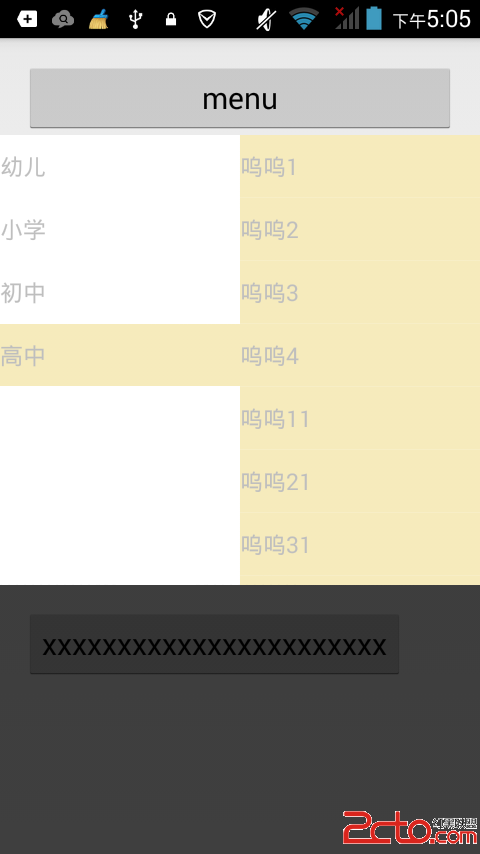 Android 自定義控件:下拉菜單的實現與優化
下拉菜單 類似美團首頁的下拉彈出菜單,是工程中經常遇到的控件。不同專案的菜單條目類型與數量各異,因此需要依實際情況填充不同內容。先寫個 demo 以備不時之需。既然每個專
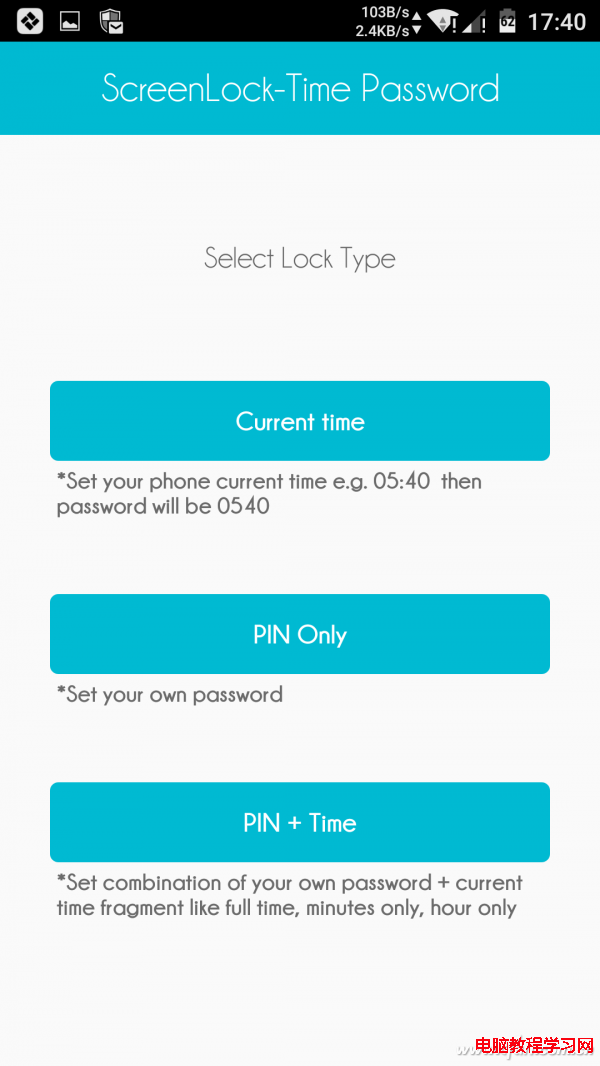 讓時間成為你的保險:鎖屏密碼不怕被窺探
如今移動支付日益便捷,為了防止他人隨意使用,很多人都會啟用鎖屏功能。但傳統鎖屏多採用固定密碼,被破解的風險相對較高。那麼有沒有辦法把固定密碼改成隨時間變化的動態密碼呢?讓