

編輯:關於 Android 程式設計
若短時間大量呼叫 Toast,可能造成提示不断堆疊。即使離開畫面,Toast 仍可能繼續顯示。
可建立 ToastMaster,保存目前 Toast 實例。需要顯示新 Toast 前,先取消舊的。
public class ToastMaster {
    private static Toast sToast;

    public static void setToast(Toast toast) {
        if (sToast != null) {
            sToast.cancel();
        }
        sToast = toast;
    }

    public static void cancelToast() {
        if (sToast != null) {
            sToast.cancel();
            sToast = null;
        }
    }
}Toast toast = Toast.makeText(context, text, Toast.LENGTH_LONG);
ToastMaster.setToast(toast);
toast.show();可在 Activity 的 onDestroy 或頁面離開時呼叫 ToastMaster.cancelToast,避免提示殘留。
透過集中管理 Toast,可避免大量提示互相覆蓋,也能讓使用者體驗更順暢。
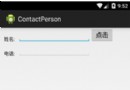 Android 讀取聯絡人姓名與電話號碼的實作程式碼
開發中常有取得聯絡人列表的需求,但這次要做的不是列出整個通訊錄,而是在使用者點選單一聯絡人之後,取出該聯絡人的姓名與電話,並自動填入指定的輸入框,省去手動輸入的麻煩。以下
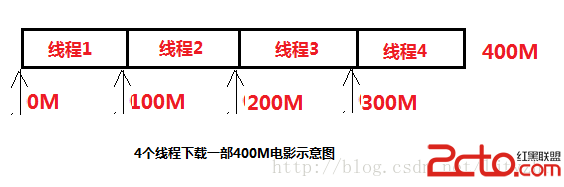 Android 多線程下載大檔案:原理、分片與斷點續傳
1. 為什麼要多線程 用過迅雷的人都知道它有「多線程下載」這個功能。顧名思義,多線程就是多條線程同時運行。為什麼需要它?因為單條線程下載有時候實在太慢。 小時候數學題常問
 Android BroadcastReceiver 應用詳解
BroadcastReceiver 是 Android 中重要的元件之一,用來接收系統或應用程式發出的廣播。透過廣播機制,應用可以在開機完成、網路變化、電量變動等事件發生
 一款精緻好看的下載進度動畫實作
廢話不多說,先上效果圖。 下載時,藍色的邊會隨著進度變化而轉動。 思路大致是這樣:在原圖之上覆蓋一層自定義視圖,視圖里畫兩個圓。內圓用半透明色顯示加載進度,外圓底色同樣