

編輯:關於 Android 程式設計
廢話不多說,先上效果圖。


下載時,藍色的邊會隨著進度變化而轉動。
思路大致是這樣:在原圖之上覆蓋一層自定義視圖,視圖里畫兩個圓。內圓用半透明色顯示加載進度,外圓底色同樣半透明,再把弧長分成四份,第一和第三份顯示淺藍色,隨著進度變化而旋轉。下面貼出代碼。
1. 初始化時創建各類圖形
public CircularProgressBar(Context paramContext, AttributeSet paramAttributeSet) {
    super(paramContext, paramAttributeSet);
    this.mContext = paramContext;
    init();
}
private void init() {
    this.mSquarePaint = new Paint();//正方形
    this.mSquarePaint.setAntiAlias(true);
    this.mSquarePaint.setColor(mContext.getResources().getColor(R.color.dark_color));
    this.mSquarePaint.setStyle(Paint.Style.FILL);
    this.mRingPaint = new Paint();//圓環
    this.mRingPaint.setAntiAlias(true);
    this.mRingPaint.setColor(this.mContext.getResources().getColor(R.color.alpha_color2));
    this.mRingPaint.setStyle(Paint.Style.STROKE);
    this.mCircularPaint = new Paint();//圓形
    this.mCircularPaint.setAntiAlias(true);
    this.mCircularPaint.setColor(this.mContext.getResources().getColor(R.color.alpha_color2));
    this.mCircularPaint.setStyle(Paint.Style.FILL);
    this.mProgressRingPaint = new Paint();//進度條
    this.mProgressRingPaint.setAntiAlias(true);
    this.mProgressRingPaint.setColor(this.mContext.getResources().getColor(R.color.light_color));
    this.mProgressRingPaint.setStyle(Paint.Style.STROKE);
}
2. 重寫 onDraw,處理加載時的視圖變化
protected void onDraw(Canvas paramCanvas) {
    //獲得圓心
    this.mCenterX = (getWidth() / 2);
    this.mCenterY = (getHeight() / 2);
    //圓環的寬
    this.mStrokeWidth = (getWidth() / 12);
    this.mRadius = (11 * (getWidth() / 24));
    //進度圓環的半徑
    this.mCircularRadius = (this.mRadius - this.mStrokeWidth / 2.0F);
    this.mRingPaint.setStrokeWidth(this.mStrokeWidth);
    this.mProgressRingPaint.setStrokeWidth(this.mStrokeWidth);
    Rect localRect = new Rect();
    localRect.left = 0;
    localRect.top = 0;
    localRect.right = getWidth();
    localRect.bottom = getHeight();
    RectF localRectF1 = new RectF(localRect);
    float f = 14 * getWidth() / 128;
    paramCanvas.drawRoundRect(localRectF1, f, f, this.mSquarePaint);
    paramCanvas.drawCircle(this.mCenterX, this.mCenterY, this.mRadius, this.mRingPaint);
    if ((this.mProgress >= 0) && (this.mProgress <= 100)) {
        //進度條顯示
        RectF localRectF2 = new RectF();
        localRectF2.left = (this.mCenterX - this.mCircularRadius);
        localRectF2.top = (this.mCenterY - this.mCircularRadius);
        localRectF2.right = (localRectF2.left + 2.0F * this.mCircularRadius);
        localRectF2.bottom = (localRectF2.top + 2.0F * this.mCircularRadius);
        paramCanvas.drawArc(localRectF2, -90.0F, (float)(3.6D * this.mProgress), true, this.mCircularPaint);
        //圓環上的兩個藍邊
        RectF localRectF3 = new RectF();
        localRectF3.left = (this.mCenterX - this.mRadius);
        localRectF3.top = (this.mCenterY - this.mRadius);
        localRectF3.right = (this.mCenterX + this.mRadius);
        localRectF3.bottom = (this.mCenterY + this.mRadius);
        paramCanvas.drawArc(localRectF3, (float)(3.6D * this.mProgress) - 45.0F, 90.0F, false, this.mProgressRingPaint);
        paramCanvas.drawArc(localRectF3, 135.0F + (float)(3.6D * this.mProgress), 90.0F, false, this.mProgressRingPaint);
    }
}
3. 對外公開接口,讓外部數據傳入
public void setProgress(int paramInt) {
    this.mProgress = paramInt;
    invalidate();
}
4. 通過 Handler 模擬下載進度變化
public class MainActivity extends Activity {
    private int i = 0;
    private CircularProgressBar circle;
    private Handler mhandler = new Handler() {
        public void dispatchMessage(android.os.Message msg) {
            if (msg.what == 1) {
                circle.setProgress(++i);
                mhandler.sendEmptyMessageDelayed(1, 1000);
            }
        }
    };
    @Override
    protected void onCreate(Bundle savedInstanceState) {
        super.onCreate(savedInstanceState);
        setContentView(R.layout.activity_main);
        circle = (CircularProgressBar) findViewById(R.id.circle);
        mhandler.sendEmptyMessage(1);
    }
}
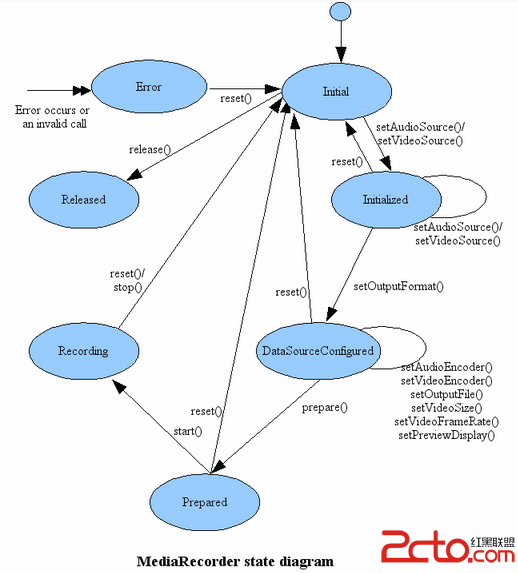 Android MediaRecorder 音訊與影片錄製
MediaRecorder 是 Android 提供的錄製元件,可用來錄製音訊或影片。使用時必須依序設定來源、輸出格式、編碼器與檔案路徑,再執行 prepare 與 st
 Android 教學:利用 FontMetrics 精準繪製文字的方法
本文透過實例,說明 Android 開發中如何運用 FontMetrics 繪製文字,分享給大家參考。當 Canvas 用於繪製文字時,可以搭配 FontMetrics
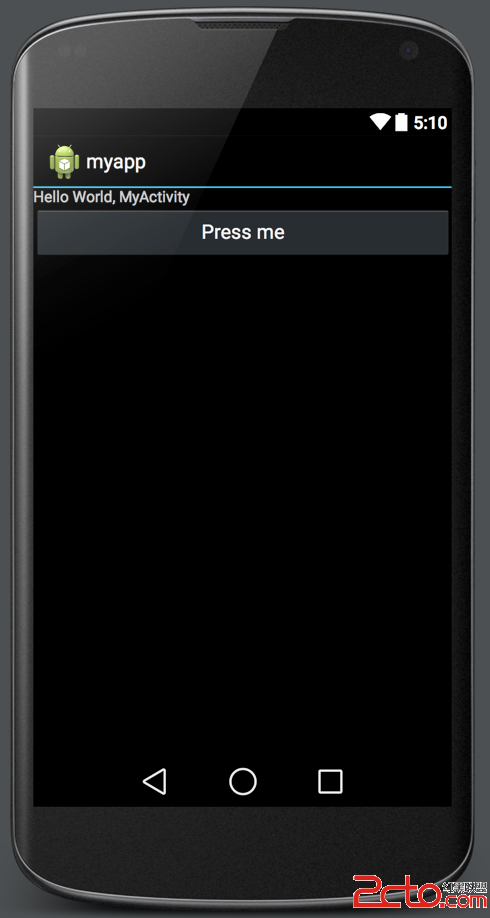 Android 多線程與 Handler:主線程、子線程與介面更新的實務指南
為什麼不能在主線程做耗時工作 Android 應用啟動後會預設建立主線程,也稱為 UI 執行緒。它負責事件分發、使用者互動與畫面更新。如果在主線程執行長時間任務,例如等待
 startActivityForResult 啟動 singleTask 時 onActivityResult 立即回呼且回傳 RESULT_CANCEL 的原因
問題現象 在剛安裝完 demo 應用、尚未登入任何帳號時,透過系統的分享功能想將檔案/圖片等內容「發送給好友」或「發送到我的電腦」,會觸發登入介面。但登入成功後,卻沒有跳