

編輯:關於 Android 程式設計
公司要求做一個類似微信「選擇照片」的圖片瀏覽器。原本想直接找現成的開源方案套,找了一圈沒有合適的,只好自己寫。整理成 library 專案后打包分享,需要的朋友可以直接拿去用。
引入 library 專案,在自己的 AndroidManifest.xml 註冊兩個 Activity,並加上讀寫外部儲存權限:
<uses-permission android:name="android.permission.WRITE_EXTERNAL_STORAGE" />
已實作:照片勾選、預覽、切換相簿、拍照,並把選取結果回傳給呼叫方。
預覽效果:
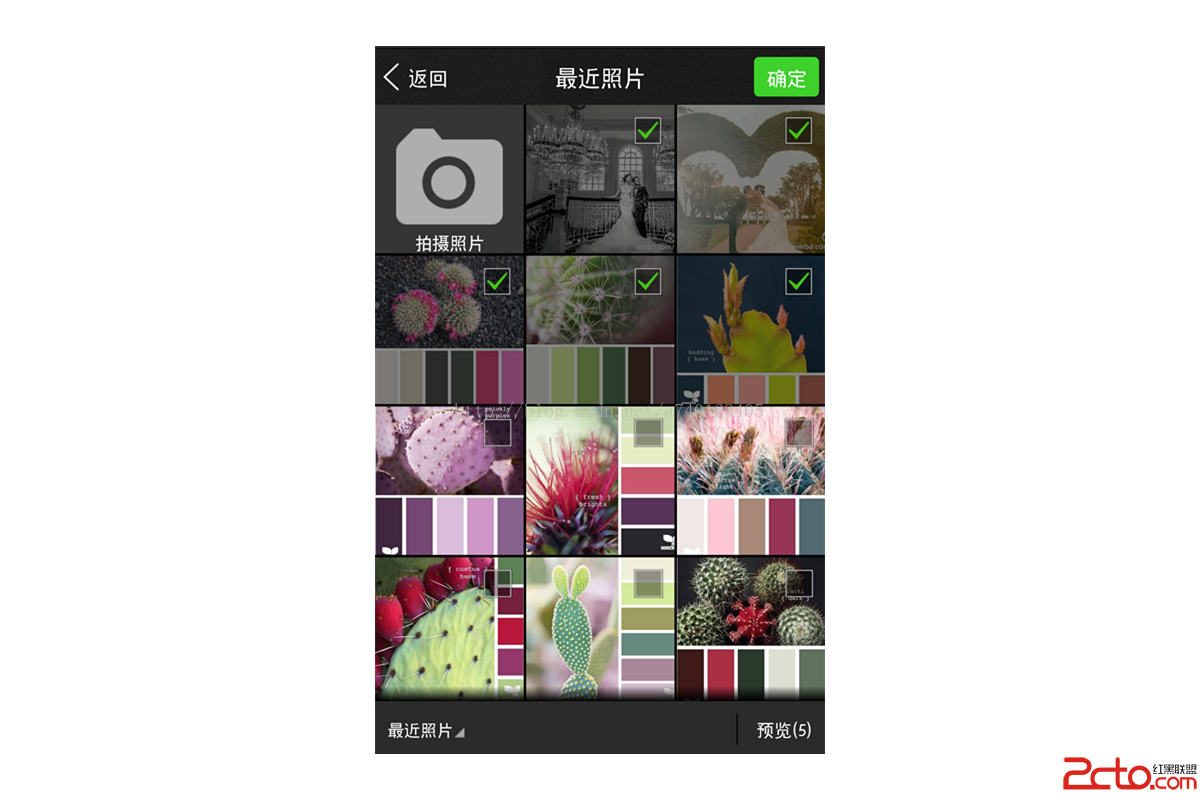
照片選擇
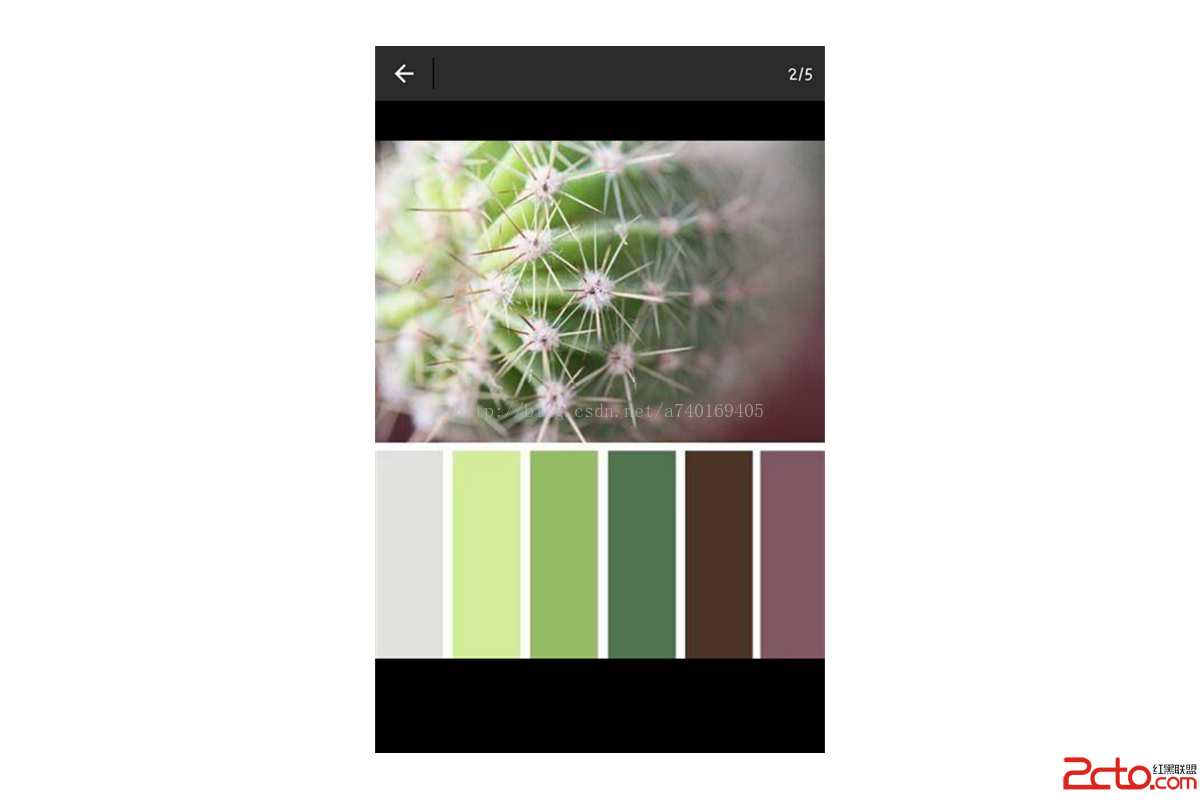
預覽
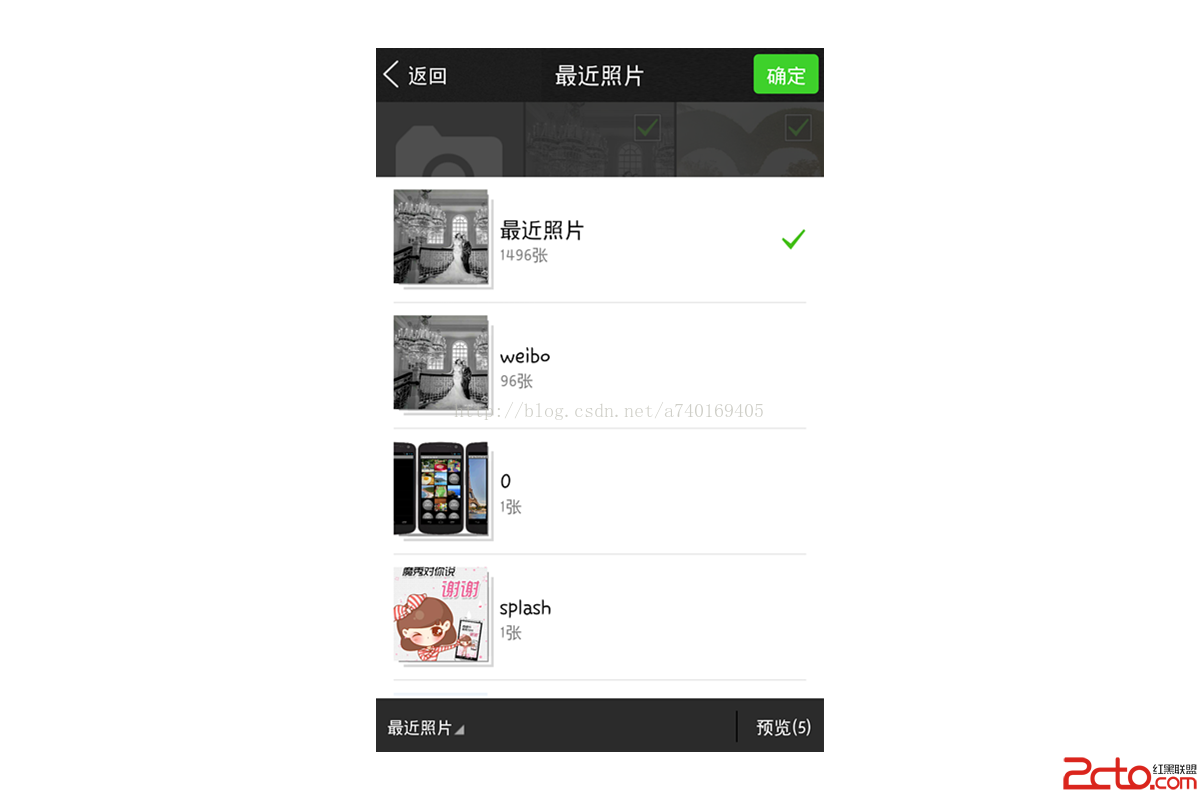
相簿選擇
進入選擇頁時先載入相簿中的照片。用 ContentResolver 查 MediaStore,並放到子線程執行,讀完透過 Handler 回主線程更新 adapter。這裡順手過濾掉小於 10KB 的縮圖與快取檔:
/** 取得最近照片列表 */
public List<PhotoModel> getCurrent() {
    Cursor cursor = resolver.query(Media.EXTERNAL_CONTENT_URI,
            new String[] { ImageColumns.DATA, ImageColumns.DATE_ADDED, ImageColumns.SIZE },
            null, null, ImageColumns.DATE_ADDED);
    if (cursor == null || !cursor.moveToNext()) return new ArrayList<PhotoModel>();

    List<PhotoModel> photos = new ArrayList<PhotoModel>();
    cursor.moveToLast();
    do {
        if (cursor.getLong(cursor.getColumnIndex(ImageColumns.SIZE)) > 1024 * 10) {
            PhotoModel photoModel = new PhotoModel();
            photoModel.setOriginalPath(
                    cursor.getString(cursor.getColumnIndex(ImageColumns.DATA)));
            photos.add(photoModel);
        }
    } while (cursor.moveToPrevious());
    return photos;
}
public void getReccent(final OnLocalReccentListener listener) {
    final Handler handler = new Handler() {
        @Override
        public void handleMessage(Message msg) {
            listener.onPhotoLoaded((List<PhotoModel>) msg.obj);
        }
    };
    new Thread(new Runnable() {
        @Override
        public void run() {
            List<PhotoModel> photos = albumController.getCurrent();
            Message msg = new Message();
            msg.obj = photos;
            handler.sendMessage(msg);
        }
    }).start();
}

private OnLocalReccentListener reccentListener = new OnLocalReccentListener() {
    @Override
    public void onPhotoLoaded(List<PhotoModel> photos) {
        if (tvAlbum.getText().equals(RECCENT_PHOTO)) {
            photos.add(0, new PhotoModel());   // 首位放相機入口
        }
        photoAdapter.update(photos);
        gvPhotos.smoothScrollToPosition(0);
        reset();
    }
};
用一個 ArrayList 存放目前選取的照片。GridView 的每個項目都封裝成 PhotoItem——一個 ImageView 上疊著一個 CheckBox。CheckBox 狀態變化時,透過回呼把照片塞進集合,同時讓縮圖變暗以示區別:
private ArrayList<PhotoModel> selected;
@Override
public void onCheckedChanged(CompoundButton buttonView, boolean isChecked) {
    if (!isCheckAll) {
        listener.onCheckedChanged(photo, buttonView, isChecked);
    }
    if (isChecked) {
        setDrawingable();
        ivPhoto.setColorFilter(Color.GRAY, PorterDuff.Mode.MULTIPLY);
    } else {
        ivPhoto.clearColorFilter();
    }
    photo.setChecked(isChecked);
}
/** 勾選狀態改變後 */
@Override
public void onCheckedChanged(PhotoModel photoModel, CompoundButton buttonView, boolean isChecked) {
    if (isChecked) {
        selected.add(photoModel);
        tvPreview.setEnabled(true);
    } else {
        selected.remove(photoModel);
    }
    tvPreview.setText("預覽(" + selected.size() + ")");
    if (selected.isEmpty()) {
        tvPreview.setEnabled(false);
        tvPreview.setText("預覽");
    }
}
由於每個項目都是獨立封裝的 View,同一瞬間大量解碼會直接撞記憶體上限。做法是加上一段隨機延遲再載入,讓請求錯開——這也是為什麼有時後面的項目反而先顯示出來:
DisplayImageOptions defaultDisplayImageOptions = new DisplayImageOptions.Builder()
        .resetViewBeforeLoading(true)
        .showImageOnLoading(R.drawable.ic_picture_loading)
        .showImageOnFail(R.drawable.ic_picture_loadfailed)
        .delayBeforeLoading(0)
        .build();

ImageLoaderConfiguration config = new ImageLoaderConfiguration.Builder(getApplicationContext())
        .defaultDisplayImageOptions(defaultDisplayImageOptions)
        .memoryCacheExtraOptions(480, 800)
        .threadPoolSize(5)
        .build();
ImageLoader.getInstance().init(config);
new Handler().postDelayed(new Runnable() {
    @Override
    public void run() {
        ImageLoader.getInstance().displayImage("file://" + photo.getOriginalPath(), ivPhoto);
    }
}, new Random().nextInt(10));
點單張照片、或點「預覽(n)」,都會開啟同一個預覽頁,但傳入的資料型態不同,必須分流處理:
/** 批次預覽已勾選的照片 */
private void priview() {
    Bundle bundle = new Bundle();
    bundle.putSerializable("photos", selected);
    CommonUtils.launchActivity(this, PhotoPreviewActivity.class, bundle);
}

/** 點擊單張照片查看 */
@Override
public void onItemClick(int position) {
    Bundle bundle = new Bundle();
    if (tvAlbum.getText().toString().equals(RECCENT_PHOTO)) {
        bundle.putInt("position", position - 1);   // 扣掉相機入口那一格
    } else {
        bundle.putInt("position", position);
    }
    bundle.putString("album", tvAlbum.getText().toString());
    CommonUtils.launchActivity(this, PhotoPreviewActivity.class, bundle);
}

@SuppressWarnings("unchecked")
protected void init(Bundle extras) {
    if (extras == null) return;
    if (extras.containsKey("photos")) {
        // 帶著完整清單進來,直接預覽
        photos = (List<PhotoModel>) extras.getSerializable("photos");
        current = extras.getInt("position", 0);
        updatePercent();
        bindData();
    } else if (extras.containsKey("album")) {
        // 只帶相簿名稱,進來後重新查詢本機
        String albumName = extras.getString("album");
        this.current = extras.getInt("position");
        if (!CommonUtils.isNull(albumName) && albumName.equals(PhotoSelectorActivity.RECCENT_PHOTO)) {
            photoSelectorDomain.getReccent(this);
        } else {
            photoSelectorDomain.getAlbum(albumName, this);
        }
    }
}
相簿清單用 ListView 呈現,並以動畫彈出/收回。相簿資訊同樣靠 ContentResolver 取得,一樣走非同步:
/** 彈出相簿列表 */
private void popAlbum() {
    layoutAlbum.setVisibility(View.VISIBLE);
    new AnimationUtil(getApplicationContext(), R.anim.translate_up_current)
            .setLinearInterpolator().startAnimation(layoutAlbum);
}

/** 隱藏相簿列表 */
private void hideAlbum() {
    new AnimationUtil(getApplicationContext(), R.anim.translate_down)
            .setLinearInterpolator().startAnimation(layoutAlbum);
    layoutAlbum.setVisibility(View.GONE);
}
/** 取得所有相簿 */
public List<AlbumModel> getAlbums() {
    List<AlbumModel> albums = new ArrayList<>();
    Map<String, AlbumModel> map = new HashMap<>();
    Cursor cursor = resolver.query(Media.EXTERNAL_CONTENT_URI,
            new String[] { ImageColumns.DATA, ImageColumns.BUCKET_DISPLAY_NAME, ImageColumns.SIZE },
            null, null, null);
    if (cursor == null || !cursor.moveToNext()) return new ArrayList<>();

    cursor.moveToLast();
    AlbumModel current = new AlbumModel("最近照片", 0,
            cursor.getString(cursor.getColumnIndex(ImageColumns.DATA)), true);
    albums.add(current);

    do {
        if (cursor.getInt(cursor.getColumnIndex(ImageColumns.SIZE)) < 1024 * 10) continue;
        current.increaseCount();
        String name = cursor.getString(cursor.getColumnIndex(ImageColumns.BUCKET_DISPLAY_NAME));
        if (map.keySet().contains(name)) {
            map.get(name).increaseCount();
        } else {
            AlbumModel album = new AlbumModel(name, 1,
                    cursor.getString(cursor.getColumnIndex(ImageColumns.DATA)));
            map.put(name, album);
            albums.add(album);
        }
    } while (cursor.moveToPrevious());
    return albums;
}

/** 取得指定相簿下的照片 */
public List<PhotoModel> getAlbum(String name) {
    Cursor cursor = resolver.query(Media.EXTERNAL_CONTENT_URI,
            new String[] { ImageColumns.BUCKET_DISPLAY_NAME, ImageColumns.DATA,
                    ImageColumns.DATE_ADDED, ImageColumns.SIZE },
            "bucket_display_name = ?", new String[] { name }, ImageColumns.DATE_ADDED);
    if (cursor == null || !cursor.moveToNext()) return new ArrayList<PhotoModel>();

    List<PhotoModel> photos = new ArrayList<PhotoModel>();
    cursor.moveToLast();
    do {
        if (cursor.getLong(cursor.getColumnIndex(ImageColumns.SIZE)) > 1024 * 10) {
            PhotoModel photoModel = new PhotoModel();
            photoModel.setOriginalPath(
                    cursor.getString(cursor.getColumnIndex(ImageColumns.DATA)));
            photos.add(photoModel);
        }
    } while (cursor.moveToPrevious());
    return photos;
}
不想從相簿挑,也可以直接拍照。相機入口放在 adapter 的第一格:
@Override
public View getView(int position, View convertView, ViewGroup parent) {
    PhotoItem item = null;
    TextView tvCamera = null;
    if (position == 0 && CommonUtils.isNull(models.get(position).getOriginalPath())) {
        // 第一格顯示相機按鈕
        if (convertView == null || !(convertView instanceof TextView)) {
            tvCamera = (TextView) LayoutInflater.from(context).inflate(R.layout.view_camera, null);
            tvCamera.setHeight(itemWidth);
            tvCamera.setWidth(itemWidth);
            convertView = tvCamera;
        }
        convertView.setOnClickListener(cameraListener);
    } else {
        if (convertView == null || !(convertView instanceof PhotoItem)) {
            item = new PhotoItem(context, listener);
            item.setLayoutParams(itemLayoutParams);
            convertView = item;
        } else {
            item = (PhotoItem) convertView;
        }
        item.setImageDrawable(models.get(position));
        item.setSelected(models.get(position).isChecked());
        item.setOnClickListener(mCallback, position);
    }
    return convertView;
}
/** 拍照 */
private void catchPicture() {
    CommonUtils.launchActivityForResult(this,
            new Intent(MediaStore.ACTION_IMAGE_CAPTURE), REQUEST_CAMERA);
}

@Override
protected void onActivityResult(int requestCode, int resultCode, Intent data) {
    if (requestCode == REQUEST_CAMERA && resultCode == RESULT_OK) {
        PhotoModel photoModel = new PhotoModel(
                CommonUtils.query(getApplicationContext(), data.getData()));
        selected.clear();
        selected.add(photoModel);
        ok();
    }
}
用 setResult 把選取的結果交回去,呼叫方必須覆寫 onActivityResult 才收得到:
/** 完成 */
private void ok() {
    if (selected.isEmpty()) {
        setResult(RESULT_CANCELED);
    } else {
        Intent data = new Intent();
        Bundle bundle = new Bundle();
        bundle.putSerializable("photos", selected);
        data.putExtras(bundle);
        setResult(RESULT_OK, data);
    }
    finish();
}
@Override
public void onClick(View v) {
    // CommonUtils 是 library 內的工具類別
    CommonUtils.launchActivityForResult(this, PhotoSelectorActivity.class, 0);
    tvPath.setText("");
}

@Override
protected void onActivityResult(int requestCode, int resultCode, Intent data) {
    super.onActivityResult(requestCode, resultCode, data);
    if (requestCode == 0 && resultCode == RESULT_OK) {
        if (data != null && data.getExtras() != null) {
            List<PhotoModel> photos =
                    (List<PhotoModel>) data.getExtras().getSerializable("photos");
            if (photos == null || photos.isEmpty()) return;
            StringBuffer sb = new StringBuffer();
            for (PhotoModel photo : photos) {
                sb.append(photo.getOriginalPath() + " ");
            }
            tvPath.setText(sb.toString());
        }
    }
}
整體看下來,這類元件的難點不在功能本身,而在三件事:查詢要打非同步、圖片載入要控管記憶體、跨頁傳遞大資料要懂得避開 Bundle。把這三點處理好,剩下的就是一般的 adapter 與手勢判斷了。
library 與 Demo 原始碼可參考原作者分享的連結。轉載請註明出處。
 Android 官方文檔翻譯:Lint 靜態代碼檢查完整指南
Lint 是什麼 Android Lint 是 ADT 16(以及 Tools 16)引入的檢查工具,用來掃描 Android 專案源碼中潛在的 bug。它既可以作為命
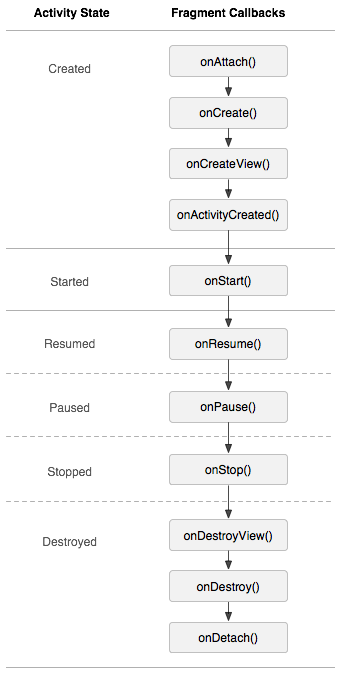 Android 基礎之 Fragment 與 Activity 互動詳解
今天繼續說明 Fragment 元件的特性,重點在於它與 Activity 的互動以及生命週期的關聯。前面提過 Fragment 依賴於 Activity,生命週期也與
 BlueStacks 安卓模擬器啟動慢、運行卡怎麼辦
和朋友聊天的時候發現,BlueStacks 的困擾大致集中在兩處:一是啟動很慢甚至卡死,二是啟動之後運行不順。經過摸索與整理,找到幾個有效的做法,以下分享出來。 Blu
 百度派有什麼用?百度派和知乎一樣嗎
近來關注百度的使用者應該都發現了,百度推出了一款名為「百度派」的應用,主打隨時進行深度話題討論,並能第一時間掌握熱點再細分探討。這個設定和知乎相當接近,難免讓人好奇:百度