

編輯:關於 Android 程式設計
之前在 HTML5 專案裡用過 AngularJS,MVVM 的雙向綁定機制省掉了大量繁瑣代碼,於是想在新的 Android 專案裡也引入類似的框架,提高團隊的開發效率與代碼的工程化程度。找了一圈,選中了 RoboBinding。
RoboBinding 是一個在 Android 上實現數據綁定 Presentation Model(即 MVVM)模式的開源框架。MVVM 是 MVC 的重要演進,讓專案結構更清晰、更易維護、也更方便測試——這也是為什麼 WPF、Silverlight、JavaFX、Flex 等主流技術都有各自的 MVVM 實現。
在不損失效能的前提下(它用 AspectJ 位元組碼生成代替 Java 反射),RoboBinding 幫你寫出可讀性更高、易於測試與維護的 UI 代碼。主要優勢:
關鍵在於額外宣告 bind 命名空間,之後所有綁定表達式都寫在 bind: 前綴下:
<LinearLayout xmlns:android="https://schemas.android.com/apk/res/android"
    xmlns:tools="https://schemas.android.com/tools"
    xmlns:bind="https://robobinding.org/android"
    android:layout_width="match_parent"
    android:layout_height="match_parent">

    <TextView
        android:layout_width="wrap_content"
        android:layout_height="wrap_content"
        bind:text="{hello}" />

    <Button
        android:layout_width="wrap_content"
        android:layout_height="wrap_content"
        android:text="Say Hello"
        bind:onClick="sayHello" />
</LinearLayout>
public class PresentationModel extends AbstractPresentationModel {

    private String name;

    public String getHello() {
        return name + ": hello Android MVVM(Presentation Model)!";
    }

    public void sayHello() {
        firePropertyChange("hello");
    }
}
public class MainActivity extends Activity {

    @Override
    protected void onCreate(Bundle savedInstanceState) {
        super.onCreate(savedInstanceState);
        PresentationModel presentationModel = new PresentationModel();
        View rootView = Binders.inflateAndBindWithoutPreInitializingViews(
                this, R.layout.activity_main, presentationModel);
        setContentView(rootView);
    }
}
這樣一來,布局中的 {hello} 對應 PresentationModel.getHello(),sayHello 對應 PresentationModel.sayHello()。我們不需要為 TextView、Button 定義 id,因為代碼根本不依賴它們——連 ButterKnife 那樣的 InjectView 都省了。
再仔細看會發現,PresentationModel 就是一個純 POJO。這正是 Martin Fowler 在 2004 年提出 Presentation Model 模式的初衷:把界面狀態與業務邏輯從 View 中解耦出來,交給一個可獨立測試的對象。
以下三個範例都能直接導入 Android Studio,無需額外配置:
中文文檔:robobinding.github.io/RoboBinding/index.zh.html
數據綁定的確能砍掉大量樣板代碼,但引入這類框架前要評估幾件事:團隊的學習成本、調試難度(綁定表達式寫錯通常只在執行期才暴露)、以及框架的維護狀態。RoboBinding 最後一個正式版本停留在幾年前,新專案更值得考慮官方 Jetpack DataBinding 或近期熱門的 MVI 類方案;老專案若已穩定運行,則不必急著遷移。
無論用哪個框架,MVVM 的核心價值不變:讓界面邏輯脫離 Android 類,變成可以單獨測試的普通代碼。這一點,永遠是回報最高的投資。
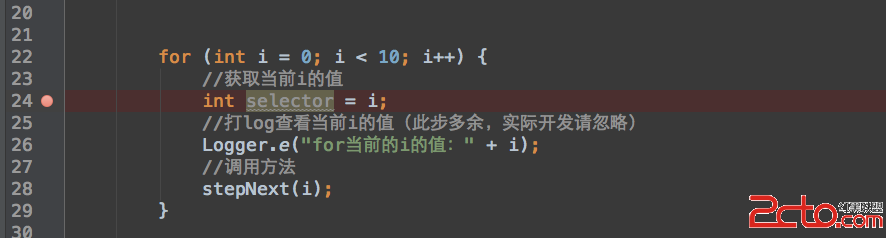 Android Studio 斷點調試完全指南:從單步執行到進階技巧
有人說 Android 的調試很難用,那我只能說是還沒摸熟工具。以我的經驗,Android Studio 的調試體驗其實相當出色。 先用一個簡單的 for 迴圈當受試
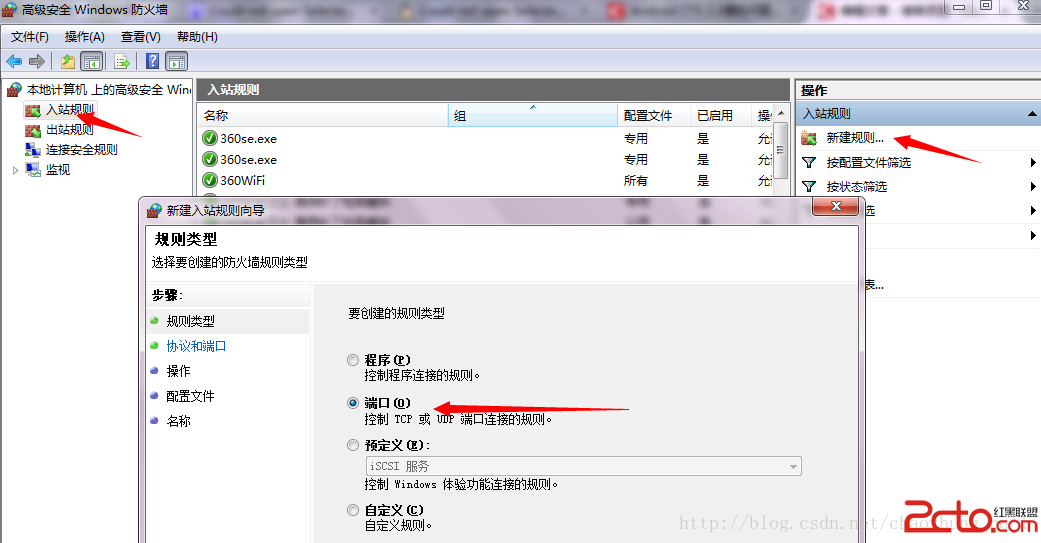 Android 開發常見錯誤排查合集(一):簽名、模擬器與 DDMS 問題
Android 開發過程中難免遇到各種奇怪的錯誤訊息。本文整理幾個高頻出現的問題與解法,幫你少走冤枉路。 1. Re-installation failed due t
 Android 自訂控制項:仿 iOS 6 風格開關
在 Android 中,系統提供的 Switch 樣式未必符合所有設計需求。若想打造更接近 iOS 風格的開關效果,可以自訂一個 View,透過 Canvas 繪製軌道與
 在 Android 百度地圖上繪製真正的圓形鏤空效果
在 Android 的百度地圖 SDK 中,若想畫出視覺上真正的圓,而不是被經緯度拉伸的橢圓,關鍵在於不要把經緯度直接當成平面直角坐標。本文整理一種以球面坐標思考、再轉回