

編輯:關於 Android 程式設計
在自訂 View 或下拉刷新等情境中,常常需要在初始化階段取得 View 的寬高。然而,在 View 尚未完成 measure 與 layout 之前,getHeight 與 getMeasuredHeight 通常會回傳 0。
View 的測量結果要在 measure 之後才有意義,而實際高度則要等 layout 完成後才會確定。因此,若只是 inflate 完版面就立即取得高度,往往會得到 0。

若希望在初始化時取得高度,可以自行呼叫 measure。常見做法是建立一個 measureView 方法,先取得 LayoutParams,再根據寬高建立 MeasureSpec,最後呼叫 child.measure。
private void measureView(View child) {
    ViewGroup.LayoutParams lp = child.getLayoutParams();
    if (lp == null) {
        lp = new ViewGroup.LayoutParams(
            ViewGroup.LayoutParams.MATCH_PARENT,
            ViewGroup.LayoutParams.WRAP_CONTENT
        );
    }
    int widthSpec = ViewGroup.getChildMeasureSpec(0, 0, lp.width);
    int heightSpec;
    if (lp.height > 0) {
        heightSpec = MeasureSpec.makeMeasureSpec(lp.height, MeasureSpec.EXACTLY);
    } else {
        heightSpec = MeasureSpec.makeMeasureSpec(0, MeasureSpec.UNSPECIFIED);
    }
    child.measure(widthSpec, heightSpec);
}
呼叫 measureView 之後,就可以透過 getMeasuredHeight 取得測量高度。
需要注意的是,手動測量的結果不一定等同最終畫面高度。當 View 被加入父容器後,父容器可能會依自身規則重新配置子 View,導致最終寬高與手動測量結果不同。



因此,若只是需要在初始化階段做初步判斷,手動 measure 是可行方案;若需要取得最終顯示尺寸,則應在 layout 完成後再取得。
 Android MediaPlayer 狀態錯誤排查
常見錯誤 使用 MediaPlayer 時,若未依狀態流程操作,容易出現 MediaPlayer called in state 錯誤。最常見的是還沒 prepare 就
 Android 中切換主題或皮膚的實現方式
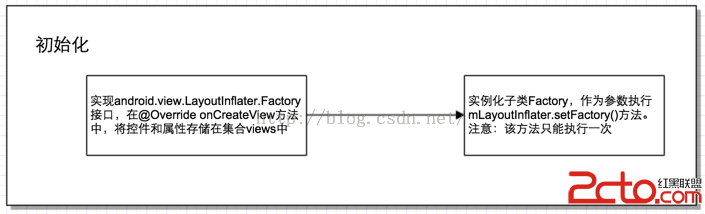
1. 簡介 在 Android 中切換主題或皮膚,常見做法是將顏色、大小等資源配置放入額外的 APK 或資源包,並在執行時動態載入。這種方式可讓主題資源與主程式分離,方便
 Android 首次啟動的滑動引導介面實作
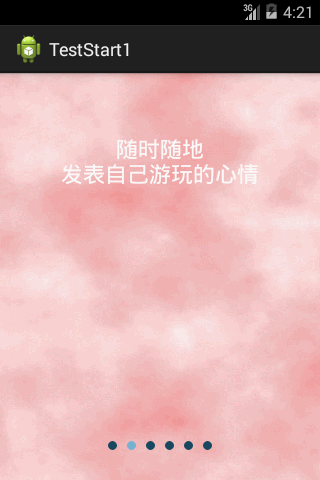
一、滑動引導介面 除了啟動動畫之外,首次啟動時往往還會搭配一組滑動式功能介紹介面。本文記錄這種介面的實作方式,並接在上一篇啟動動畫的基礎上加以延伸。 效果圖: 介面實
 Android 開發筆記:Splash 的兩種實作方式與取捨
什麼是 Splash Splash 指的是應用程式主畫面出現之前,先顯示一張簡短的開場畫面:廠商資訊、LOGO、名稱、版本號,通常就是一張圖,停留幾秒後自動消失,然後進入