

編輯:關於 Android 程式設計
在 Android 中,幾乎所有可見元件都與 View 有關。View 是介面的基礎類別,而 TextView 則是最常用的文字顯示元件之一。
大多數 Android 元件都繼承自 View。開發者可以透過程式碼設定屬性,也可以透過 XML 版面配置檔進行設定。兩種方式各有用途,通常會依需求混用。
TextView 主要用於顯示文字,可設定文字內容、字級、顏色、樣式與行距等屬性。若需要讓文字可點擊,可以設定 autoLink,或透過程式碼套用 HTML 與 LinkMovementMethod。
String html = "聯絡我";
CharSequence text = Html.fromHtml(html);
textView.setText(text);
textView.setMovementMethod(LinkMovementMethod.getInstance());
這樣設定後,TextView 中的網址或連結就能被辨識並觸發對應動作。
若多個元件需要相同外觀,可使用樣式表集中管理。樣式通常定義在 res/values/styles.xml 中,透過 name 指定樣式名稱,並在 item 中設定文字大小、顏色、粗體等屬性。
<resources>
    <style name="msg_style">
        <item name="android:textSize">45dp</item>
        <item name="android:textColor">#00FF00</item>
        <item name="android:textStyle">bold|italic</item>
    </style>
</resources>
版面配置中即可透過 style 屬性引用該樣式,讓多個元件保持一致外觀,也方便後續維護。
 Android SDK 與 Eclipse ADT 離線安裝教程
由於某些原因,無論是否翻牆,從官方下載 Android SDK 的速度都慢得讓人崩潰。所以這裡分享一下離線安裝 Android SDK 和 Eclipse ADT 的方法
 Android 接入支付寶支付的完整實戰指南
提到支付寶,幾乎沒有人會感到陌生——日常購物付款、朋友之間轉賬,都離不開它。而對 Android 開發者來說,把這套成熟的支付能力接進自己的 App,幾乎是產品走向商業化
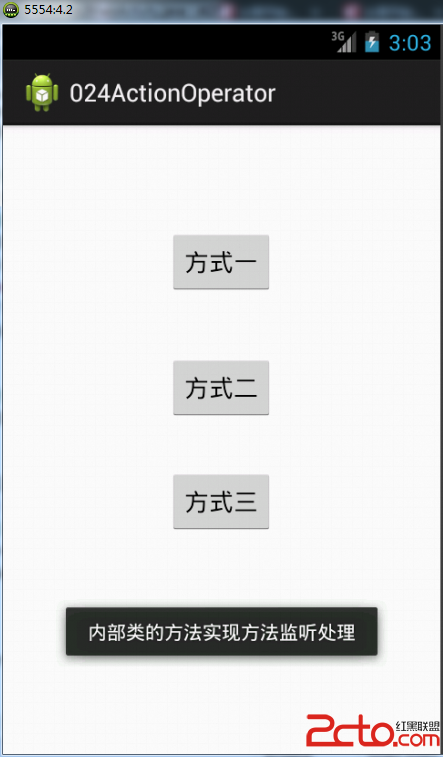 從零開始學 Android:事件處理機制與三種監聽實作
Android 事件處理的核心概念在 Android 開發中,使用者與介面的互動幾乎都依賴事件處理機制。按鈕被點擊、畫面被觸摸、焦點改變、按鍵被按下,背後都需要對應的監聽
 Android 接入百度鷹眼軌跡:配送場景實戰
以外賣配送為例:配送員從接單開始上傳行駛軌跡,用戶端可以實時查看配送員的行駛路線。對於點外賣的用戶來說,能更直觀地看到訂單是否正在配送,不必再一遍遍打電話催商戶了。