

編輯:關於 Android 程式設計
先前寫過《墨跡天氣 3.0 引導界面及動畫實現》,那篇使用的是 View Animation;本篇改用 Property Animation 重做一遍。Property Animation 是 Android 3.0 之後新增的動畫框架,也是目前官方推薦的方向。
本文的源碼與效果皆已放在 GitHub。向上滑動的 ViewPager 使用的是開源庫 ViewPager-Android,透過 app:orientation 屬性定義滑動方向。
墨跡天氣引導頁共四個畫面(以下為靜態截圖,實際效果請執行程式觀看):
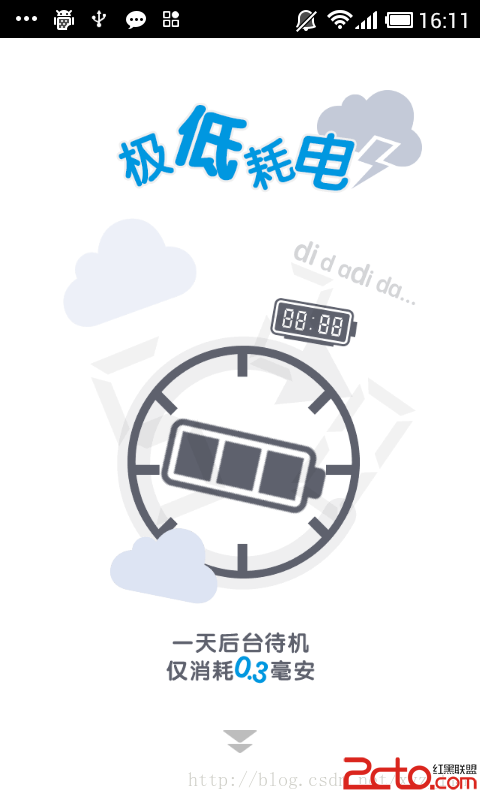

圖一 圖二


圖三 圖四
歸納起來,引導頁用的无非是平移、漸變、縮放、旋轉,或其中幾項的組合。以下挑幾個代表性做法說明。
圖一的「極低耗電」用了縮放效果。XML 動畫檔:
<set android:ordering="together"
    xmlns:android="https://schemas.android.com/apk/res/android">
    <!-- 可包含 scale、alpha 等標籤 -->
</set>
Java 端載入並啟動:
animation1 = (AnimatorSet) AnimatorInflater.loadAnimator(
        PropertyAnimActivity.this, R.animator.tutorail_rotate);
animation1.setInterpolator(new LinearInterpolator());
t1_icon2.setVisibility(View.VISIBLE);
animation1.setTarget(t1_icon2);
animation1.start();
圖一下方的箭頭使用了平移與漸變的組合:
<set android:ordering="together"
    xmlns:android="https://schemas.android.com/apk/res/android">
    <!-- objectAnimator 常用屬性說明 -->
    <!--
      propertyName 可設定的 View 屬性:
        translationX / translationY:相對於版面設定的 left、top 的位移量
        rotation / rotationX / rotationY:二維與三維旋轉,圍繞 pivot 點
        scaleX / scaleY:圍繞 pivot 點的二維縮放
        pivotX / pivotY:pivot 點位置,預設在物件中心
        x / y:View 在容器中的最終位置(left/top 加上 translation)
        alpha:透明度,預設 1(不透明),0 為全透明
      其他屬性:
        android:valueTo   動畫結束值(float / int / color),必填
        android:valueFrom 動畫起始值,未指定時取屬性 getter 的當前值
        android:duration  持續時間(毫秒),預設 300
        android:startOffset 延遲啟動的毫秒數
        android:repeatCount 重複次數,infinite 表示無限循環
        android:repeatMode  restart(重頭開始)或 reverse(反向播放)
        android:valueType   intType 或 floatType(預設),顏色值無需指定
    -->
</set>
圖一中央的元素同時做了旋轉與縮放,寫法是把兩個 set 以 ordering="together" 巢狀組合,Java 端呼叫方式與前面相同。
圖三大量使用平移,因為需要依實際位置計算起訖點,所以沒有使用 XML 資源:
transAnimationX2 = ObjectAnimator.ofFloat(t3_icon2, "translationX", fx1, tx1);
transAnimationX2.setDuration(800);
transAnimationX2.setRepeatCount(Animation.INFINITE);
transAnimationX2.setRepeatMode(Animation.RESTART);
transAnimationX2.setInterpolator(new LinearInterpolator());

transAnimationY2 = ObjectAnimator.ofFloat(t3_icon2, "translationY", fy1, ty1);
transAnimationY2.setDuration(800);
transAnimationY2.setRepeatCount(Animation.INFINITE);
transAnimationY2.setRepeatMode(Animation.RESTART);
transAnimationY2.setInterpolator(new LinearInterpolator());

// 一次動畫多個屬性時使用 PropertyValuesHolder
PropertyValuesHolder pvhX3 = PropertyValuesHolder.ofFloat("translationX", fx2, tx2);
PropertyValuesHolder pvhY3 = PropertyValuesHolder.ofFloat("translationY", fy2, ty2);
transAnimation3 = ObjectAnimator.ofPropertyValuesHolder(t3_icon3, pvhX3, pvhY3);
transAnimation3.setDuration(1200);
transAnimation3.setRepeatCount(Animation.INFINITE);
transAnimation3.setRepeatMode(Animation.RESTART);
transAnimation3.setInterpolator(new LinearInterpolator());

// 延遲 1 秒後統一啟動
new Handler() {
    @Override
    public void handleMessage(android.os.Message msg) {
        if (msg.what == 1) {
            t3_icon2.setVisibility(View.VISIBLE);
            t3_icon3.setVisibility(View.VISIBLE);
            t3_icon4.setVisibility(View.VISIBLE);
            t3_icon5.setVisibility(View.VISIBLE);
            transAnimationX2.start();
            transAnimationY2.start();
            transAnimation3.start();
        }
    }
}.sendEmptyMessageDelayed(1, 1000);
這段動畫更關鍵的其實是座標計算,必須等版面配置完成後才能取得實際尺寸,因此掛在 OnGlobalLayoutListener 上:
view3.getViewTreeObserver().addOnGlobalLayoutListener(new OnGlobalLayoutListener() {
    @Override
    public void onGlobalLayout() {
        int h1 = centerLayout.getTop();
        int h2 = centerLayout.getBottom();
        int w = new DensityUtil(PropertyAnimActivity.this).getScreenWidth();

        fx1 = t3_icon2.getTop() + t3_icon2.getHeight();
        fy1 = -t3_icon2.getTop() - t3_icon2.getHeight();
        tx1 = -t3_icon2.getWidth() - t3_icon2.getLeft();
        ty1 = t3_icon2.getTop() + t3_icon2.getLeft() + t3_icon2.getWidth();

        fx3 = w - t3_icon4.getLeft();
        fy3 = -(w - t3_icon4.getLeft());
        tx3 = -(h2 - h1 - t3_icon4.getTop());
        ty3 = h2 - h1 - t3_icon4.getTop();
        // t3_icon3、t3_icon5 依同樣規則計算,此處省略
    }
});
第四頁大量使用了 CycleInterpolator,讓元素來回擺動而不只是單向移動:
ObjectAnimator objAnim = ObjectAnimator.ofFloat(t4_icon1, "rotation", 0f, 10f);
CycleInterpolator interpolator = new CycleInterpolator(3.0f);
objAnim.setStartDelay(500);
objAnim.setDuration(3000);
objAnim.setRepeatCount(Animation.INFINITE);
objAnim.setInterpolator(interpolator);

// 設定旋轉軸心
t4_icon1.setPivotX(t4_icon1.getWidth() * 0.47f);
t4_icon1.setPivotY(t4_icon1.getHeight() * 0.05f);
objAnim.start();
以上基本重現了墨跡天氣的動畫效果,更完整的細節請參考程式碼。
兩點實務補充:Property Animation 需要 API 12 以上,若需相容舊版本可引入 NineOldAndroids;另外 OnGlobalLayoutListener 在 API 16 以後已被標記為不建議使用,新專案應改用 addOnGlobalLayoutListener(),或在 onWindowFocusChanged 中進行座標初始化。
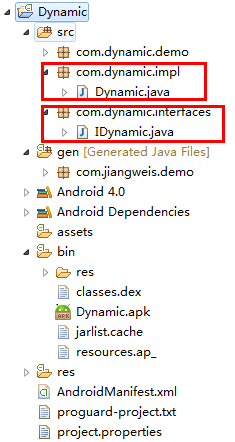 Android 動態加載機制研究:DexClassLoader 與 PathClassLoader 全解析
在目前的使用者體驗標準下,Native App 相對於 Web App 仍有明顯優勢,但 Native 有個先天弱點:業務一改就得重新發版。App 商店的審核流程加上使用
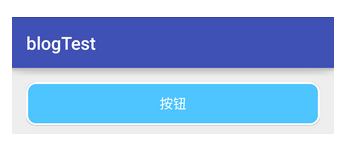 Android 自訂 Button 樣式:讓按鈕點擊時變色
預設的 Button 外觀通常撐不起設計稿的要求。要做出「按下去顏色會變」的效果,最正統的做法是用 selector 搭配 shape,完全不需要寫任何 Java 程式碼
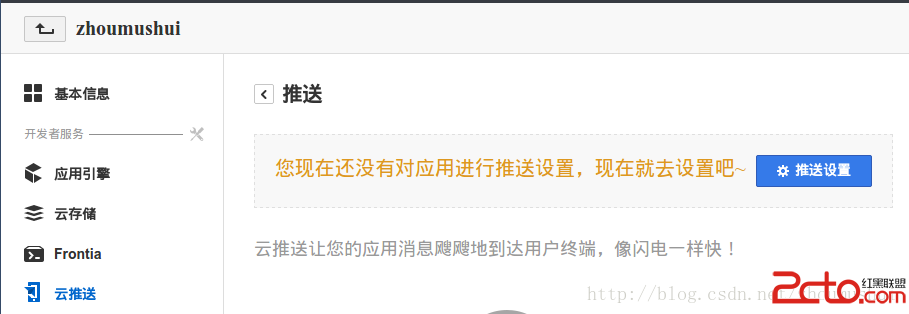 Android 第三方推送實作:百度雲推送快速接入
百度雲推送概況 在 Android 應用中,訊息推送是維持使用者黏著度的重要功能。相較於自行維護長連線,第三方推送服務能降低開發與運維成本。百度雲推送以穩定可靠著稱,並支
 dhroid:讓 Android 開發快一個量級的極速框架
寫 Android 專案時,有大量程式碼其實是在重複勞動: findViewById 與 setText 的序列、到處散落的 adapter、樣板化的資料庫操作、繁瑣的偏