

編輯:關於 Android 程式設計
Android 提供了 LocationManager 來獲取位置,配合 LocationListener 就能監聽位置的變化。下面從初始化開始,一步步走完全流程。
/** latitude and longitude of current location */
public static String mLat = "";
public static String mLon = "";

/** time out for GPS location update */
private Timer mGpsTimer = new Timer();

/** TimerTask for time out of GPS location update */
private GpsTimeOutTask mGpsTimeOutTask = new GpsTimeOutTask();

/** GPS location update time out in milliseconds */
private long mGpsTimeOut = 180000;// 3 minutes

public void initiLocationUtil(Context context, LocationObsever locationobsever){
    mLocationObsever = locationobsever;
    mContext = context;
    mLocationManager = (LocationManager)mContext.getSystemService(Context.LOCATION_SERVICE);
    mLocationListener = new MyLocationListener();
}
public void RefreshGPS(boolean calledByCreate){
    mLocationManager.removeUpdates(mLocationListener);
    boolean providerEnable = true;
    boolean showLocationServiceDisableNotice = true;

    // 看是否有 GPS 權限
    if(mLocationManager.isProviderEnabled(LocationManager.GPS_PROVIDER)){
        // 開始定位,mLocationListener 為位置監聽器
        mLocationManager.requestLocationUpdates(LocationManager.GPS_PROVIDER, 0, 0, mLocationListener);
        showLocationServiceDisableNotice = false;
        // start time out timer
        mGpsTimer = new Timer();
        mGpsTimeOutTask = new GpsTimeOutTask();
        mGpsTimer.schedule(mGpsTimeOutTask, mGpsTimeOut);
    }
    if(mLocationManager.isProviderEnabled(LocationManager.NETWORK_PROVIDER)){
        mLocationManager.requestLocationUpdates(LocationManager.NETWORK_PROVIDER, 0, 0, mLocationListener);
        showLocationServiceDisableNotice = false;
        providerEnable = true;
    }
    // ...根據 providerEnable 通知觀察者...
}
private class MyLocationListener implements LocationListener{
    private boolean mLocationReceived = false;

    @Override
    public void onLocationChanged(Location location) {
        if(location != null && !mLocationReceived){
            mLocationReceived = true;
            String lon = String.valueOf(location.getLongitude());
            String lat = String.valueOf(location.getLatitude());
            if(mLocationObsever != null){
                mLocationObsever.notifyChange(DEFAULT_LOCATION_COMPLETED, lat+","+lon);
            }
        }else if(location == null){
            if(mLocationObsever != null){
                mLocationObsever.notifyChange(GETLOCATION_FAILED, null);
            }
        }
    }
    // onProviderDisabled / onProviderEnabled / onStatusChanged 略
}
這裡用了一個 Timer,3 分鐘後若 GPS 還沒返回結果,就重新去取一次位置:
private Handler mGpsTimerHandler = new Handler() {
    public void handleMessage(Message msg) {
        if (mLocationManager == null) {
            return;
        }
        if (mLocationManager.isProviderEnabled(LocationManager.NETWORK_PROVIDER)) {
            mLocationManager.requestLocationUpdates(LocationManager.NETWORK_PROVIDER, 0, 0, mLocationListener);
        } else {
            mLocationManager.removeUpdates(mLocationListener);
            if (mLocationObsever != null) {
                mLocationObsever.notifyChange(GPSTIMEOUT, null);
            }
        }
    }
};
界面退出時,記得關掉 GPS,避免白白耗電:
/** cancel operations of refreshing GPS */
public void cancelRefreshGPS(){
    if(mLocationManager != null){
        mLocationManager.removeUpdates(mLocationListener);
    }
    if(mLocationObsever != null){
        mLocationObsever.notifyChange(CANCELGPS_COMPLETED, null);
    }
}

public void destroy(){
    if(mLocationManager != null){
        mLocationManager.removeUpdates(mLocationListener);
    }
    if(mGpsTimer != null){
        mGpsTimer.cancel();
    }
    cancelRefreshGPS();
    mContext = null;
    mLocationObsever = null;
    System.gc();
}
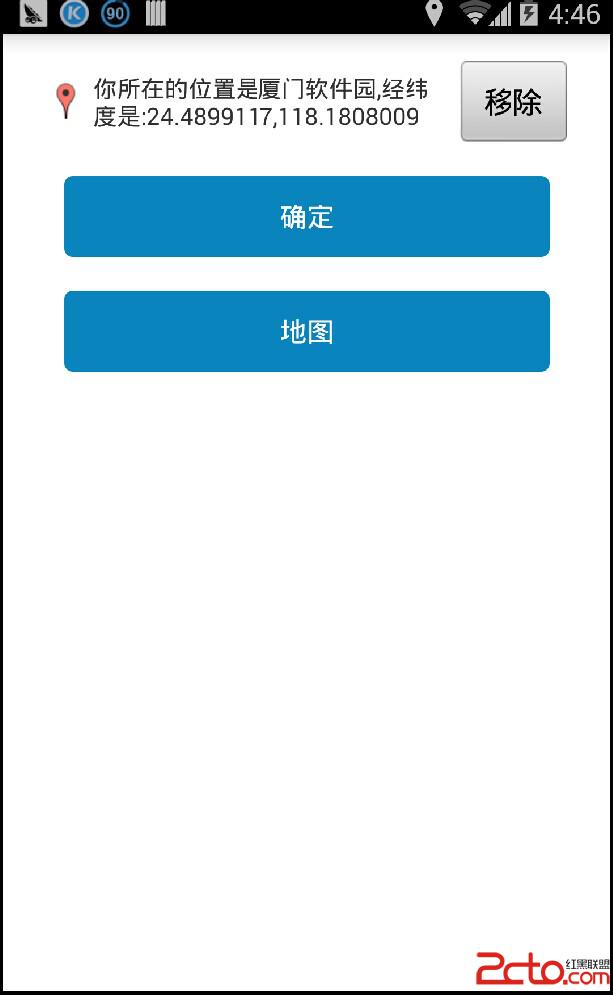
點擊 MAP 時,如果採用 Google Map,必須使用帶有 Google API 的 SDK,並在 application 中加入 <uses-library android:name="com.google.android.maps" />。布局如下:
<?xml version="1.0" encoding="utf-8"?>
<LinearLayout xmlns:android="https://schemas.android.com/apk/res/android"
    android:layout_width="fill_parent"
    android:layout_height="fill_parent"
    android:background="#FFFFFF"
    android:gravity="center_horizontal"
    android:orientation="vertical" >

    <include layout="@layout/title_list" />

    <View
        android:id="@+id/line"
        android:layout_width="fill_parent"
        android:layout_height="2dip"
        android:layout_below="@id/title"
        android:background="@drawable/rc_list_divider" />

    <com.google.android.maps.MapView
        android:id="@+id/mapview"
        android:layout_width="fill_parent"
        android:layout_height="fill_parent"
        android:apiKey="06nx-Rzpy8WU16_gjO8ZbtRYYY-junnxNArrxFg" />
</LinearLayout>
核心代碼如下:
@Override
protected void onCreate(Bundle savedInstanceState) {
    super.onCreate(savedInstanceState);
    requestWindowFeature(Window.FEATURE_NO_TITLE);
    setContentView(R.layout.around_map);
    mTextView = (TextView)findViewById(R.id.title_text);
    mTextView.setText("地圖");

    Intent intent = getIntent();
    mLatitude = intent.getDoubleExtra("lat", 0.0);
    mLongitude = intent.getDoubleExtra("lon", 0.0);

    mMapView = (MapView) findViewById(R.id.mapview);
    mMapView.setClickable(true);
    mMapView.setBuiltInZoomControls(true);
    mMapView.setSatellite(true);
    mapController = mMapView.getController();

    geoPoint = new GeoPoint((int)(mLatitude * 1E6), (int)(mLongitude * 1E6));
    mapController.setZoom(16);

    MyOverlay myOverlay = new MyOverlay();
    mMapView.getOverlays().add(myOverlay);
    mapController.animateTo(geoPoint);
}

class MyOverlay extends Overlay {
    @Override
    public boolean draw(Canvas canvas, MapView mapView, boolean shadow, long when) {
        Paint paint = new Paint();
        paint.setColor(Color.RED);
        Point screenPoint = new Point();
        mapView.getProjection().toPixels(geoPoint, screenPoint);
        Bitmap bmp = BitmapFactory.decodeResource(getResources(), R.drawable.location);
        canvas.drawBitmap(bmp, screenPoint.x, screenPoint.y, paint);
        return super.draw(canvas, mapView, shadow, when);
    }
}
通過 GPS 與網絡兩種 provider 的協同、超時重試機制,再加上在 Google Map 上繪製標記,就能完整地實現「定位並可視化展示」的需求。完整源碼可到 CSDN 下載頁面獲取。
 Android 定時器的三種實現方式,以及 removeCallbacks 失效的真正原因
方式一:Handler + Runnable Handler handler = new Handler(); Runnable runnable = new Runna
 一分鐘上手:用 Logcat 除錯 Android 程式的完整步驟
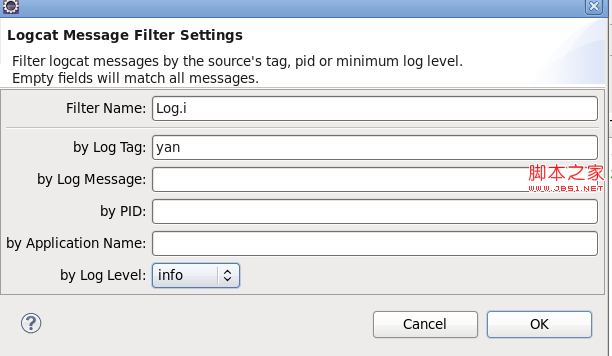
Logcat 是 Android 開發中最實用的除錯工具之一,看似簡單,但每隔一段時間沒用,總會手忙腳亂地忘記怎麼設定。這裡就把 Logcat 的使用步驟完整記錄下來,以
 一個 Android 群組通知 APP 的數據框架設計
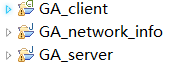
項目地址:https://github.com/wlkdb/GA_network_info點擊打開鏈接。1、整個 App 分為 Android 客戶端、Java 服務端和
 Android Studio 導入 SlidingMenu 與 FloatMath 找不到符號解法
SlidingMenu 簡介 SlidingMenu 是一個常見的第三方開源側滑選單元件,提供滑動式選單的互動方式。許多應用會使用類似設計,讓使用者可以從邊緣滑出功能列或