

編輯:關於 Android 程式設計
如果要在應用中實現音頻文件的播放,最簡單的方式之一就是直接利用系統內置的「音樂」應用程序,也就是調用系統自帶或已安裝的音樂播放器來播放指定的音頻文件。這種方式無需自己實現複雜的播放界面,借助 Intent 即可輕鬆完成。
下面直接給出源代碼。
<RelativeLayout xmlns:android="https://schemas.android.com/apk/res/android"
    xmlns:tools="https://schemas.android.com/tools"
    android:layout_width="match_parent"
    android:layout_height="match_parent"
    android:paddingBottom="@dimen/activity_vertical_margin"
    android:paddingLeft="@dimen/activity_horizontal_margin"
    android:paddingRight="@dimen/activity_horizontal_margin"
    android:paddingTop="@dimen/activity_vertical_margin"
    tools:context=".MainActivity" >
    <TextView
        android:id="@+id/textView"
        android:layout_width="wrap_content"
        android:layout_height="wrap_content"
        android:layout_centerHorizontal="true"
        android:text="音樂播放器實例" />
    <Button
        android:id="@+id/button"
        android:layout_width="match_parent"
        android:layout_height="wrap_content"
        android:layout_below="@id/textView"
        android:text="播放音樂" />
</RelativeLayout>
package com.mutimediademo3audio;

import java.io.File;
import android.app.Activity;
import android.content.Intent;
import android.net.Uri;
import android.os.Bundle;
import android.os.Environment;
import android.view.View;
import android.view.View.OnClickListener;
import android.widget.Button;

public class MainActivity extends Activity implements OnClickListener {
    private Button button;
    @Override
    protected void onCreate(Bundle savedInstanceState) {
        super.onCreate(savedInstanceState);
        setContentView(R.layout.activity_main);
        button = (Button) findViewById(R.id.button);
        button.setOnClickListener(this);
    }
    @Override
    public void onClick(View v) {
        switch (v.getId()) {
            case R.id.button:
                /**
                 * 將通用 Intent.ACTION_VIEW 的數據設置為音頻文件的 URI,
                 * 並指定其 MIME 類型,這樣 Android 就能挑選合適的應用來播放。
                 */
                Intent intent = new Intent(android.content.Intent.ACTION_VIEW);
                File sdcard = Environment.getExternalStorageDirectory();
                File audioFile = new File(sdcard.getPath() + "/good.mp3");
                // 需在 SD 卡中放置一個名為 good 的 mp3 文件
                intent.setDataAndType(Uri.fromFile(audioFile), "audio/mp3");
                startActivity(intent);
                break;
            default:
                break;
        }
    }
}
核心思路是:構造一個 ACTION_VIEW 的 Intent,把它的數據設置為音頻文件的 URI,並通過 setDataAndType 指定 MIME 類型為 "audio/mp3",系統就會自動調起合適的播放器來播放該音頻。使用前別忘了先在 SD 卡根目錄放一個名為 good.mp3 的測試文件。
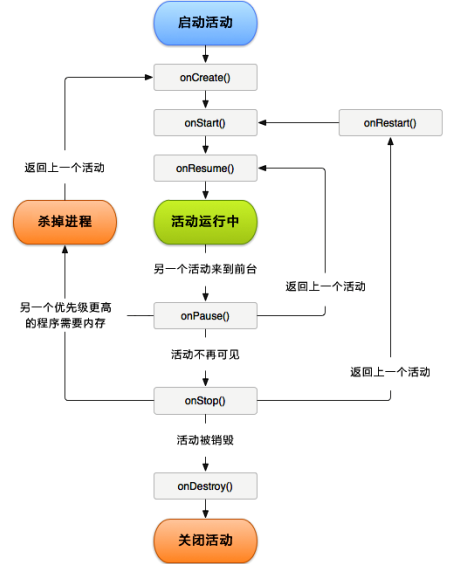 Android Activity 生命週期完全解析:七大回呼與實測驗證
Google 官方 Android 開發文件在描述生命週期時,給出了這樣一張圖: Activity 類別中定義的七個回呼方法,涵蓋了活動生命週期的每一個環節。以下逐一說
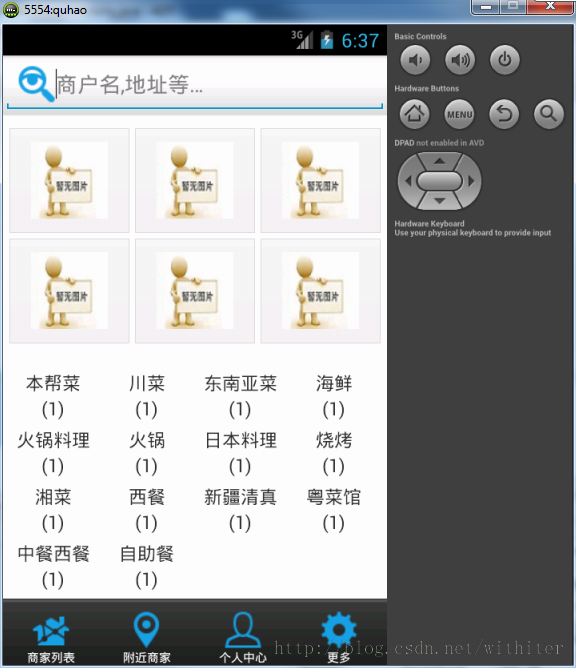 Android 自訂返回按鈕轉場動畫
在 Android 中,頁面切換動畫能提升操作流暢度。若希望返回上一頁時也有滑動效果,可以利用 overridePendingTransition 來指定進入與退出動畫。
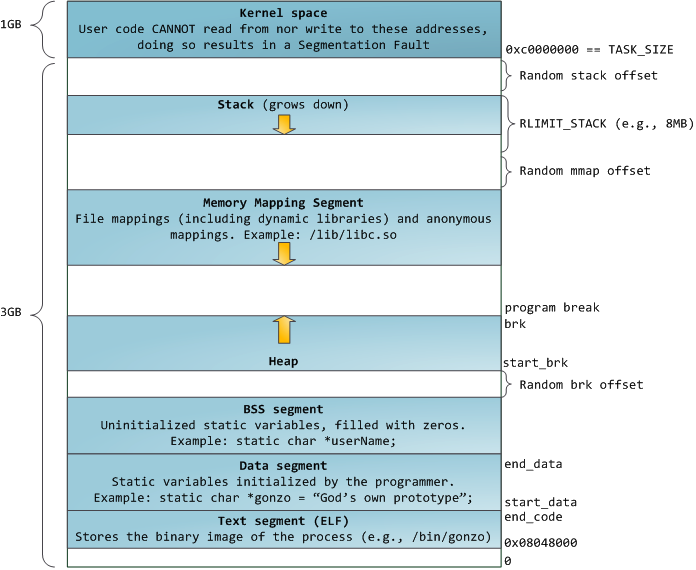 Android 記憶體優化入門:從 OOM 成因到 MAT 分析實操
面試幾乎必問記憶體優化,日常開發也躲不過 OOM。以下把我的學習脈絡整理成三個階段:先弄清楚 OOM 到底怎麼來的,再學會用 MAT 讀懂 heap,最後把常見的洩漏場景
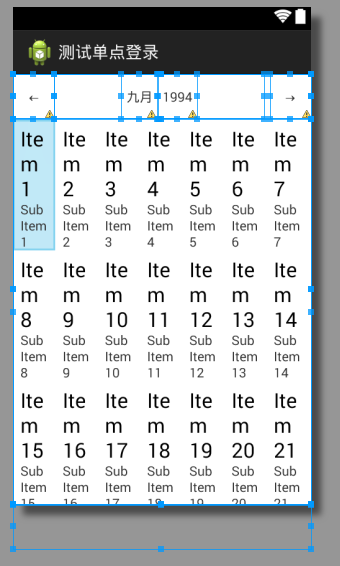 用 Android Layout XML 反推自訂 View 程式碼的工具類
這個工具想解決什麼問題 平時開發我們習慣先把介面在 XML 裡排好,再交給 Android 的 LayoutInflater 去 inflate。但有時候情況剛好相反:排