

編輯:關於 Android 程式設計
Context context = getApplicationContext(); CharSequence text = "Hello toast!"; int duration = Toast.LENGTH_SHORT; Toast toast = Toast.makeText(context, text, duration); toast.show();
當然,也可以把方法串接起來,不必保留 Toast 物件:
Toast.makeText(context, text, duration).show();
toast.setGravity(Gravity.TOP|Gravity.LEFT, x, y);
透過 setGravity 方法即可改變 Toast 的預設顯示位置。
LayoutInflater inflater = getLayoutInflater(); View layout = inflater.inflate(R.layout.custom_toast, (ViewGroup) findViewById(R.id.toast_layout_root)); TextView text = (TextView) layout.findViewById(R.id.text); text.setText("This is a custom toast"); Toast toast = new Toast(getApplicationContext()); toast.setGravity(Gravity.CENTER_VERTICAL, 0, 0); toast.setDuration(Toast.LENGTH_LONG); toast.setView(layout); toast.show();
自訂 Toast 時,透過 LayoutInflater 載入自訂佈局,再用 setView() 指定檢視,就能呈現自訂的提示樣式。
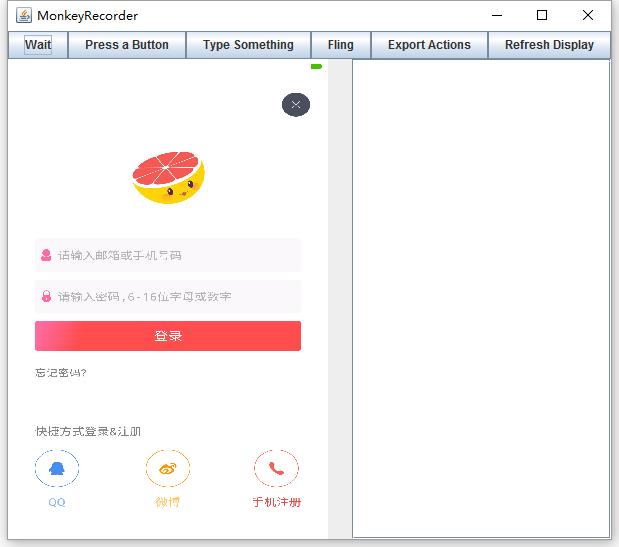 monkeyrunner 腳本錄制實例:從錄製、回放到自訂腳本執行
monkeyrunner 可用於 Android 測試腳本錄製與回放。透過 monkey_recorder.py 可錄製操作流程,再由 monkey_playback.p
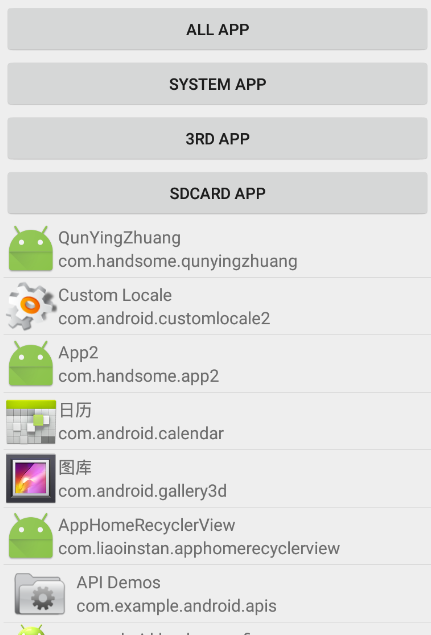 Android 系統資訊取得與安全機制完全解析
知識點目錄 9.1 Android 系統資訊取得 9.1.1 android.os.Build 9.1.2 SystemProperty 9.1.3 Android 系
 Android JNI(一):認識 JNI、Dev-C++ 與用 C 啟動 Java 程式
JNI 是 Java Native Interface,讓 Java 與 C/C++ 互相呼叫。在 Android 開發中,當需要效能、底層硬體或既有 C/C++ 程式碼
 Android 自訂九宮格手勢密碼完整實作(含源碼下載)
手勢密碼幾乎是每一支 Android 手機的標配功能,它用九個圓點串連出使用者記憶中的圖形,比數字密碼更直覺、也更有安全感。本文延續先前的自訂 UI 系列,帶大家從零打造