

編輯:關於 Android 程式設計
先來看 Android API 的這個方法:
Controls whether the pop-up will be informed of touch events outside of its window. This only makes sense for pop-ups that are touchable but not focusable, which means touches outside of the window will be delivered to the window behind. The default is false.
If the popup is showing, calling this method will take effect only the next time the popup is shown or through a manual call to one of the update() methods.
Parameters: touchable — true if the popup should receive outside touch events, false otherwise.
也就是說,基本上透過這個屬性加上 setFocusable(true),就能實現點擊其他區域讓 popup 消失。
也可以這樣做:設定點擊 popup 窗體自身讓其消失,透過以下方法重寫 root 的 onTouch 方法:
// 點擊窗體,PopupWindow 消失
root.setOnTouchListener(new View.OnTouchListener() {
    @Override
    public boolean onTouch(View v, MotionEvent event) {
        popup.dismiss();
        return true;
    }
});
同樣,也可以不用重寫 root 的 onTouch 方法,而是重寫 Activity 的 onTouchEvent() 方法,正常情況下也能實現 popup 消失:
@Override
public boolean onTouchEvent(MotionEvent event) {
    if (popup != null && popup.isShowing()) {
        popup.dismiss();
        popup = null;
    }
    return super.onTouchEvent(event);
}
但是,筆者遇到一個問題,上述方法都解決不了,是什麼原因呢?
其實罪魁禍首就是 popup 的程式碼順序。手賤先調用了 showAsDropDown() 方法,再設定其他屬性,導致了這種情況。showAsDropDown 這個方法相當於 Dialog.show() 方法,如果是先 show 了,然後其他屬性即使設定了,也起不到應有的作用。
這一點經常提醒別人,沒想到到 popup 這裡自己也犯了同樣的錯誤。
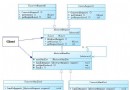 java/android 設計模式學習筆記(15)——責任鏈模式
這篇博客我們來介紹責任鏈模式(Chain-of-responsibility Pattern),它又稱職責鏈模式,是行為型設計模式之一。顧名思義,責任鏈模式中存在一個鏈式
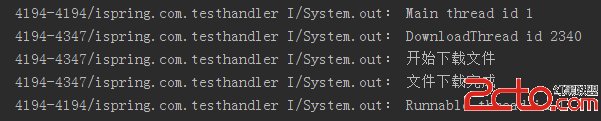 Android Handler 的用法:post 與 sendMessage 兩條路
Android 開發裡有個場景幾乎人人都撞過:界面上點一下「下載」,然後要去跑網絡請求。這是妥妥的耗時操作,誰也不知道多久能回來,所以得開新線程去做,避免阻塞 UI 線程
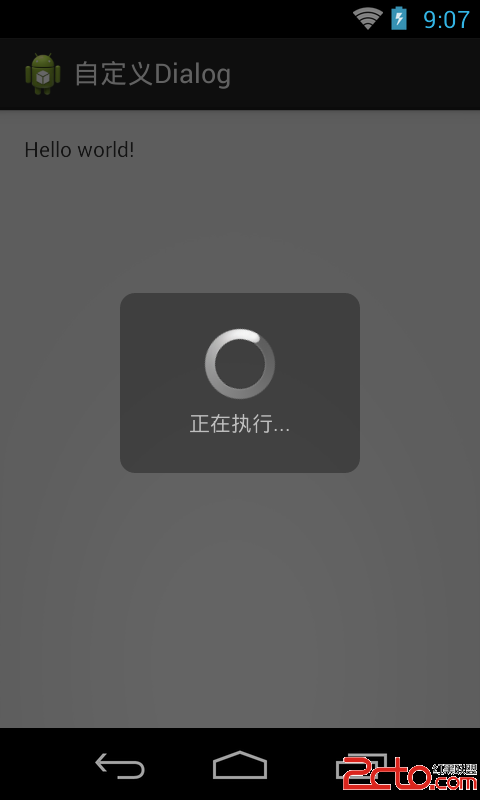 Android 自訂 Dialog:改主題、換版面、封裝成類別
自訂對話框是開發中很常出現的需求。這裡示範的做法用到了 Android 的 shape 圖形資源,Android 的 drawable 種類相當豐富,後續再另篇整理。本篇
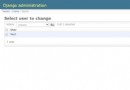 Django RESTful 框架實作入門
本文示範如何以 Django 搭配 Django REST framework 打造一個簡單的 RESTful API,從環境準備到測試完整走一遍。 1. 準備工作 先