

編輯:關於 Android 程式設計
在 GridView 裡,我們常會希望某個 Item 被點選時能有放大或高亮的效果。做法是在 setOnItemClickListener() 中把被點擊的 position 傳給 Adapter,再由 Adapter 決定那一格要不要播放放大動畫。
package com.example.sgridview; import java.util.ArrayList; import java.util.List; import android.annotation.SuppressLint; import android.app.Activity; import android.os.Bundle; import android.view.View; import android.view.ViewGroup; import android.view.animation.Animation; import android.view.animation.AnimationUtils; import android.widget.AdapterView; import android.widget.AdapterView.OnItemClickListener; import android.widget.BaseAdapter; import android.widget.GridView; import android.widget.ImageView; import android.widget.ImageView.ScaleType; public class MainActivity extends Activity { private GridView gridView; private MyAdapter adapter = null; @Override protected void onCreate(Bundle savedInstanceState) { super.onCreate(savedInstanceState); setContentView(R.layout.activity_main); lists.add(R.drawable.ic_launcher); lists.add(R.drawable.ic_launcher); lists.add(R.drawable.ic_launcher); this.gridView = (GridView) this.findViewById(R.id.gridView); adapter = new MyAdapter(); this.gridView.setAdapter(adapter); this.gridView.setOnItemClickListener(new OnItemClickListener() { @Override public void onItemClick(AdapterView<?> arg0, View arg1, int id, long arg3) { MyAdapter ad = (MyAdapter) arg0.getAdapter(); ad.setNotifyDataChange(id); } }); } private List<Integer> lists = new ArrayList<Integer>(); private class MyAdapter extends BaseAdapter { private int selectPic = -1; @Override public int getCount() { return lists.size(); } @Override public Object getItem(int position) { return lists.get(position); } @Override public long getItemId(int position) { return position; } public void setNotifyDataChange(int id) { selectPic = id; super.notifyDataSetChanged(); } @SuppressLint("NewApi") @Override public View getView(int position, View view, ViewGroup arg2) { ImageView img = new ImageView(MainActivity.this); img.setBackgroundResource(lists.get(position)); if (selectPic == position) { Animation testAnim = AnimationUtils.loadAnimation(MainActivity.this, R.anim.anim); img.startAnimation(testAnim); } else { // the rest img.setScaleType(ScaleType.CENTER_INSIDE); } return img; } } }
這裡的關鍵是 Adapter 中的 selectPic 變數:點擊時透過 setNotifyDataChange(id) 更新它並呼叫 notifyDataSetChanged(),於是 getView 重新執行時,只有 position 等於 selectPic 的那一格會載入縮放動畫。
接著是動畫資源 anim.xml:
<?xml version="1.0" encoding="utf-8"?>
<set xmlns:android="https://schemas.android.com/apk/res/android"
    android:fillAfter="true">
    <scale
        android:interpolator="@android:anim/accelerate_interpolator"
        android:fromXScale="1.0"
        android:toXScale="1.4"
        android:fromYScale="1.0"
        android:toYScale="1.4"
        android:pivotX="50%"
        android:pivotY="50%"
        android:duration="250" />
</set>
android:fillAfter="true" 讓動畫播完後維持在放大狀態,pivotX/pivotY 設為 50% 則確保是以圖片中心為基準放大,不會歪一邊。
 RemoteViews 完全解析:跨進程更新介面的原理與實作
一、概述 什麼是 RemoteViews?顧名思義就是「遠程 View」。需要注意的是,RemoteViews 並不是 View 的子類,它直接繼承自 Object。它的
 Android 如何獲取正在運行的應用程式並管理
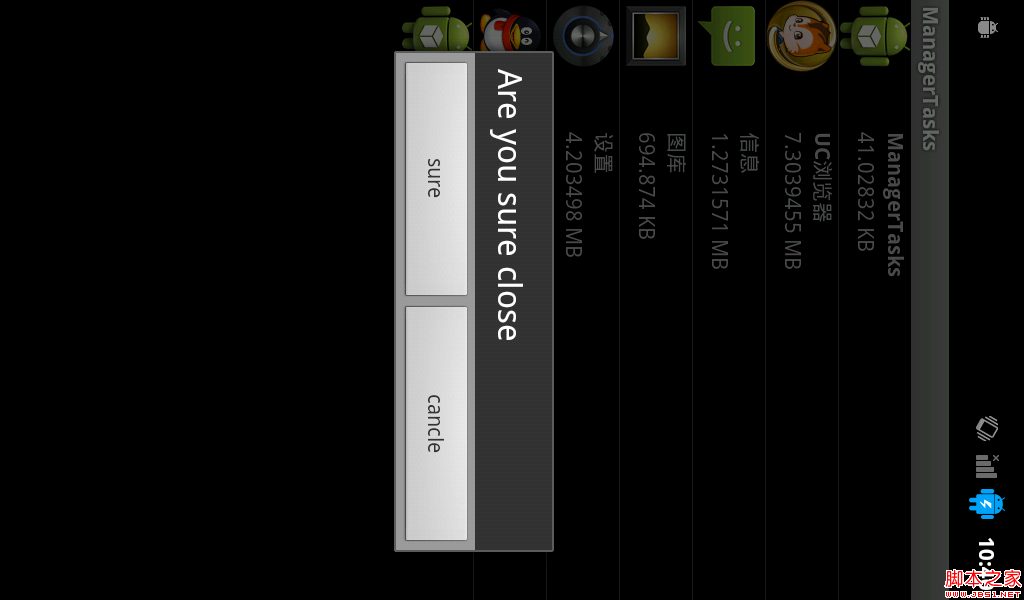
想製作一個類似「清理加速」的小工具嗎?關鍵的第一步就是取得手機上正在運行的應用程式列表。本文以一個實際範例,示範如何透過 ActivityManager 讀取執行中的程式
 Android 批量加載圖片引發 OOM 的完整解決方案
一、OOM 出現的場景與原因 一款出色的 App 離不開精美圖片,因此圖片加載在 Android 開發中幾乎無法避免,一旦處理不當就會引發 OOM(內存溢出)。本文將系統
 Android Studio JNI 開發入門:用 Native 層保護 DES 加密密鑰
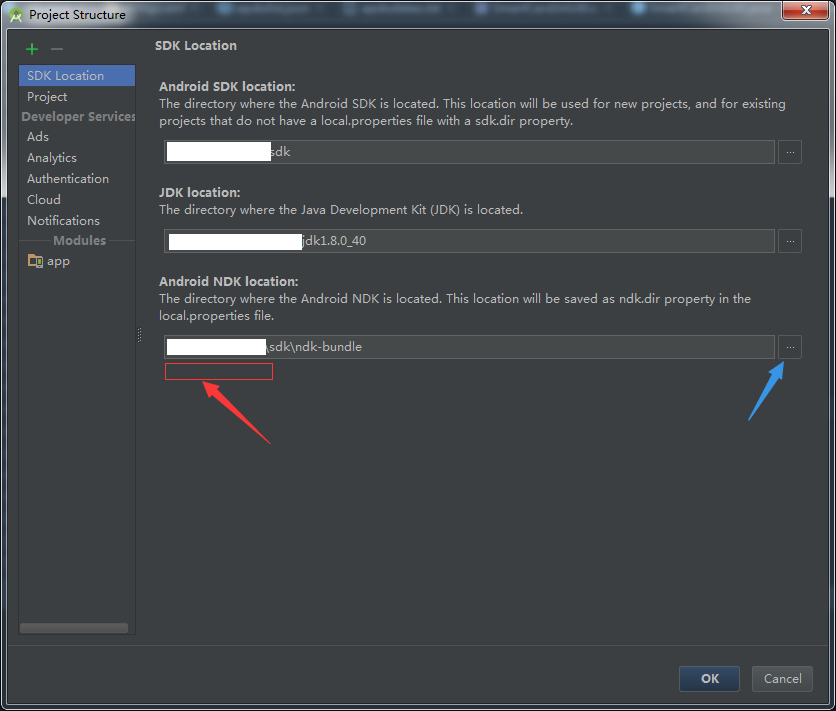
前言 開發過程中,為了資料傳輸安全,決定對資料進行 DES 加密後再與後端互動。但若把密鑰直接放在 Android 程式碼裡,即便做了混淆,反編譯後仍很容易被人取得,加密