

編輯:關於 Android 程式設計
Fragment(碎片)可以靈活地從 Activity 上添加或刪除,能帶來良好的用戶體驗。下面就以一個待辦清單為例,完整走一遍 Fragment 的設計與實現。
位置:res → new_item_fragment.xml,包含一個 EditText 控件:
<EditText
    xmlns:android="https://schemas.android.com/apk/res/android"
    android:id="@+id/myEditText"
    android:layout_width="match_parent"
    android:layout_height="wrap_content"
    android:hint="@string/addItemHint"
    android:contentDescription="@string/addItemContentDescription" />
位置:java → package → NewItemFragment.java
public class NewItemFragment extends Fragment {
    private OnNewItemAddedListener onNewItemAddedListener;

    // 監聽事件
    public interface OnNewItemAddedListener {
        public void onNewItemAdded(String newItem);
    }

    @Override
    public View onCreateView(LayoutInflater inflater, ViewGroup container, Bundle savedInstanceState) {
        View view = inflater.inflate(R.layout.new_item_fragment, container, false);
        final EditText myEditText = (EditText) view.findViewById(R.id.myEditText);
        myEditText.setOnKeyListener(new View.OnKeyListener() {
            @Override
            public boolean onKey(View view, int i, KeyEvent keyEvent) {
                if (keyEvent.getAction() == KeyEvent.ACTION_DOWN)
                    if ((i == KeyEvent.KEYCODE_DPAD_CENTER) || (i == KeyEvent.KEYCODE_ENTER)) {
                        String newItem = myEditText.getText().toString();
                        onNewItemAddedListener.onNewItemAdded(newItem);
                        myEditText.setText("");
                        return true;
                    }
                return false;
            }
        });
        return view;
    }

    // 綁定到 Activity
    public void onAttach(Activity activity) {
        super.onAttach(activity);
        try {
            onNewItemAddedListener = (OnNewItemAddedListener) activity;
        } catch (ClassCastException e) {
            throw new ClassCastException(activity.toString() + " must implement OnNewItemAddedListener");
        }
    }
}
詳解:
位置:java → package → ToDoListFragment.java,直接繼承 ListFragment:
public class ToDoListFragment extends ListFragment {
}
位置:res → layout → activity_to_do_list.xml。用 LinearLayout 包含兩個 fragment 節點,需要提供 android:name 參數:
<LinearLayout
    xmlns:android="https://schemas.android.com/apk/res/android"
    xmlns:tools="https://schemas.android.com/tools"
    android:layout_width="match_parent"
    android:layout_height="match_parent"
    android:orientation="vertical"
    android:paddingBottom="@dimen/activity_vertical_margin"
    android:paddingLeft="@dimen/activity_horizontal_margin"
    android:paddingRight="@dimen/activity_horizontal_margin"
    android:paddingTop="@dimen/activity_vertical_margin"
    tools:context="mzx.spike.todolist.app.ToDoListActivity">

    <fragment
        android:id="@+id/NewItemFragment"
        android:layout_width="match_parent"
        android:layout_height="wrap_content"
        android:name="mzx.spike.todolist.app.NewItemFragment" />

    <fragment
        android:id="@+id/ToDoListFragment"
        android:layout_width="match_parent"
        android:layout_height="wrap_content"
        android:name="mzx.spike.todolist.app.ToDoListFragment" />

</LinearLayout>
位置:java → package → ToDoListActivity.java
public class ToDoListActivity extends ActionBarActivity implements NewItemFragment.OnNewItemAddedListener {
    private ArrayAdapter<String> aa;
    private ArrayList<String> toDoItems;

    @Override
    protected void onCreate(Bundle savedInstanceState) {
        super.onCreate(savedInstanceState);
        setContentView(R.layout.activity_to_do_list);

        // 獲得 fragment 的引用
        FragmentManager fm = getFragmentManager();
        ToDoListFragment toDoListFragment = (ToDoListFragment) fm.findFragmentById(R.id.ToDoListFragment);
        toDoItems = new ArrayList<String>();
        // 三個參數:上下文、布局、數據
        aa = new ArrayAdapter<String>(this, android.R.layout.simple_list_item_1, toDoItems);
        toDoListFragment.setListAdapter(aa);
    }

    // 重寫接口方法
    public void onNewItemAdded(String newItem) {
        toDoItems.add(newItem);
        aa.notifyDataSetChanged();
    }

    @Override
    public boolean onCreateOptionsMenu(Menu menu) {
        getMenuInflater().inflate(R.menu.to_do_list, menu);
        return true;
    }

    @Override
    public boolean onOptionsItemSelected(MenuItem item) {
        int id = item.getItemId();
        if (id == R.id.action_settings) {
            return true;
        }
        return super.onOptionsItemSelected(item);
    }
}
詳解:
運行後即可看到輸入框與待辦列表協同工作,效果如下:

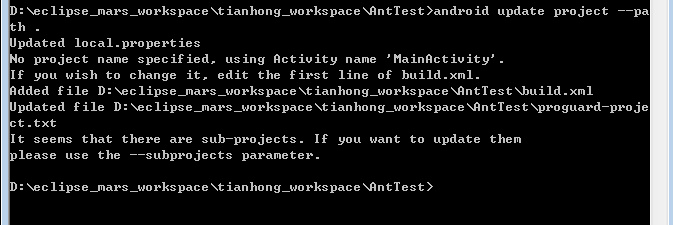 用 Ant 自動化打包 Android 多環境、多渠道 APK
打包為什麼總是這麼累 做 Android 開發的人大概都經歷過這種折磨:一個 App 要鋪到豌豆莢、華為應用市場、小米商店、360 手機助手……每個渠道都要在代碼裡寫死不
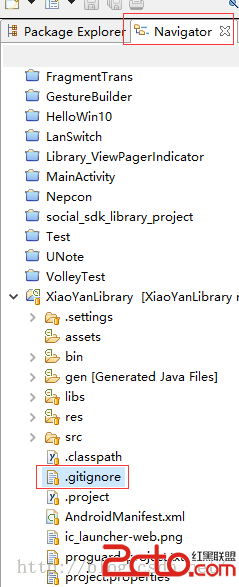 egit 教學:用 .gitignore 讓檔案退出版本控制
多人協作開發已經是常態,Git 幾乎是標配。實務上常遇到某個檔案(編譯產物、IDE 設定、測試用的本機設定檔)根本不該進版控,這時候就要靠 .gitignore。以下說明
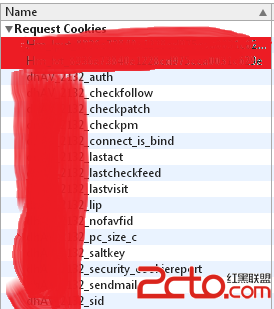 不寫後端介面,用 WebView 與 Cookie 完成 Discuz 論壇登入
需求是給 Discuz(DZ)論壇做一個 Android 客戶端,自然繞不開會員登入。理想做法是請後端開一個登入 API,但如果你對 DZ 不熟、又不想動太多伺服器程式碼
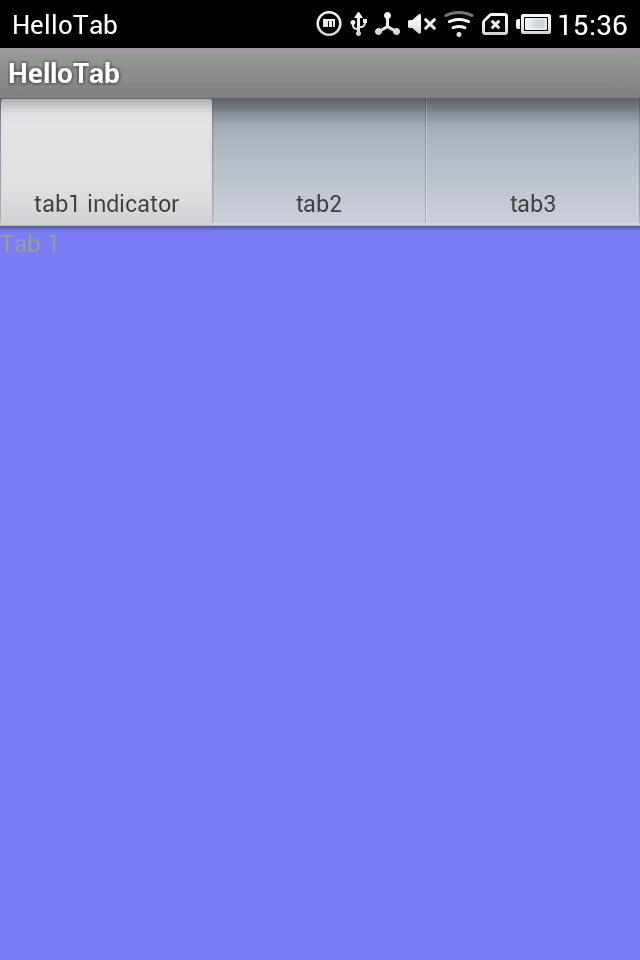 Android TabHost 標籤頁的四種實作方式
Tab 標籤是 Android 早期常見的 UI 元件,核心類別是 TabHost。本文用四個由淺入深的例子把它的用法完整走一遍,最後再談談為什麼現在已經不建議使用它。