

編輯:關於 Android 程式設計
本文記錄 Android 中 SimpleExpandableListAdapter 的用法,直接以程式碼搭配詳細註解說明。它適合用來呈現具有兩級層次的可展開列表。
package com.yx.expandablelistview;

import java.util.ArrayList;
import java.util.HashMap;
import java.util.List;
import java.util.Map;
import android.os.Bundle;
import android.app.Activity;
import android.app.ExpandableListActivity;
import android.view.Menu;
import android.widget.SimpleExpandableListAdapter;

public class MainActivity extends ExpandableListActivity {

    @Override
    protected void onCreate(Bundle savedInstanceState) {
        super.onCreate(savedInstanceState);
        setContentView(R.layout.activity_main);

        // 為一級條目提供資料的 list
        List<Map<String,String>> groups = new ArrayList<Map<String,String>>();
        Map<String,String> group1 = new HashMap<String, String>();
        group1.put("group", "group1");
        Map<String,String> group2 = new HashMap<String, String>();
        group2.put("group", "group2");
        groups.add(group1);
        groups.add(group2);

        // 為第一個一級條目提供二級條目資料
        List<Map<String,String>> child1 = new ArrayList<Map<String,String>>();
        Map<String,String> child1Date1 = new HashMap<String, String>();
        child1Date1.put("child", "child1Date1");
        Map<String,String> child1Date2 = new HashMap<String, String>();
        child1Date2.put("child", "child1Date2");
        child1.add(child1Date1);
        child1.add(child1Date2);

        // 為第二個一級條目提供二級條目資料
        List<Map<String,String>> child2 = new ArrayList<Map<String,String>>();
        Map<String,String> child2Date1 = new HashMap<String, String>();
        child2Date1.put("child", "child2Date1");
        Map<String,String> child2Date2 = new HashMap<String, String>();
        child2Date2.put("child", "child2Date2");
        child2.add(child2Date1);
        child2.add(child2Date2);

        // 存放所有二級條目資料的 list
        List<List<Map<String,String>>> childs = new ArrayList<List<Map<String,String>>>();
        childs.add(child1);
        childs.add(child2);

        // 生成 SimpleExpandableListAdapter 物件
        // 參數依序:1.context 2.一級條目資料 3.一級條目樣式佈局 4.一級條目 key
        //         5.一級條目顯示控件 id 6.二級條目資料 7.二級條目樣式佈局
        //         8.二級條目 key 9.二級條目顯示控件 id
        SimpleExpandableListAdapter simpleExpandableListAdapter = new SimpleExpandableListAdapter(this,
            groups,
            R.layout.group,
            new String[]{"group"},
            new int[]{R.id.groupTo},
            childs,
            R.layout.child,
            new String[]{"child"},
            new int[]{R.id.childTo});

        setListAdapter(simpleExpandableListAdapter);
    }
}
這裡需要三個 XML 佈局檔。
負責整體可展開視圖的位置:
<RelativeLayout xmlns:android="https://schemas.android.com/apk/res/android"
    xmlns:tools="https://schemas.android.com/tools"
    android:layout_width="match_parent"
    android:layout_height="match_parent"
    android:paddingBottom="@dimen/activity_vertical_margin"
    android:paddingLeft="@dimen/activity_horizontal_margin"
    android:paddingRight="@dimen/activity_horizontal_margin"
    android:paddingTop="@dimen/activity_vertical_margin"
    tools:context=".MainActivity">
    <ExpandableListView
        android:id="@id/android:list"
        android:layout_width="fill_parent"
        android:layout_height="fill_parent"
        android:drawSelectorOnTop="false">
    </ExpandableListView>
    <TextView
        android:id="@id/android:empty"
        android:text="no date"
        android:layout_width="fill_parent"
        android:layout_height="fill_parent" />
</RelativeLayout>
<?xml version="1.0" encoding="utf-8"?>
<LinearLayout xmlns:android="https://schemas.android.com/apk/res/android"
    android:layout_width="match_parent"
    android:layout_height="match_parent"
    android:orientation="vertical">
    <TextView
        android:id="@+id/groupTo"
        android:layout_width="fill_parent"
        android:layout_height="fill_parent"
        android:paddingLeft="60px"
        android:paddingTop="10px"
        android:paddingBottom="10px"
        android:textSize="26sp"
        android:text="No date" />
</LinearLayout>
<?xml version="1.0" encoding="utf-8"?>
<LinearLayout xmlns:android="https://schemas.android.com/apk/res/android"
    android:layout_width="match_parent"
    android:layout_height="match_parent"
    android:orientation="vertical">
    <TextView
        android:id="@+id/childTo"
        android:layout_width="fill_parent"
        android:layout_height="fill_parent"
        android:paddingLeft="50px"
        android:paddingTop="5px"
        android:paddingBottom="5px"
        android:textSize="20sp"
        android:text="No date" />
</LinearLayout>
重點在於:一級與二級資料都要以 List<Map> 的結構組織,一級用 groups、二級用 childs(其元素本身又是 List),最後在建構 SimpleExpandableListAdapter 時,分別指定兩層的資料、佈局與對應的 TextView id 即可。
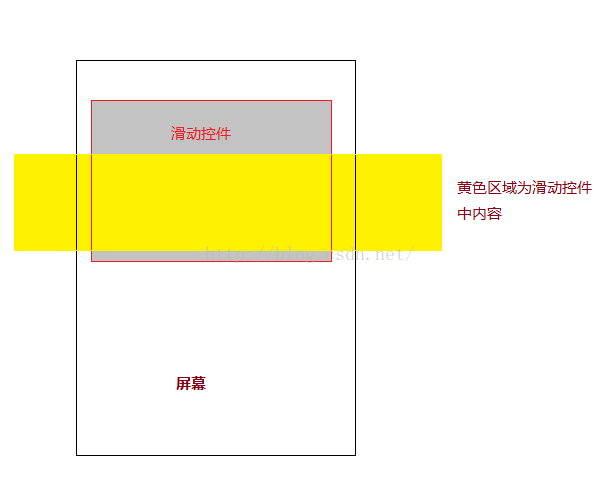 Android Scroller 深度解析:scrollTo、scrollBy 與平滑滾動的實現
scrollTo 與 scrollBy 到底在滾什麼View 的 scrollTo 與 scrollBy 並不是移動 View 本身,而是移動 View 內部的內容。可以
 安卓手機防中毒指南 四招遠離惡意流氓軟件
智能手機越來越深入生活,伴隨而來的隱患也層出不窮。其中讓人最頭疼的,莫過於惡意流氓軟件與手機病毒。究竟該如何守住自己的手機?小編整理了四個實用的自保技巧。 一、挑一個靠
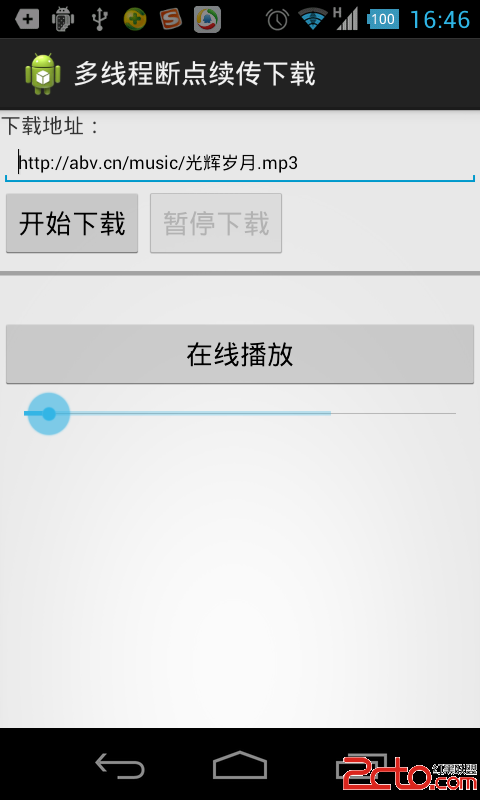 Android 實現在線音樂播放:MediaPlayer 與緩衝進度
在 Android 中播放網路音樂,通常會使用 MediaPlayer。若希望使用者看到緩衝情形,可搭配 SeekBar 的次要進度與 MediaPlayer 的緩衝更新
 用 Sencha Touch 打包 Android APK 的完整流程
什麼是 Sencha Touch ExtJS 團隊把既有的 ExtJS 與 JQTouch、Raphaël 整合,推出了專為觸控裝置打造的 Sencha Touch 框架