

編輯:關於 Android 程式設計
當應用元件呼叫 startService 時,系統會建立或啟動一個服務,並透過 Intent 傳入參數。服務可在 onStartCommand 中取得這些參數,並在背景執行工作。
Service 是所有服務的基礎類別。由於服務預設執行在主執行緒,若直接進行耗時工作,會拖慢 UI。因此通常需要在 Service 中建立獨立工作執行緒,例如使用 HandlerThread。
IntentService 是 Service 的子類別,會建立工作執行緒與佇列,逐一處理啟動請求。所有 Intent 都會交給 onHandleIntent 處理,完成後服務會自動停止,適合不需要同時處理多個請求的情境。
當系統因資源不足而結束服務時,onStartCommand 的回傳值會決定後續行為。START_NOT_STICKY 表示服務不會自動重啟;START_STICKY 表示服務會重啟,但不一定重送舊 Intent;START_REDELIVER_INTENT 則會重新投遞最後一次 Intent,適合不可中斷的任務。
呼叫 startService 後,系統會先執行 onCreate,再執行 onStartCommand。若要停止服務,可由服務呼叫 stopSelf,或由其他元件呼叫 stopService。若服務需要讓使用者明確感知,例如音樂播放,可呼叫 startForeground 並提供常駐通知。
以下是最基本的啟動寫法:
Intent intent = new Intent(this, HelloService.class);
startService(intent);
 ANDROID 設計模式應用(一):創建型模式全解析
所謂模式,就是在某一情境下解決某個問題的固定方案。所有的創建型模式,都是用作「對象的創建或實例化」的解決方案。本文結合影 Android 系統源碼,逐一剖析常見的創建型模
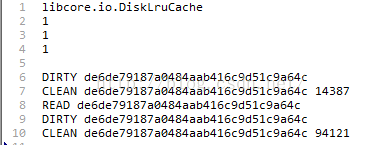 一步一步優化 ListView(二):用 DiskLruCache 打造本地圖片緩存
上一篇介紹了我們通常優化 ListView 的方式,但對於需要加載大量圖片的 ListView 來說,這顯然還不夠。因為我們知道,無論是本地還是網絡的圖片,獲取時的性能都
 Objective-C Runtime 解析(四):怎樣在 Category 中「添加」屬性
Category 是 Objective-C 擴展類能力的常用手段,它能夠在運行時為已有類追加方法,這一切都得益於 Runtime 的動態特性。但很多同學會撞上一堵牆:C
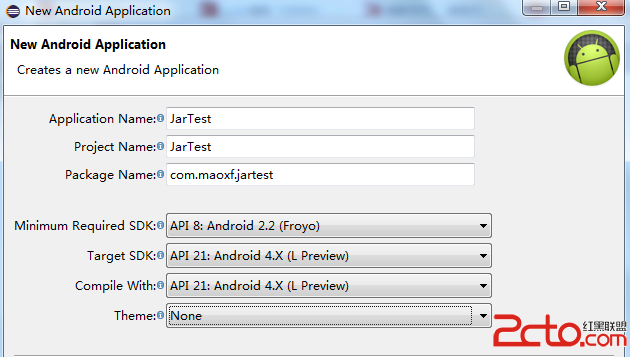 如何將 Android 專案打包成第三方 JAR 供他人使用
做專案時經常會遇到需要使用第三方 SDK 的情況。通常我們先把第三方 jar 包導入,再導入相應的資源檔,最後在自己的專案中呼叫。很多人只會用,卻不知道怎麼把自己的專案也