

編輯:關於 Android 程式設計
在 Android 中實作自定義 UI,通常有兩種路線。若需要完全掌控繪製,可以繼承 View;若只是擴充既有控制項,則可繼承 TextView、Button 或 LinearLayout 等。官方文件中的 Custom Components 與 Creating Custom Views 是很好的起點。
以下例子建立 GraphicsView,繼承 View 並使用 Path 畫出圓形輪廓,再用 Paint 設定線條顏色、寬度與樣式。為了支援 Java 與 XML 兩種使用方式,建議實作含 Context、AttributeSet 與 defStyleAttr 的建構子。
在 initView 中初始化 Path 與 Paint,並設定背景。在 draw 方法中呼叫 canvas.drawPath,即可把圖形畫到畫布上。若使用 XML 布局,也可在 LinearLayout 中加入 com.example.apptest.GraphicsView。
掌握基礎繪製後,可進一步加入觸控事件、動畫、屬性解析與 onMeasure 自訂測量。自定義 UI 不只是畫圖,更是對 Android 檢視系統與事件流程的綜合練習。
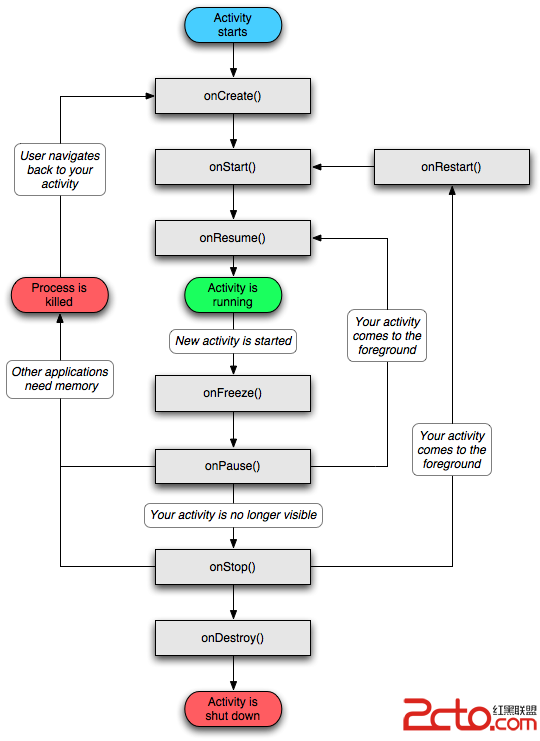 深入解析 android.app.Activity 與其生命週期
目前網路上關於 Android 的資料不算多,針對 Activity 的說明更少,因此我把官方文件中 android.app.Activity 的內容翻譯整理,並加入一些
 Android 設計理念(下):提升易用性與讓應用更有趣
上一篇介紹了 Android 開發設計理念的一部分,本文繼續說明後續重點,聚焦在易用性、學習成本與使用者情緒。 增加易用性 一致的圖示,一致的功能 使用者應該能透過視覺快
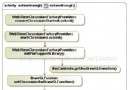 Android 4.4 WebView 硬件渲染:Chromium 内核中那几个"不一样"的类
Android 4.4 的 WebView 换成了 Chromium 内核,但它的硬件渲染路径和原生 Chromium 差别很大。原生 Chromium 依赖多进程 GP
 Android 俄羅斯方塊遊戲完整示例
以下畫面展示 Android 俄羅斯方塊遊戲的執行效果,包含遊戲主介面、方塊堆疊、操作區域與狀態顯示。這類遊戲常用自訂 View 或 Canvas 繪製方塊,並透過計時器