

編輯:關於 Android 程式設計
用 Qt Creator 寫一個 Android 程式時,需要讀取 DNS。C 語言該怎麼讀呢?研究了一下,原來在 Android 的 C 函式庫裡,就提供了讀取系統屬性的方法。用 objdump 看了一下 libc.so,找到了其中的函式,如下:
000095f0 g F .text 00000014 __system_properties_init 00009604 g F .text 00000014 __system_property_find 00009618 g F .text 00000014 __system_property_find_nth 0000962c g F .text 00000014 __system_property_get 00009640 g F .text 00000014 __system_property_read 00009654 g F .text 00000014 __system_property_wait
對應的標頭檔是 system_properties.h,位於 usr/include/sys 目錄下。
其中 __system_property_get 可以用來獲取一個屬性值,函式原型如下:
/* Look up a system property by name, copying its value and a ** \0 terminator to the provided pointer. The total bytes ** copied will be no greater than PROP_VALUE_MAX. Returns ** the string length of the value. A property that is not ** defined is identical to a property with a length 0 value. */ int __system_property_get(const char *name, char *value);
讀取 DNS 的程式碼如下:
char buf[PROP_VALUE_MAX]; __system_property_get("net.dns1", buf); __system_property_get("net.dns2", buf);
讀取其他屬性的方式也類似;若要瞭解如何設定,可以查看 system_properties.h 中的函式用法。
 Android 螢幕旋轉下 AsyncTask 與 ProgressDialog 的妥善處理方案
一、問題背景 只要沒有明確指定 screenOrientation 或 configChanges,使用者一旋轉螢幕,Activity 就會被銷毀重建。對此 Androi
 Android 影片播放兩種做法:SurfaceView 與 VideoView 如何選
在 Android 上播放影片,常見有兩條路:MediaPlayer + SurfaceView 自己掌控一切,以及 VideoView + MediaControlle
 AndroidAnnotations 注解框架詳解:用注解省下大量樣板程式碼
AndroidAnnotations(以下簡稱 AA)是一個開源框架,目標是加快 Android 開發效率。透過它開放的一組注解 API,幾乎可以套用在任何地方,大幅削減
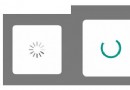 Android 兩款常用加載進度條效果分享與實現
本文分享兩款常見的加載進度條動畫效果,分別是經典的轉圈樣式與 Material 風格的弧形進度圈,並附上完整代碼供大家參考。 先看看效果: activity_main.