

編輯:關於 Android 程式設計
在 Android 上訪問 NFC 的 SE(Secure Element,安全元件)涉及一套專門的接口。遺憾的是,目前應用只能訪問內部 SE;對於外部的 SIM 卡或 SD 卡 SE,幾乎所有手機都不支持——支持 SIM 卡 SE 的還沒有 AT 命令,支持 SD 卡 SE 的還沒有 API 接口。因此現階段我們只能訪問存在於 NFC 芯片內部的 SE。
訪問 SE 使用的是 SEService / Smartcard Service,手機上必須安裝由廠商實現的 SEService。基本用法分三步:
創建:
seService = new SEService(this, this);
實現接口:
implements SEService.CallBack
實現回調方法:
public void serviceConnected(SEService service) {
// 連接成功後在這裡訪問 SE
}
public class MainActivity extends Activity implements SEService.CallBack {
private SEService seService;
NfcAdapter mNfc;
TextView mTextView;
@Override
public void onCreate(Bundle savedInstanceState) {
super.onCreate(savedInstanceState);
mNfc = NfcAdapter.getDefaultAdapter(this);
setContentView(R.layout.main);
mTextView = (TextView) this.findViewById(R.id.text);
try {
// 訪問 SEService
seService = new SEService(this, this);
} catch (SecurityException e) {
mTextView.append("Binding not allowed, uses-permission SMARTCARD?");
} catch (Exception e) {
mTextView.append("Exception: " + e.getMessage());
}
}
@Override
protected void onDestroy() {
if (seService != null && seService.isConnected()) {
seService.shutdown();
}
super.onDestroy();
}
//連接上 SEService
public void serviceConnected(SEService service) {
Session session = null;
Channel basicChannel = null;
try {
mTextView.append("Getting available readers...\n");
Reader[] readers = seService.getReaders();
//readers[1] 就是內部 SE
session = readers[1].openSession();
//選擇 card manager aid
byte[] aid = {(byte) 0xA0,0x00,0x00,0x00,0x03,0x00,0x00,0x00};
basicChannel = session.openBasicChannel(aid);
//獲取 card production life cycle 數據
byte[] CPLC = {(byte) 0x80,(byte) 0xca,(byte) 0x9f,0x7f,0x00};
byte[] response1 = basicChannel.transmit(CPLC);
if(response1.length>=20) {
mTextView.append(String.format("SerialID: %02x%02x%02x%02x\n",
response1[15],response1[16],response1[17],response1[18]));
}
} catch (Exception e) {
mTextView.append("Error occured: "+e.getMessage()+"\n");
}
if(basicChannel!=null) basicChannel.close();
if(session!=null) session.close();
}
}
整個流程是:連接 SEService 後,獲取可用 Reader,打開內部 SE 的 Session,選擇 Card Manager 的 AID 打開基本通道,再通過 APDU 命令讀取 SE 的相關數據(如 CPLC 生命週期信息與序列號)。使用時記得在清單中申請相應的 Smartcard 權限。
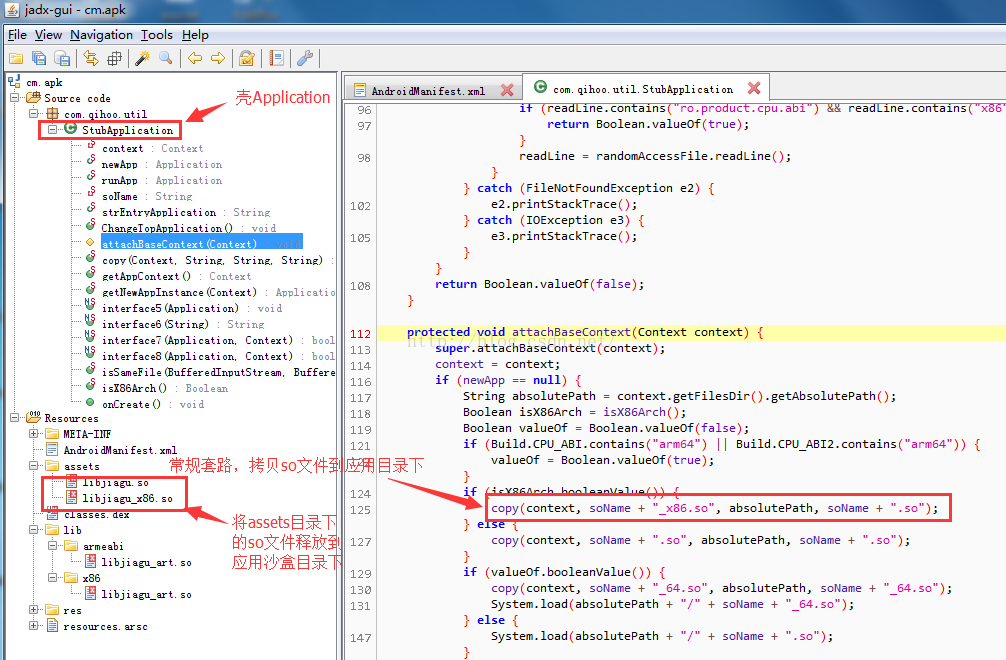 APK 脫殼實戰:拆解「360 加固」的保護套路
一、前言 目前主流的加固平台大致有梆梆、愛加密、360 加固、騰訊加固這幾家。之前已經寫過如何脫掉「愛加密」的殼,這次換一個目標:360 加固。有了前面的基礎,很多前置知
 Android Intent 機制全解:六大屬性、匹配規則與 11 個高頻用法示例
做 Android 開發時,把 Intent 傳給目標組件並完成調用這一步經常出問題,而網上資料又多是零碎片段。本文把 Intent 的介紹、屬性、匹配規則與常見用法做一
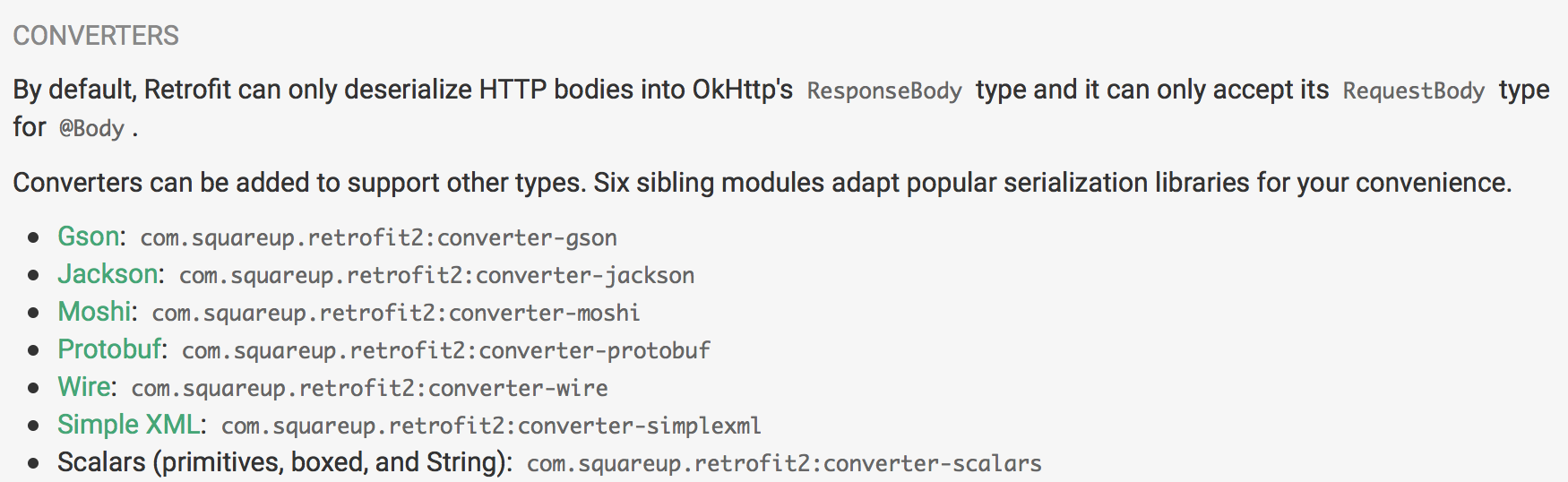 Retrofit 請求非 JSON 字符串數據:用 ScalarsConverterFactory 輕鬆搞定
自從改用 Retrofit 作為網絡請求庫之後,筆者翻閱了網上不少教程,發現無外乎都是請求 JSON 數據,並用 addConverterFactory(GsonConv
 okhttp-utils:一個更好用的 OkHttp 二次封裝庫
一、為什麼要重寫 之前寫過一篇 OkHttp 的普及文章,順手封裝了一個工具類。沒想到關注的人不少,於是各種需求湧進來,方法越加越多、重載層層堆疊,到後來自己用著都嫌彆扭