

編輯:關於 Android 程式設計
前陣子寫了一個拍照程序,拍完之後發現照片怎麼看都是歪的。查了很多資料、借鑑了不少博客,終於找到了解決辦法。核心思路是:借助方向傳感器判斷手機當前屏幕的旋轉角度,再對拍攝得到的圖片做相應的旋轉校正。
OrientationEventListener(方向事件監聽器)是一個當設備方向發生變化時,從 SensorManager 接收通知的輔助類。通過它我們可以實時獲取屏幕的旋轉角度。首先在 onCreate 中創建並綁定監聽器:
mOrientationListener = new OrientationEventListener(this) {
    @Override
    public void onOrientationChanged(int orientation) {
        orientations = orientation;
        Log.v("time", "現在是橫屏" + orientation);
    }
};
在 onResume 中啟動方向監聽(先判空以防空指針異常):
if (mOrientationListener != null) {
    mOrientationListener.enable();
}
接著就可以在 onPictureTaken 中,根據監聽到的角度對圖片做相應旋轉:
BitmapFactory.Options opts = new BitmapFactory.Options();
opts.inPreferredConfig = Config.RGB_565;
opts.inSampleSize = 4;

Bitmap bmp = BitmapFactory.decodeByteArray(images, 0, images.length, opts);

Matrix matrixs = new Matrix();
if (orientations > 325 || orientations <= 45) {
    Log.v("time", "Surface.ROTATION_0;" + orientations);
    matrixs.setRotate(90);
} else if (orientations > 45 && orientations <= 135) {
    Log.v("time", "Surface.ROTATION_270" + orientations);
    matrixs.setRotate(180);
} else if (orientations > 135 && orientations < 225) {
    Log.v("time", "Surface.ROTATION_180;" + orientations);
    matrixs.setRotate(270);
} else {
    Log.v("time", "Surface.ROTATION_90" + orientations);
    matrixs.setRotate(0);
}

bmp = Bitmap.createBitmap(bmp, 0, 0, bmp.getWidth(), bmp.getHeight(), matrixs, true);
經過這樣的處理,圖片就能被旋轉到正確的方向。這裡同時使用了 inSampleSize = 4 進行採樣縮放,可以在加載大圖時降低內存佔用,避免 OOM。
最後,別忘了在 onPause 中釋放方向監聽器,避免不必要的資源消耗:
if (mOrientationListener != null) {
    mOrientationListener.disable();
}
這是一點小小的收穫。之所以拍照後圖片會歪,是因為很多設備的相機會按照硬件傳感器的固定坐標系輸出圖像,而不考慮當前屏幕的實際朝向。透過方向監聽器實時獲取角度,再配合 Matrix 旋轉,就能讓照片始終保持擺正。需要注意的是,不同廠商設備的角度映射可能存在差異,實測時可能需要對上述角度區間做微調。
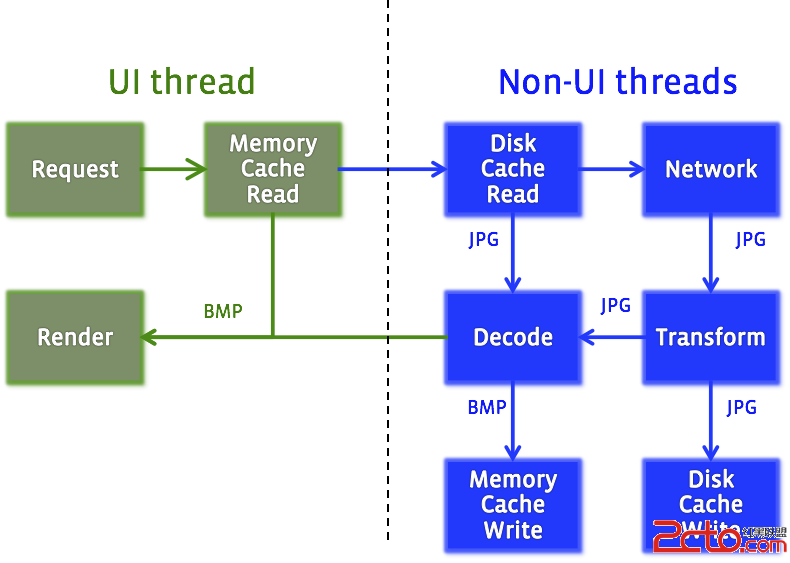 深入解析 Facebook 開源圖片庫 Fresco 的設計思路
轉載 原文連結:Introducing Fresco: A new image library for Android 作者:tyrone Nicholas 譯者:Z
 用 Sencha Touch 打包 Android APK 的完整流程
什麼是 Sencha Touch ExtJS 團隊把既有的 ExtJS 與 JQTouch、Raphaël 整合,推出了專為觸控裝置打造的 Sencha Touch 框架
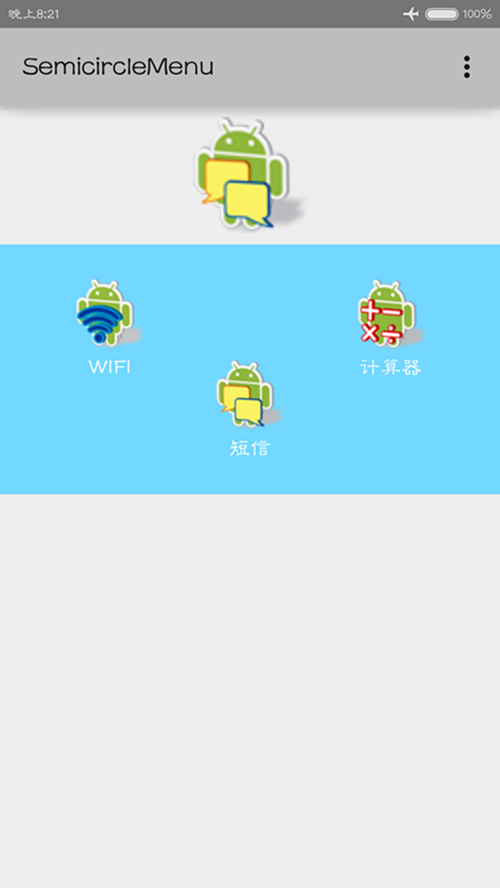 自定義半圓滾動菜單控件:位置修正與滑動回調實踐
前言本文整理自一個半圓形滾動菜單自定義控件的實作思路。相比單純讓菜單跟手轉動,這個控件更著重兩個細節:滑動結束後的位置自動修正,以及滑到中央項目時觸發回調,方便外部業務做
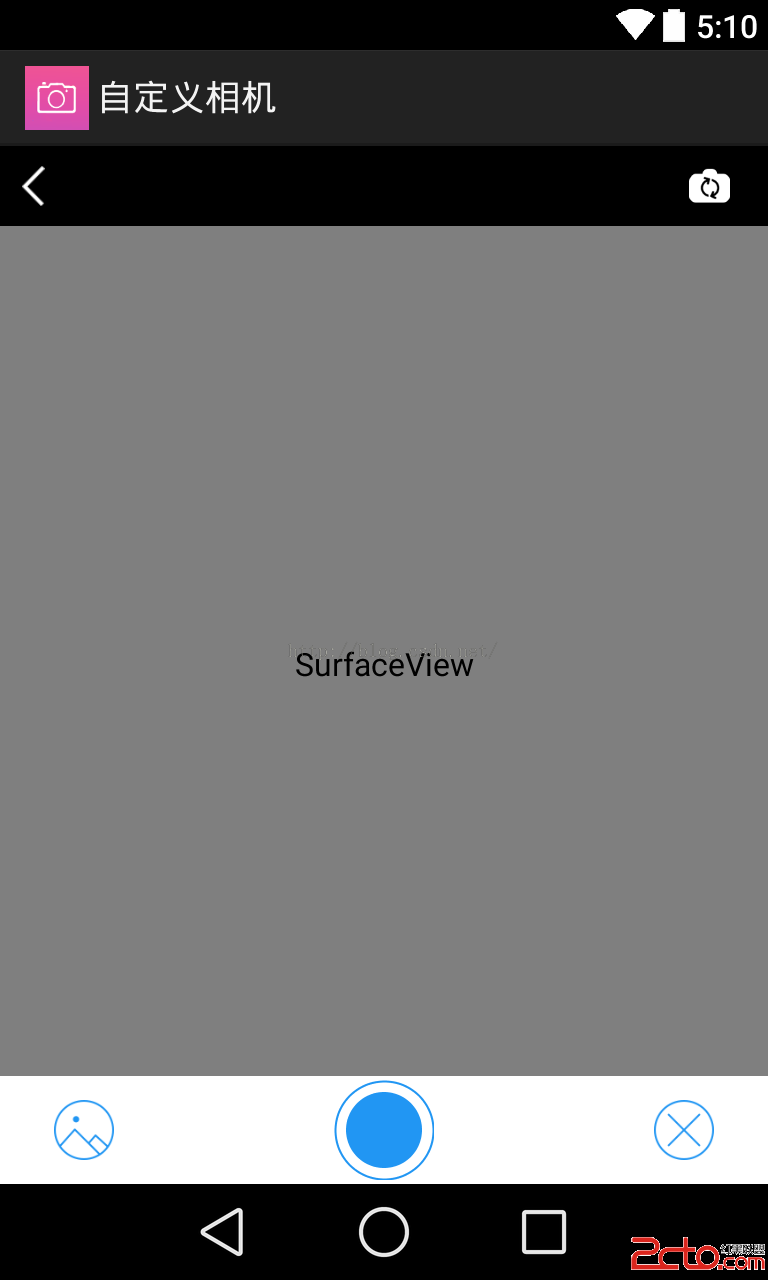 動手寫一個自定義相機界面:圓形快門、預覽與九宮格構圖線
做自定義相機時,第一個會卡住的地方往往不是預覽,而是那個圓形快門按鈕。其實不必等設計師出圖,用 layer-list 疊幾層就能做出來。 一、圓形快門背景 新建 btn