

編輯:關於 Android 程式設計
Android 是否有唯一的裝置 ID?如果有的話,又該如何快速有效地取得?這是在行動開發中經常被提出的問題。
Settings.Secure#ANDROID_ID 會回傳一個 64 位元的十六進位字串,可作為裝置識別之用:
import android.provider.Settings.Secure;

private String android_id = Secure.getString(getContext().getContentResolver(), Secure.ANDROID_ID);
這個問題網路上有許多答案,但大多只答對了一部分。根據在多台裝置上的測試結果:
TelephonyManager.getDeviceId() 測試都有回傳值。getSimSerialNumber() 測試都有回傳值。getSimSerialNumber() 回傳 NULL(符合預期)。getDeviceId() 都回傳相同的值(或源自同一個值),前提是安裝過程中已加入 Google 帳號。因此,若只是想得到裝置本身的唯一值,TM.getDeviceId() 通常就足夠了。
由於部分使用者對隱私較為敏感,可以將上述多個識別碼進行雜湊運算,產生的字串仍能唯一標識該裝置,但不會直接暴露實際的裝置資訊。例如使用 String.hashCode() 搭配 UUID:
final TelephonyManager tm = (TelephonyManager) getBaseContext().getSystemService(Context.TELEPHONY_SERVICE);

final String tmDevice, tmSerial, androidId;
tmDevice = "" + tm.getDeviceId();
tmSerial = "" + tm.getSimSerialNumber();
androidId = "" + android.provider.Settings.Secure.getString(getContentResolver(), android.provider.Settings.Secure.ANDROID_ID);

UUID deviceUuid = new UUID(androidId.hashCode(), ((long)tmDevice.hashCode() << 32) | tmSerial.hashCode());
String deviceId = deviceUuid.toString();
結果可能類似:00000000-54b3-e7c7-0000-000046bffd97。
讀取 TelephonyManager 屬性需要在清單中加入以下權限:
<uses-permission android:name="android.permission.READ_PHONE_STATE" />
值得補充的是,隨著 Android 隱私政策趨嚴,READ_PHONE_STATE 屬於敏感權限,且 getDeviceId() 在 Android 10 以上已無法取得非系統應用的 IMEI。因此現代開發中更推薦使用 Google 提供的 Advertising ID,或自行在首次啟動時產生一組 UUID 並持久化保存,作為應用內部的裝置識別依據。
 以 MVP 架構實作 Android 輪播圖 Banner
需求與準備 本篇以 MVP 模式實作輪播圖,目標是讓 Banner 的資料載入、業務邏輯與畫面顯示職責分明。實作前先加入 Banner、Retrofit 與 Glide
 Android APK 反編譯學習流程:從資源查看到思路借鑑
在 Android 開發學習過程中,我們常會好奇別人的應用如何實現精美動畫、特殊版面或效能優化。若能合法、合規地查看 APK 的資源與程式結構,確實有助於理解實作思路、累
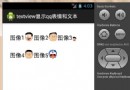 Android TextView 實作:讓文字與表情圖片混排顯示
本文分享如何在 Android 中讓 TextView 同時顯示表情圖片與文字,供需要的朋友參考。 從這個案例可以學到:在美化介面時,我們可以在同一個區域讓圖片與文字混排
 Android 音樂播放器實戰(八):播放狀態持久化與歌詞頁滑動
走到第八篇,播放器的骨架其實已經搭得差不多了:本地掃歌、網絡歌單、播放服務、通知欄樣樣不缺。但每次殺掉進程再進來,用戶又得從第一首歌重新開始聽,播放模式也退回默認值,這種