

編輯:關於 Android 程式設計
在 Android 的 ApiDemo 中可以看到 Button 的跑馬燈效果,但同樣的效果套用到 TextView 時,卻存在一些差異需要注意。
跑馬燈(Marquee)效果主要在 res/layout/main.xml 中定義,TextView 的寫法如下:
<TextView
android:layout_width="40px"
android:layout_height="wrap_content"
android:text="Test marquee for TextView"
android:layout_gravity="center"
android:ellipsize="marquee"
android:singleLine="true"
android:focusable="true"
android:marqueeRepeatLimit="marquee_forever"
android:focusableInTouchMode="true"
android:scrollHorizontally="true"
/>
幾個關鍵點:
(1)layout_width 設定的長度必須比文字實際長度短,也就是文字顯示不開時才會出現跑馬燈效果。
(2)ellipsize 宣告使用 marquee 跑馬燈。
(3)singleLine 表示單行顯示。
(4)marqueeRepeatLimit 表示跑馬燈顯示的次數,marquee_forever 代表無限制、不間斷顯示。
此外,TextView 之所以需要 focusable 與 focusableInTouchMode,是因為跑馬燈效果必須在元件取得焦點時才會啟動。
Button 的寫法如下:
<Button
android:id="@+id/buttonMarquee"
android:layout_width="320px"
android:layout_height="wrap_content"
android:text="@string/textMarquee"
android:singleLine="true"
android:focusable="true"
android:selectAllOnFocus="true"
android:ellipsize="marquee"
android:marqueeRepeatLimit="marquee_forever"
/>
 POJ 1365 Prime Land 題解:素數進制下的減法
題目信息Time Limit: 1000MS Memory Limit: 10000KTotal Submissions: 2972 Accepted: 1362 题目
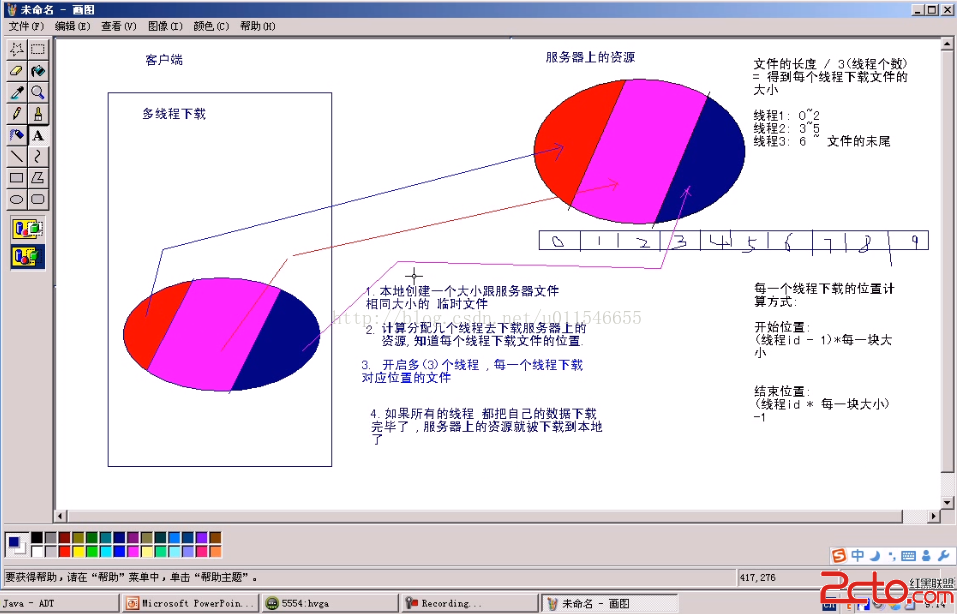 Android 多執行緒下載原理剖析
在 Android 開發中,多執行緒操作可謂家常便飯,對它的理解越深,越能讓自己的程式穩定高效地運行。這也是 Android 開發的一個重要知識點,接下來我們就來認識多執
 Android 常見面試知識梳理:ANR、性能、安全與內存
Android 面試中,除了基礎 API 與四大組件,考察重點往往還會延伸到性能優化、內存管理、安全機制與產品思維。本文將常見知識點進行系統梳理,便於快速回顧與複習。 一
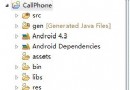 Android 學習筆記(二):打造簡易電話撥號器
目前 Android 在智慧型手機市場已具有強大的霸主地位,也吸引了越來越多的追捧者,Android 的學習也越來越火熱。本篇筆記將帶大家動手做一個電話撥號器。一、新建專