

編輯:關於 Android 程式設計
Android 4.2 的系統預設解鎖方式,是把圓環滑動到任意位置即可解鎖。若想讓解鎖界面像原生那樣多出相機、Google 搜尋等捷徑入口,只需要動一個關鍵的佈局檔即可。
打開 frameworks/base/core/res/res/layout/keyguard_glow_pad_view.xml,找到設定目標項的屬性,把「僅解鎖」的陣列換成「含相機」的陣列:
- prvandroid:targetDrawables="@array/lockscreen_targets_unlock_only"
- prvandroid:targetDescriptions="@array/lockscreen_target_descriptions_unlock_only"
+ prvandroid:targetDrawables="@array/lockscreen_targets_with_camera"
+ prvandroid:targetDescriptions="@array/lockscreen_target_descriptions_with_camera"
改動的邏輯很直白:lockscreen_targets_unlock_only 只包含解鎖這一項,而 lockscreen_targets_with_camera 則在解鎖之外額外提供了相機(以及原生版本中的 Google 搜尋)等目標。把這兩組屬性由前者替換成後者,重新編譯後,鎖屏時就會預設多出相機與搜尋捷徑。
如果想要的是完全自訂的解鎖內容,做法也一致:參照 Android 原生的模板,在對應的 array 資源中新增或修改 targetDrawables 與 targetDescriptions 的內容,並提供相應的圖示與描述字串即可。掌握「目標陣列決定解鎖界面有哪些入口」這個核心概念後,無論是沿用原生配置還是自創捷徑,都能得心應手。
 Android 自訂返回按鈕轉場動畫
在 Android 中,頁面切換動畫能提升操作流暢度。若希望返回上一頁時也有滑動效果,可以利用 overridePendingTransition 來指定進入與退出動畫。
 三星S7微信不提示怎麼辦?收不到消息推送的解決方法
三星S7收不到微信消息推送怎麼辦 三星S7出現微信、QQ等即時通訊軟件無法正常推送的情況,通常與自啟動、網絡休眠策略或系統設置有關。可按以下方向排查。 檢查微信自啟動
 selector 進階用法:CardView 的前景回饋與 GridView 選中狀態保留
selector 對 Android 開發者來說再熟悉不過:在 drawable 目錄下寫一個 xml,布局裡用 background 引用,或者在程式碼中 setBac
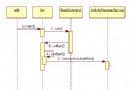 深入源碼:Android Activity 啟動全流程解析
前言 Activity 是 Android 開發者最熟悉的組件,但它的生死起落並不由自己掌控,而是統一交由 ActivityManagerService(AMS)這位「大