

編輯:關於 Android 程式設計
當流程走到需要使用者明確確認的關頭——刪除資料、離開頁面、跳轉外部網站——對話框是最合適的元件。Android 的 AlertDialog.Builder 用串接的方式把這件事寫得相當乾淨。
版面檔很單純,一個置中偏上的 Button 就夠:
<RelativeLayout xmlns:android="https://schemas.android.com/apk/res/android"
    xmlns:tools="https://schemas.android.com/tools"
    android:layout_width="match_parent"
    android:layout_height="match_parent"
    tools:context=".MainActivity" >

    <Button
        android:layout_width="wrap_content"
        android:layout_height="wrap_content"
        android:text="@string/button"
        android:id="@+id/button" />

</RelativeLayout>
文字記得抽到 strings.xml,別寫死。這裡我放了 app_name、hello_world、menu_settings 與 button 四筆。
Button button = (Button) findViewById(R.id.button);
button.setOnClickListener(new View.OnClickListener() {
    @Override
    public void onClick(View v) {
        AlertDialog.Builder builder =
                new AlertDialog.Builder(MainActivity.this);
        builder.setTitle("hopean.com")
                .setMessage("你確定要訪問我們網站嗎?")
                .setCancelable(false)
                .setPositiveButton("確定", new DialogInterface.OnClickListener() {
                    public void onClick(DialogInterface dialog, int id) {
                        Intent intent = new Intent(
                                Intent.ACTION_VIEW,
                                Uri.parse("https://www.hopean.com"));
                        startActivity(intent);
                    }
                })
                .setNegativeButton("取消", new DialogInterface.OnClickListener() {
                    public void onClick(DialogInterface dialog, int id) {
                        dialog.cancel();
                    }
                });
        AlertDialog alert = builder.create();
        alert.show();
    }
});
setCancelable(false) 讓使用者無法靠返回鍵或點擊外部關閉對話框。這適合「必須做出選擇才能繼續」的情境。若為預設的 true,返回鍵就會直接把框收掉,等於跳過了確認。
setPositiveButton 與 setNegativeButton 分別對應右側與左側按鈕。除了這兩個,還有 setNeutralButton 可做第三個選項,例如「稍後再說」。
「確定」裡用 Intent.ACTION_VIEW 加上網址,是把開啟瀏覽器的動作交給系統處理,不必自己指定要哪個瀏覽器。「取消」則呼叫 dialog.cancel() 關閉。
builder.create() 建立物件,alert.show() 才真正顯示。這兩步常被寫成一串行,但分開寫的好處是——你有一個 alert 變數可以在後續做進階控制,例如動態替換按鈕文字或調整視窗位置。
對話框不宜過度使用。每一次跳出確認框,都在消耗使用者對你的信任。真正破壞性、不可逆的操作才值得用它;其餘場合考慮 Snackbar 搭配「復原」按鈕,體驗通常更好。
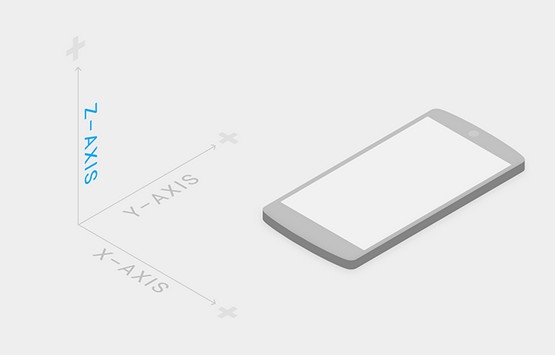 Android 5.X 新特性詳解:Material Design 從設計理念到程式碼落地
本章知識點 12.1 Android 5.X UI 設計初步:材料的形態模擬、更加真實的動畫、大色塊的使用 12.2 Material Design 主題 12.3 P
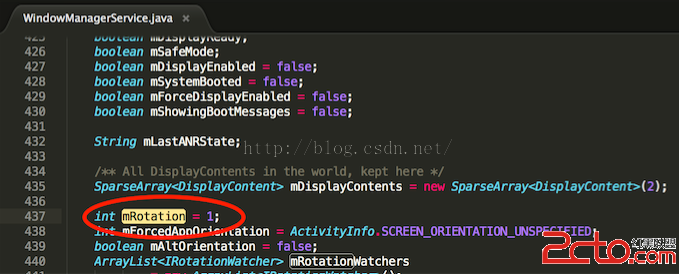 Android 4.4.2 KK 豎屏強制更改為橫屏的初步簡略方案
解決方案: 當前方案是針對「豎屏強制更改為橫屏」這一具體問題場景所做的改動,本質上屬於 hardcode 定義的狀態,總共修改有效代碼 5 行。如果後續有其他需求,或需要
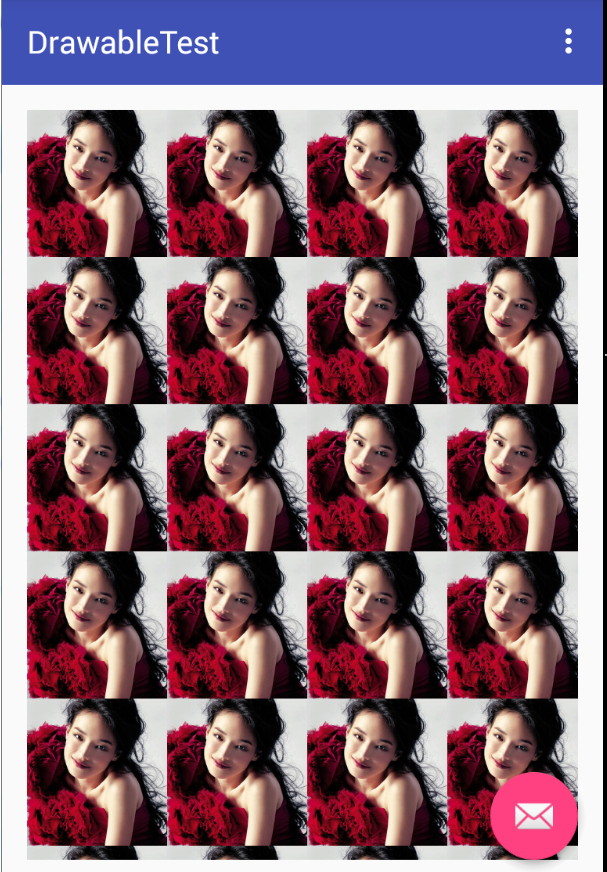 Android Drawable 九種常見子類:從 XML 到視覺效果
Drawable 的概念 在 Android 中,Drawable 代表可繪製的圖像資源。它不只是圖片,也可以是顏色、形狀、漸層、狀態清單或多層組合。善用 Drawabl
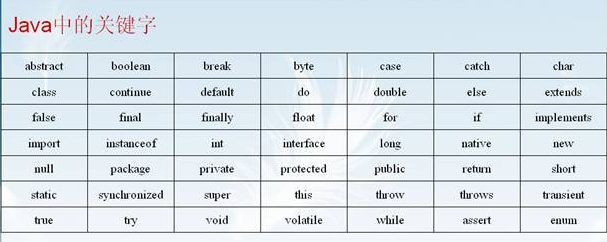 《從 JAVA 到 Android》JAVA 篇之打好基礎:認識 JAVA
本篇將帶你打好 Java 的基礎,內容涵蓋:標識符與關鍵字、基本資料型別、常量與變數、運算子、資料型別轉換,以及註解與程式碼撰寫規範。 1、標識符與關鍵字 通俗地說,標識