

編輯:關於 Android 程式設計
環境:Ubuntu 11.04,目標版本 Android-4.1.1.1_r4。下載流程依官方文件(source.android.com/source/downloading.html)執行 repo init 加 repo sync 即可,但過程中幾乎一定會遇到中斷與報錯。
fatal: Not a git repository: '/home/yourname/android_source/.repo/projects/abi/cpp.git'
error: Cannot fetch platform/abi/cpp
warn: --force-broken, continuing to sync
error: Cannot fetch platform/cts
error: The requested URL returned error: 403 while accessing
    https://android.googlesource.com/platform/development/info/refs
fatal: HTTP request failed
error: gnutls_handshake() failed: A TLS packet with unexpected length was received.
這類錯誤多半是某個子專案的 .git 狀態壞掉了,導致後續同步連鎖失敗。
rm -f -r cpp.git
rm -f -r cts.git
repo sync
把 .repo/projects 下對應的殘缺目錄刪除,讓 repo 重新抓取該專案,多數情況再跑一次 sync 就能順利完成。核心心法只有一個:保持耐心,反覆執行 repo sync,中斷的專案會被續傳補齊。
成功時會看到大量 Checking out files: 100% 與最後的 Syncing work tree: 100% (294/294), done.。
另一種錯誤長這樣:
DownloadError: android.googlesource.com: <urlopen error [Errno 8]
    _ssl.c:503: EOF occurred in violation of protocol>
error: RPC failed; result=56, HTTP code = 200
fatal: early EOF
fatal: index-pack failed
error: Cannot fetch platform/external/qemu
官方的做法是改用帶認證的存取方式:
1. 瀏覽器登入 https://android.googlesource.com/new-password,以 Gmail 帳號登入;
2. 點擊「允許存取」,取得類似以下的資訊:
machine android.googlesource.com login git-<userName>.gmail.com password <password>
machine android-review.googlesource.com login git-<userName>.gmail.com password <password>
3. 把這段內容(換成你自己的帳號與密碼)附加到 ~/.netrc 檔案結尾;
4. 把下載 URI 改為 https://android.googlesource.com/a/platform/manifest(中間多一段 /a)。
官方解釋,由於存取基本上是匿名的,為了避免單一 IP 連線過多,服務端對同一 IP 的連線數做了限制;改用帳號認證即可放寬。因此在公司網路或虛擬機器中下載時,特別容易碰到這類截斷問題。
作者:iamcxl369
 動手打造 Android 網路框架:Simple_Net_Framework 基本架構
前言 因緣際會參加了部落格之星評選,也因此在幾位知名開發者的社群裡感受到濃厚的技術討論氛圍,於是興起了寫系列文章的想法。如果你已經是高手,這系列大概不適合你;但如果你每次
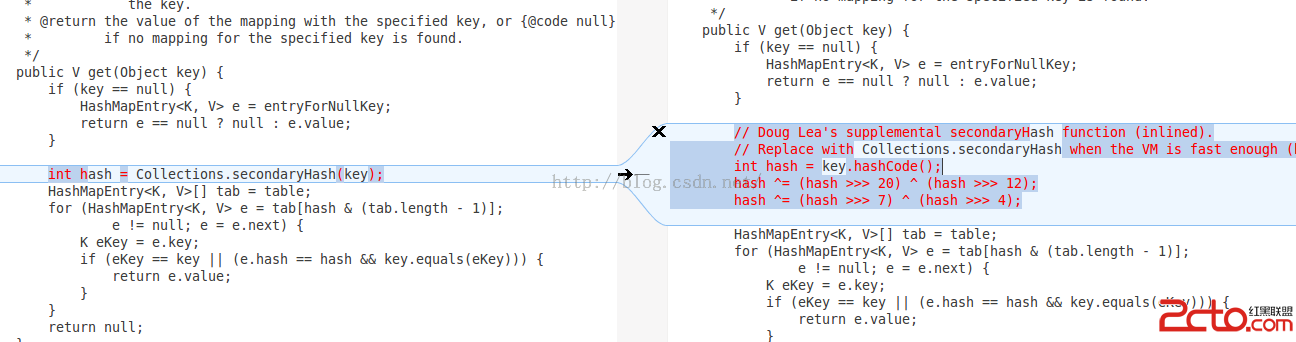 Android 5.0 之後 HashMap 的實現變了:一次接口出包事故帶出的坑
這個問題是從一個線上 bug 開始的:某個做了緩存的接口,在 Android 5.0 以上的機子上偶爾拿不到數據,在 5.0 以下的機子上卻一切正常。追查下去發現,放在
 Android 彈幕框架 DanmakuFlameMaster 基本使用
DanmakuFlameMaster 基本使用 DanmakuFlameMaster 是 Bilibili 開源的 Android 彈幕框架,常用於影片播放、直播與需要文
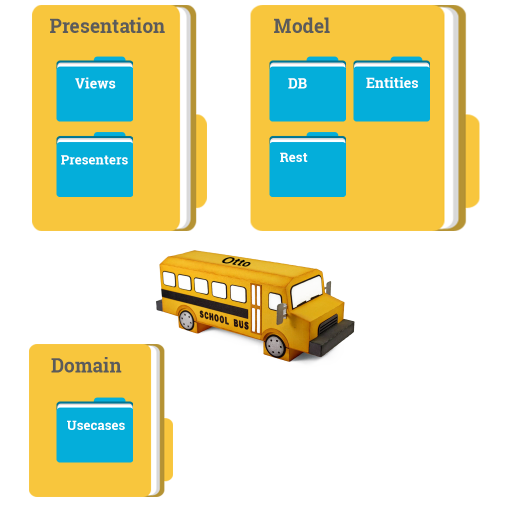 Android OTTO 事件總線實戰:以短信接收為例
OTTO 是一個 EventBus 類型的事件傳輸總線,提供「儲存轉發」能力,讓 App 內各個組件之間的溝通更便利,分層也更清晰。 適用場景 OTTO 基於 Obser