

編輯:關於 Android 程式設計
在 Android NDK 開發中,當 native 程式崩潰時,我們往往只能拿到一串記憶體位址。要把這些位址還原成有意義的「檔案名稱 + 程式碼行號」,arm-eabi-addr2line 是最直接的工具。本文說明它的作用、使用時的關鍵注意點,以及常用範例。
執行 arm-eabi-addr2line.exe --help 可以看到它的用法:
Usage: arm-eabi-addr2line [option(s)] [addr(s)]
  Convert addresses into line number/file name pairs.
  If no addresses are specified on the command line, they will be read from stdin
  The options are:
  @<file>                Read options from <file>
  -b --target=<bfdname>   Set the binary file format
  -e --exe=<executable>   Set the input file name (default is a.out)
  -i --inlines            Unwind inlined functions
  -j --section=<name>     Read section-relative offsets instead of addresses
  -s --basenames          Strip directory names
  -f --functions          Show function names
  -C --demangle[=style]   Demangle function names
  -h --help               Display this information
  -v --version            Display the program's version
arm-eabi-addr2line 的核心功能是:把 so 的絕對位址換算成程式碼的行數,並取得相關的行數資訊。當 app 崩潰並印出 backtrace 時,就能靠它把冷冰冰的位址翻譯成人類看得懂的原始碼位置。
arm-eabi-addr2line.exe -C -f -e ./xxx.so 0x186759
這裡 -C 用來 demangle C++ 的函式名稱,-f 會顯示對應的函式名稱,-e 指定要分析的 so 檔案,後面接上要還原的位址。掌握這個工具,就能在 NDK 崩潰排查時快速定位到出問題的原始碼行。本文原始作者為 SCHOLAR_II。
 Android UI 技巧:ActionBar 隨 ScrollView 滾動產生透明度漸變
近年許多應用會讓 ActionBar 的背景透明度隨著 ScrollView 滾動而改變,這種效果能提升畫面層次感,也能讓使用者更清楚目前內容的位置。 實作思路 核心概念
 Android 頭像上傳實戰:從裁剪、壓縮到伺服器接收
現在幾乎每個 App 都有頭像功能,我的專案也不例外。頭像上傳大致可以拆成四個步驟:獲取頭像、裁剪頭像、檔案上傳、伺服器接收並保存。下面逐一說明。 一、獲取頭像 無非兩種
 Android TagFlowLayout 標籤布局完全解析
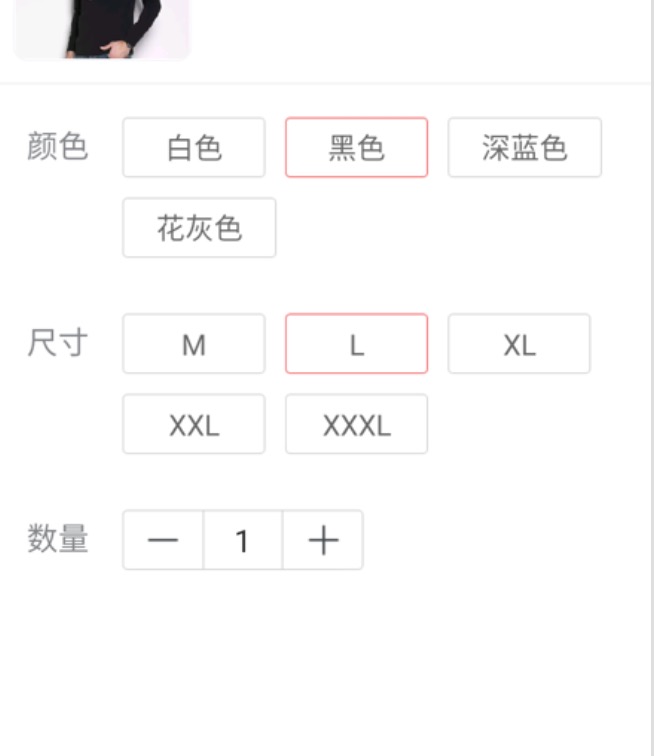
FlowLayout 適合排列標籤,但在商品選擇、搜尋關鍵字等互動場景中,還需要處理選取、回呼與狀態保存。TagFlowLayout 在 FlowLayout 基礎上加入
 Android 網路應用入門:Socket 通訊完全解析
Socket 編程是所有網路通訊的基石,無論是行動裝置還是電腦端,只要涉及資料交換,幾乎都離不開 Socket 的身影。本文將從四個角度帶你走進 Socket 的世界:它