

編輯:關於 Android 程式設計
在 Android 中,常見的資料儲存方式大致有四種:SharedPreferences、讀寫 SD 卡、SQLite 資料庫,以及 Content Provider 內容提供者(網路儲存則是把資料存在後台伺服器)。本文聚焦於其中的讀寫 SD 卡與相關的檔案、圖片操作。
先快速回顧一下:SharedPreferences 只能保存簡單的輕量級 key-value 資料,以 XML 檔形式存到 data/data/包名/shared_prefs/ 目錄下,透過 KEY 存入(putXxx)與取出(getXxx);讀寫 SD 卡則適用於資料流讀寫,實作步驟為先加入讀寫權限、判斷 SD 卡是否存在、再讀寫檔案;SQLite 是輕量級資料庫,多用於手機;Content Provider 則用於跨應用共享資料。
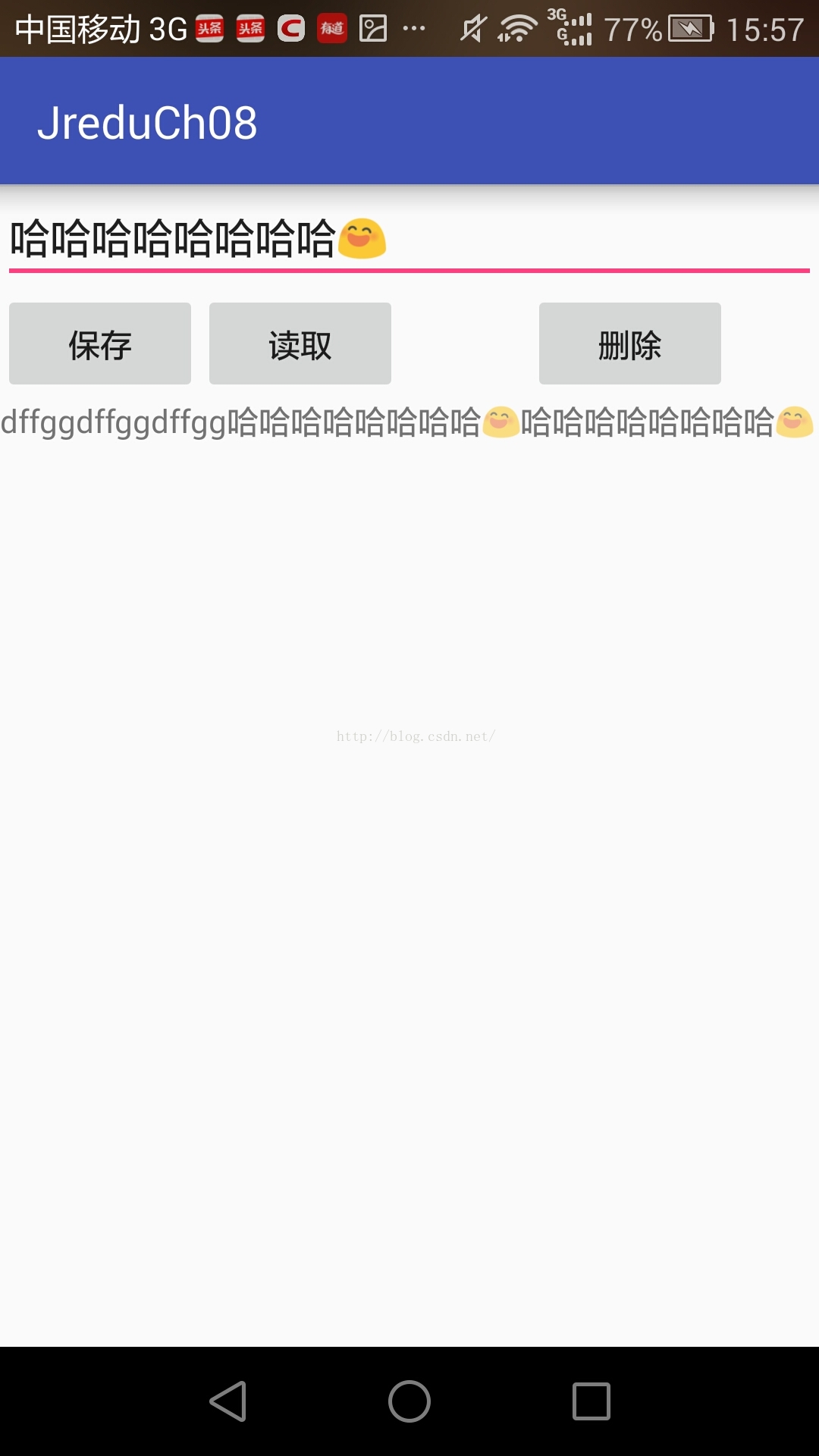
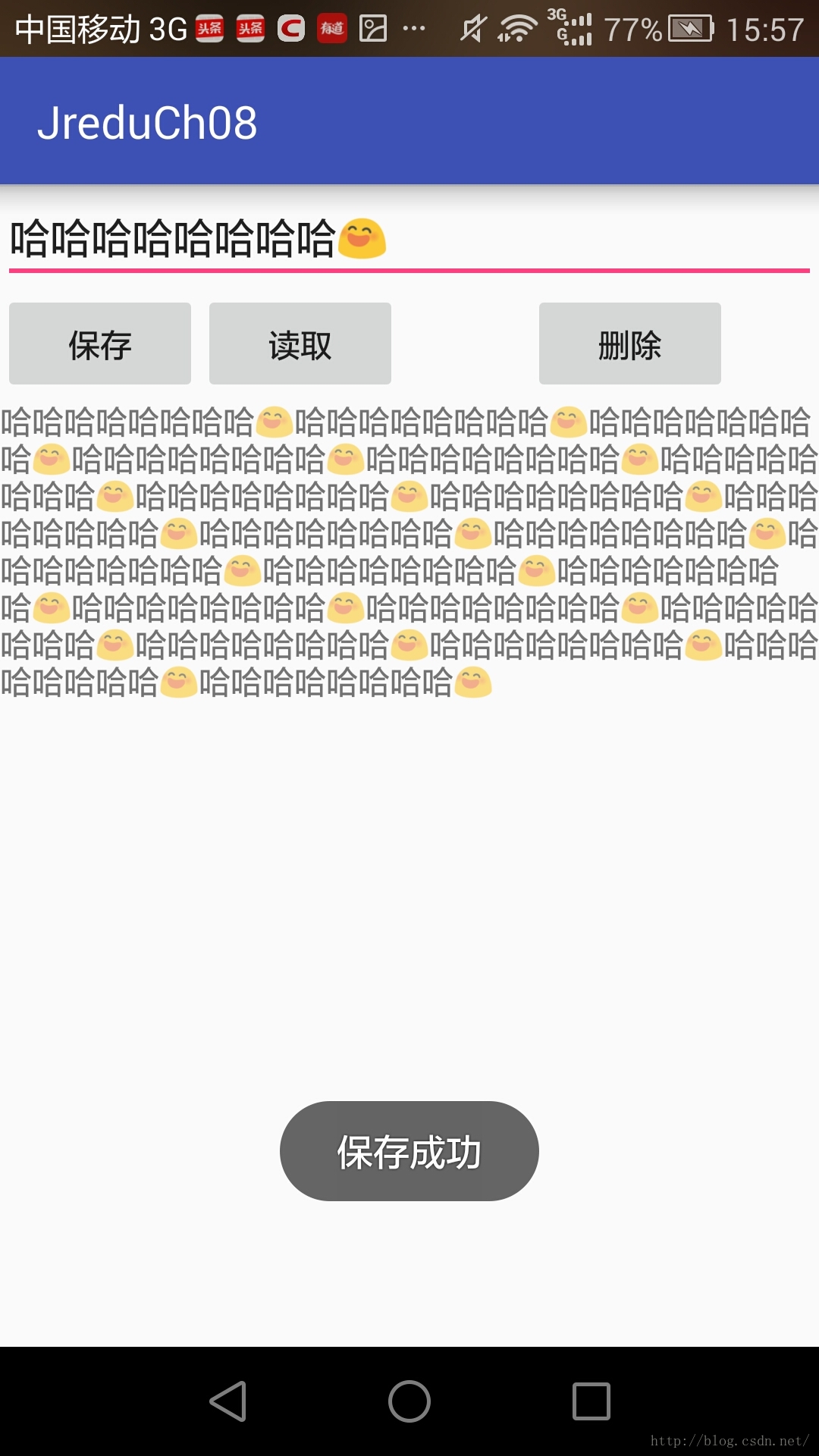
內部儲存透過 openFileOutput() 與 openFileInput() 操作,檔案實際存放在 data/data/包名/files/ 目錄下。其中 MODE_APPEND 表示追加內容、MODE_PRIVATE 表示覆蓋內容。
public class InnerIoActivity extends AppCompatActivity {
    private EditText content;
    @Override
    protected void onCreate(Bundle savedInstanceState) {
        super.onCreate(savedInstanceState);
        setContentView(R.layout.activity_inner_io);
        Button save = (Button) findViewById(R.id.save);
        Button read = (Button) findViewById(R.id.read);
        Button delete = (Button) findViewById(R.id.delete);
        final TextView show = (TextView) findViewById(R.id.show);
        content = (EditText) findViewById(R.id.content);
        save.setOnClickListener(new View.OnClickListener() {
            @Override public void onClick(View view) { saveFile(); }
        });
        read.setOnClickListener(new View.OnClickListener() {
            @Override public void onClick(View view) { show.setText(readFile()); }
        });
        delete.setOnClickListener(new View.OnClickListener() {
            @Override public void onClick(View view) { removeFile(); }
        });
    }
    //保存檔案到內部儲存
    public void saveFile(){
        FileOutputStream fos = null;
        // MODE_APPEND 追加;MODE_PRIVATE 覆蓋
        try {
            fos = openFileOutput("text.txt", MODE_APPEND);
            String str = content.getText().toString();
            try {
                fos.write(str.getBytes());
                Toast.makeText(InnerIoActivity.this, "保存成功", Toast.LENGTH_SHORT).show();
            } catch (IOException e) { e.printStackTrace(); }
        } catch (FileNotFoundException e) { e.printStackTrace(); }
        finally {
            if (fos != null) {
                try { fos.flush(); fos.close(); } catch (IOException e) { e.printStackTrace(); }
            }
        }
    }
    //從內部讀取檔案
    public String readFile(){
        StringBuilder sbd = new StringBuilder();
        BufferedReader reader = null;
        FileInputStream fis = null;
        try {
            fis = openFileInput("text.txt");
            reader = new BufferedReader(new InputStreamReader(fis));
            String row = "";
            while ((row = reader.readLine()) != null) { sbd.append(row); }
        } catch (FileNotFoundException e) {
            Toast.makeText(getBaseContext(), "文件不存在", Toast.LENGTH_SHORT).show();
        } catch (IOException e) { e.printStackTrace(); }
        finally {
            if (reader != null) {
                try { reader.close(); } catch (IOException e) { e.printStackTrace(); }
            }
        }
        return sbd.toString();
    }
    //刪除檔案
    public void removeFile(){
        String[] files = fileList();
        for (String str : files) {
            if (str.equals("text.txt")) { deleteFile("text.txt"); }
        }
    }
}
操作 SD 卡前,必須先用 Environment.getExternalStorageState() 判斷其是否已掛載(MEDIA_MOUNTED),再透過 Environment.getExternalStorageDirectory() 取得根目錄。別忘了在清單檔中加入讀寫權限。
public class SaveToSdCarActivity extends AppCompatActivity {
    private Button save, read, delete;
    private EditText content;
    private TextView show;
    @Override
    protected void onCreate(Bundle savedInstanceState) {
        super.onCreate(savedInstanceState);
        setContentView(R.layout.activity_inner_io);
        save = (Button) findViewById(R.id.save);
        read = (Button) findViewById(R.id.read);
        delete = (Button) findViewById(R.id.delete);
        content = (EditText) findViewById(R.id.content);
        show = (TextView) findViewById(R.id.show);
        save.setOnClickListener(new View.OnClickListener() {
            @Override public void onClick(View view) { saveFile(); }
        });
        read.setOnClickListener(new View.OnClickListener() {
            @Override public void onClick(View view) { show.setText(readFile()); }
        });
        delete.setOnClickListener(new View.OnClickListener() {
            @Override public void onClick(View view) { removeFile(); }
        });
    }
    //保存檔案到 SD 卡
    public void saveFile(){
        FileOutputStream fos = null;
        String state = Environment.getExternalStorageState();
        if (!state.equals(Environment.MEDIA_MOUNTED)) {
            Toast.makeText(this, "請檢查SD卡", Toast.LENGTH_SHORT).show();
            return;
        }
        File file = Environment.getExternalStorageDirectory();
        try {
            // 第二個參數 true 表示追加,false 表示覆蓋
            fos = new FileOutputStream(file.getCanonicalPath() + "/sd.txt", true);
            String str = content.getText().toString();
            fos.write(str.getBytes());
            Toast.makeText(this, "保存成功", Toast.LENGTH_SHORT).show();
        } catch (IOException e) { e.printStackTrace(); }
        finally {
            if (fos != null) {
                try { fos.close(); } catch (IOException e) { e.printStackTrace(); }
            }
        }
    }
    //從 SD 卡讀取檔案
    public String readFile(){
        BufferedReader reader = null;
        FileInputStream fis = null;
        StringBuilder sbd = new StringBuilder();
        String statu = Environment.getExternalStorageState();
        if (!statu.equals(Environment.MEDIA_MOUNTED)) {
            Toast.makeText(this, "SD卡未就緒", Toast.LENGTH_SHORT).show();
            return "";
        }
        File root = Environment.getExternalStorageDirectory();
        try {
            fis = new FileInputStream(root + "/sd.txt");
            reader = new BufferedReader(new InputStreamReader(fis));
            String row = "";
            while ((row = reader.readLine()) != null) { sbd.append(row); }
        } catch (FileNotFoundException e) {
            Toast.makeText(this, "文件不存在", Toast.LENGTH_SHORT).show();
        } catch (IOException e) { e.printStackTrace(); }
        finally {
            if (reader != null) {
                try { reader.close(); } catch (IOException e) { e.printStackTrace(); }
            }
        }
        return sbd.toString();
    }
    //刪除 SD 卡檔案
    public void removeFile(){
        String statu = Environment.getExternalStorageState();
        if (!statu.equals(Environment.MEDIA_MOUNTED)) {
            Toast.makeText(this, "SD卡未就緒", Toast.LENGTH_SHORT).show();
            return;
        }
        File root = Environment.getExternalStorageDirectory();
        File sd = new File(root + "/sd.txt");
        if (sd.exists()) {
            sd.delete();
            Toast.makeText(this, "文件刪除成功", Toast.LENGTH_SHORT).show();
        } else {
            Toast.makeText(this, "文件不存在", Toast.LENGTH_SHORT).show();
        }
    }
}
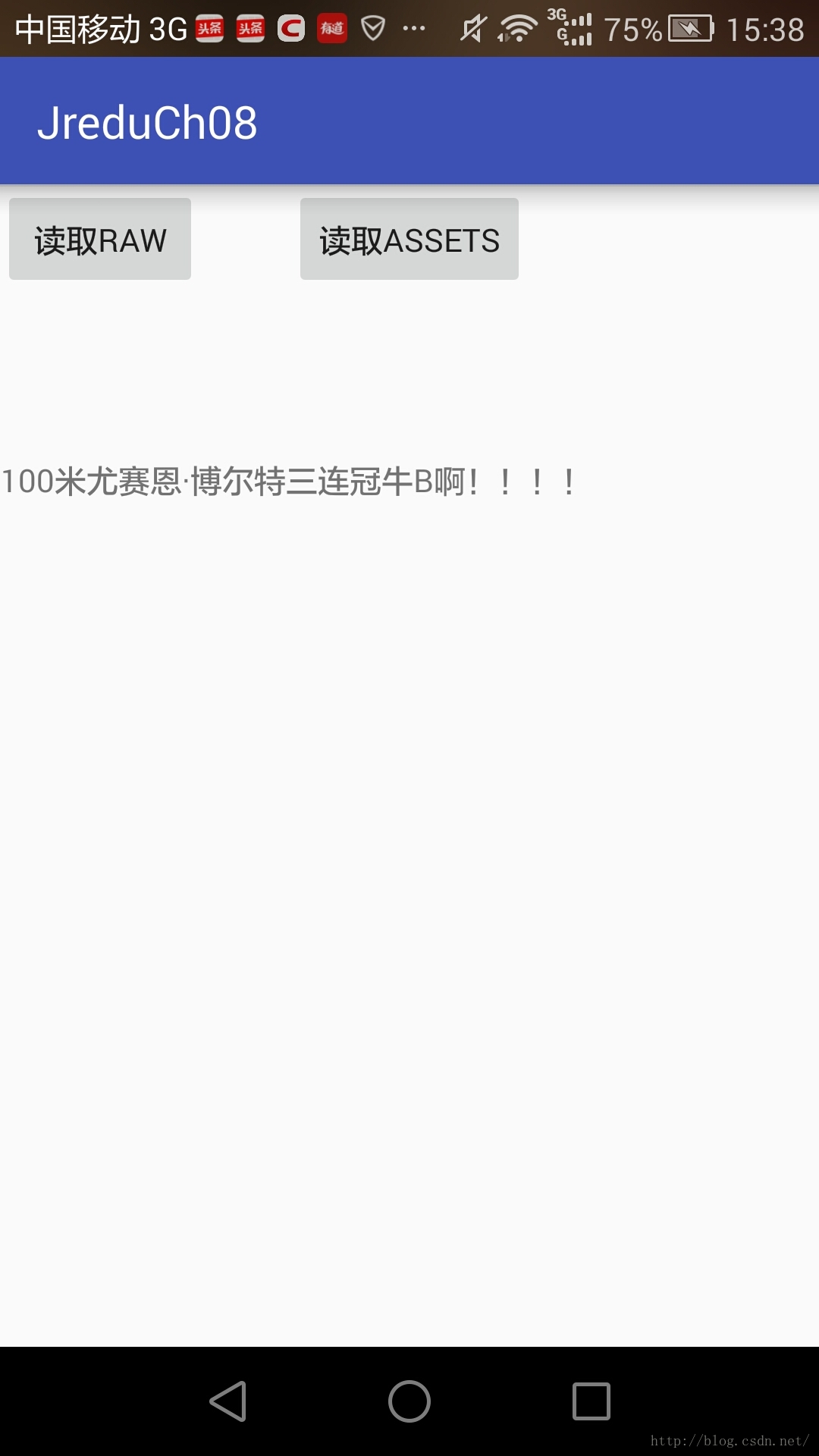
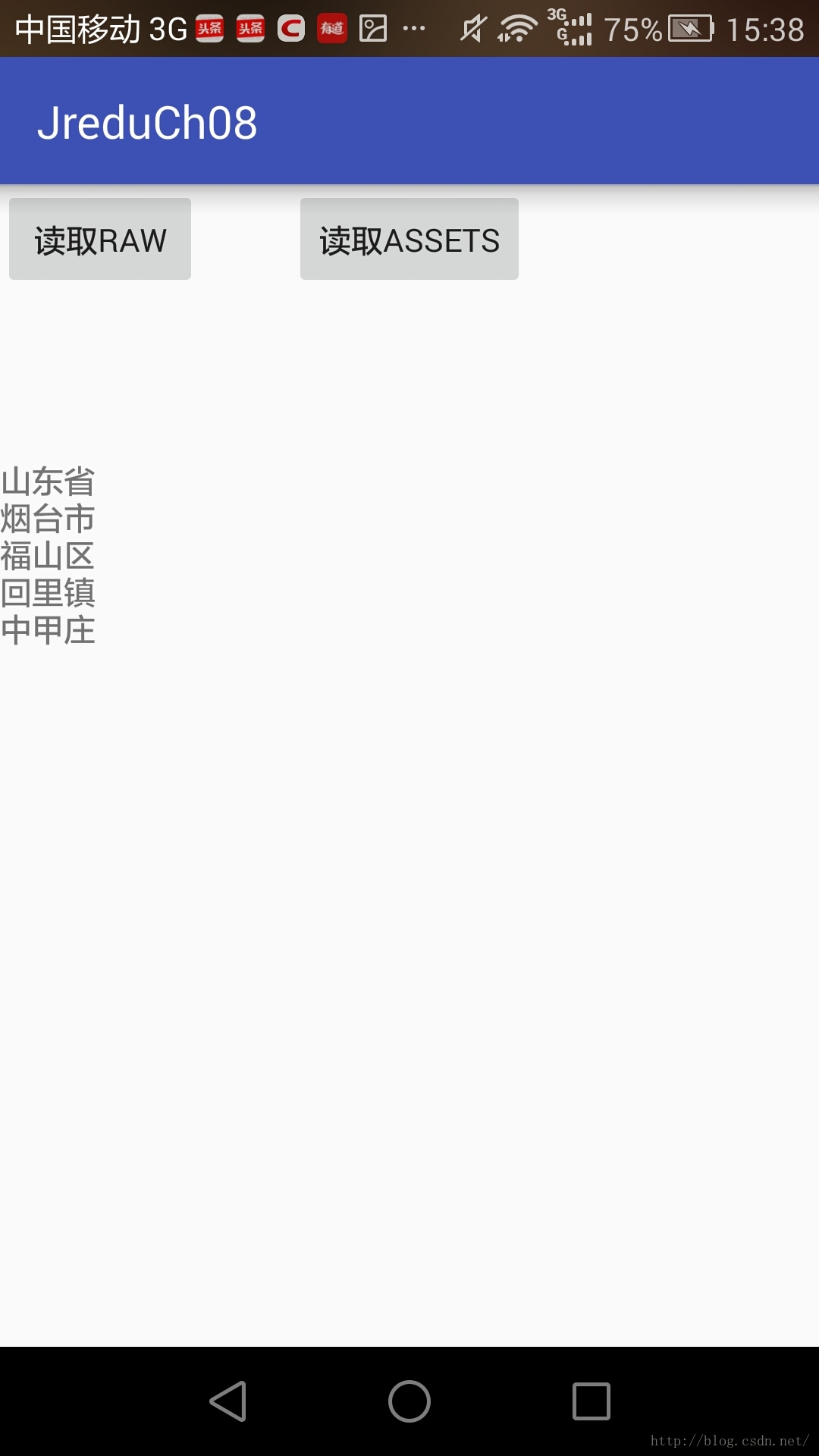
assets 目錄下的檔案透過 getAssets().open() 讀取,raw 文件夾則透過 getResources().openRawResource() 讀取,兩者都以串流形式處理。
public class ReadRawAssetsActivity extends AppCompatActivity {
    private Button raw, assets;
    private TextView show;
    @Override
    protected void onCreate(Bundle savedInstanceState) {
        super.onCreate(savedInstanceState);
        setContentView(R.layout.activity_read_raw_assets);
        raw = (Button) findViewById(R.id.raw);
        assets = (Button) findViewById(R.id.assets);
        show = (TextView) findViewById(R.id.show);
        raw.setOnClickListener(new View.OnClickListener() {
            @Override public void onClick(View view) { show.setText(readRaw()); }
        });
        assets.setOnClickListener(new View.OnClickListener() {
            @Override public void onClick(View view) { show.setText(readAssets()); }
        });
    }
    //讀取 assets 目錄
    public String readAssets(){
        StringBuilder sbd = new StringBuilder();
        BufferedReader reader = null;
        InputStream is = null;
        try {
            is = getResources().getAssets().open("cityinfo");
            reader = new BufferedReader(new InputStreamReader(is));
            String row = "";
            while ((row = reader.readLine()) != null) { sbd.append(row); sbd.append("\n"); }
        } catch (IOException e) { e.printStackTrace(); }
        finally {
            if (reader != null) {
                try { reader.close(); } catch (IOException e) { e.printStackTrace(); }
            }
        }
        return sbd.toString();
    }
    //讀取 raw 文件夾
    public String readRaw(){
        StringBuilder sbd = new StringBuilder();
        BufferedReader reader = null;
        InputStream is = null;
        is = getResources().openRawResource(R.raw.settings);
        reader = new BufferedReader(new InputStreamReader(is));
        String row = "";
        try {
            while ((row = reader.readLine()) != null) { sbd.append(row); }
        } catch (IOException e) { e.printStackTrace(); }
        finally {
            if (reader != null) {
                try { reader.close(); } catch (IOException e) { e.printStackTrace(); }
            }
        }
        return sbd.toString();
    }
}
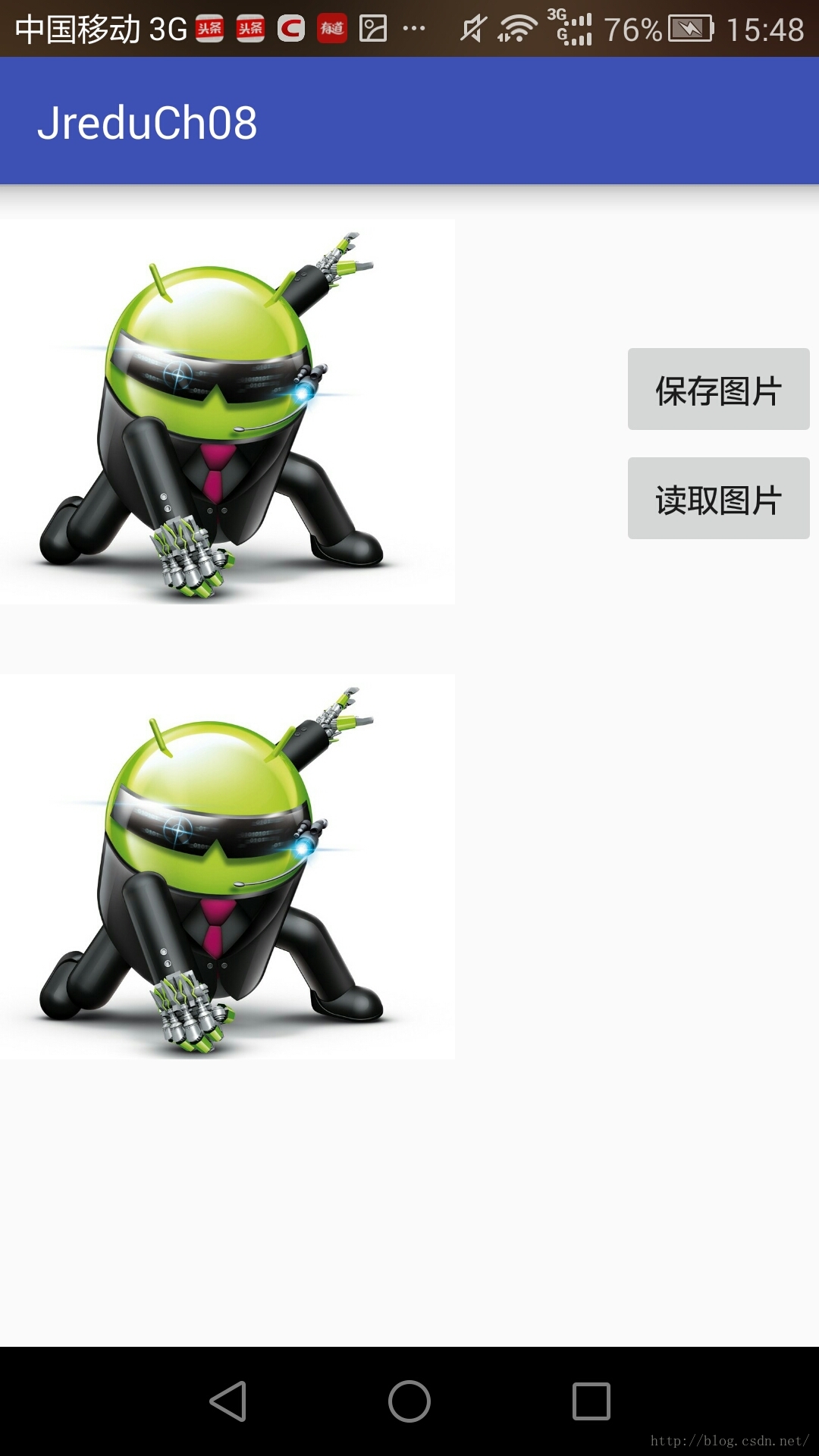
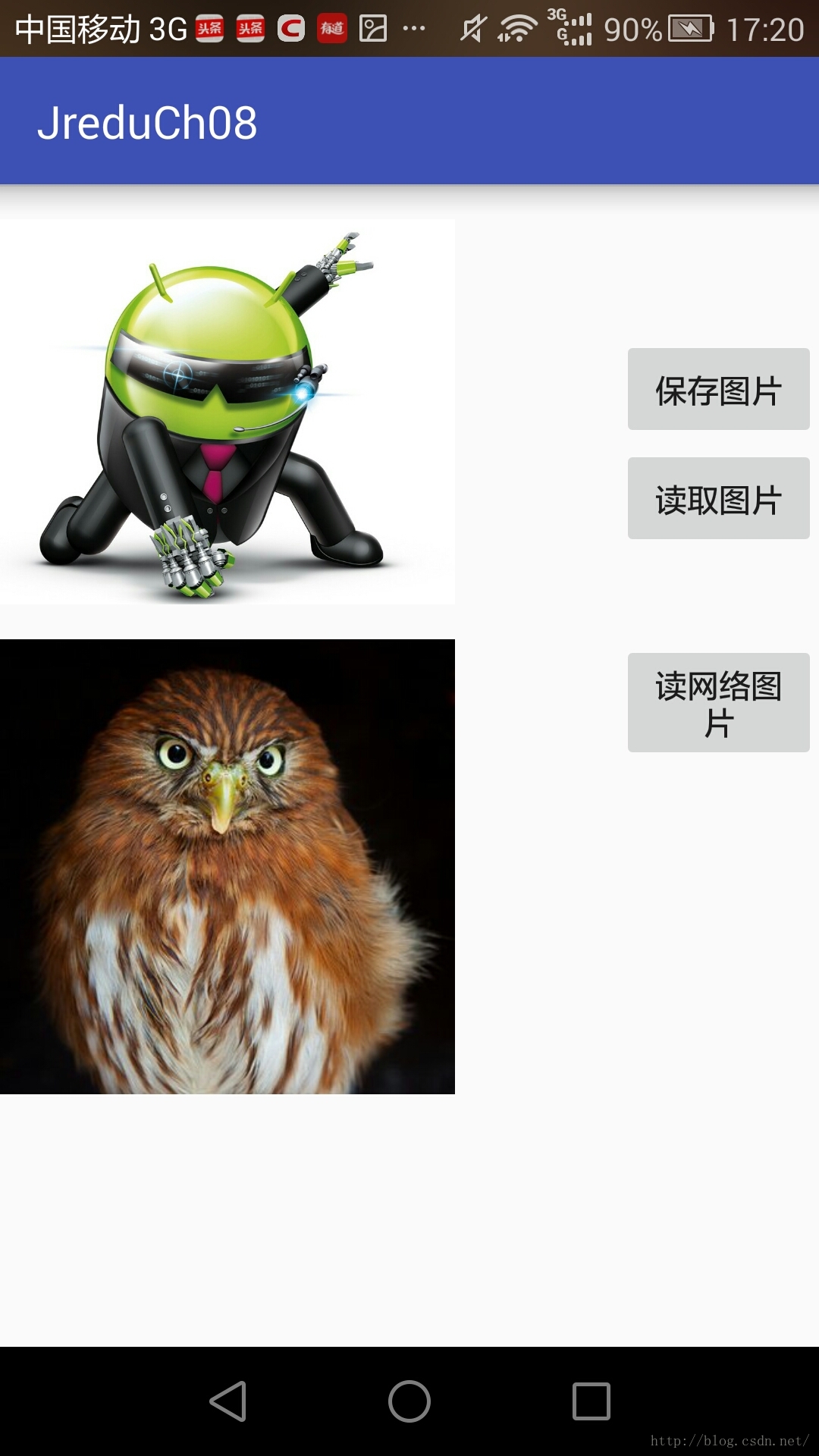
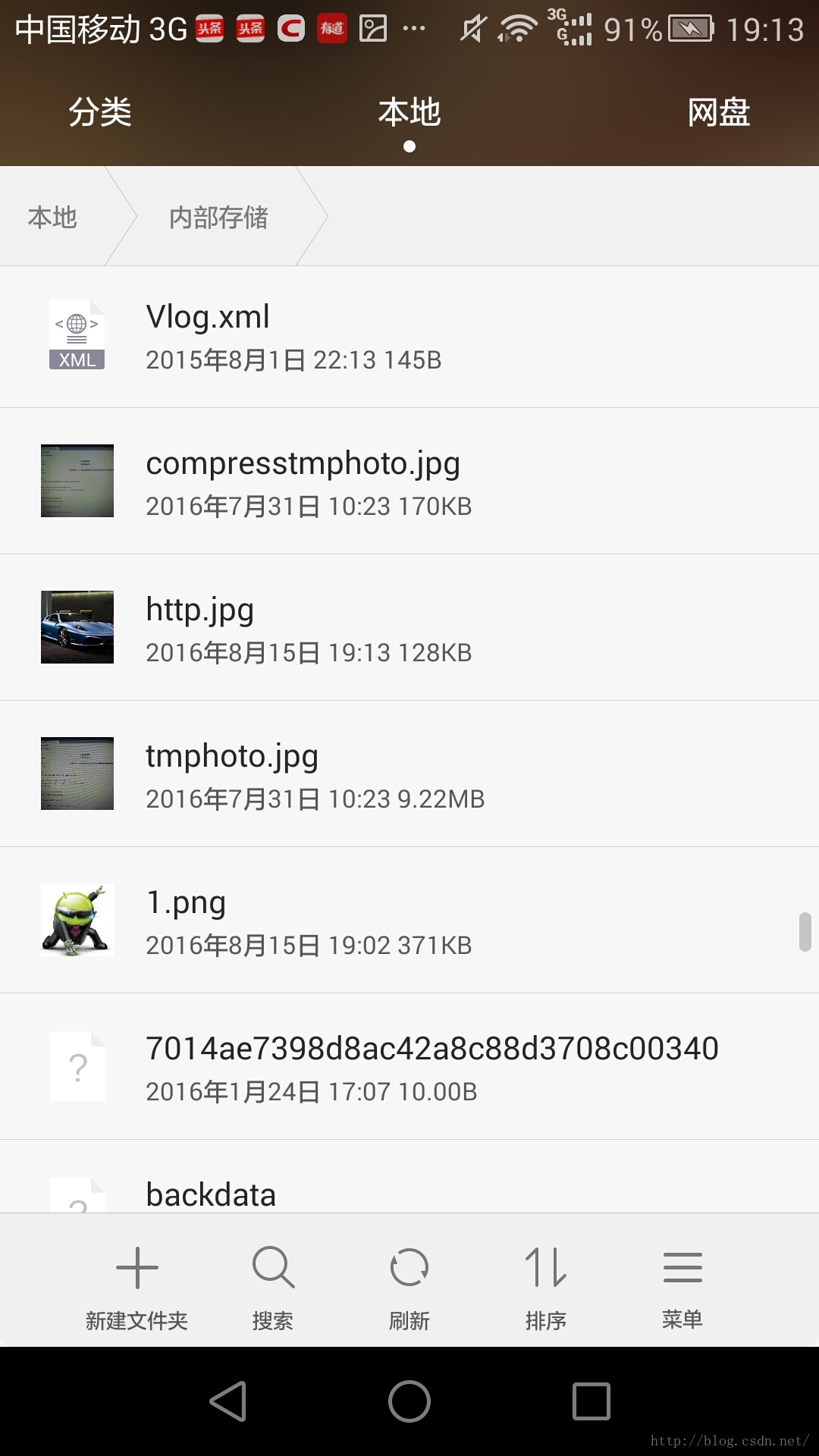
這部分示範了四件事:將 ImageView 中的圖片保存到 SD 卡、從 SD 卡讀取圖片、從網路獲取圖片、以及把網路圖片直接保存。核心技巧包括用 Bitmap.compress() 壓縮保存、用 BitmapFactory.decodeFile() 讀取本地圖片,以及用 AsyncTask 在子執行緒完成網路下載。
public class ViewPagerSdActivity extends AppCompatActivity {
    private ImageView img1, img2;
    @Override
    protected void onCreate(Bundle savedInstanceState) {
        super.onCreate(savedInstanceState);
        setContentView(R.layout.activity_view_pager_sd);
        img1 = (ImageView) findViewById(R.id.img1);
        img2 = (ImageView) findViewById(R.id.img2);
    }
    //從網路獲取圖片並直接保存
    public void SaveHttp(View view){
        new SaveHttpImg().execute("https://p2.so.qhmsg.com/t0165453974dc3b9af7.jpg");
    }
    //從網路獲取圖片
    public void GetUrlImg(View view){
        new GetImg().execute("https://p1.so.qhmsg.com/dm/365_365_/t01df531d143d2554d7.jpg");
    }
    //保存網路圖片
    public void SaveUrlImg(View view){
        new Get2Img().execute("https://p1.so.qhmsg.com/dm/365_365_/t01df531d143d2554d7.jpg");
    }
    //從 SD 卡讀取圖片
    public void rawImg(View view){
        String path = Environment.getExternalStorageDirectory() + "/1.png";
        Bitmap bitmap = BitmapFactory.decodeFile(path);
        img2.setImageBitmap(bitmap);
    }
    //將圖片保存到 SD 卡
    public void saveImg(View view){
        BitmapDrawable bitmapDrawable = (BitmapDrawable) img1.getDrawable();
        Bitmap bitmap = bitmapDrawable.getBitmap();
        String statu = Environment.getExternalStorageState();
        if (!statu.equals(Environment.MEDIA_MOUNTED)) {
            Toast.makeText(this, "SD卡未就緒", Toast.LENGTH_SHORT).show();
            return;
        }
        File root = Environment.getExternalStorageDirectory();
        FileOutputStream fos = null;
        try {
            fos = new FileOutputStream(root + "/1.png");
            // compress:格式 PNG/JPEG/WEBP、品質 0-100、輸出流
            bitmap.compress(Bitmap.CompressFormat.PNG, 100, fos);
            Toast.makeText(this, "圖片保存成功", Toast.LENGTH_SHORT).show();
        } catch (FileNotFoundException e) { e.printStackTrace(); }
        finally {
            if (fos != null) {
                try { fos.close(); } catch (IOException e) { e.printStackTrace(); }
            }
        }
    }
    //下載網路圖片
    public class GetImg extends AsyncTask {
        @Override
        protected Bitmap doInBackground(String... strings) {
            HttpURLConnection con = null;
            InputStream is = null;
            try {
                URL url = new URL(strings[0]);
                con = (HttpURLConnection) url.openConnection();
                con.setConnectTimeout(5 * 1000);
                con.setReadTimeout(5 * 1000);
                if (con.getResponseCode() == 200) {
                    is = con.getInputStream();
                    return BitmapFactory.decodeStream(is);
                }
            } catch (MalformedURLException e) { e.printStackTrace(); }
            catch (IOException e) { e.printStackTrace(); }
            finally {
                if (is != null) {
                    try { is.close(); } catch (IOException e) { e.printStackTrace(); }
                }
                if (con != null) { con.disconnect(); }
            }
            return null;
        }
        @Override
        protected void onPostExecute(Bitmap bitmap) {
            super.onPostExecute(bitmap);
            img2.setImageBitmap(bitmap);
        }
    }
    //下載並保存網路圖片
    public class SaveHttpImg extends AsyncTask {
        @Override
        protected String doInBackground(String... strings) {
            HttpURLConnection con = null;
            InputStream is = null;
            try {
                URL url = new URL(strings[0]);
                con = (HttpURLConnection) url.openConnection();
                con.setConnectTimeout(5 * 1000);
                con.setReadTimeout(5 * 1000);
                File root = Environment.getExternalStorageDirectory();
                FileOutputStream fos = new FileOutputStream(root + "/http.jpg");
                if (con.getResponseCode() == 200) {
                    is = con.getInputStream();
                    int next = 0;
                    byte[] bytes = new byte[1024];
                    while ((next = is.read(bytes)) > 0) {
                        fos.write(bytes, 0, next);
                    }
                    fos.flush();
                    fos.close();
                    return root + "/http.jpg";
                }
            } catch (MalformedURLException e) { e.printStackTrace(); }
            catch (IOException e) { e.printStackTrace(); }
            finally {
                if (is != null) {
                    try { is.close(); } catch (IOException e) { e.printStackTrace(); }
                }
                if (con != null) { con.disconnect(); }
            }
            return "";
        }
        @Override
        protected void onPostExecute(String s) {
            super.onPostExecute(s);
            if (!s.equals("")) {
                Toast.makeText(ViewPagerSdActivity.this, "保存路徑:" + s, Toast.LENGTH_SHORT).show();
            } else {
                Toast.makeText(ViewPagerSdActivity.this, "保存失敗:", Toast.LENGTH_SHORT).show();
            }
        }
    }
}
網路圖片的關鍵在於:用 HttpURLConnection 建立連線、設定連線與讀取逾時,判斷回應碼是否為 200(成功),再把 InputStream 內容寫入 FileOutputStream;由於涉及網路,必須放在 AsyncTask 的 doInBackground() 中執行,避免阻塞主執行緒。
 Android View 體系(一):視圖坐標系完全解析
前言 Android 的 View 體系是介面程式設計的核心,其重要性不亞於四大元件。這個系列會依序談到 View 坐標系、View 的滑動、View 的事件分發等主題,
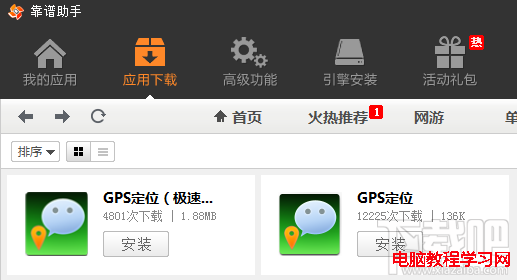 靠譜助手裡的微信、陌陌怎麼定位
不少人會在電腦上透過靠譜助手安裝微信、陌陌這類應用,但電腦沒有 GPS 模組,程式一啟動就抓不到位置。這個問題很好解決——補一個定位工具就行。以下說明。 靠譜助手微信/陌
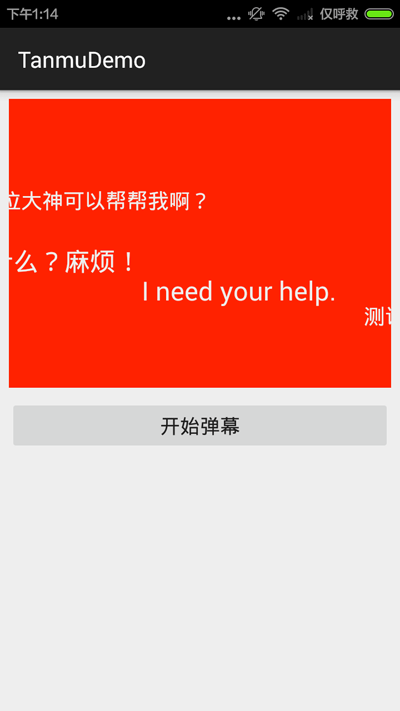 Android實現簡易彈幕效果
本文為大家分享一個Android簡易彈幕效果的實現示例,供感興趣的讀者參考。 先看效果圖,風格類似360檢測到騷擾電話的頁面: 布局很簡單,上方是一個RelativeL
 酷狗音樂 KTV 模式怎麼用:在家也能開嗓的圖文步驟
酷狗音樂新版加入了 KTV 模式,不必特地跑一趟 K 房,在家也能唱個痛快。流程不複雜,跟著下面的步驟走就能開始。 1. 打開酷狗音樂,建議先把版本升到最新,舊版本不一定