

編輯:關於 Android 開發
在 Material Design 中,陰影(elevation)是營造層次感的核心手段。以下透過三個 elevation 值不同的 TextView 來對比陰影效果:
<LinearLayout android:layout_width="match_parent" android:layout_height="wrap_content" android:orientation="horizontal"> <TextView android:layout_width="100dp" android:layout_margin="2dp" android:layout_height="100dp" android:text="test" android:background="@android:color/white" android:gravity="center" android:elevation="1dip" /> <TextView android:layout_width="100dp" android:layout_margin="2dp" android:layout_height="100dp" android:text="test" android:background="@android:color/white" android:gravity="center" android:elevation="4dip"/> <TextView android:layout_width="100dp" android:layout_margin="2dp" android:layout_height="100dp" android:text="test" android:background="@android:color/white" android:gravity="center" android:elevation="8dip" /> </LinearLayout>
總結如下:
View 的 z 值由兩部分組成:elevation 與 translationZ。
elevation 是靜態成員,translationZ 則用來做動畫。
Z = elevation + translationZ
在版面配置中使用 android:elevation 屬性定義;
在程式碼中使用 View.setElevation 方法定義;
設定視圖的 translation,可使用 View.setTranslationZ 方法;
新的 ViewPropertyAnimator.z 與 ViewPropertyAnimator.translationZ 方法可用來設定視圖的 elevation 值。
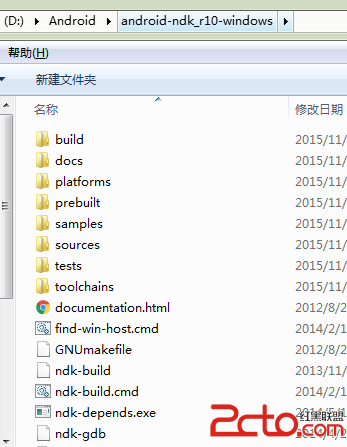 Android NDK 環境搭建入門:從 ADT 設定到第一個 JNI HelloWorld
 Android NDK 讓開發者可以使用 C 或 C++ 撰寫效能關鍵或平台
 自訂 Dialog 讓寬度撐滿整個螢幕:從樣式到動畫的完整設定
產品設計稿丟來一個「從底部彈出、寬度滿版」的視窗時,直接用 AlertDialog 會發現根本調不動寬度。這時候正確路徑是自己寫一個繼承 Dialog 的類別,再從樣式與
 Android Material Design 支援庫完整指南:核心元件與實作重點
Android Material Design 支援庫使用指南 Design Support Library 是 Google 為了讓開發者能在舊版 Android 系統
 Android 設定 TextView 文字顏色:setTextColor 的各種用法一次搞懂
 最直接的方式,是直接傳入一個 int 型別的顏色值: tv.setTex