

編輯:關於 Android 開發
延續上一篇的 HelloWorld 項目,本文將深入分析 Android 應用程序由哪些文件構成。可以這樣理解:Android 應用通過 Java 代碼實現業務邏輯,由 XML 文件描述界面及其他一切資源。下面我們來看幾類關鍵文件。
定義程序中使用的字符串資源,位於 res/values 目錄下。新建項目時自動生成的代碼如下:
<?xml version="1.0" encoding="utf-8"?>
<resources>
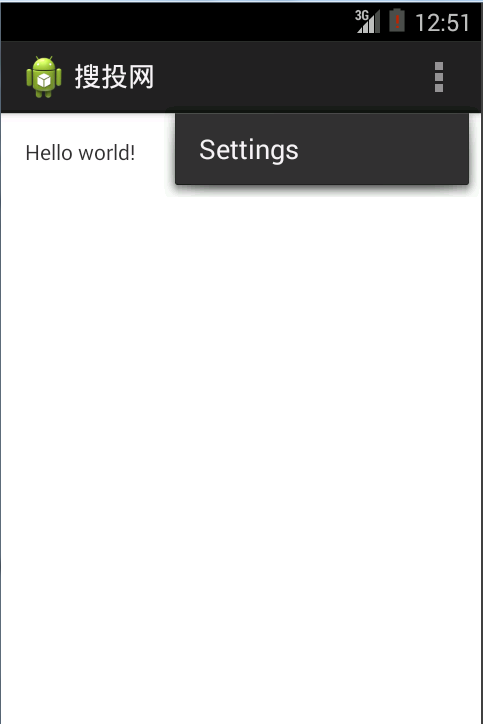
    <string name="app_name">搜投網</string>
    <string name="action_settings">Settings</string>
    <string name="hello_world">Hello world!</string>
</resources>
其中每個 string 標籤定義一個字符串常量,該變量可在 Java 和 XML 文件中通過 @string/ 引用。這些引用可在 AndroidManifest.xml 中找到對應的使用。
用於預先定義布局中需要顯示的樣式,如文本顏色和字體等。通過 style 標籤的 name 指定樣式名稱,parent 指定繼承項:
<resources>
    <style name="AppBaseTheme" parent="android:Theme.Light">
        <item name="android:textSize">30sp</item>
        <item name="android:textColor">#111</item>
    </style>
    <style name="AppTheme" parent="AppBaseTheme">
        <item name="android:textSize">8sp</item>
    </style>
</resources>
可以看到,AppTheme 在繼承父樣式其他屬性不變的情況下,覆寫了文本大小為 8sp。
通常用於定義布局常量,在樣式和布局資源中定義邊距、高度和尺寸時經常會用到。使用 <dimen> 標籤指定一個維度資源。常見的維度單位包括:
px(像素)、in(英寸)、mm(毫米)、pt(磅,1/72 英寸)、dip(與密度無關的像素)、sp(與刻度無關的像素)。
建議:文字使用 sp 作為單位,其他元素使用 dip 作為單位。
<resources>
    <dimen name="activity_horizontal_margin">16dp</dimen>
    <dimen name="activity_vertical_margin">16dp</dimen>
</resources>
使用 <color> 標籤定義顏色資源。顏色值由 RGB(三位十六進制)或 RRGGBB(六位十六進制)表示,以 # 符號開頭,如 #00f(藍色)、#00ff00(綠色)。定義透明色時,透明度 alpha 通道值緊隨 # 之後,如 #7700ff00(透明綠色)。
<?xml version="1.0" encoding="utf-8"?>
<resources>
    <color name="listDivider">#ffcc99</color>
    <color name="character">#f37301</color>
</resources>
位於 res/layout 子文件夾中,定義第一個顯示界面的布局(默認)。其中 xmlns:android 是 XML 的命名空間,告知 Android 工具相關公共屬性已在該命名空間中定義:
<RelativeLayout xmlns:android="https://schemas.android.com/apk/res/android"
    xmlns:tools="https://schemas.android.com/tools"
    android:layout_width="match_parent"
    android:layout_height="match_parent"
    android:paddingBottom="@dimen/activity_vertical_margin"
    android:paddingLeft="@dimen/activity_horizontal_margin"
    android:paddingRight="@dimen/activity_horizontal_margin"
    android:paddingTop="@dimen/activity_vertical_margin"
    tools:context=".MainActivity" >
    <TextView
        android:layout_width="wrap_content"
        android:layout_height="wrap_content"
        android:text="@string/hello_world" />
</RelativeLayout>
位於根目錄的清單文件,用於應用程序的全局描述,定義了包名、版本、圖標、主題以及首個執行的 Activity 等:
<?xml version="1.0" encoding="utf-8"?>
<manifest xmlns:android="https://schemas.android.com/apk/res/android"
    package="com.souvc.helloworld"
    android:versionCode="1"
    android:versionName="1.0" >
    <uses-sdk android:minSdkVersion="19" android:targetSdkVersion="19" />
    <application
        android:allowBackup="true"
        android:icon="@drawable/ic_launcher"
        android:label="@string/app_name"
        android:theme="@style/AppTheme" >
        <activity
            android:name="com.souvc.helloworld.MainActivity"
            android:label="@string/app_name" >
            <intent-filter>
                <action android:name="android.intent.action.MAIN" />
                <category android:name="android.intent.category.LAUNCHER" />
            </intent-filter>
        </activity>
    </application>
</manifest>
位於 src 文件夾中,應用程序的操作控制部分在此定義。其中 onCreate() 是第一次創建 Activity 時的回調方法,setContentView() 用於設置當前顯示的布局:
package com.souvc.helloworld;
import android.os.Bundle;
import android.app.Activity;
import android.view.Menu;

public class MainActivity extends Activity {
    @Override
    protected void onCreate(Bundle savedInstanceState) {
        super.onCreate(savedInstanceState);// 調用父類構造函數
        setContentView(R.layout.activity_main);// 設置當前顯示的布局
    }
    @Override
    public boolean onCreateOptionsMenu(Menu menu) {
        getMenuInflater().inflate(R.menu.main, menu);
        return true;
    }
}
由 Android ADT 自動生成,不能直接修改。它以資源 id 的形式標注 drawable、layout、values 文件夾中的資源信息。當在 XML 中寫入注釋後,該注釋會自動同步到 R.java 對應的資源項上。這個文件讓我們能夠在代碼中通過 R.xxx.yyy 的方式引用各類資源。
 為何新建 Android 專案會繼承 ActionBarActivity?如何改回 Activity
建立新的 Android 專案時,有些開發者會發現 MainActiv
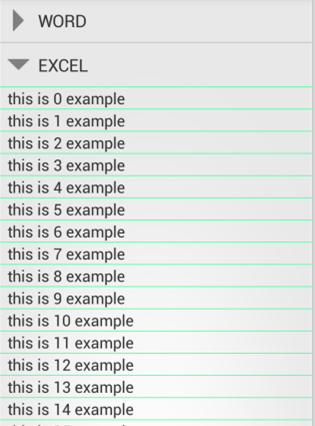 ExpandableListView 深入解析:屬性、Adapter 與自定義箭頭
 ExpandableListView 是可展開的分組列表控制項,常用於分類選單、設定頁
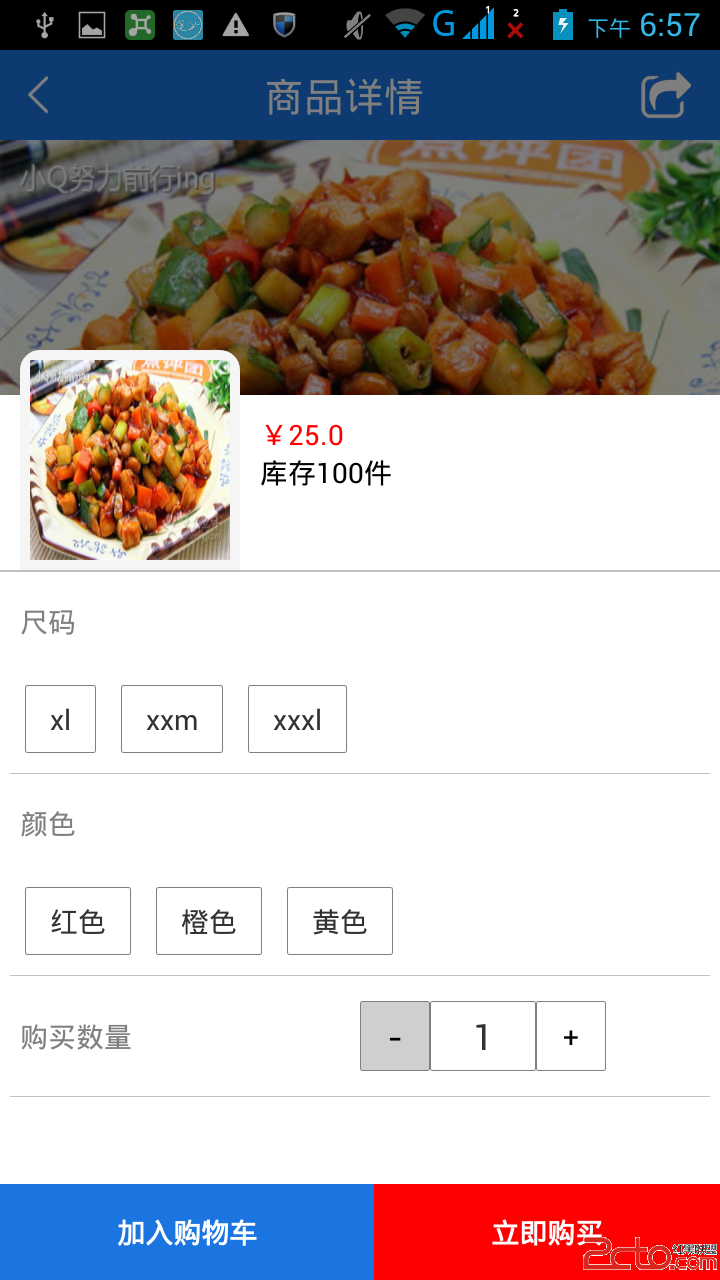 仿淘寶商品屬性標籤頁:自定義 ViewGroup 自動換行
電商商品頁常需要動態顯示顏色、尺碼、款式等屬性,且每個屬性下的標籤數量不固定。若使用普通 LinearLayou
 Android應用開發教程之八:四種本地數據儲存方案全解析
在 Android 應用開發中,數據的持久化儲存是每一個程式設計師都必須掌握的核心技能。本文將由淺入深地介紹四種常見的本地數據處理方式,分別是 SharedPrefere