

編輯:關於 Android 開發
Service 是 Android 系統四大核心元件之一,本質上就是一個繼承了 android.app.Service 的 Java 類別。它的幾個基本特性:
· 每個 Service 都必須在 AndroidManifest.xml 中註冊;
· 由 Android 系統負責維護其生命週期;
· 沒有對應的使用者介面,通常用於背景處理耗時工作;
· 需要注意的是,Service 本身運行在主執行緒上,因此各種耗時操作仍必須在 Service 內部另開子執行緒完成,不能直接在主執行緒跑;
· 元件可以綁定到 Service,从而实现跨進程通信(IPC)。
Android 系統會盡可能維持較多的執行緒存活,但受限於裝置資源,在動態管理記憶體時會主動終止優先級較低的進程,以釋放資源給高優先級者。優先級由高到低分為五類:
1、前台進程(Foreground Process)
2、可見進程(Visible Process)
3、服務進程(Service Process)
4、背景進程(Background Process)
5、空進程(Empty Process)
開發人員可以透過 Intent 來激活 Service,方式有兩種:
· 呼叫 Context 的 startService()(啟動)
· 呼叫 Context 的 bindService()(綁定)
開發流程:
1、建立 Java 類別並繼承 android.app.Service(其中 onBind() 是抽象方法,必須被覆寫,但不一定要具體實作);
2、在 AndroidManifest.xml 中加入 <service> 子節點完成註冊;
3、在 Activity 中呼叫 startService(Intent) 啟動。
顯式 Intent 與隱式 Intent 都能激活 Service。若需要實現跨進程通信,則應為 Service 配置隱式意圖過濾器。
停止方式:呼叫 Context 的 stopService(Intent) 會停止並銷毀該 Service;在 Service 內部則可呼叫 stopSelf() 停止自身。
生命週期上要注意:如果 Activity 反覆呼叫 startService(),Service 中只會反覆觸發 onStartCommand(),onCreate 不會重複執行。
<Button
    android:id="@+id/btn_start"
    android:layout_width="match_parent"
    android:layout_height="wrap_content"
    android:layout_alignParentTop="true"
    android:layout_centerHorizontal="true"
    android:layout_marginTop="50dp"
    android:onClick="doStart"
    android:text="Start Service" />

<Button
    android:id="@+id/btn_stop"
    android:layout_width="match_parent"
    android:layout_height="wrap_content"
    android:layout_alignParentTop="true"
    android:layout_centerHorizontal="true"
    android:layout_marginTop="50dp"
    android:onClick="doStop"
    android:text="Stop Service" />
public void doStart(View view) {
    Intent intent = new Intent(this, SampleService.class);
    startService(intent);
}

public void doStop(View view) {
    Intent intent = new Intent(this, SampleService.class);
    stopService(intent);
}
public class SampleService extends Service {
    @Override
    public void onCreate() {
        Log.d(TAG, "onCreate");
        super.onCreate();
    }

    @Override
    public int onStartCommand(Intent intent, int flags, int startId) {
        Log.d(TAG, "onStartCommand");
        return super.onStartCommand(intent, flags, startId);
    }

    @Override
    public void onDestroy() {
        Log.d(TAG, "onDestroy");
        super.onDestroy();
    }

    @Override
    public IBinder onBind(Intent intent) {
        return null;
    }
}
所謂「粘性」,指的是 Service 所在進程被意外中止後,該 Service 能否被自動重新啟動。
預設情況下,以 startService() 啟動的 Service 是粘性的:即使進程被意外終止,稍後系統仍會把它重新建立出來。
粘性由 onStartCommand() 的返回值決定,共有四種:
START_STICKY:粘性。被意外中止後會自動重啟,但原本用於啟動它的 Intent 會丟失。
START_NOT_STICKY:非粘性。被意外中止後不會自動重啟。
START_REDELIVER_INTENT:粘性並重新投遞 Intent。自動重啟後,Service 會再次收到原本啟動它的 Intent 物件。
START_STICKY_COMPATIBILITY:START_STICKY 的相容版本,但不保證 onStartCommand() 一定會被重新呼叫。
系統的 MediaPlayer 類別可以播放音樂,標準步驟如下:
1、建立 MediaPlayer 物件(可直接使用無參數建構子);
2、呼叫 reset() 重置(非必要);
3、呼叫 setDataSource() 指定要播放的歌曲;
4、呼叫 prepare() 載入(緩衝)歌曲;
5、呼叫 start() 開始播放;
6、退出時呼叫 release() 釋放資源。
本例的業務邏輯:由 Activity 激活 Service,在 Service 中建立 MediaPlayer 實例完成播放;歌曲放在模擬器的 sdcard/Music/ 目錄下;Activity 停止時一併停止播放服務;Service 停止時釋放 MediaPlayer 資源。
MainActivity:
public class MainActivity extends Activity {

    @Override
    protected void onCreate(Bundle savedInstanceState) {
        super.onCreate(savedInstanceState);
        setContentView(R.layout.activity_main);
    }

    public void startMusic(View view) {
        Intent intent = new Intent(this, PlayerMusicService.class);
        startService(intent);
    }

    @Override
    protected void onDestroy() {
        Intent intent = new Intent(this, PlayerMusicService.class);
        stopService(intent);
        super.onDestroy();
    }
}
版面配置:
<RelativeLayout xmlns:android="https://schemas.android.com/apk/res/android"
    xmlns:tools="https://schemas.android.com/tools"
    android:layout_width="match_parent"
    android:layout_height="match_parent">

    <Button
        android:id="@+id/button1"
        android:layout_width="fill_parent"
        android:layout_height="wrap_content"
        android:layout_alignParentTop="true"
        android:layout_centerHorizontal="true"
        android:layout_marginTop="136dp"
        android:onClick="startMusic"
        android:text="播放音樂" />
</RelativeLayout>
Service 類別:
public class PlayerMusicService extends Service {
    private MediaPlayer player;

    @Override
    public void onCreate() {
        try {
            player = new MediaPlayer();
            player.reset();
            player.setDataSource(Environment.getExternalStorageDirectory().getAbsolutePath()
                    + "/Music/Groove Coverage - She.mp3");
            player.prepare();
            player.start();
        } catch (IllegalArgumentException e) {
            e.printStackTrace();
        } catch (SecurityException e) {
            e.printStackTrace();
        } catch (IllegalStateException e) {
            e.printStackTrace();
        } catch (IOException e) {
            e.printStackTrace();
        }
    }

    @Override
    public void onDestroy() {
        player.release();
        player = null;
        super.onDestroy();
    }

    @Override
    public IBinder onBind(Intent intent) {
        return null;
    }
}
關於 MediaPlayer 的補充:它支援主流的影音格式,也能播放非本機的媒體來源,內部會另開子執行緒播放。可呼叫 pause() 暫停、seekTo() 跳到指定位置;若要避免 prepare 阻塞,可改用 prepareAsync() 並配置 OnPreparedListener,在回呼中呼叫 start()。實務上通常也會設定 OnCompletionListener,以處理播放完畢後的行為。
 漢字轉拼音:HanziToPinyin 的使用與 Locale 相容性修正
為什麼需要漢字轉拼音 本文轉載自 https://blog.csdn.net/zhangphil/article/details/47164665 。 Android 系
 Android 開發:在 C 程式碼中呼叫 logcat 輸出日誌
 本文為〈Android Java 傳遞 int 型別陣列給 C〉加上「在 C 程式碼中呼叫 logca
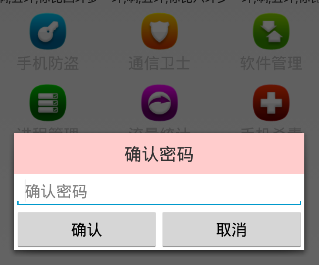 Android 手機衛士:確認密碼對話框
確認密碼對話框 當使用者已設定過密碼,進入手機防盜前需先驗證。對話框可包含密碼輸入框、確認與取消按鈕。 點擊確認時,會讀取輸入值並與 SharedPreferences
 Android 開發學習之路:用 Annotation 簡化 View 綁定
 在 Android Activity 中,反覆撰寫 setContentView 與 fin