

編輯:關於 Android 開發
對話框在各式軟體中無所不在,主要用來向使用者提示資訊或接收使用者回饋,是應用程式與使用者互動的橋樑。
對話框是一個頂層視窗,不能嵌入到其他視窗之中。
exec()。show()。QDialog 的父類別是 QWidget。
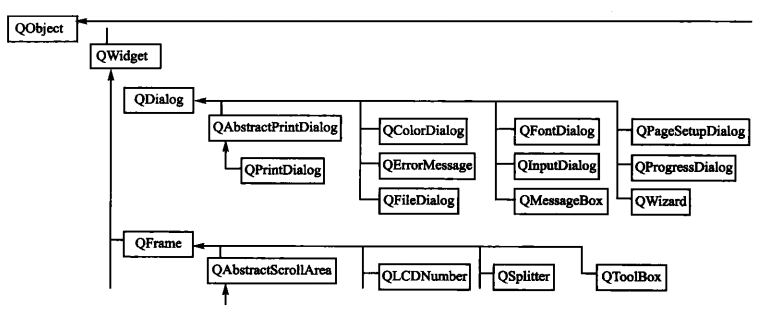
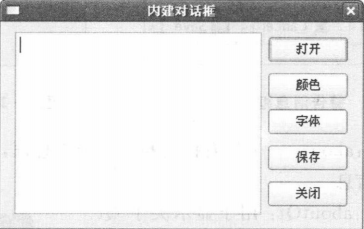
為方便開發,Qt 把一些常見功能的對話框做了封裝,提供一組標準對話框。它們多半提供靜態函數便於呼叫,且通常會採用系統本地的對話框樣式。
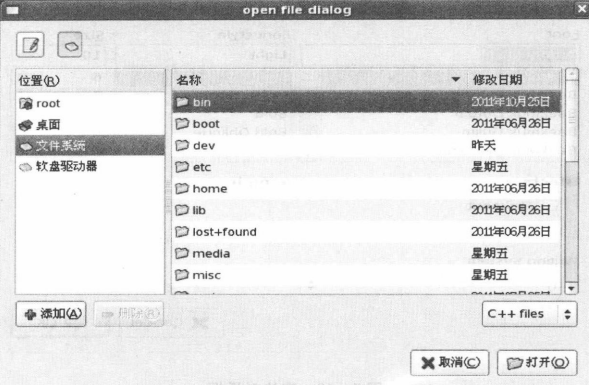
// 開啟檔案對話框,回傳選擇的檔名
QString str = QFileDialog::getOpenFileName(
    父視窗, 對話框標題, 預設路徑, 檔案過濾器);

// 依檔名開啟檔案,成功回傳 true
QFile file(str);
file.open(QIODevice::ReadWrite);

// 取得輸入流並逐行讀出
QTextStream in(&file);
in.readLine();
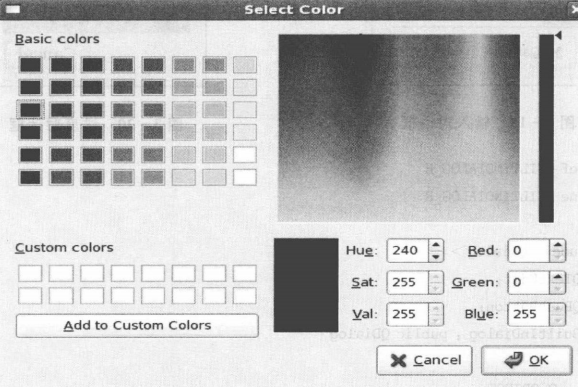
// 取得調色盤
QPalette palette = textEdit->palette();

// 開啟顏色對話框,取得使用者選的顏色
QColor color = QColorDialog::getColor(
    palette.color(QPalette::Text),  // 對話框初始顏色
    this                            // 父視窗
);

// 設定並套用調色盤
palette->setColor(QPalette::Text, color);
textEdit->setPalette(palette);
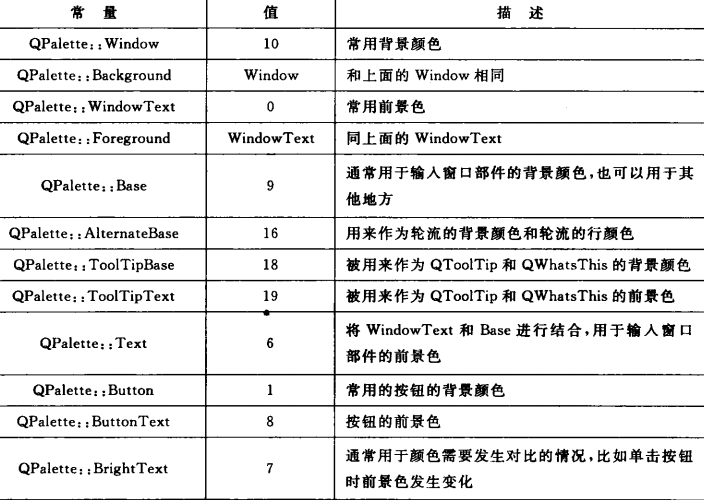
GUI 為不同部位分別定義了顏色標誌,可對特定區域單獨設色。
bool ok;
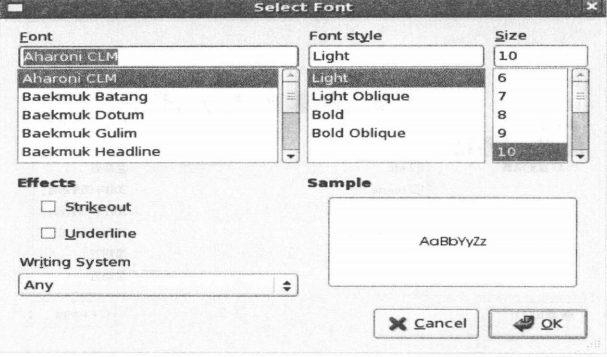
QFont font = QFontDialog::getFont(&ok);
// 點「確定」時 ok 為 true,點「取消」時為 false
textEdit->setFont(font);
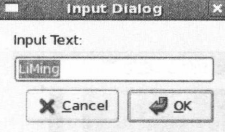
QString str = QInputDialog::getText(
    this,                 // 父視窗
    "inputDialog",        // 視窗標題
    "please input",       // 輸入框上方的標籤文字
    QLineEdit::Normal,    // 編輯框顯示方式
    QDir::home(),         // 預設內容
    ok                    // 回傳的 bool 變數
);

QProgress::setRange(0, 100)  // 設定進度範圍
QProgress::setValue(50)      // 設定目前進度值
Qt 提供了多種訊息框,全部屬於模態對話框,日常開發中極為常用。

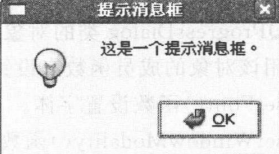
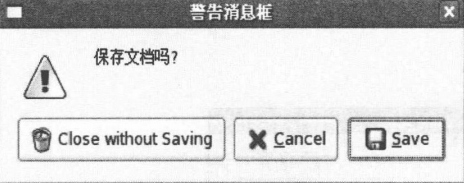
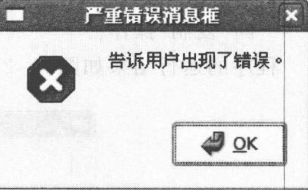
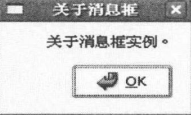
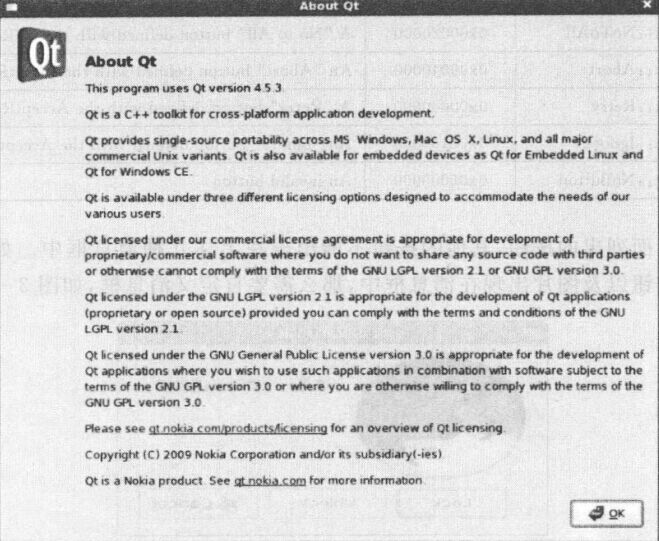
訊息框的按鈕也可以自行定制。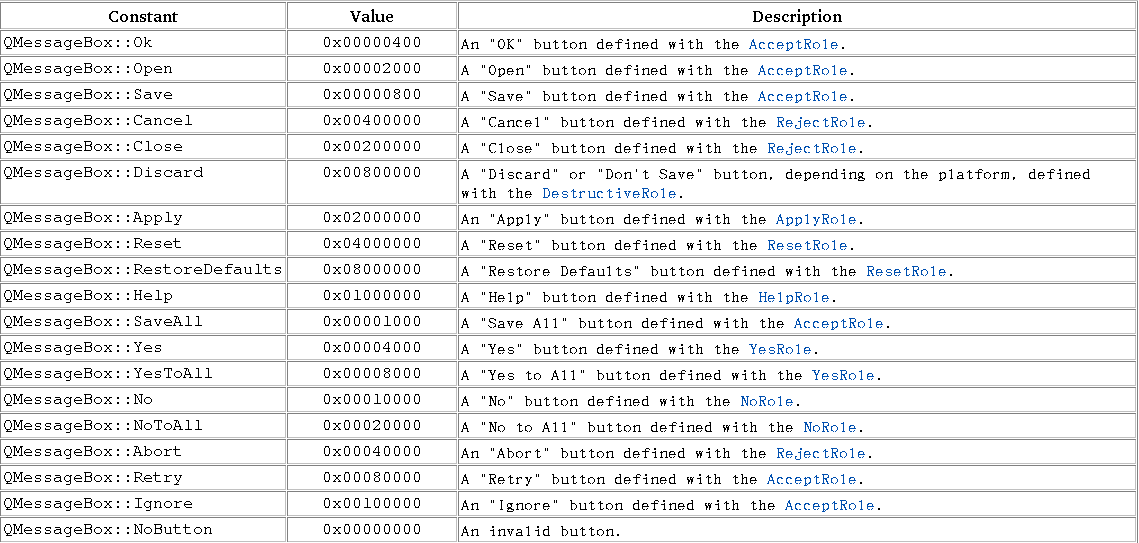
#ifndef BUILDINDIALOG_H
#define BUILDINDIALOG_H

#include <QtGui>

class buildInDialog : public QDialog
{
    Q_OBJECT
public:
    buildInDialog();
private:
    QPushButton *fileBtn;
    QPushButton *colorBtn;
    QPushButton *fontBtn;
    QPushButton *saveBtn;
    QPushButton *closeBtn;

    QTextEdit *textEdit;
private slots:
    void fileSlot();
    void colorSlot();
    void fontSlot();
    void saveSlot();
    void closeSlot();
};

#endif
#include "buildInDialog.h"

buildInDialog::buildInDialog()
{
    fileBtn = new QPushButton("open");
    colorBtn = new QPushButton("color");
    fontBtn = new QPushButton("font");
    saveBtn = new QPushButton("save");
    closeBtn = new QPushButton("close");

    textEdit = new QTextEdit();

    // 布局
    QVBoxLayout *vLay = new QVBoxLayout();
    QHBoxLayout *hLay = new QHBoxLayout();
    vLay->addWidget(fileBtn);
    vLay->addWidget(colorBtn);
    vLay->addWidget(fontBtn);
    vLay->addWidget(saveBtn);
    vLay->addWidget(closeBtn);

    hLay->addWidget(textEdit);
    hLay->addLayout(vLay);

    setLayout(hLay);

    connect(fileBtn, SIGNAL(clicked()), this, SLOT(fileSlot()));
    connect(colorBtn, SIGNAL(clicked()), this, SLOT(colorSlot()));
    connect(fontBtn, SIGNAL(clicked()), this, SLOT(fontSlot()));
    connect(saveBtn, SIGNAL(clicked()), this, SLOT(saveSlot()));
    connect(closeBtn, SIGNAL(clicked()), this, SLOT(closeSlot()));
}

void buildInDialog::fileSlot()
{
    // 取得檔案名稱
    QString str = QFileDialog::getOpenFileName(this, "打開文件", "/", "All File(*.*)");

    // 開啟檔案
    QFile file(str);
    if(!file.open(QIODevice::ReadWrite))
        return;

    // 取得輸入流並逐行讀入
    QTextStream in(&file);
    while(!in.atEnd())
    {
        QString st = in.readLine();
        textEdit->append(st);
    }
}

void buildInDialog::colorSlot()
{
    // 取得調色盤
    QPalette palette = textEdit->palette();

    // 開啟對話框取得顏色
    QColor color = QColorDialog::getColor(palette.color(QPalette::Text), this);

    if(color.isValid())
    {
        palette.setColor(QPalette::Window, color);
        textEdit->setPalette(palette);
    }
}

void buildInDialog::fontSlot()
{
    bool ok;
    QFont font = QFontDialog::getFont(&ok);
    if(ok)
        textEdit->setFont(font);
}

void buildInDialog::saveSlot()
{
    bool ok;
    // 取得輸入的資訊
    QString str = QInputDialog::getText(this, "輸入對話框", "請輸入名字",
                                       QLineEdit::Normal, "wj", &ok);

    // 依輸入的名字開啟檔案
    QFile file(str);
    file.open(QIODevice::WriteOnly);

    // 取得輸出流,把 textEdit 內容寫入
    QTextStream out(&file);
    out << textEdit->toPlainText() << "\n";
}

void buildInDialog::closeSlot()
{
    QProgressDialog *progress = new QProgressDialog();
    progress->setRange(0, 100);
    for(int i = 0; i <= 100; i += 10)
    {
        qApp->processEvents();
        progress->setValue(i);
        sleep(1);
    }
}
#include "buildInDialog.h"
#include <QApplication>

int main(int argc, char *argv[])
{
    // 設定編碼,避免中文亂碼
    QTextCodec::setCodecForCStrings(QTextCodec::codecForName("utf-8"));

    QApplication app(argc, argv);

    buildInDialog dialog;
    dialog.show();

    return app.exec();
}
 Android 實戰筆記:Facebook 與 Twitter 分享功能的接入全流程
從需求到上線:兩週搞定社群分享 年初的時候,公司英文版 App 丟來一個新需求:把 Facebook 和 Twitter 的分享能力補進去。整個功能從技術預研、方案比選到
 百度導航 Android 版常見問題整理
本文整理在 Android 上整合百度導航 SDK 時常見的問題。開發前需準備開發者帳戶、建立應用並取得 Key,同時注意包名需與
 Android HTTPS 安全連線:避免中間人劫持的實作重點
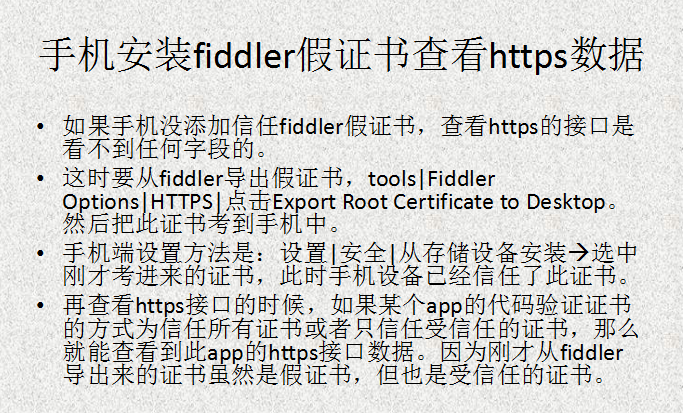
 HTTPS 的目的是保護傳輸資料不被竊聽或竄改。若 Android 客戶端為了方便除錯而允許任意憑證,就可
 Android 資料庫 ORM 框架 greenDAO 學習與實戰指南
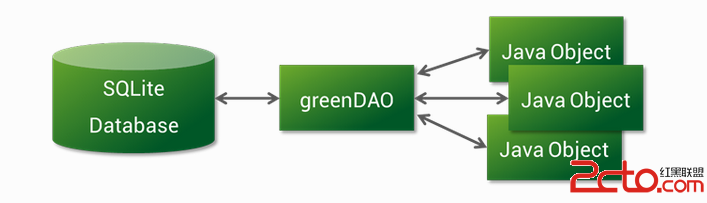
 簡介 根據官網的說法: greenDAO 是一個物件關聯映射(ORM)框架,它提供了一組介面,