

編輯:關於 Android 開發
Fragment 的設計目標是「可重複使用的介面模組」。它固然能脫離 Activity 獨立撰寫,也能被多個 Activity 共用,但在同一個 Activity 裡,同一份 Fragment 程式碼往往會被實例化成好幾個物件。正因為如此,Fragment 與宿主 Activity 之間如何傳遞訊息,就成了開發時一定要弄懂的一環。
Fragment 只要呼叫 getActivity(),就能拿到宿主 Activity 的物件,接著用 findViewById() 去抓取 Activity 版面中的元件:
View listView = getActivity().findViewById(R.id.list);反方向的查找則要靠 FragmentManager:
ExampleFragment fragment = (ExampleFragment) getFragmentManager()
        .findFragmentById(R.id.example_fragment);
若 Fragment 是以 tag 字串加入的,也可以用 findFragmentByTag() 把它找回來。
實務提醒:新專案多半採用 AndroidX,getFragmentManager() 已被標記為不建議使用,請改用 getSupportFragmentManager(),Fragment 相關 API 也一併換成 androidx.fragment 套件中的版本。
直接把 Fragment A 的資料塞給 Fragment B,看起來省事,代價卻是兩個 Fragment 從此綁死,重用性大幅下降。官方建議的做法是在 Fragment 中宣告一組回呼介面,交由宿主 Activity 實作。
Fragment 只負責喊「使用者選了這一篇」;至於內容要顯示在哪裡、要不要換頁、要不要順便記錄一份閱讀歷史,全由 Activity 決定。這樣同一個 FragmentA 換到別的 Activity 裡,仍然能照常運作。
public static class FragmentA extends ListFragment {

    // 容器 Activity 必須實作這個介面
    public interface OnArticleSelectedListener {
        public void onArticleSelected(Uri articleUri);
    }

    ...
}Fragment 被掛到 Activity 上時,系統會呼叫 onAttach()。這裡正是把宿主轉型成回呼介面、順便確認它有沒有乖乖實作的好位置:
public static class FragmentA extends ListFragment {

    OnArticleSelectedListener mListener;

    @Override
    public void onAttach(Activity activity) {
        super.onAttach(activity);
        try {
            mListener = (OnArticleSelectedListener) activity;
        } catch (ClassCastException e) {
            throw new ClassCastException(activity.toString()
                    + " must implement OnArticleSelectedListener");
        }
    }

    ...
}
轉型成功後,成員變數 mListener 就握有介面實例;若 Activity 沒有實作該介面,則丟出 ClassCastException,讓問題在最早、最容易定位的時刻曝光,而不是等到使用者操作時才當機。
補充一個更通用的寫法:新版本 API 中 onAttach() 收到的參數已是 Context,因此建議覆寫 onAttach(Context context);或直接透過 requireActivity() 搭配介面查詢,讓 Fragment 對宿主的依賴降到最低。
以 ListFragment 為例,使用者每點一下清單項目,系統就會回呼 onListItemClick()。在這個方法裡呼叫介面方法,事件便交棒給 Activity:
public static class FragmentA extends ListFragment {

    OnArticleSelectedListener mListener;

    @Override
    public void onListItemClick(ListView l, View v, int position, long id) {
        // 把被點選列的 row ID 接到 ContentProvider 的 Uri 上
        Uri noteUri = ContentUris.withAppendedId(ArticleColumns.CONTENT_URI, id);
        // 將事件與 Uri 一起交給宿主 Activity
        mListener.onArticleSelected(noteUri);
    }

    ...
}
參數 id 就是被點中那一列的 row ID。Activity 收到這個 Uri 後,可以轉交給 FragmentB,由它拿同一個 id 向 ContentProvider 取出對應內文並呈現。
整條鏈路可以濃縮成一句話:Fragment 對外只宣告「我發生了什麼事」,Activity 決定「那要怎麼辦」。介面把溝通方式固定成一份單向契約,Fragment 保住可重用性,Activity 也保有完整的控制權——這正是 Fragment 相對於「把一切寫在 Activity 裡」最大的價值所在。
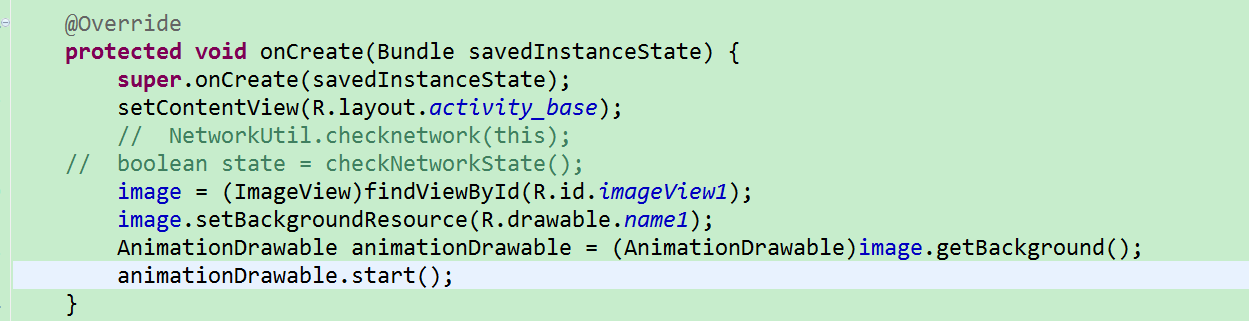 Android 幀動畫實作與 OOM 注意事項
幀動畫的做法很直覺:準備一組圖片,定義播放順序與每幀停留時間,剩下的交給系統。 第一步:定義 animation-list 在 res/drawable 下建立描述檔(
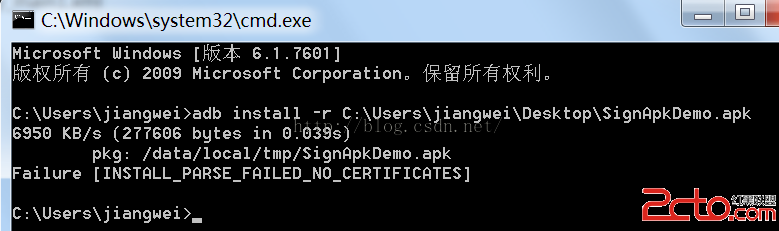 Android 簽名機制解析:APK 簽名驗證流程詳解
一、前言在 Android 中,APK 的簽名機制不只是打包時的產物,更是安裝階段安全校驗的基礎。本文將以安裝流程為切入點,說明系統如何逐步驗證 APK 內的檔案、摘要資
 WebView 載入網頁並加入進度條
 在 Android 中內嵌網頁時,常希望像微信一樣,在頂部顯示載入進度。這可以透過 WebView 搭配 ProgressBar 與
 百度地圖開發學習(二):地圖定位功能全流程解析
 定位是地圖開發中不可迴避的重要環節,而我也在學習的道路上不斷摸索。以下整理一下自己對百度定位 SDK 的理解與實踐。 一、