

編輯:關於 Android 開發
開發專案時想怎麼換域名就怎麼換,就是這麼任性!這是一個很有意思、也很方便開發與測試人員的小工具。
長期做 Android 開發,一直有個困擾:做自家公司的 apk 時,線上包與測試包無法並存,總在「卸載、安裝、卸載、安裝」的循環中打轉,十分麻煩。更頭痛的是,只要和後端人員聯調,就得改專案裡的測試域名、重新打包。後來因為需要使用線上包,被逼無奈才想出這個小設計。
利用 ContentProvider 進行資料共享。
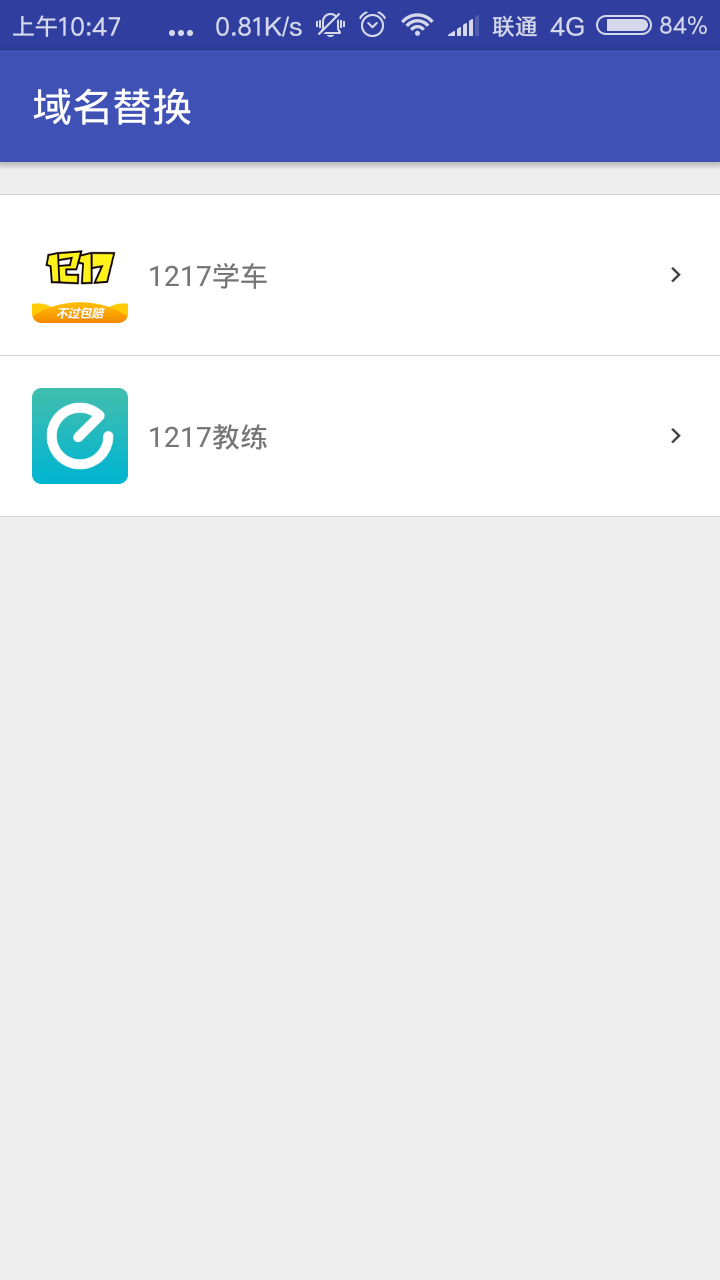
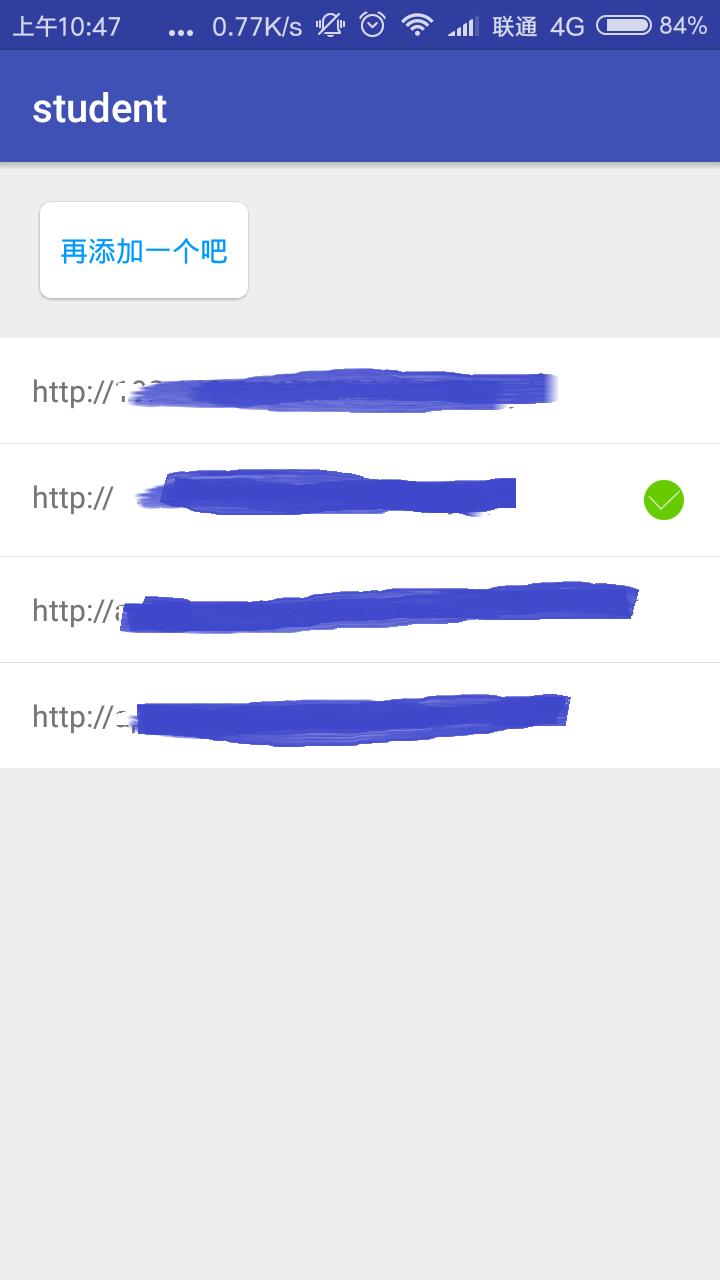
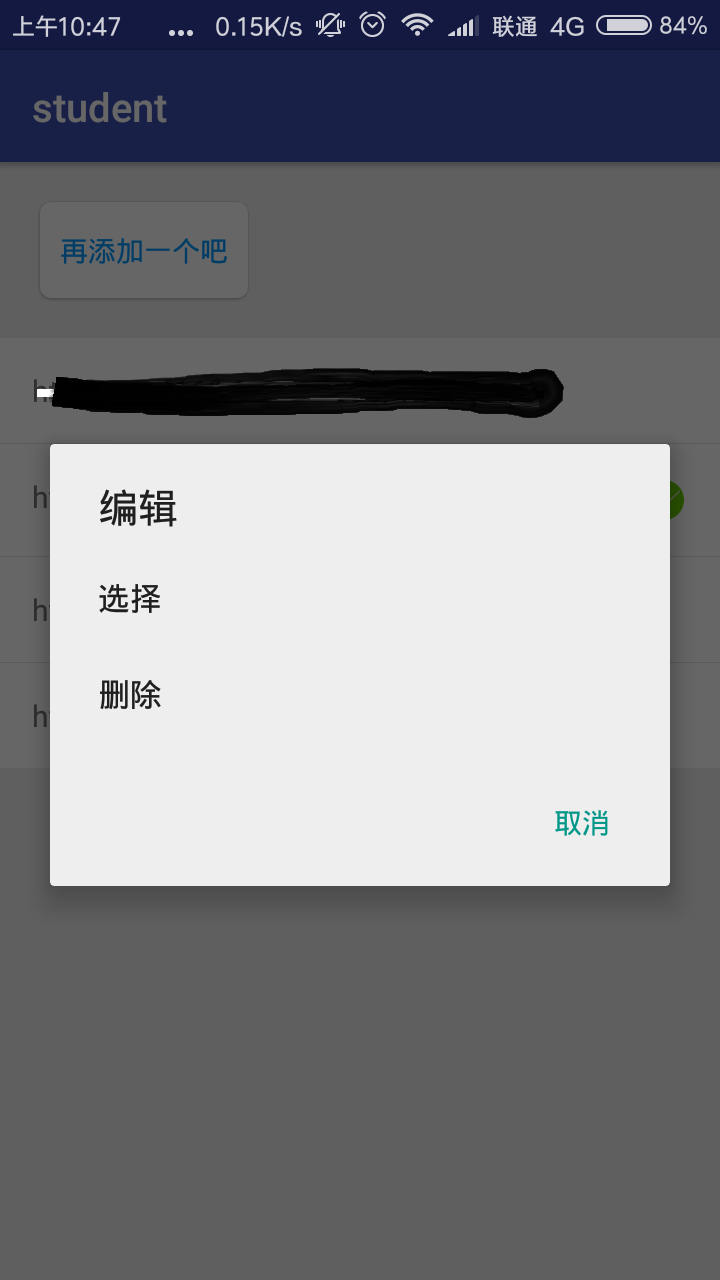
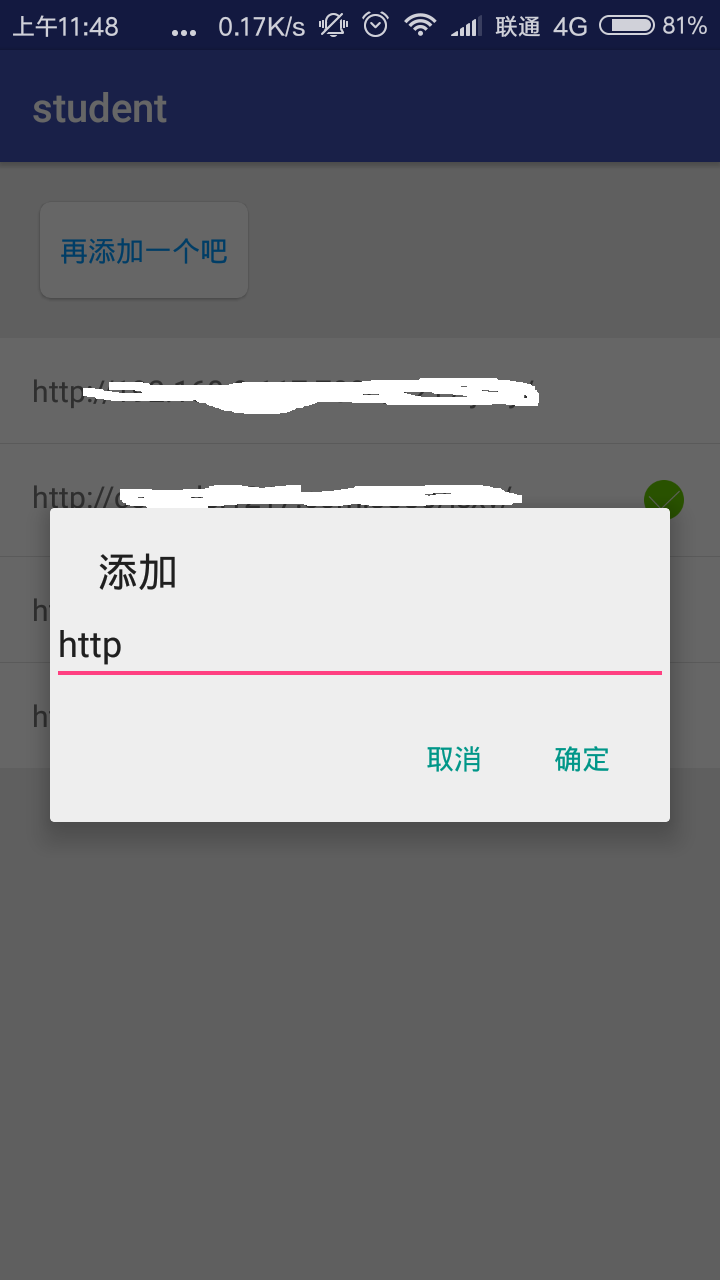
a. ContentProvider 在 Android 中的作用是對外共享資料,也就是說你可以透過它把應用中的資料共享給其他應用存取,其他應用則能對你應用中的資料進行增刪改查。
當應用需要透過 ContentProvider 對外共享資料時,第一步是繼承 ContentProvider 並重寫以下方法:
public class PersonContentProvider extends ContentProvider{
 public boolean onCreate()
 public Uri insert(Uri uri, ContentValues values)
 public int delete(Uri uri, String selection, String[] selectionArgs)
 public int update(Uri uri, ContentValues values, String selection, String[] selectionArgs)
 public Cursor query(Uri uri, String[] projection, String selection, String[] selectionArgs, String sortOrder)
 public String getType(Uri uri)
}
b. 第二步是在 AndroidManifest.xml 中對該 ContentProvider 進行設定。為了讓其他應用能找到它,ContentProvider 採用 authorities(主機名/域名)作為唯一標識——你可以把 ContentProvider 想像成一個網站(同樣是資料提供者),而 authorities 就是它的域名。
<?xml version="1.0" encoding="utf-8"?>
<manifest xmlns:android="https://schemas.android.com/apk/res/android"
 package="com.xc1217.contentprovider">
 <application
 android:allowBackup="true"
 android:icon="@mipmap/ic_launcher"
 android:label="@string/app_name"
 android:supportsRtl="true"
 android:theme="@style/AppTheme">
 <activity android:name=".activity.MainActivity"
 android:label="@string/app_name"
 android:theme="@style/AppTheme.NoActionBar">
 <intent-filter>
 <action android:name="android.intent.action.MAIN"/>
 <category android:name="android.intent.category.LAUNCHER"/>
 </intent-filter>
 </activity>
 <activity android:name=".activity.UrlListActivity"
 android:theme="@style/AppTheme.NoActionBar">
 </activity>
 <provider android:name=".db.MyContentProvider"
 android:authorities="com.xc1217.contentprovider.myprovider"
 android:exported="true"/>
 </application>
</manifest>
public class DBOpenHelper extends SQLiteOpenHelper {
 private static final String DBNAME = "1217provider.db"; //資料庫名稱
 private static final int DBVER = 1;//資料庫版本
 public DBOpenHelper(Context context) {
 super(context, DBNAME, null, DBVER);
 }
 @Override
 public void onCreate(SQLiteDatabase db) {
 // id 主鍵,url 路徑,selected 1 選中、0 未選中
 String sql = "CREATE TABLE student (id integer primary key autoincrement, url varchar(500), selected int)";
 String sql2 = "CREATE TABLE coach (id integer primary key autoincrement, url varchar(500), selected int)";
 db.execSQL(sql);
 db.execSQL(sql2);
 initDb(db);
 }
 private void initDb(SQLiteDatabase db) {
 String sql = "INSERT INTO student VALUES (1,'https://www.1217.com/', 0)";
 String sq2 = "INSERT INTO student VALUES (2,'https://www.1217.com/', 1)";
 String sq3 = "INSERT INTO student VALUES (3,'https://www.1217.com/', 0)";
 String sq4 = "INSERT INTO student VALUES (4,'https://www.1217.com/', 0)";
 db.execSQL(sql); db.execSQL(sq2); db.execSQL(sq3); db.execSQL(sq4);
 initAddDbCoach(db);
 }
 private void initAddDbCoach(SQLiteDatabase db) {
 String sql = "INSERT INTO coach VALUES (1,'https://www.1217.com/', 0)";
 String sq2 = "INSERT INTO coach VALUES (2,'https://www.1217.com/', 1)";
 String sq3 = "INSERT INTO coach VALUES (3,'https://www.1217.com/', 0)";
 String sq4 = "INSERT INTO coach VALUES (4,'https://www.1217.com/', 0)";
 db.execSQL(sql); db.execSQL(sq2); db.execSQL(sq3); db.execSQL(sq4);
 }
 @Override
 public void onUpgrade(SQLiteDatabase db, int arg1, int arg2) {
 db.execSQL("DROP TABLE IF EXISTS student");
 db.execSQL("DROP TABLE IF EXISTS coach");
 onCreate(db);
 }
}
public class MyContentProvider extends ContentProvider {
 private DBOpenHelper dbOpenHelper;
 private static final UriMatcher MATCHER = new UriMatcher(UriMatcher.NO_MATCH);
 private static final int STUDENTS = 1;
 private static final int STUDENT = 2;
 private static final int COACHS = 3;
 private static final int COACH = 4;
 static {
 //匹配 .../student 路徑,返回碼為 1
 MATCHER.addURI("com.xc1217.contentprovider.myprovider", "student", STUDENTS);
 //匹配 .../student/# 路徑,返回碼為 2(# 為通配符)
 MATCHER.addURI("com.xc1217.contentprovider.myprovider", "student/#", STUDENT);
 MATCHER.addURI("com.xc1217.contentprovider.myprovider", "coach", COACHS);
 MATCHER.addURI("com.xc1217.contentprovider.myprovider", "coach/#", COACH);
 }
 @Override public int delete(Uri uri, String selection, String[] selectionArgs) { /* 依 MATCHER.match(uri) 分派刪除 student/coach 或指定 id */ return 0; }
 /** 集合類型以 vnd.android.cursor.dir/ 開頭,單筆以 vnd.android.cursor.item/ 開頭 */
 @Override public String getType(Uri uri) { /* 依匹配結果回傳對應 MIME 類型 */ return null; }
 @Override public Uri insert(Uri uri, ContentValues values) { /* 插入後以 ContentUris.withAppendedId 產生代表新記錄的 Uri 並通知變更 */ return null; }
 @Override public boolean onCreate() { this.dbOpenHelper = new DBOpenHelper(this.getContext()); return false; }
 @Override public Cursor query(Uri uri, String[] projection, String selection, String[] selectionArgs, String sortOrder) { /* 依匹配結果查詢 student/coach 或指定 id */ return null; }
 @Override public int update(Uri uri, ContentValues values, String selection, String[] selectionArgs) { /* 依匹配結果更新 student/coach 或指定 id */ return 0; }
}
其中 delete、insert、query、update 皆透過 MATCHER.match(uri) 判斷操作的是集合(student/coach)還是單筆(student/#/coach/#),並以 ContentUris.parseId 取得 id,再組出 where 條件執行對應的資料庫操作。
public class MainActivity extends AppCompatActivity {
 @Override protected void onCreate(Bundle savedInstanceState) {
 super.onCreate(savedInstanceState);
 setContentView(R.layout.activity_main);
 Toolbar toolbar = (Toolbar) findViewById(R.id.toolbar);
 setSupportActionBar(toolbar);
 findViewById(R.id.lay_student).setOnClickListener(new View.OnClickListener() {
 @Override public void onClick(View view) {
 Intent intent = new Intent(MainActivity.this, UrlListActivity.class);
 intent.putExtra("table", "student");
 startActivity(intent);
 }
 });
 findViewById(R.id.lay_coach).setOnClickListener(new View.OnClickListener() {
 @Override public void onClick(View view) {
 Intent intent = new Intent(MainActivity.this, UrlListActivity.class);
 intent.putExtra("table", "coach");
 startActivity(intent);
 }
 });
 }
}
String uriString = "content://com.xc1217.contentprovider.myprovider/";
//往內容提供者新增資料
public void insertUrl(String url) {
 ContentResolver contentResolver = this.getContentResolver();
 Uri insertUri = Uri.parse(uriString);
 ContentValues values = new ContentValues();
 values.put("url", url);
 values.put("selected", 0);
 contentResolver.insert(insertUri, values);
}
//更新內容提供者中的資料
public void update(UrlBean urlBean) {
 ContentResolver contentResolver = this.getContentResolver();
 Uri updateUri = Uri.parse(uriString + "/" + urlBean.id);
 ContentValues values = new ContentValues();
 values.put("url", urlBean.url);
 values.put("selected", urlBean.selected);
 contentResolver.update(updateUri, values, null, null);
}
//從內容提供者刪除資料
public void deleteById(Integer id) {
 ContentResolver contentResolver = this.getContentResolver();
 Uri deleteUri = Uri.parse(uriString + "/" + id);
 contentResolver.delete(deleteUri, null, null);
}
//取得內容提供者中的資料
public void getUrlList() {
 ContentResolver contentResolver = this.getContentResolver();
 Uri selectUri = Uri.parse(uriString);
 Cursor cursor = contentResolver.query(selectUri, null, null, null, null);
 if (cursor == null) return;
 while (cursor.moveToNext()) {
 int id = cursor.getInt(cursor.getColumnIndex("id"));
 String url = cursor.getString(cursor.getColumnIndex("url"));
 int selected = cursor.getInt(cursor.getColumnIndex("selected"));
 // 依資料建立 UrlBean 並更新清單
 }
}
public class UrlAdapter extends BaseAdapter {
 private Context mContext;
 private List<UrlBean> mList;
 public UrlAdapter(Context c, List<UrlBean> l) { mContext = c; mList = l; }
 @Override public int getCount() { return mList.size(); }
 @Override public Object getItem(int arg0) { return mList.get(arg0); }
 @Override public long getItemId(int arg0) { return arg0; }
 @Override public View getView(final int i, View view, ViewGroup arg2) {
 ViewHoldel holdel;
 if (view == null) {
 holdel = new ViewHoldel();
 view = LayoutInflater.from(mContext).inflate(R.layout.url_item, null);
 holdel.tvContent = (TextView) view.findViewById(R.id.tv_content);
 holdel.imageView = (ImageView) view.findViewById(R.id.imv_right);
 view.setTag(holdel);
 } else {
 holdel = (ViewHoldel) view.getTag();
 }
 holdel.tvContent.setText(mList.get(i).url);
 holdel.imageView.setVisibility(mList.get(i).selected == 1 ? View.VISIBLE : View.GONE);
 return view;
 }
 class ViewHoldel { TextView tvContent; ImageView imageView; }
}
<?xml version="1.0" encoding="utf-8"?>
<LinearLayout xmlns:android="https://schemas.android.com/apk/res/android"
 android:layout_width="match_parent"
 android:layout_height="match_parent"
 android:padding="@dimen/activity_horizontal_margin"
 android:orientation="horizontal">
 <TextView android:id="@+id/tv_content"
 android:layout_width="wrap_content"
 android:layout_height="wrap_content"
 android:layout_weight="1"
 android:text=",,"
 android:textSize="15sp"/>
 <ImageView android:id="@+id/imv_right"
 android:layout_width="wrap_content"
 android:layout_height="wrap_content"
 android:src="@mipmap/icon_true_big"/>
</LinearLayout>
重點來了!開發人員接入程式碼、替換域名:
把以下程式碼加入 Application 的初始化方法中,並依需求微調即可。
private void changeServerHostFromProvider() {
 Uri uri = Uri.parse("content://com.xc1217.contentprovider.myprovider/student");
 Cursor cursor = getContentResolver().query(uri, null, null, null, null);
 if (cursor != null) {
 while (cursor.moveToNext()) {
 String url = cursor.getString(cursor.getColumnIndex("url"));
 int selected = cursor.getInt(cursor.getColumnIndex("selected"));// 1 選中,否則未選中
 if (selected == 1 && !TextUtils.isEmpty(url)) {
 Urls.BASE_URL_TEST = url;
 Urls.BASE_URL_ONLINE = url;
 return;
 }
 }
 cursor.close();
 }
}
 Android 原始碼在線搜尋技巧:快速定位類別與方法
 在搜尋引擎普及之前,工程師遇到問題時常常只能直接閱讀原始碼。即使現在可以透過網路找到答案,若想理解 Android
 Android 5.X 實戰:Toolbar + DrawerLayout 打造抽屜菜單
 前言 Android 5.X 新增了一個控件 Toolbar,它比 Action
 小記:用 ConnectivityManager 判斷裝置是否連網
 幾乎每個 App 都會遇到這個需求:發請求之前先確認網路通不通,沒網就給提示,別讓使用者盯著轉圈圈。做
 Android 6.0 權限變革:運行時權限與安全機制全解析
棉花糖版本的權限修改深度解析 Android 的權限系統一直是首要的安全概念,但這些權限過去只在安裝時詢問一次。一旦安裝完成,App 便能在用戶毫不知情的情況下訪問權限內