

編輯:關於 Android 開發
讓使用者從相簿挑一張圖,是無數 App 都會用到的功能。本文說明如何用系統Intent 叫出相簿,並在回傳時取得圖片。
<LinearLayout xmlns:android="https://schemas.android.com/apk/res/android" xmlns:tools="https://schemas.android.com/tools" android:layout_width="match_parent" android:layout_height="match_parent" android:orientation="vertical" tools:context=".MainActivity" > <Button android:layout_width="wrap_content" android:layout_height="wrap_content" android:onClick="selectImage" android:text="選擇一張照片" /> <ImageView android:id="@+id/iv" android:layout_width="fill_parent" android:layout_height="fill_parent" /> </LinearLayout>
打開 packages/apps/Gallery 下的清單檔,可以看到 Gallery 為自己註冊了多組 intent-filter:
<activity android:name="com.android.camera.ImageGallery" android:label="@string/gallery_label" android:configChanges="orientation|keyboardHidden" android:icon="@drawable/ic_launcher_gallery">
    <intent-filter>
        <action android:name="android.intent.action.MAIN" />
        <category android:name="android.intent.category.DEFAULT" />
    </intent-filter>
    <intent-filter>
        <action android:name="android.intent.action.VIEW" />
        <category android:name="android.intent.category.DEFAULT" />
        <data android:mimeType="vnd.android.cursor.dir/image" />
    </intent-filter>
    <intent-filter>
        <action android:name="android.intent.action.VIEW" />
        <category android:name="android.intent.category.DEFAULT" />
        <data android:mimeType="vnd.android.cursor.dir/video" />
    </intent-filter>
    <intent-filter>
        <action android:name="android.intent.action.GET_CONTENT" />
        <category android:name="android.intent.category.OPENABLE" />
        <data android:mimeType="vnd.android.cursor.dir/image" />
    </intent-filter>
    <intent-filter>
        <action android:name="android.intent.action.GET_CONTENT" />
        <category android:name="android.intent.category.OPENABLE" />
        <category android:name="android.intent.category.DEFAULT" />
        <data android:mimeType="image/*" />
        <data android:mimeType="video/*" />
    </intent-filter>
    <intent-filter>
        <action android:name="android.intent.action.PICK" />
        <category android:name="android.intent.category.DEFAULT" />
        <data android:mimeType="image/*" />
        <data android:mimeType="video/*" />
    </intent-filter>
    <intent-filter>
        <action android:name="android.intent.action.PICK" />
        <category android:name="android.intent.category.DEFAULT" />
        <data android:mimeType="vnd.android.cursor.dir/image" />
    </intent-filter>
</activity>
讀懂這份清單,就明白我們為什麼能用 ACTION_PICK 叫出相簿——因為 Gallery 明確宣告了它接受 PICK 動作與 image/* 類型的資料。
public class MainActivity extends Activity {
    private ImageView iv;

    @Override
    protected void onCreate(Bundle savedInstanceState) {
        super.onCreate(savedInstanceState);
        setContentView(R.layout.activity_main);
        iv = (ImageView) findViewById(R.id.iv);
    }

    public void selectImage(View view) {
        // 啟動系統圖庫,挑選一張照片
        Intent intent = new Intent();
        intent.setAction(intent.ACTION_PICK);
        intent.setType("image/*");
        startActivityForResult(intent, 0);
    }

    @Override
    protected void onActivityResult(int requestCode, int resultCode, Intent data) {
        if (data != null) {
            Uri uri = data.getData(); // 取得圖片的 uri
            iv.setImageURI(uri);
        }
        super.onActivityResult(requestCode, resultCode, data);
    }
}
requestCode 的用途。一個 Activity 可能向多處請求資料,回來時怎麼分辨是哪一次?就靠 requestCode。範例寫死為 0,實務上應定義常數並在 onActivityResult 中比對,否則不同來源的結果會互相干擾。
resultCode 不可省略判斷。使用者按返回鍵取消時,data 會是 null,resultCode 也不會是 RESULT_OK。範例只檢查了 data,較嚴謹的寫法應同時判斷 resultCode == RESULT_OK。
uri 不能直接當檔案路徑用。這是最大的坑。content:// 開頭的 URI 並不是檔案系統路徑,直接丟給 BitmapFactory.decodeFile 或 new ExifInterface 都會失敗。正確做法有兩種:
// 做法一:直接讓 ImageView 吃 URI(範例採用的方式,最省事)
iv.setImageURI(uri);

// 做法二:透過 ContentResolver 取得串流再解碼
InputStream in = getContentResolver().openInputStream(uri);
Bitmap bitmap = BitmapFactory.decodeStream(in);
iv.setImageBitmap(bitmap);
上述寫法沿用了多年,但有幾個已知問題:部分客製化 ROM 上 ACTION_PICK 可能找不到對應的 App、大圖直接解碼容易 OOM、以及 URI 的持久化權限處理繁瑣。
目前 Google 推薦的做法是 Android Photo Picker(PickVisualMedia),它無需任何儲存空間權限、跨 ROM 行為一致,並內建了圖片壓縮:
PickVisualMediaRequest request = new PickVisualMediaRequest.Builder()
        .setMediaType(ActivityResultContracts.PickVisualMedia.ImageOnly.INSTANCE)
        .build();
pickMedia.launch(request);
另外,startActivityForResult 與 onActivityResult 這對寫法也已不再是建議方式,改用 AndroidX 的 Activity Result API 會更安全(能避免 Fragment 重建時的狀態遺失)。不過理解 ACTION_PICK 的運作原理,仍有助於你搞懂底層到底發生了什麼事。
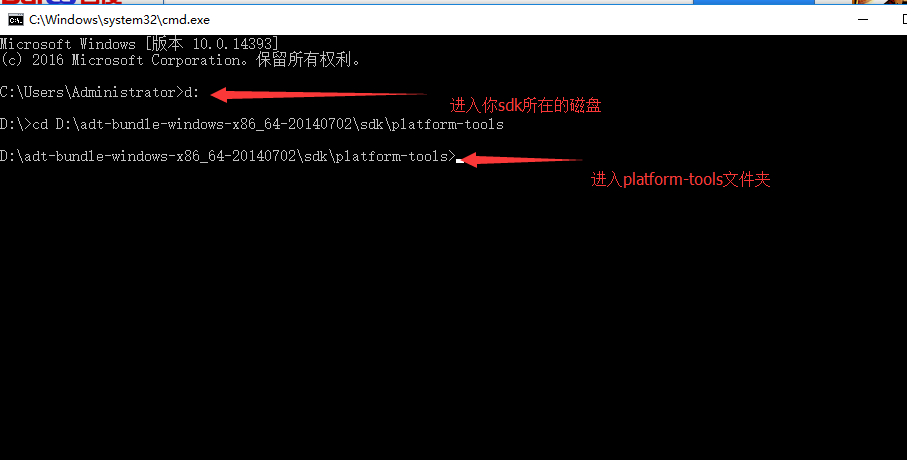 幾個常用的 adb 指令整理
 adb 全名為 Android Debug Bridge,顧名思義就是「安卓除錯橋接」。它是 Android 系統提供的一組工具,用來在裝置
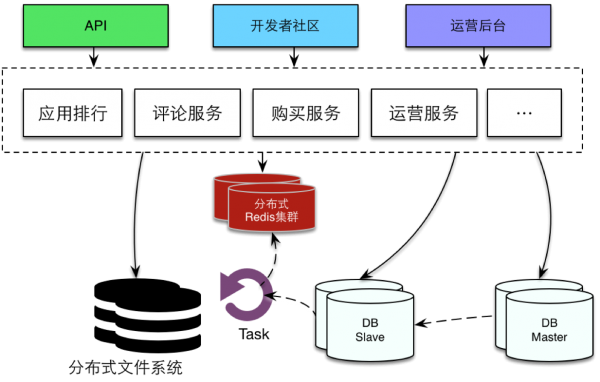 魅族多機房部署方案:從單機房走向多機房容災
隨著互聯網業務不斷增加,單機房架構在擴展性、可靠性與用戶接入體驗上的瓶頸越來越明顯。一旦機房出現電力、網絡或光缆故障,業務就可能
 Android 應用開發教程之一:Dialog 對話框用法完整彙整
對話框是 Android 互動介面中常見的元件,適合用於確認、選擇、提示與等待。本文以一個範例專案整理常見 Dialog 用法,包含確定取消、多按鈕、列表、單選、多選、進
 ListView 搭配 PopupWindow 實作滑動刪除
實作概念 這個範例要在 ListView 項目上由右向左滑動時顯示刪除按鈕。相較同時覆寫 dispatchTouchEvent 與 onTouchEvent,只處理 on