

編輯:關於 Android 開發
在 Android 開發裡,界面幾乎都靠 XML 布局撐起來。當頁面裡充斥著大量重複的屬性設定時,XML 檔案就會變得又長又難維護。這時候善用 styles,就能把冗餘屬性抽離出去,讓布局檔瞬間瘦身。
舉個例子:某個首頁從 AlertDialog 到 PlacePickerWindow 一共有 19 個樣式幾乎一模一樣的跳轉 Item,每個都具備點擊變色並跳轉到對應界面的效果。
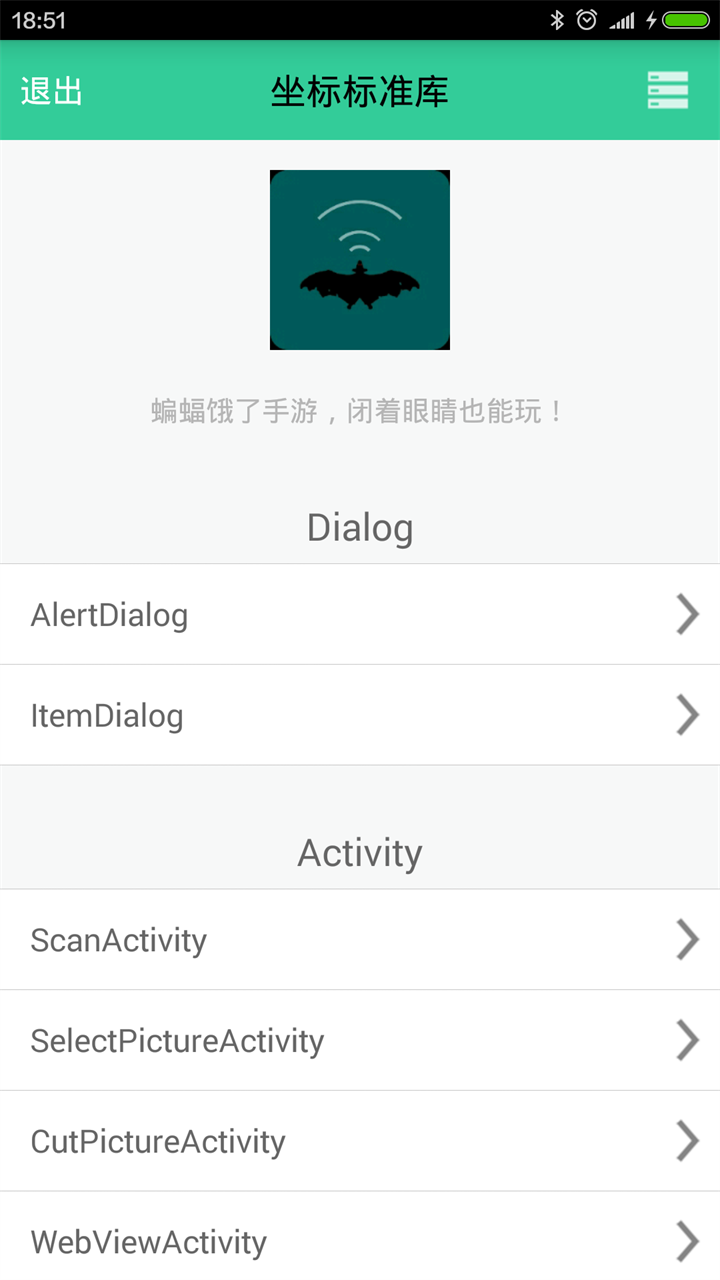
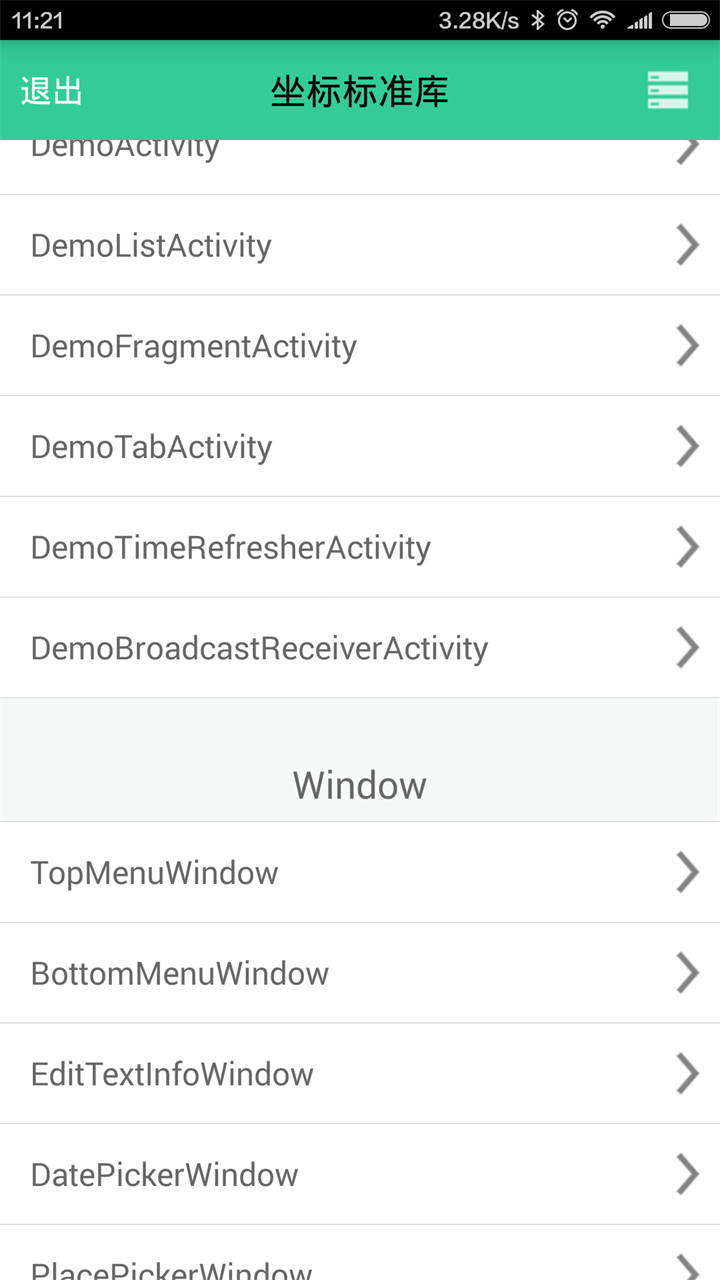
改用 styles 之前,這份 XML 長這樣(共 838 行):
1 <?xml version="1.0" encoding="utf-8"?> 2 <LinearLayout xmlns:android="https://schemas.android.com/apk/res/android" 3 android:layout_width="fill_parent" 4 android:layout_height="fill_parent" 5 android:background="@color/activity_bg" 6 android:orientation="vertical" 7 android:splitMotionEvents="false" > 8 9 <RelativeLayout 10 android:id="@+id/rlDemoMainTopbar" 11 android:layout_width="fill_parent" 12 android:layout_height="@dimen/topbar_height" 13 android:background="@color/topbar_bg" 14 android:gravity="center_vertical" > 15 16 <TextView 17 android:id="@+id/tvDemoMainReturn" 18 android:layout_width="wrap_content" 19 android:layout_height="@dimen/topbar_height" 20 android:layout_alignParentLeft="true" 21 android:background="@drawable/bg_item_to_alpha" 22 android:gravity="center" 23 android:minWidth="40dp" 24 android:paddingLeft="10dp" 25 android:paddingRight="10dp" 26 android:text="退出" 27 android:textColor="@color/white" 28 android:textSize="16sp" /> 29 30 <TextView android:layout_width="wrap_content" android:layout_height="match_parent" android:layout_centerHorizontal="true" android:gravity="center" android:text="坐標標准庫" android:textColor="@color/black" android:textSize="18sp" /> 39 <ImageView android:id="@+id/ivDemoMainMenu" android:layout_width="wrap_content" android:layout_height="@dimen/topbar_height" android:layout_alignParentRight="true" android:background="@drawable/bg_item_to_alpha" android:gravity="center" android:minHeight="@dimen/topbar_height" android:minWidth="40dp" android:paddingLeft="8dp" android:paddingRight="10dp" android:src="@drawable/menu" /> </RelativeLayout> <ScrollView android:id="@+id/svDemoMain" android:layout_width="match_parent" android:layout_height="match_parent" android:layout_weight="1"> <LinearLayout android:layout_width="match_parent" android:layout_height="match_parent" android:gravity="center_horizontal" android:orientation="vertical" > ...(其餘 18 個樣式相同的跳轉 Item 結構完全一致,此處省略重複內容)... </LinearLayout> </ScrollView> </LinearLayout>
可以看到,每個 Item 都反覆寫著寬高、背景、間距、文字顏色、字級大小等一模一樣的屬性,光是看就讓人頭痛。
導入 styles 之後,同一份 XML 縮短成這樣(345 行,只剩原本的 41%):
1 <?xml version="1.0" encoding="utf-8"?> 2 <LinearLayout xmlns:android="https://schemas.android.com/apk/res/android"> 3 <RelativeLayout android:id="@+id/rlDemoMainTopbar"> 4 <TextView android:id="@+id/tvDemoMainReturn" android:text="退出" /> 5 <TextView android:layout_centerHorizontal="true" android:text="坐標標准庫" /> 6 <ImageView android:id="@+id/ivDemoMainMenu" android:src="@drawable/menu" /> 7 </RelativeLayout> 8 <ScrollView android:id="@+id/svDemoMain" android:layout_weight="1"> 9 <LinearLayout> 10 <ImageView android:id="@+id/ivDemoMainHead" android:layout_width="90dp" android:layout_height="90dp" android:scaleType="centerCrop" /> 11 <TextView android:id="@+id/tvDemoMainHeadName" android:text="可點擊 選擇圖片 或 裁剪圖片 更改" /> 12 <TextView android:text="Dialog" /> 13 <View /> 14 <LinearLayout android:id="@+id/llDemoMainAlertDialog"> 15 <TextView android:layout_weight="1" android:text="AlertDialog" /> 16 <ImageView /> 17 </LinearLayout> 18 <View /> ...(其餘 Item 僅保留 id 與 text,樣式全部由 style 繼承而來)... </LinearLayout> </ScrollView> </LinearLayout>
對比之下差異非常明顯:每個 Item 只剩下 id 與文字內容,其餘的外觀屬性都交給 style 統一管理。
ZBLibrary 這個框架把常用樣式整理得非常完整,從 TextView、Button、LinearLayout、ListView、ProgressBar 這類單一 View,到導航欄、跳轉 Item、輸入清除框、Menu 這類 View 組合套件,就連自訂 Dialog、Activity 背景透明這種常見需求也都涵蓋在內,總計 171 個 style。
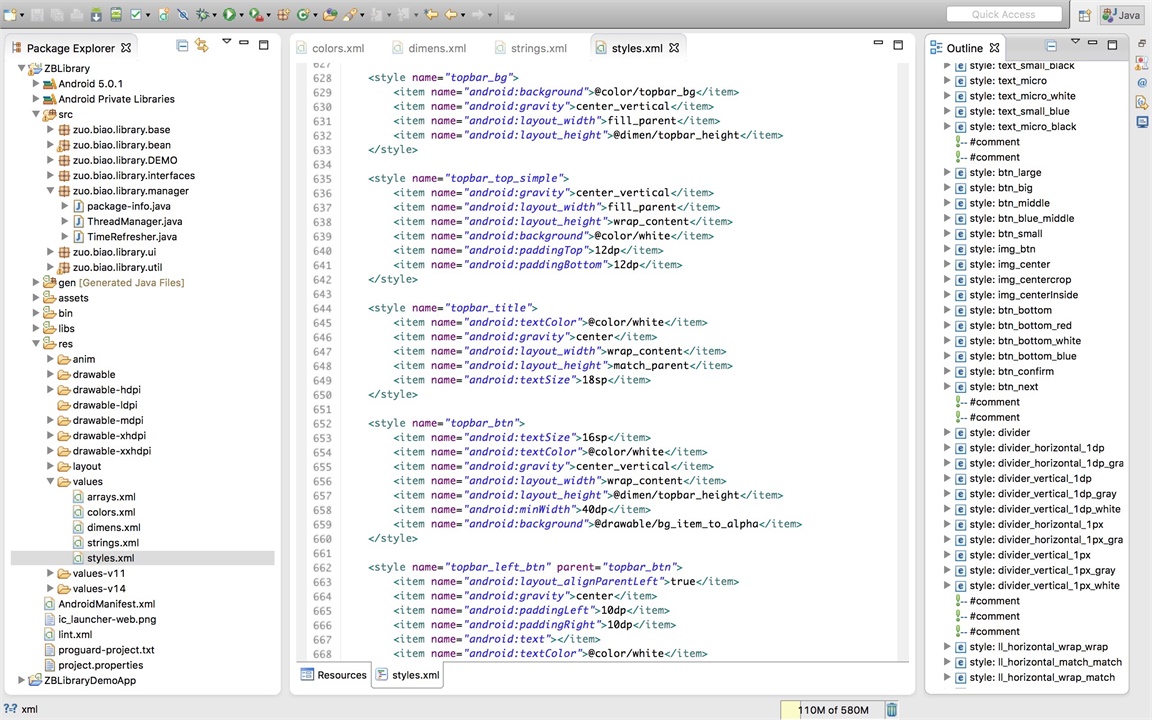
善用 ZBLibrary 提供的 styles,一行就能搞定 View 屬性,一鍵即可統一配置 UI,面對界面調整需求也能快速響應。
再也不怕設計師一次丟來一堆要改寬高、邊距、大小、顏色的界面了!
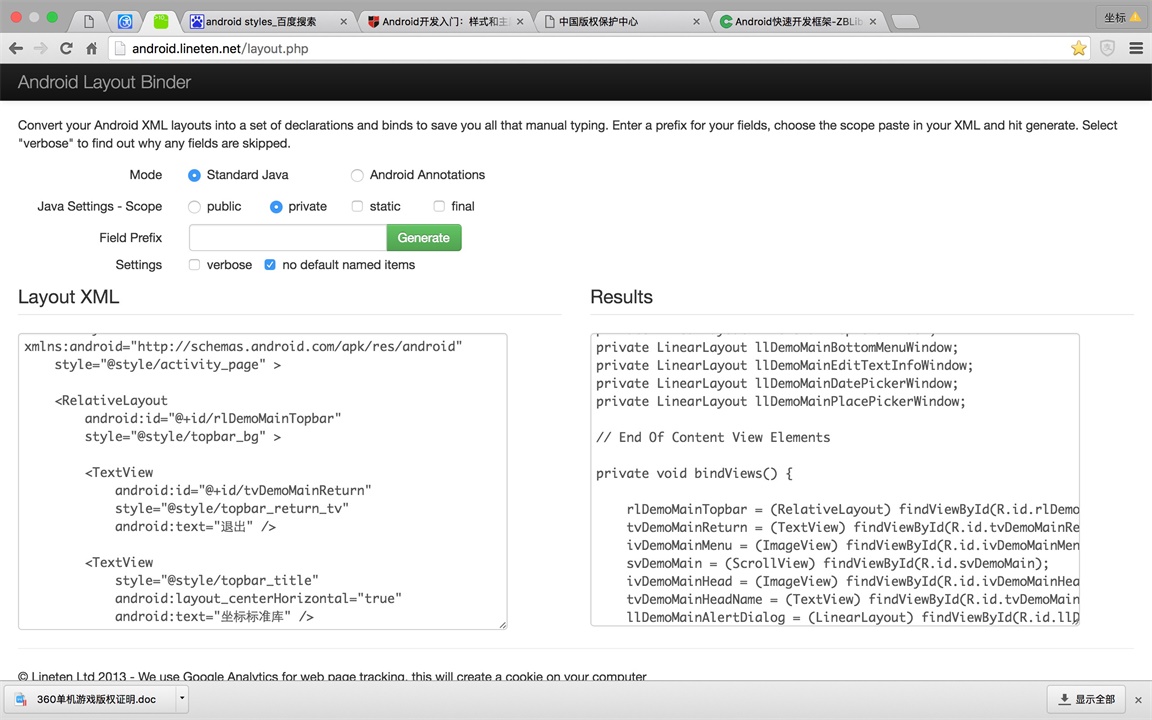
順帶推薦一個實用網站:貼上 XML 之後能一鍵產生綁定 View 的 Java 程式碼,搭配 ZBLibrary 使用更是如虎添翼。
https://android.lineten.net/layout.php
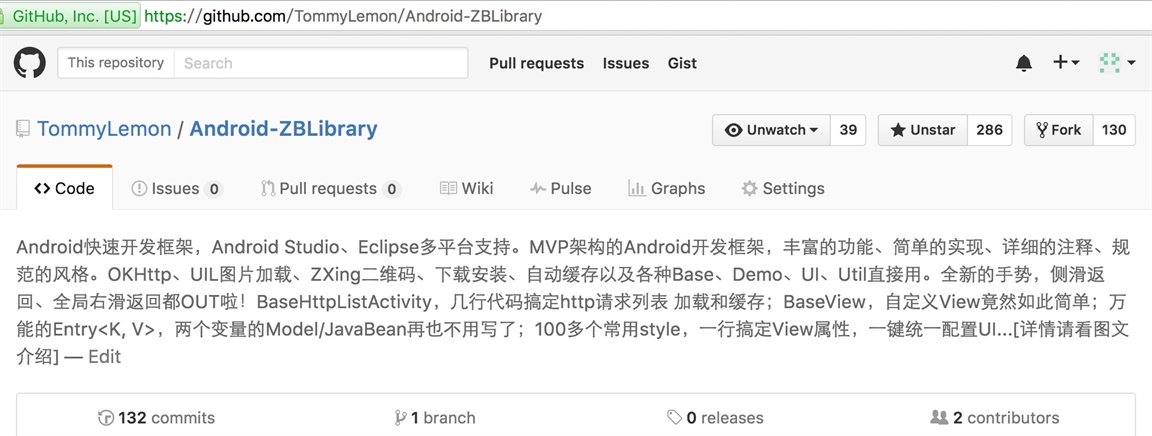
下載地址(歡迎 Star,也歡迎 Fork)
https://github.com/TommyLemon/Android-ZBLibrary
下載試用
ZBLibraryDemoApp.apk
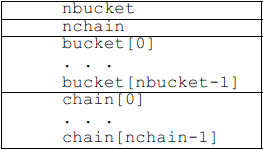 ELF Format 筆記(十五):符號哈希表與查詢流程
符號哈希表存在的理由 作者:ilocker(關注 Android 安全)。 符號哈希表(symbol hash table)並不是 ELF 規範的一部分,而是為了加速符號
 單機搭建 Android 開發環境(四):從 JDK 到首次編譯成功
 前三篇屬於磨刀,這一篇終於要動真格的:安裝 JDK、repo、git 以及各類編譯依賴,然後拉代碼、
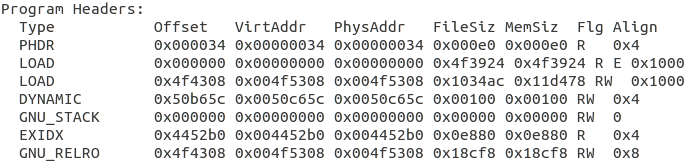 ELF 格式筆記:程式頭與載入段解析
 在 Android 與 Linux 環境中,so 與可執行檔通常采用 ELF 格式。程式頭表是 ELF 中描述段的重要結構,用來告訴
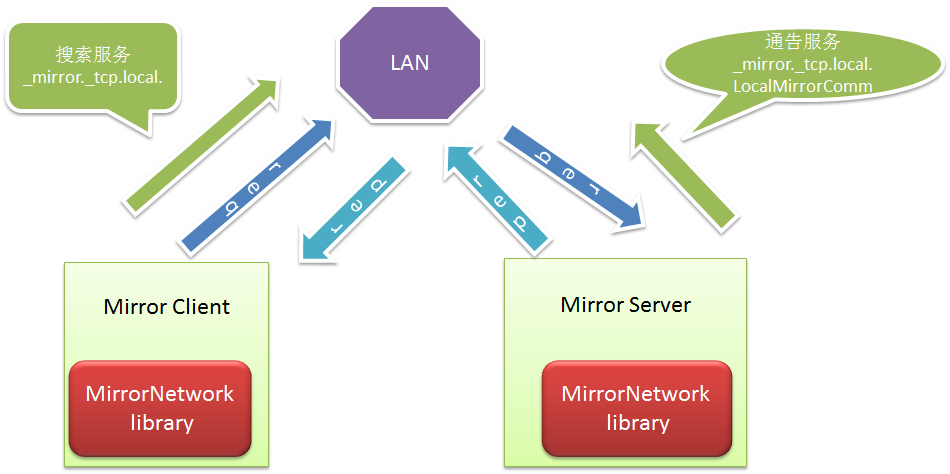 MirrorNetwork:結合 jmdns 與 Netty 的 Android 區域網路通訊開源庫
MirrorNetwork:為 Android 裝置打造的低門檻區域網路通訊方案 放眼目前的 Android 開源生態,多數網路通訊庫如 Volley、android-a