

編輯:關於 Android 開發
回呼函式本質上就是一個函式,同樣由「宣告」、「實作」、「呼叫」三部分組成。關鍵差別在於:宣告與呼叫在同一個類別,實作卻寫在另一個類別裡。
也就是說,B 類實作了 amount 這個函式,卻沒有呼叫權限;真正觸發呼叫的是 A 類。這種「實作在 B、呼叫由 A 發動」的機制,就稱為回呼。一般函式則是宣告與實作都在同一個類別內完成。
用一句白話總結:函式的實作雖然不在「老家」(A 類),但最終的呼叫仍由老家人完成——這就是回呼函式。
以 A、B 兩個類別為例:
UITableView 提供大量回呼(iOS 慣稱 delegate 委派方法)。一句話:回呼函式就是「由宣告它的類別來呼叫」的函式;普通函式則任何類別都能呼叫。「回呼」的主語,是那個宣告回呼函式的類別。Block、Delegate、Notification、回呼函式名稱雖異,背後都是同一套回呼思想。
Block 在建立時,會對它引用到的、所在方法中定義的區域變數做一次唯讀拷貝,Block 內部使用的是這份拷貝。
- (void)testAccessVariable {
    NSInteger outsideVariable = 10;
    NSMutableArray *outsideArray = [[NSMutableArray alloc] init];

    void (^blockObject)(void) = ^(void){
        NSInteger insideVariable = 20;
        KSLog(@" > member variable = %d", self.memberVariable);
        KSLog(@" > outside variable = %d", outsideVariable);
        KSLog(@" > inside variable = %d", insideVariable);
        [outsideArray addObject:@"AddedInsideBlock"];
    };

    outsideVariable = 30;
    self.memberVariable = 30;
    blockObject();

    KSLog(@" > %d items in outsideArray", [outsideArray count]);
}
輸出結果:
member variable = 30
outside variable = 10
inside variable = 20
1 items in outsideArray
注意 outsideVariable 印出來仍是 10,即使它在 Block 建立之後被改成 30。原因就在編譯期:編譯器把值複製進 Block 成為一個獨立的新變數,兩者自此毫無關聯,等同函式的「傳值」。
若希望 Block 能讀寫外部變數,必須加上 __block 修飾:
__block NSInteger outsideVariable = 10;三個容易混淆的細節:
outsideArray 加入元素是被允許的,因為我們並未改動 outsideArray 本身,複製的就是這個物件參考。static 變數與全域變數在 Block 中具有讀寫權限,因為 Block 內部複製的是指向這些變數的指標。__block 變數的實作複雜得多:它其實是一個結構體物件,複製的是指向該結構體的指標。非 inline 的 Block 無法直接取用 self,必須把 self 當成參數傳進來,而且此時只能透過 setter/getter 存取屬性,不能寫成點語法。inline Block 則不受此限制。
typedef NSString* (^IntToStringConverter)(id self, NSInteger paramInteger);

- (NSString *) convertIntToString:(NSInteger)paramInteger
                 usingBlockObject:(IntToStringConverter)paramBlockObject {
    return paramBlockObject(self, paramInteger);
}

typedef NSString* (^IntToStringInlineConverter)(NSInteger paramInteger);

- (NSString *) convertIntToStringInline:(NSInteger)paramInteger
                       usingBlockObject:(IntToStringInlineConverter)paramBlockObject {
    return paramBlockObject(paramInteger);
}

IntToStringConverter independentBlockObject = ^(id self, NSInteger paramInteger) {
    KSLog(@" >> self %@, memberVariable %d", self, [self memberVariable]);
    NSString *result = [NSString stringWithFormat:@"%d", paramInteger];
    KSLog(@" >> independentBlockObject %@", result);
    return result;
};

- (void)testAccessSelf {
    // 獨立(非內聯)寫法
    // [self convertIntToString:20 usingBlockObject:independentBlockObject];

    // 內聯寫法
    IntToStringInlineConverter inlineBlockObject = ^(NSInteger paramInteger) {
        KSLog(@" >> self %@, memberVariable %d", self, self.memberVariable);
        NSString *result = [NSString stringWithFormat:@"%d", paramInteger];
        KSLog(@" >> inlineBlockObject %@", result);
        return result;
    };
    [self convertIntToStringInline:20 usingBlockObject:inlineBlockObject];
}inline Block 雖然可以直接抓 self,但這正是循環引用的溫床:
@interface KSViewController () {
    id _observer;
}
@end

@implementation KSViewController

- (void)viewDidLoad {
    [super viewDidLoad];

    KSTester *tester = [[KSTester alloc] init];
    [tester run];

    _observer = [[NSNotificationCenter defaultCenter]
        addObserverForName:@"TestNotificationKey"
                    object:nil
                     queue:nil
                usingBlock:^(NSNotification *n) {
                    NSLog(@"%@", self);
                }];
}

- (void)dealloc {
    if (_observer) {
        [[NSNotificationCenter defaultCenter] removeObserver:_observer];
    }
}

@end
看起來很正常的寫法,其實藏了兩個問題:
self,於是 self 被 Block retain;而 _observer 又 retain 了這份 Block 拷貝,通知中心再持有 _observer。只要 _observer 遲遲不解除註冊,Block 就一直被通知中心持有,self 也就永遠不會釋放,dealloc 自然不會被呼叫——但我們卻偏偏想在 dealloc 裡 removeObserver。_observer 由 self 賦值,也就被 self retain,迴圈於此閉合。蘋果官方對 addObserverForName:object:queue:usingBlock: 的說明寫得很明確:
The block is copied by the notification center and (the copy) held until the observer registration is removed.
也就是說通知中心會拷貝並持有 Block,直到 observer 解除註冊。在 ARC 下,不論是直接引用 self,還是透過 self 的成員間接引用,被拷貝的 Block 都會 retain self。
解法就是 WWDC 中介紹的 weak–strong dance(2011 WWDC Session #322, Objective-C Advancements in Depth):
__weak KSViewController *wself = self;

_observer = [[NSNotificationCenter defaultCenter]
    addObserverForName:@"TestNotificationKey"
                object:nil
                 queue:nil
            usingBlock:^(NSNotification *n) {
                KSViewController *sself = wself;
                if (sself) {
                    NSLog(@"%@", sself);
                } else {
                    NSLog(@"<self> 在這段程式執行前就已經被解掉了。");
                }
            }];
原理拆解:
self 的弱參考 wself。弱參考不構成擁有關係,因此 self 釋放時 wself 會自動變成 nil。sself 接住這個弱參考。考量多執行緒情境,這樣可確保後續使用期間 self 不會中途被釋放。sself 前務必做 nil 檢查,因為從弱參考賦值到強參考的瞬間,wself 可能已經是 nil。如此一來 Block 不再持有 self,循環引用就被打破了。
蘋果文件提到:「run loops retain their timers, so you can release a timer after you have added it to a run loop.」而在 scheduledTimerWithTimeInterval:target:selector:userInfo:repeats: 的 target 說明中又寫道:
The target object is retained by the timer and released when the timer is invalidated.
兩段文字合起來結論很清楚:只要重複型的 timer 還沒 invalidate,target 就會一直被持有。所以當你直接把 self 當成 target,就別指望在 dealloc 裡 invalidate——因為 timer 沒 invalidate,dealloc 根本不會被呼叫。務必另找時機與位置來 invalidate,但絕對不是 dealloc。
Block 也是一個 Objective-C 物件。多數情況下 Block 配置在 stack 上;只有當 Block 被定義為全域變數,或 Block 內完全沒有引用任何 automatic 變數時,才會落在全域資料段。
ARC 下編譯器會自動處理大部分 Block 的記憶體管理,但把 Block 當成方法參數傳入時,編譯器不會自動介入,需要手動 copy。所幸 Cocoa 絕大多數名稱含 usingBlock 的 API 以及 GCD 介面內部都已經做過 copy,其餘情況才需要自己處理。
- (id) getBlockArray {
    int val = 10;
    return [[NSArray alloc] initWithObjects:
            ^{ KSLog(@" > block 0:%d", val); },   // 位在 stack 上
            ^{ KSLog(@" > block 1:%d", val); },   // 位在 stack 上
            nil];

    // 正確寫法:先 copy 到 heap 再放進陣列
    // return [[NSArray alloc] initWithObjects:
    //         [^{ KSLog(@" > block 0:%d", val); } copy],
    //         [^{ KSLog(@" > block 1:%d", val); } copy],
    //         nil];
}

- (void)testManageBlockMemory {
    id obj = [self getBlockArray];
    typedef void (^BlockType)(void);
    BlockType blockObject = (BlockType)[obj objectAtIndex:0];
    blockObject();
}
直接執行上面這段程式會 crash。因為 getBlockArray 回傳的 Block 配置在 stack 上,一旦離開 Block 所處的作用域就失效了。正確做法(被註解掉的那段)是在加入 NSArray 前先 copy 到 heap。
在 ARC 下,對 Block 變數做 copy 永遠是安全的:
另外,若 stack 上的 Block 引用了 __block 變數,拷貝到 heap 時,該 __block 變數也會一起被拷貝過去(若 heap 上還沒有對應副本),否則就是把 heap 上那份副本的引用計數加一。
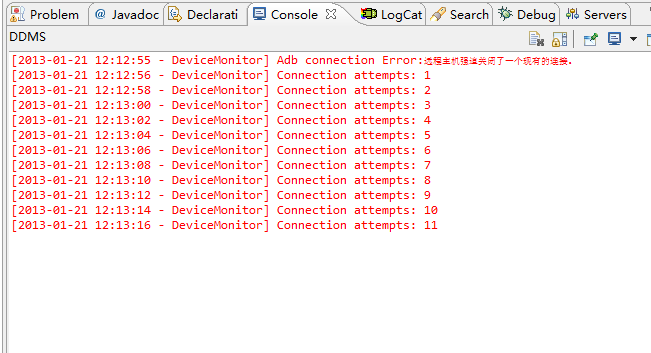 解決 Android 每次執行專案都啟動新模擬器的問題
在開發 Android 時,有時候會遇到每次執行專案,系統就會重新啟動一個新的模擬器,而不是使用目前已開啟的裝置。這
 用 TextView 顯示 HTML 樣式文字:Html.fromHtml 方法實戰
有時候我們需要在一個 TextView 中讓不同部分的文字呈現不同的顏色和字號,例如「白雪公主向您發來了 2 條消息」這樣的提示,其中姓名和數字長度不固定,還要求各自有不
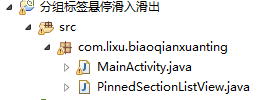 通訊錄分組標籤懸停效果:PinnedSectionListView 實作教學
效果與開源源碼 常見的聯絡人與通訊錄會依姓氏分成 A、B、C……到 Z 分組排列,方便使用者快速定位。要做出「分組標題懸停在頂部、隨著捲動彈入彈出」的效果,可以用第三方開
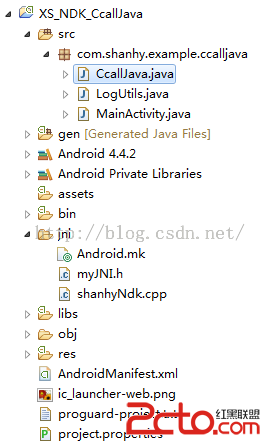 Android NDK 中介紹 C 與 Java 互相呼叫
 在 Android NDK 開發中,除了 Java 呼叫 C,也可以在 C 中反向呼叫 Java 方法。本文以