

編輯:關於 Android 開發
Android 的應用範圍相當廣泛,即便是在工業領域也經常能見到它的身影。工程師可以用它來即時監測、顯示各類數據,甚至進一步做到自動化控制。當然,本文並不談論自動化控制的話題,而是聚焦在一個更基礎的練習上——製作一個液位指示控件。說白了,它就是繼承自 ProgressBar,再重新改寫測量與繪製的邏輯,順道也當作一次自定義控件的複習。
最終我們想呈現的效果,是一個帶有容器外殼與液體填充的視覺化組件。
在這個指示器裡,我們希望能開放以下屬性供外部設定:
容器壁的厚度、容器壁的顏色、容器中液體的寬度、液體的總高度、已達高度部分的顏色、未達高度部分的顏色、當前高度的文字標示,以及指示文字的大小。
把這些屬性都做成可配置的,能讓控件在實際應用中呈現得更直觀、更人性化。下面就正式開始動手實作。
第一步,先在 res/values/attrs.xml 中宣告自定義屬性:
<?xml version="1.0" encoding="utf-8"?>
<resources>
    <declare-styleable name="JianWWIndicateProgress">
        <attr name="progress_height" format="dimension" />
        <attr name="progress_width" format="dimension" />
        <attr name="progress_unreachedcolor" format="color" />
        <attr name="progress_reached_color" format="color" />
        <attr name="progress_reached_height" format="integer" />
        <attr name="progress_cheek_width" format="dimension" />
        <attr name="progress_cheek_color" format="color" />
        <attr name="progress_reached_textsize" format="dimension" />
        <attr name="progress_reached_textcolor" format="color" />
    </declare-styleable>
</resources>
第二步,讓我們的類繼承 ProgressBar。之所以選它,主要是想直接沿用 getProgress()、setProgress() 這些現成方法,方便後續處理進度數據。
package com.jianww.firstview;

import com.example.jwwcallback.R;
import android.content.Context;
import android.content.res.TypedArray;
import android.graphics.Canvas;
import android.graphics.Paint;
import android.graphics.Paint.Style;
import android.util.AttributeSet;
import android.util.TypedValue;
import android.widget.ProgressBar;

/**
 * 作者:jww 郵箱:bluejww@163.com 時間:2016年3月8日
 */
public class JianWWIndicateProgress extends ProgressBar {
    private static final int unreached_color = 0Xaa0000ff;// 未到達的顏色
    private static final int reached_color = 0Xaaff0000;// 到達顏色
    private static final int progress_height = 150;// 容器中液位的默認高度
    private static final int progress_width = 100;// 容器中液位的寬度
    private static final int reached_height = 60;// 默認到達到達的高度
    private static final int progress_cheek_width = 2;// 容器的邊框寬度
    private static final int progress_cheek_color = 0x660000ff;// 容器的邊框顏色
    private static final int progress_reached_textsize = 10;// 指示字體尺寸
    private static final int progress_reached_textcolor = 0Xff00ff00;// 指示字體顏色

    protected int unReachedColor;
    protected int reachedColor;
    protected int progressHeight;
    protected int progressWidth;
    protected int reachedHeight;
    protected int cheekWidth;
    protected int cheekColor;
    protected int reachedTextsize;
    protected int reachedTextcolor;
    protected float widthZoom;
    protected float heightZoom;

    protected int dp2px(int dpVal) {
        return (int) TypedValue.applyDimension(TypedValue.COMPLEX_UNIT_DIP, dpVal, getResources().getDisplayMetrics());
    }

    protected int sp2px(int spVal) {
        return (int) TypedValue.applyDimension(TypedValue.COMPLEX_UNIT_SP, spVal, getResources().getDisplayMetrics());
    }

    private Paint paintCheek = new Paint();
    private Paint paint = new Paint();
    private float radio;
    private float progressNowHeight;

    public JianWWIndicateProgress(Context context) {
        this(context, null);
    }

    public JianWWIndicateProgress(Context context, AttributeSet asets) {
        this(context, asets, 0);
    }

    public JianWWIndicateProgress(Context context, AttributeSet asets, int defStyle) {
        super(context, asets, defStyle);
        obtainStyledAttributes(asets);
    }

    private void obtainStyledAttributes(AttributeSet asets) {
        final TypedArray typeArray = getContext().obtainStyledAttributes(asets, R.styleable.JianWWIndicateProgress);
        unReachedColor = typeArray.getColor(R.styleable.JianWWIndicateProgress_progress_unreachedcolor, unreached_color);
        reachedColor = typeArray.getColor(R.styleable.JianWWIndicateProgress_progress_reached_color, reached_color);
        progressHeight = (int) typeArray.getDimension(R.styleable.JianWWIndicateProgress_progress_height, progress_height);
        progressWidth = dp2px((int) typeArray.getDimension(R.styleable.JianWWIndicateProgress_progress_width, progress_width));
        reachedHeight = (int) typeArray.getDimension(R.styleable.JianWWIndicateProgress_progress_reached_height, reached_height);
        cheekWidth = (int) typeArray.getDimension(R.styleable.JianWWIndicateProgress_progress_cheek_width, progress_cheek_width);
        cheekColor = typeArray.getColor(R.styleable.JianWWIndicateProgress_progress_cheek_color, progress_cheek_color);
        reachedTextsize = (int) typeArray.getDimension(R.styleable.JianWWIndicateProgress_progress_reached_textsize, progress_reached_textsize);
        reachedTextcolor = typeArray.getColor(R.styleable.JianWWIndicateProgress_progress_reached_textcolor, progress_reached_textcolor);
        typeArray.recycle();
    }

    @Override
    protected synchronized void onMeasure(int widthMeasureSpec, int heightMeasureSpec) {
        super.onMeasure(widthMeasureSpec, heightMeasureSpec);
        int totalWidth = measurdWidth(widthMeasureSpec);
        int totalHeight = measurdHeight(heightMeasureSpec);
        setMeasuredDimension(totalWidth, totalHeight);
    }

    private int measurdWidth(int widthMeasureSpec) {
        int result = 0;
        int widthSpaceSize = MeasureSpec.getSize(widthMeasureSpec);
        int widthSpaceMode = MeasureSpec.getMode(widthMeasureSpec);
        if (widthSpaceMode == MeasureSpec.EXACTLY) {
            result = widthSpaceSize;
            widthZoom = widthSpaceSize / (progressWidth + 2 * cheekWidth);
            progressWidth = (int) (progressWidth * widthZoom);
        } else if (widthSpaceMode == MeasureSpec.UNSPECIFIED) {
            result = Math.max(widthSpaceSize, getPaddingLeft() + getPaddingRight() + progressWidth + 2 * cheekWidth);
        } else if (widthSpaceMode == MeasureSpec.AT_MOST) {
            result = Math.min(widthSpaceSize, getPaddingLeft() + getPaddingRight() + progressWidth + 2 * cheekWidth);
        }
        return result;
    }

    private int measurdHeight(int heightMeasureSpec) {
        int result = 0;
        int heightSpaceSize = MeasureSpec.getSize(heightMeasureSpec);
        int heightSpaceMode = MeasureSpec.getMode(heightMeasureSpec);
        if (heightSpaceMode == MeasureSpec.EXACTLY) {
            result = heightSpaceSize;
            heightZoom = heightSpaceSize / (progressHeight + 2 * cheekWidth);
            progressHeight = (int) (progressHeight * heightZoom);
        } else if (heightSpaceMode == MeasureSpec.UNSPECIFIED) {
            result = Math.max(heightSpaceSize, getPaddingTop() + getPaddingBottom() + progressHeight + 2 * cheekWidth);
        } else if (heightSpaceMode == MeasureSpec.AT_MOST) {
            result = Math.min(heightSpaceSize, getPaddingTop() + getPaddingBottom() + progressHeight + 2 * cheekWidth);
        }
        return result;
    }

    @Override
    protected synchronized void onDraw(Canvas canvas) {
        super.onDraw(canvas);
        radio = getProgress() * 1.0f / getMax();
        progressNowHeight = (int) (progressHeight * radio);
        canvas.save();
        canvas.translate(getPaddingLeft(), getPaddingRight());
        // 繪製容器外殼
        paintCheek.setColor(cheekColor);
        paintCheek.setAntiAlias(true);
        paintCheek.setStyle(Style.STROKE);
        paintCheek.setStrokeWidth(cheekWidth);
        canvas.drawRect(cheekWidth / 2, cheekWidth / 2, progressWidth + cheekWidth * 3 / 2, progressHeight + cheekWidth * 3 / 2, paintCheek);
        // 繪製總液位
        paint.setColor(unReachedColor);
        paint.setStyle(Style.FILL);
        canvas.drawRect(cheekWidth, cheekWidth, progressWidth + cheekWidth, progressHeight + cheekWidth, paint);
        // 繪製當前液位
        paint.setStyle(Style.FILL);
        paint.setColor(reachedColor);
        canvas.drawRect(cheekWidth, cheekWidth + progressHeight - progressNowHeight, progressWidth + cheekWidth, progressHeight + cheekWidth, paint);
        // 繪製液位指示文字
        String text = getProgress() + "%";
        paint.setTextSize(reachedTextsize);
        paint.setColor(reachedTextcolor);
        float textHeight = sp2px(reachedTextsize) / 2;
        if (progressNowHeight >= progressHeight / 2) {
            canvas.drawText(text, cheekWidth + progressWidth / 2, cheekWidth + progressHeight - progressNowHeight + textHeight, paint);
        } else {
            canvas.drawText(text, cheekWidth + progressWidth / 2, cheekWidth + progressHeight - progressNowHeight, paint);
        }
        canvas.restore();
    }
}
第三步,在佈局檔中引用這個自定義控件:
<RelativeLayout xmlns:android="https://schemas.android.com/apk/res/android"
    xmlns:tools="https://schemas.android.com/tools"
    xmlns:app="https://schemas.android.com/apk/res/com.example.jwwcallback"
    android:layout_width="match_parent"
    android:layout_height="match_parent"
    android:gravity="center" >

    <com.jianww.firstview.JianWWIndicateProgress
        android:id="@+id/jp_progress"
        android:layout_width="wrap_content"
        android:layout_height="wrap_content"
        android:layout_centerInParent="true"
        android:max="100"
        app:progress_cheek_color="#660000ff"
        app:progress_cheek_width="4dp"
        app:progress_height="160dp"
        app:progress_reached_color="#ff0000"
        app:progress_reached_textcolor="#000000"
        app:progress_reached_textsize="12sp"
        app:progress_unreachedcolor="#4400ff00"
        app:progress_width="40dp" />
</RelativeLayout>
第四步,在 Activity 中完成初始化與使用。這裡用 Handler 每 100 毫秒遞增一次進度,滿 100 後歸零,形成一個循環流動的效果:
package com.example.jwwmain;

import com.example.jwwcallback.R;
import com.jianww.firstview.JianWWIndicateProgress;
import android.app.Activity;
import android.os.Bundle;
import android.os.Handler;

public class MainActivity extends Activity {
    private JianWWIndicateProgress jprogress;
    private int nowProgress;

    private Handler mHandler = new Handler() {
        public void handleMessage(android.os.Message msg) {
            int progress = jprogress.getProgress();
            jprogress.setProgress(++progress);
            if (progress >= 100) {
                jprogress.setProgress(0);
            }
            mHandler.sendEmptyMessageDelayed(100, 100);
        }
    };

    @Override
    protected void onCreate(Bundle savedInstanceState) {
        super.onCreate(savedInstanceState);
        setContentView(R.layout.activity_main);
        initView();
    }

    private void initView() {
        jprogress = (JianWWIndicateProgress) findViewById(R.id.jp_progress);
        mHandler.sendEmptyMessage(100);
    }
}
寫得比較隨意,功能基本能跑通,只是個別細節還有打磨空間,有興趣的朋友歡迎一起交流探討。原始碼已放上 360 雲盤,提取碼為 9294。
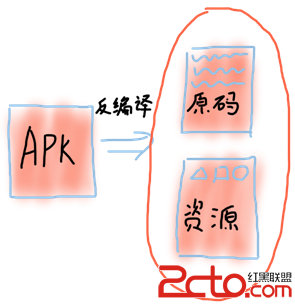 安卓應用反編譯(二):APK 包反編譯完整實戰解析
第二章 APK 包反編譯 經過編譯器處理後的程式碼與資源已經被打包成 APK,有些甚至被轉換成了二進位檔案。但我們仍有一些方法,能把這些編譯過的內容還原回原本的樣子,這個
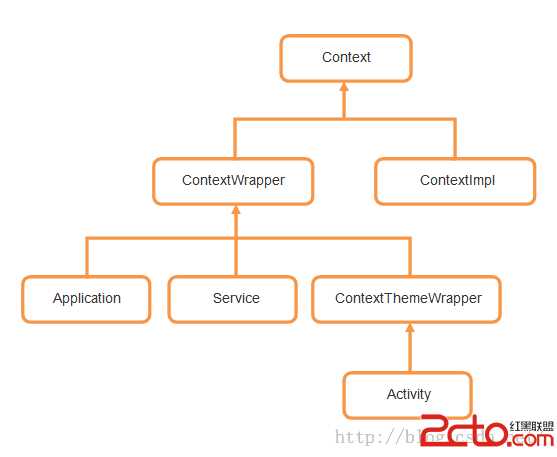 Android Context 完全解析:類型、數量與常見誤用
Context 是 Android 開發中極為常見的元件,幾乎所有涉及資源存取、頁面跳轉、服務啟動與系統服務
 Android 教學:將 int 型別資料從 Java 傳遞給 C
 本篇沿用〈Android JNI 簡便開發流程〉的作法,動手實作一個把 int 型別資料從 Java
 React Native Android 入門實戰(一):跑通第一個 Hello World
從今天開始系統地讀一遍 React Native for Android 的源碼。這個系列會從「怎麼用」出發,逐步深入到「為什麼這樣實現」。由於我對 iOS 不熟悉,內容