

編輯:關於 Android 開發
首先準備好你的專案。Android Studio 下的配置相對簡單,只需修改兩個 build.gradle。
配置 build.gradle:
(1) 先配置 project 目錄下的 build.gradle,在 buildscript > dependencies 下添加:
classpath 'com.neenbedankt.gradle.plugins : android-apt : 1.4'
(2) 然後配置 app 目錄下的 build.gradle:
1) 在 apply plugin:'com.android.application' 下增加一行:
apply plugin: 'com.android.application' apply plugin: 'com.neenbedankt.android-apt'
2) 定義版本常量(當前最新為 3.3.2):
def AAVersion = '3.3.2'
3) 添加依賴:
dependencies { apt "org.androidannotations : androidannotations : $AAVersion" compile "org.androidannotations : androidannotations-api : $AAVersion" }
4) 添加 apt:
apt { arguments { androidManifestFile variant.outputs[0].processResources.manifestFile } }
然後 build 一下專案即可。
下載所需 jar 包(當前最新為 3.3.2),解壓後拿到 androidannotations-api-*.jar 和 androidannotations-*.jar。把 androidannotations-api-*.jar 放到工程的 libs 目錄下,在工程目錄下新建 compile-libs 目錄並放入 androidannotations-*.jar。
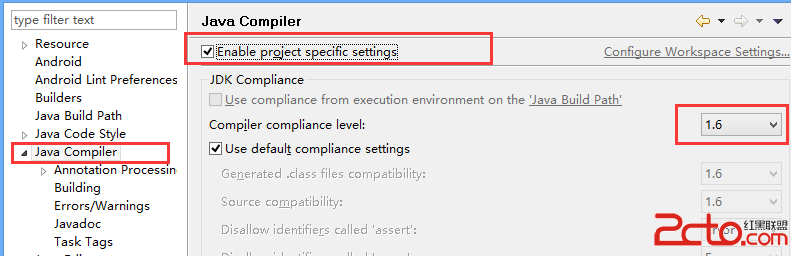
步驟一: Properties > Java Compiler > 在 Enable project specific settings 處打勾,並設置 Compiler compliance level 為 1.6。
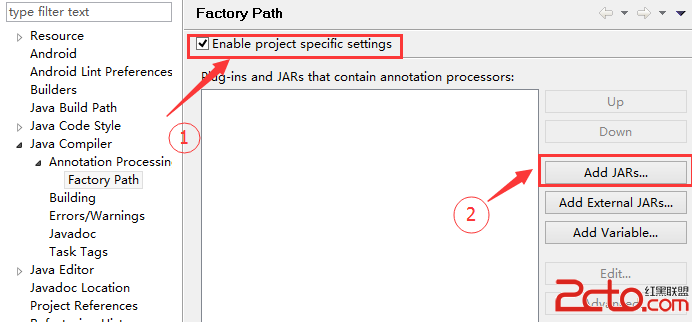
步驟二: Properties > Java Compiler > Annotation Processing > 在 Enable project specific settings 處打勾。
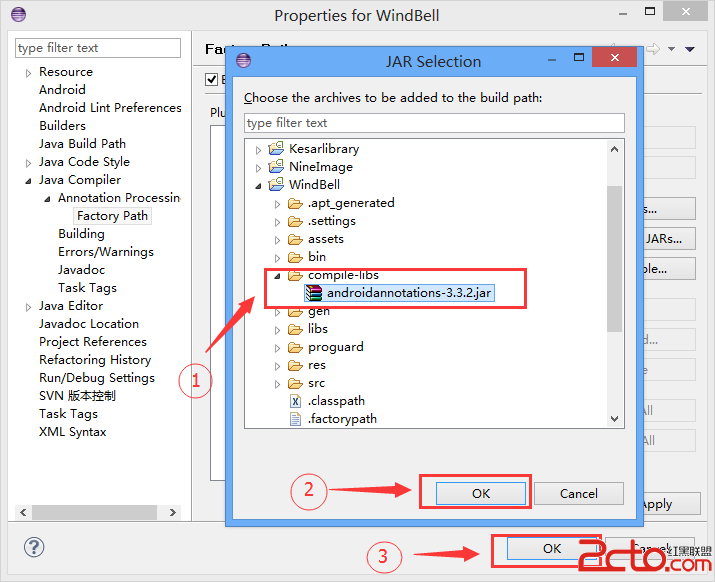
步驟三: Properties > Java Compiler > Annotation Processing > Factory Path > 在 Enable project specific settings 處打勾,然後 Add JARs,瀏覽工程目錄,選擇 compile-libs 目錄下的 androidannotations-*.jar,最後確定即可。
完成以上配置後,就可以開始使用這個框架了。
 Android 性能優化入門:渲染、UI、線程、內存、電量與代碼規範
Android 性能優化入門全景 性能優化是個很容易談得太大太空的話題。與其背結論,不如從用戶能感知到的具體現象出發:畫面掉幀、列表滑動卡頓、手機發燙、待機掉電快。本文按
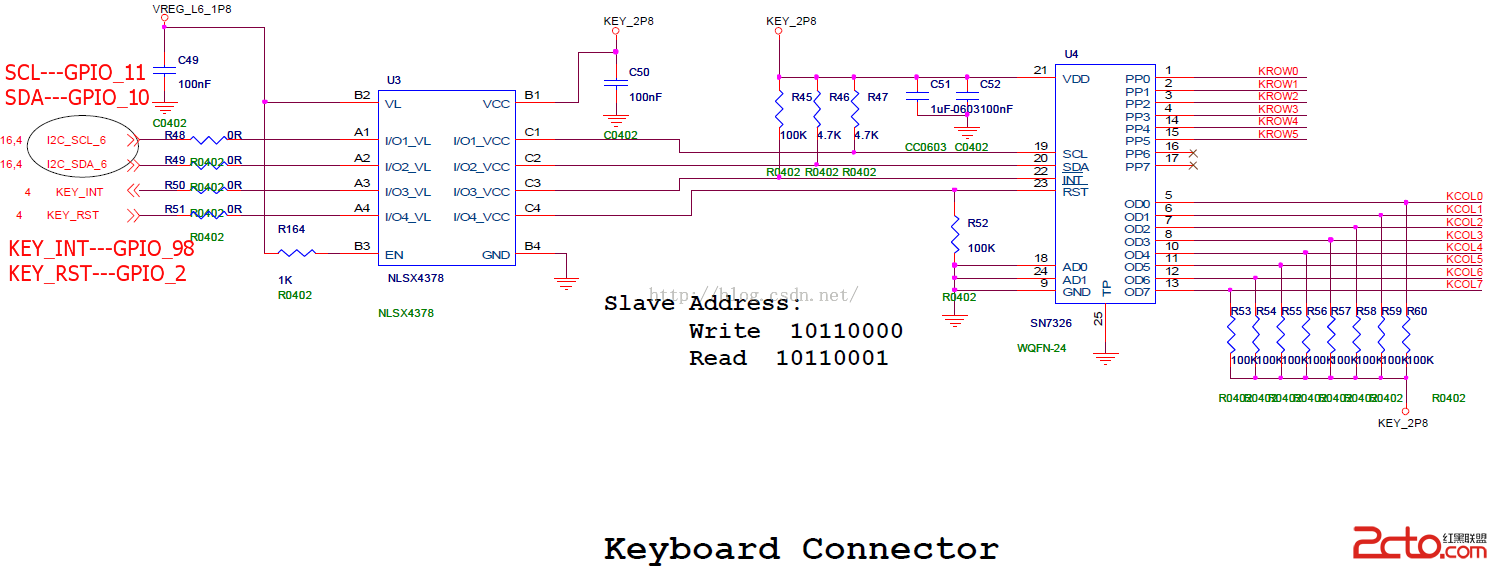 MSM8909 + Android 5.1.1 鍵盤驅動:SN7326 掃描芯片解析
 帶 QWERTY 物理鍵盤的設備,鍵盤矩陣通常不會直接接到 CPU 的 GPIO 上
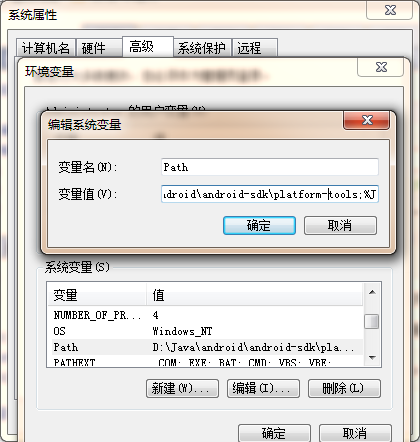 使用 adb pull / push 在手機與電腦間傳輸檔案與資料庫
 先來談談 adb 命令的環境設定。如果你遇到「adb 不是內部或外部命令」的提示,通常是因為尚未設定
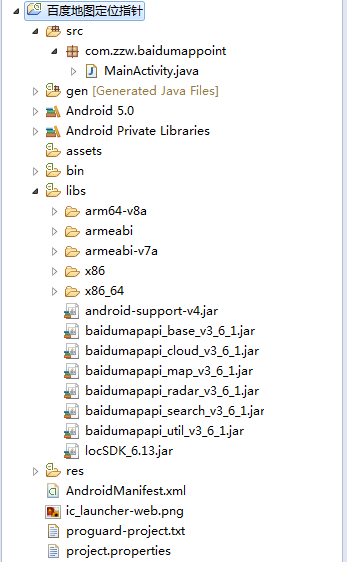 百度地圖 API 顯示當前位置
使用百度地圖顯示定位,需要下載 SDK、加入 jar 與 so 檔案,並在 AndroidManifest.xml 設定 API Key、定