

編輯:關於 Android 開發
Parcelable 這個名詞大家應該不陌生,它是 Android 中用來序列化物件、讓資料能在 Intent 或 Bundle 之間傳遞的介面。
問題在於,實作它得自己覆寫好幾個方法:describeContents、writeToParcel、承載 Parcel 的建構子,還有一個 CREATOR 靜態欄位。當類別屬性只有兩三個時還好,一旦屬性多達十幾個,就變成一件苦差事——既要小心不要打錯屬性名稱,又要確保每個屬性的型別對得上,光是讀寫成對這件事就夠耗時間,而且改欄位時還得兩邊同步維護。
可是 Parcelable 在效能上確實比 Serializable 優秀,不能因為麻煩就放棄。這個時候,插件就是答案。
Parcelable Code Generator 能幫我們把「實作 Parcelable 介面」這件事一鍵完成。
1、開啟設定
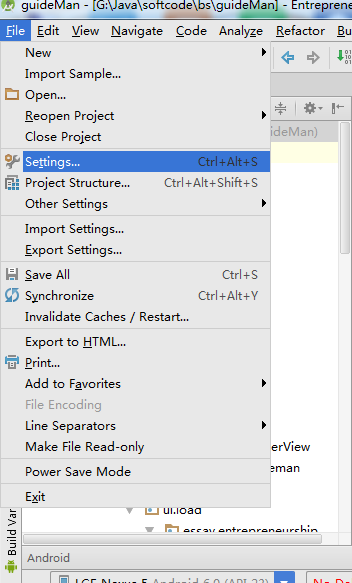
在 Android Studio 中打開專案,點擊左上角 File → Settings...
2、搜尋插件
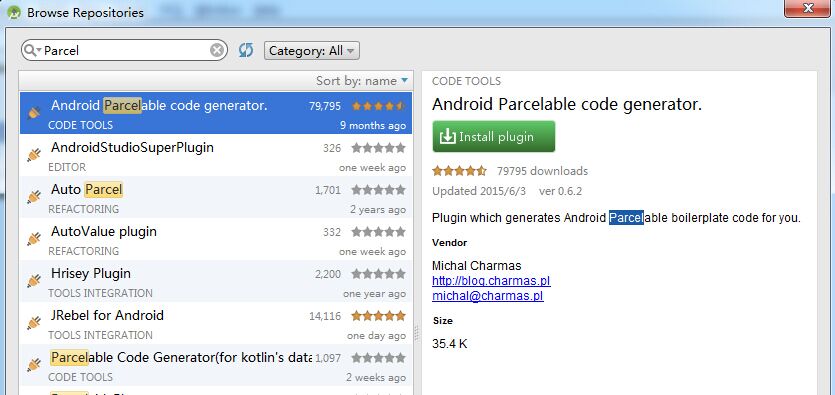
選擇 Plugins,在搜尋框輸入 Parcel。若你從未安裝過,下方會顯示「Nothing to show. Click Browse to...」的提示。
3、安裝
點擊藍色的 Browse,在彈出的視窗左側選中該插件,再按右側綠色的 Install plugin 按鈕。
4、完成後即可使用
(1)建立一個類別檔,類名依需求自訂,把需要的屬性都補上。
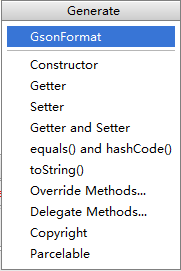
(2)在編輯器中按快捷鍵 Alt + Insert,會跳出選擇框,選取 Parcelable 即可。
接著就會看到自動產生的程式碼,速度遠比手寫快得多:
public class People implements Parcelable {

    private int id;
    private String url;
    private int width;
    private int height;
    private int likeCount;
    private String description;
    private int time;
    private int replyCount;
    private int floorCount;
    private int likeUserCount;
    private int age;
    private String name;
    private String school;
    private int type;
    private String sax;
    private int userid;

    @Override
    public int describeContents() {
        return 0;
    }

    @Override
    public void writeToParcel(Parcel dest, int flags) {
        dest.writeInt(this.id);
        dest.writeString(this.url);
        dest.writeInt(this.width);
        dest.writeInt(this.height);
        dest.writeInt(this.likeCount);
        dest.writeString(this.description);
        dest.writeInt(this.time);
        dest.writeInt(this.replyCount);
        dest.writeInt(this.floorCount);
        dest.writeInt(this.likeUserCount);
        dest.writeInt(this.age);
        dest.writeString(this.name);
        dest.writeString(this.school);
        dest.writeInt(this.type);
        dest.writeString(this.sax);
        dest.writeInt(this.userid);
    }

    public People() {}

    protected People(Parcel in) {
        this.id = in.readInt();
        this.url = in.readString();
        this.width = in.readInt();
        this.height = in.readInt();
        this.likeCount = in.readInt();
        this.description = in.readString();
        this.time = in.readInt();
        this.replyCount = in.readInt();
        this.floorCount = in.readInt();
        this.likeUserCount = in.readInt();
        this.age = in.readInt();
        this.name = in.readString();
        this.school = in.readString();
        this.type = in.readInt();
        this.sax = in.readString();
        this.userid = in.readInt();
    }

    public static final Parcelable.Creator<People> CREATOR = new Parcelable.Creator<People>() {
        public People createFromParcel(Parcel source) {
            return new People(source);
        }
        public People[] newArray(int size) {
            return new People[size];
        }
    };
}
這個插件最大的價值不只是省下打字時間,而是消滅了「讀寫順序不一致」這類難查的 bug。日後新增屬性時,只要再對類別按一次 Alt + Insert,插件會重新產生完整的 Parcel 邏輯,不必自己比對兩邊。
 Android 加固後檢查 so 是否保護成功
Android 專案對 so 檔案進行加固後,除了確認應用可正常執行,也可使用 IDA 等工具檢查函式是否已被保護。若原本關
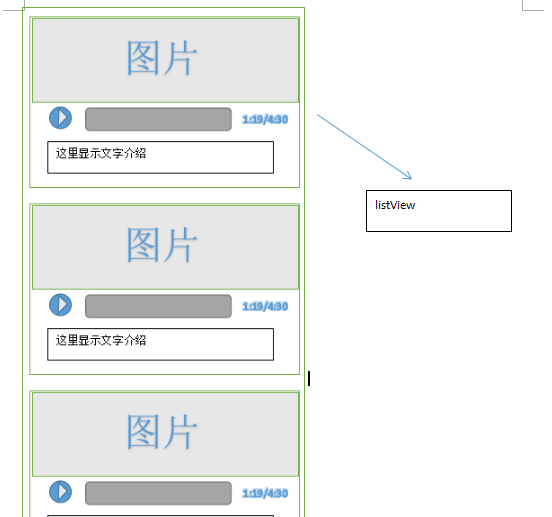 Android 自定義倒數計時 TextView:列表項中的剩餘時間顯示
 在音樂或音頻列表頁面中,常需要在播放時顯示剩餘時間,暫停時則停止倒數。若使用 ListView,
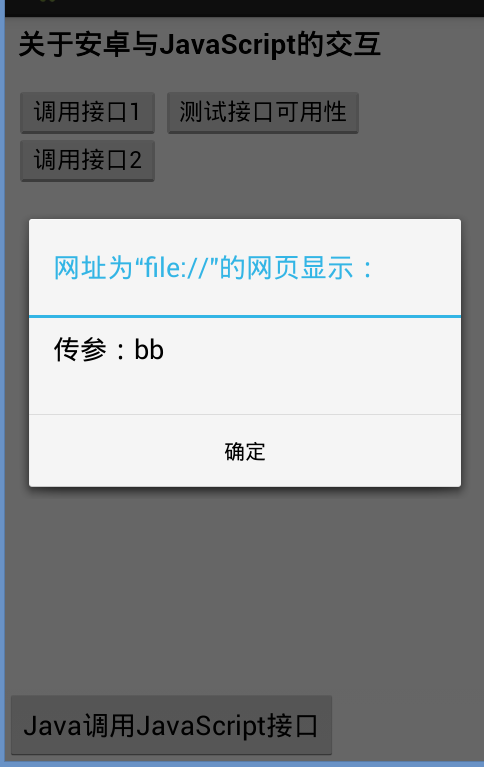 WebView 混合開發:Java 與 JavaScript 雙向調用實戰
 在實際項目中,考慮開發效率與界面迭代速度,經常會用 WebView 加 H5 頁面來承載部分業
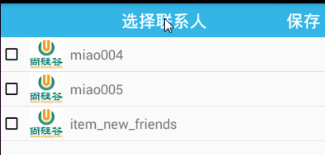 硅谷社交 14:選擇聯繫人頁面的實作(多選、回顯與結果回傳)
 「選擇聯繫人」頁面主要服務於兩個場景:拉人建群,以及從已有群成員中追加新成員。因此它必須支援多選、需要把已