

編輯:關於 Android 開發
Intent 是 Android 四大組件之間溝通的橋樑,而當它與 Uri 結合時,就能輕鬆完成開啟網頁、撥打電話、跳轉頁面乃至於跨頁面傳遞資料等常見任務。以下整理幾個最實用的寫法。
// 打開百度
Uri uri = Uri.parse("https://www.baidu.com");
Intent intent = new Intent(Intent.ACTION_VIEW, uri);
startActivity(intent);
Intent intent = new Intent(MainActivity.this, Main2Activity.class);
startActivity(intent);
// 撥打電話
Uri uri = Uri.parse("tel:10010");
Intent it = new Intent(Intent.ACTION_DIAL, uri);
startActivity(it);
// 權限設置如下
若要直接撥號(而非僅開啟撥號介面),需在 AndroidManifest.xml 中加上通話權限:
<?xml version="1.0" encoding="utf-8"?>
<manifest xmlns:android="https://schemas.android.com/apk/res/android"
 package="com.gis_luq.activitytest1" >
 <uses-permission android:name="android.permission.CALL_PHONE"/>
 <application
 android:allowBackup="true"
 android:icon="@mipmap/ic_launcher"
 android:label="@string/app_name"
 android:theme="@style/AppTheme" >
 <activity
 android:name=".MainActivity"
 android:label="@string/app_name" >
 <intent-filter>
 <action android:name="android.intent.action.MAIN" />
 <category android:name="android.intent.category.LAUNCHER" />
 </intent-filter>
 </activity>
 <activity
 android:name=".Main2Activity"
 android:label="@string/title_activity_main2" >
 </activity>
 </application>
</manifest>
Intent 可以透過 putExtra 或 Bundle 攜帶資料,目標頁面再用 getIntent 取出:
Intent intent = new Intent(MainActivity.this, Main2Activity.class);

intent.putExtra("yl1", "gisoracle");

// 用 Bundle 攜帶數據
Bundle bundle = new Bundle();
// 傳遞 name 參數為 tinyphp
bundle.putString("yl2", "我愛你桂霞");
intent.putExtras(bundle);
startActivity(intent);
在目標頁面 Main2Activity 中接收:
public class Main2Activity extends AppCompatActivity {

protected void onCreate(Bundle savedInstanceState) {
 super.onCreate(savedInstanceState);
 setContentView(R.layout.activity_main2);

 // 獲取 Intent 攜帶數據
 Intent intent = getIntent();
 String index = intent.getStringExtra("yl1");

 // 用 Bundle 攜帶數據
 Bundle bundle = getIntent().getExtras();
 String data = bundle.getString("yl2"); // 讀出數據

 Toast.makeText(this, index + "-" + data, Toast.LENGTH_SHORT).show();
}
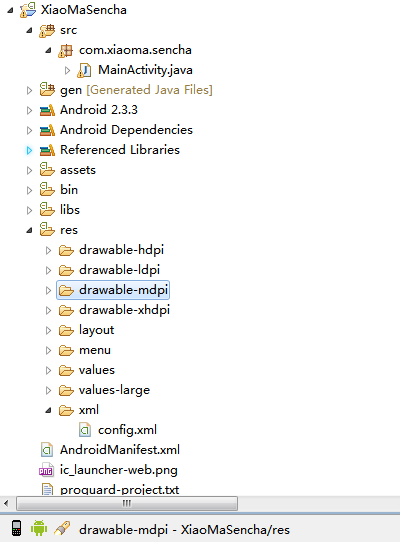 Android 開發實戰(二十七):用 Sencha 打造 APK 局部模組化更新
忙裡偷閒,想跟大家聊聊這段時間摸索出來、自己也頗為得意的成果——「Android APK 局部模組化更新」。做這主題前我上網翻了不少資料,可惜多半是輾轉複製、缺乏新意。剛
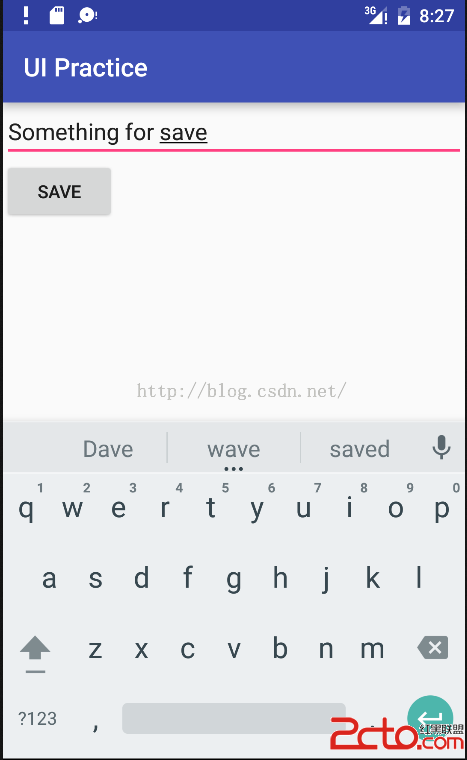 Android 面試準備:SharedPreferences 與文件存儲
 Android 常見的輕量資料保存方式包括文件存儲與 SharedPreferences。兩者都
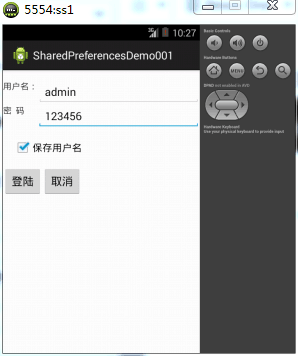 登入時記住使用者名稱:SharedPreferences 實作教學
看完課程影片後自己動手做的筆記。課程影片:https://www.imooc.com/video/3265 功能目標 這個小範例示範如何用 SharedPrefer
 Android 開發環境配置:Eclipse 關聯源碼與源碼/JAR 查看工具
想更深入理解 Android 底層運作,關聯系統源碼、選對查看工具是必備技能。本文介紹三項實用配置。 1、Eclipse 關聯源碼 步驟一:自行下載對應版本的源碼,本文以