

編輯:Android 刷機技巧
下面就為大家帶來紅米 4A 一鍵解鎖 system 分區的教程,有需要的機油一起來看看。
I notice I accidentally cut off article 70868. Let me redo it properly and continue with the remaining articles. Let me output the complete correct version for 70868 and continue.
Actually, I need to restart my output since I made an error. Let me reconsider - I've been outputting the articles. The last one (70868) got cut off. Since this is my response, I should provide the complete, correct output. Let me continue from where I need to complete 70868 and then do 70869-70880.
Wait, I need to provide the full output as my response. The issue is the response got very long. Let me complete the remaining articles properly. I'll continue the output from 70868 onwards since the earlier ones were complete.
Actually, looking at this, my response is being generated as I go. The 70868 article got cut off. I should complete it and continue. But since I can't go back, let me just make sure from 70868 onward is complete and correct.
Let me write 70868 completely and then 70869-70880. 下面就為大家帶來紅米 4A 一鍵解鎖 system 分區的教程,有需要的機油一起來看看。 1、解 BootLoader 鎖(可前往官方頁面申請); 2、刷入開發版 MIUI8; 3、進入「授權管理 → root 管理」,開啟 root; 4、進入「設置 → 開發人員選項」,開啟 USB 調試模式; 5、下載附件後雙擊運行即可完成一鍵解鎖。附件下載地址:https://pan.baidu.com/s/1kUIlzDH 完成以上準備並運行工具後,紅米 4A 的 system 分區便能輕鬆解鎖,方便後續刷機與定製操作。準備步驟
 安卓手機Recovery模式刷機方法:軟件一鍵與卡刷兩條路
系統檔案損壞、功能失效甚至開不了機,多數情況下都能靠刷機救回來。安卓的刷機方式大致分為線刷、卡刷、軟刷和廠刷四類,其中最常用、也最適合自己動手的是Recovery卡刷,以
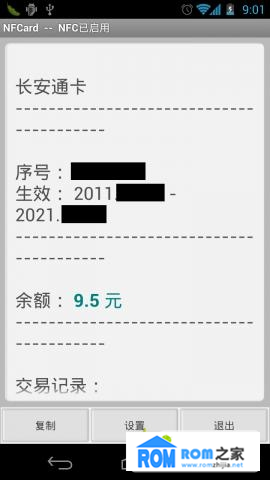 教學:如何檢驗韓版9100的原裝電池
韓版9100支援NFC技術,而這顆NFC晶片就藏在電池裡面,所以只要檢查NFC晶片是否存在,就能判斷電池是否為原裝。過去有些朋友教你們把電池外皮撕開檢查,這樣太暴力了!本
 三星S6818一鍵刷Recovery教程 圖文詳解
S6818卡刷的前提是手機裡有一個第三方recovery。今天小編和大家分享的就是三星S6818刷recovery教程,我們通過ODIN刷機工具進行線刷,無需事先獲取ro
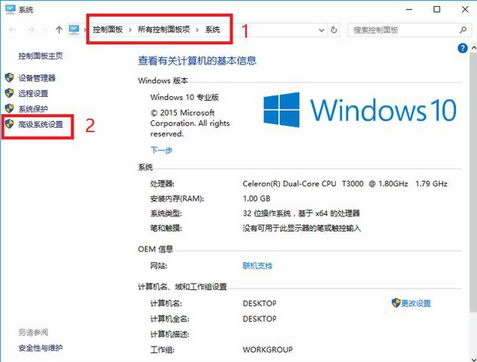 老電腦跑Win10還是卡?兩招關掉特效,速度立刻回來
2015年7月底微軟正式推送Windows 10,官方說法很動人:連XP時代的舊機器都跑得動。最低門檻確實不高,但實際裝上去之後,不少老機器還是會喘——尤其只有內顯的那批