

編輯:Android 刷機技巧
想改狀態欄樣式、換開關動畫、修掉某個語系的字串,最後都會走到同一個檔案:/system/framework 底下的 Framework-res.apk。以下把它我只是攤開來看。
底下分成 images、sounds、webkit 三塊,放的是圖片、.raw 格式的提示音與 WebKit 相關資源。這裡通常不需要動。
· anim:動畫效果控制檔(.xml),換轉場、換手勢動畫都在這裡。
· color:各部位配色控制碼。
· drawable / drawable-xxx:基本資源庫,各種 .xml 與 .png 素材,供控制檔呼叫。
· layout / layout-xxx:版面配置,決定每個元件(例如某個圖示)擺在哪裡。
· values / values-xxx:各語言的字串與數值資源,也是瘦身時第一個要處理的地方。
· raw / raw-xxx 與 xml / xml-xxx:全域性控制檔,一般情況下不需要更動。
AndroidManifest.xml 位於應用根目錄,宣告整個套件包的全域屬性:暴露了哪些元件(activities、services 等)、各元件的實作類別、能操作什麼資料、在哪裡執行。它的主要節點包含 manifest(根節點)、uses-permission(申請權限)、permission(宣告權限)、application、activity、intent-filter(及其下的 action、category、type、scheme、authority、path)、receiver、service、provider。改主題時幾乎用不到它。
apktool.yml 則是 apktool 反編譯時自動產生的設定檔,不需要改,但回編譯時少了它會失敗。
檔名本身就是說明書,命名規則大致是「場景 + enter/exit」。以下挑幾個常用的:
· 桌面進出:wallpaper_open_enter/exit(開啟與關閉程式)、wallpaper_intra_open/close_enter/exit(程式內部頁面轉換)、wallpaper_enter/exit(後台切換)、wallpaper_close_enter/exit(進入程式)。
· 選單與面板:options_panel_enter/exit、submenu_enter/exit、status_bar_enter/exit、search_bar_enter/exit、recent_enter/exit、priority_alert_enter/exit。
· 提示類:toast_enter/exit、dialog_enter/exit、alert_dialog_enter/exit。
· 鎖屏:lock_screen_enter/exit、lock_screen_controlview_fade_out、lock_screen_behind_enter、lock_screen_album_fade_in/out。
· 输入法:input_method_enter/exit、input_method_fancy_enter/exit、input_method_extract_enter/exit。
· 任務切換:task_open_enter/exit、task_close_enter/exit、activity_open_enter/exit、activity_close_enter/exit。
· 位移與漸變:slide_in_left/right/up、slide_in_child_bottom、slide_out_left/right/down、fade_in/fade_out、grow_fade_in(含 _center、_from_bottom)、shrink_fade_out(含 _center、_from_bottom)。
· 推拉:push_up_in/out、push_down_in/out。
· 插補器(interpolator):linear(線性)、accelerate(加速)、decelerate(減速)、accelerate_decelerate、anticipate(預先加速)、overshoot(越過再回彈)、anticipate_overshoot、bounce(反彈)、cycle(循環)、overshoot_interpolator 則常用於多屏切換。
把這些檔名記熟,改動畫時就不必一個一個試。
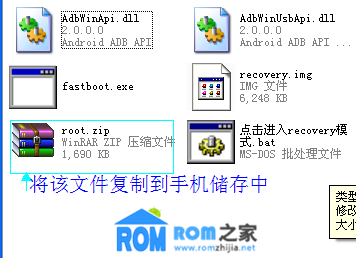 HTC T328t 手動取得 Root 權限教學
HTC T328t 若要手動取得 Root 權限,需先確認電腦已安裝驅動,且手機已完成解鎖。整體流程是進入 Fastboot、刷入 Recovery,再透過 Recove
 iPad顯示「已停用」別慌 三招把平板救回來
iPad 設了密碼之後,只要連續輸錯幾次,系統就會丟出「iPad 已停用」的提示。這情況十有八九不是外人所為,而是家裡小朋友亂按一通造成的。別急著送去維修,以下三種方法多
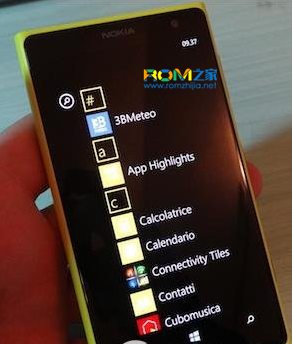 Lumia 925無故當機凍屏?微軟承認是功率調節器邏輯缺陷
Lumia 925經常無故當機、畫面凍住怎麼辦?這個問題微軟已正式回應,並提供了暫時的應對方式。以下整理官方說明與用戶歸納的建議。 針對用戶回報的這一故障,微軟已在官方
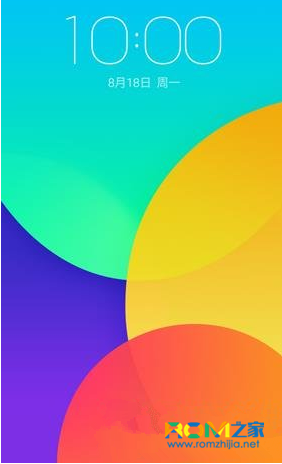 Flyme 5.0會變成什麼樣?魅族副總楊顏談設計思路
Flyme 5.0究竟會帶來哪些改變?在適配Android 5.0的過程中,魅族又如何拿捏自家風格?以下整理自魅族副總裁楊顏的說法。 談到歷代Flyme給人最深的印象,